
Tenant
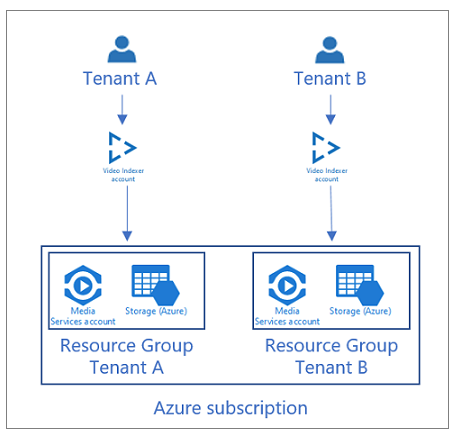
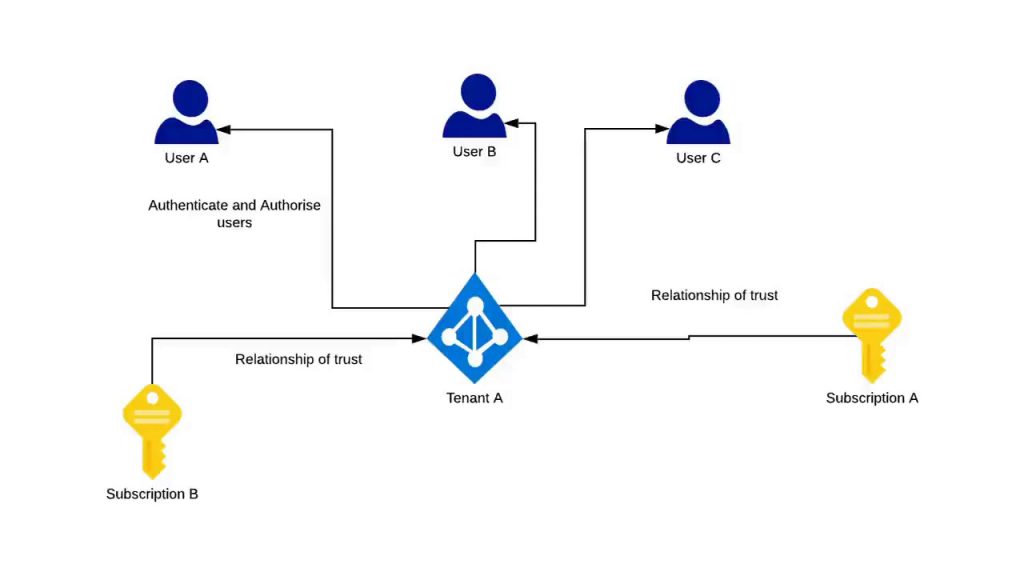
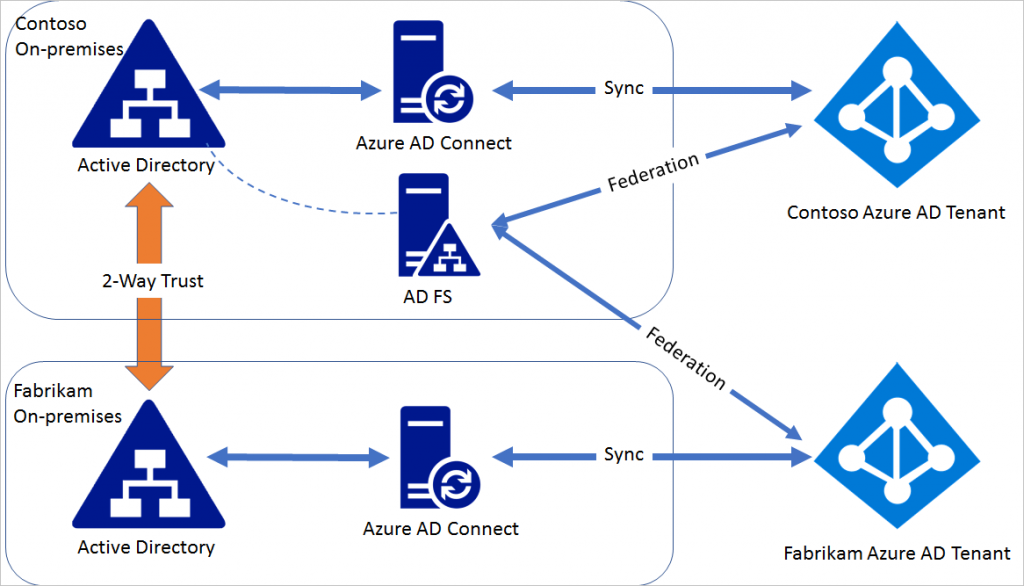
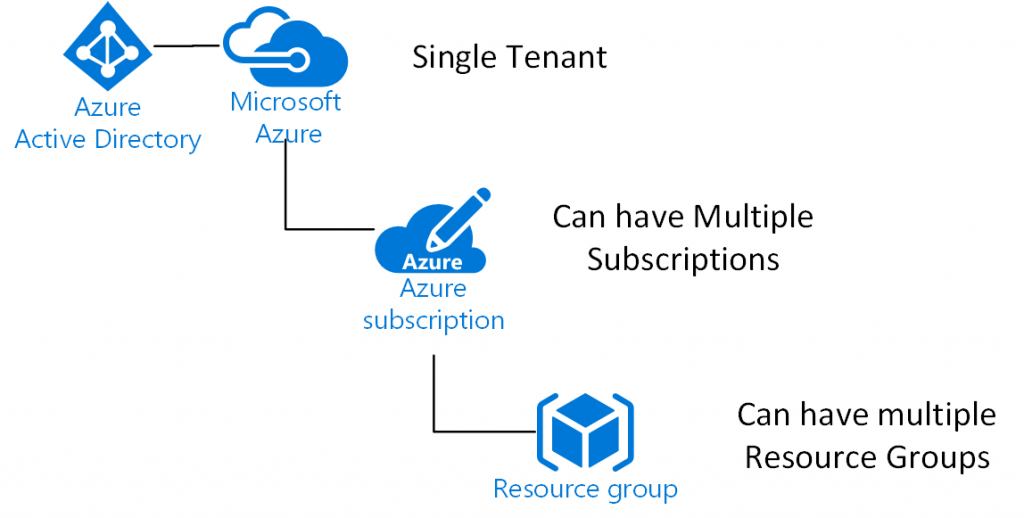
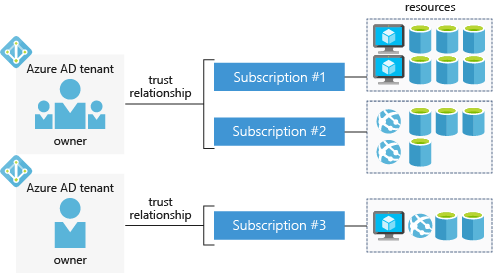
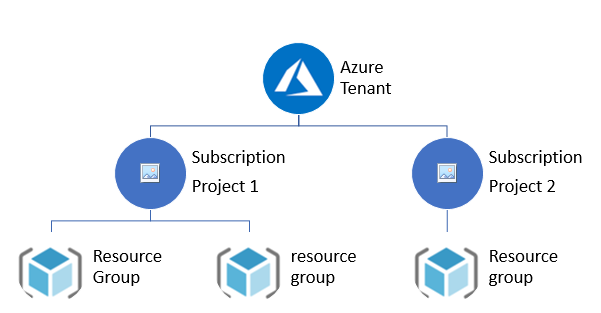
A Tenant, as it relates to Azure, refers to a single instance of Azure Active Directory, or, as it is often called “Azure AD”. Azure AD is a key piece of Microsoft’s cloud platform as it provides a single place to manage users, groups and the permissions they hold in relation to applications published in Azure AD.
Key Microsoft applications that Azure AD provides access to include Office 365, Dynamics 365 and Azure. Yes, you read that right, Azure is treated as an ‘application’. You can also use Azure AD to control access to many other third-party applications such as Salesforce and even the AWS admin console. As an application developer you can register your own applications in Azure AD for the purpose of allowing users access.
Azure AD Tenants are globally unique and are scoped using a domain that ends with ‘onmicrosoft.com’ (i.e. myazuread.onmicrosoft.com) and each has a ‘Tenant ID’ in the form of an UUID/GUID. Some customers choose to connect their internal Active Directory environment to Azure AD to allow single or same sign-on for their staff and will also use a custom domain instead of the default ‘onmicrosoft.com’.
When you access the Azure Portal, or leverage one of the command-line tools to manage Azure resources in a Subscription, you will always be authenticated at some point via the Azure AD Tenant associated with the Subscription you want to access. The actions you can take will depend on the Role you have been assigned in the target Subscription.
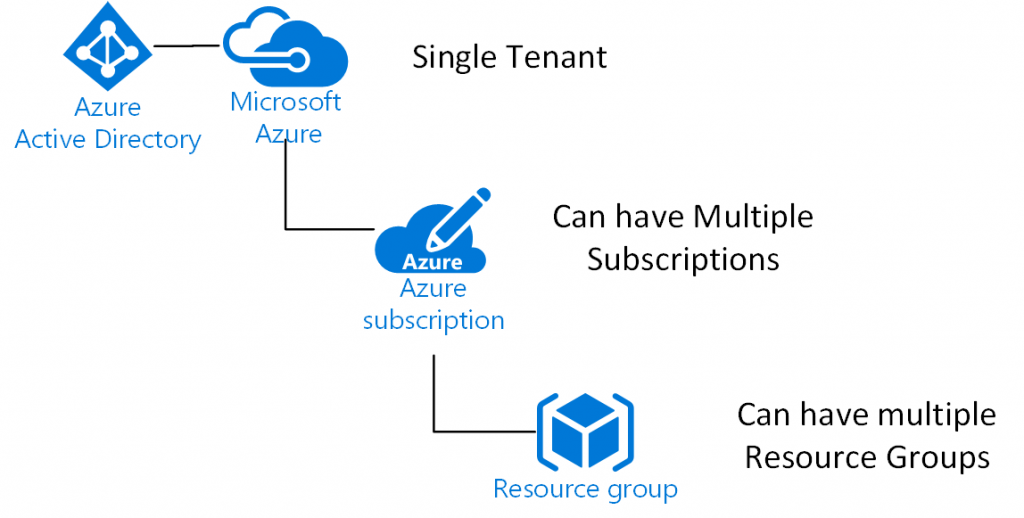
Finally, Azure AD Tenants can be associated with multiple Subscriptions (typically in larger organisations), but a Subscription can only ever be associated with a single Azure AD Tenant at any time.
Subscription
A Subscription in Azure is a logical container into which any number of resources (Virtual Machines, Web Apps, Storage Accounts, etc) can be deployed. It can also be used for coarse-grained access control to these resources, though the correct approach these days is to leverage Role Based Access Control (RBAC) or Management Groups. All incurred costs of the resources contained in the Subscription will also roll-up at this level
As noted above, a Subscription is only ever associated with a single Azure AD Tenant at any time, though it is possible to grant users outside of this Tenant access. You can also choose to change the Azure AD Tenant for a Subscription. This feature is useful if you wish to transfer, say, a Pay-As-You-Go (PAYG) Subscription into an existing Enterprise Enrolment. Subscriptions have both a display name (which you can change) and a Subscription ID (UUID/GUID) which you can’t change.
Subscriptions are not tied to an Azure Region and as a result can contain resources from any number of Regions. This doesn’t mean that you will have access to all Regions, as some Geographies and Regions are restricted from use – we’ll talk more about this next.
Resources contained in a Subscription, but deployed to different Regions will still incur cross-Region costs (where applicable) for the resource.
People sometimes use the word ‘Tenant’ instead of ‘Subscription’ or vice-versa. Hopefully you can now see what the difference is between the two.
Regions and Geographies
Azure differs from the other major cloud providers in its approach to providing services close to the customer. As a result, and at time of writing (August 2018), Azure offers 42 operational Regions with 12 more announced or under development.
A Region is a grouping of data centres that together form a deployment location for workloads. Apart from geo-deployed services like Azure AD or Azure Traffic Manager you will always be asked what Region you wish to deploy a workload to.
Regions are named based on a general geography rather than after exactly where the data centres are. So, for example, in Australia we have four Regions – Australia East, Australia Southeast, Australia Central 1 and Australia Central 2.
A Geography, as it relates to Azure, can be used to describe a specific market – typically a country (Australia), though sometimes a geographic region (Asia, Europe). Normally within a Geography you will find two Regions which will be paired to provide customers with high availability options. Can anyone spot the one Region that doesn’t have its pair in the same Geography?
There are a few special Regions that aren’t open to everyone – US Government Regions, the entire German Geography and China. In Australia, in order to access Australia Central 1 and 2 you must undergo a white listing process to gain access.
When you replicate data or services between Regions you will pay an increased charge for either data transfer between Regions and / or duplicated hosting costs in the secondary Region. Some services such as Azure Storage and Azure SQL Database provide geo-redundant options where you pay an incremental cost to have your data replicated to the secondary Region. In other cases you will need to design your own replication approach based on your application and its hosting infrastructure.
Once you have deployed a service to a Region you are unable to move it – you have to re-provision it if you need the primary location to be somewhere else.
As a final note, while there is a Regional availability model (replication of services between Regions), Microsoft has also introduced the concept of Availability Zones. Availability Zones are still being rolled out globally, and are more than just a logical overlay over Regions. There is a great infographic on the Azure Resiliency website that covers how Regions and Availability Zones work and the value they provide.
So there we have it, a quick overview of some of the key terms you should be familiar with when getting started with Azure. As always, if anything’s unclear or you have any questions feel free to drop a comment below.
Reference
- https://blog.siliconvalve.com/2018/08/27/understanding-tenants-subscriptions-regions-and-geographies-in-azure/

I’m Rajesh Kumar, a DevOps, SRE, DevSecOps, Cloud, and Platform Engineering expert passionate about sharing practical knowledge, real-world experiences, and industry best practices. I have worked at Cotocus and regularly write about technology, travel, investing, health, product reviews, and digital marketing through my various platforms.
I publish technical articles at DevOps School, travel stories at Holiday Landmark, stock market insights at Stocks Mantra, health and fitness guidance at My Medic Plus, product reviews at TrueReviewNow, and SEO and digital marketing strategies at Wizbrand.
Find Trusted Cardiac Hospitals
Compare heart hospitals by city and services — all in one place.
Explore Hospitals