
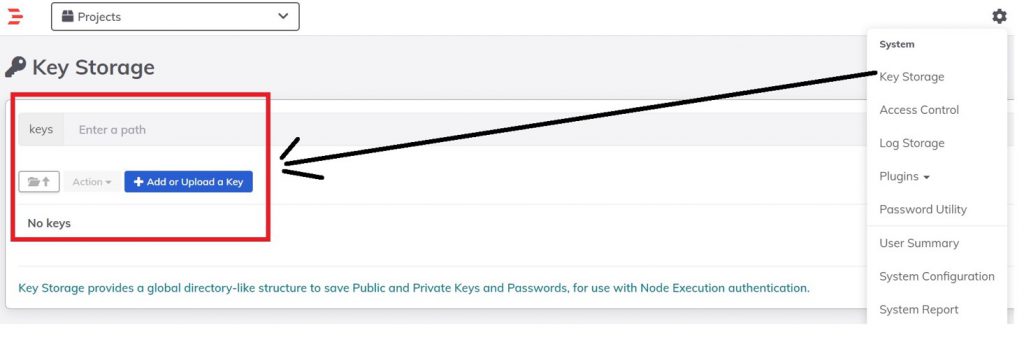
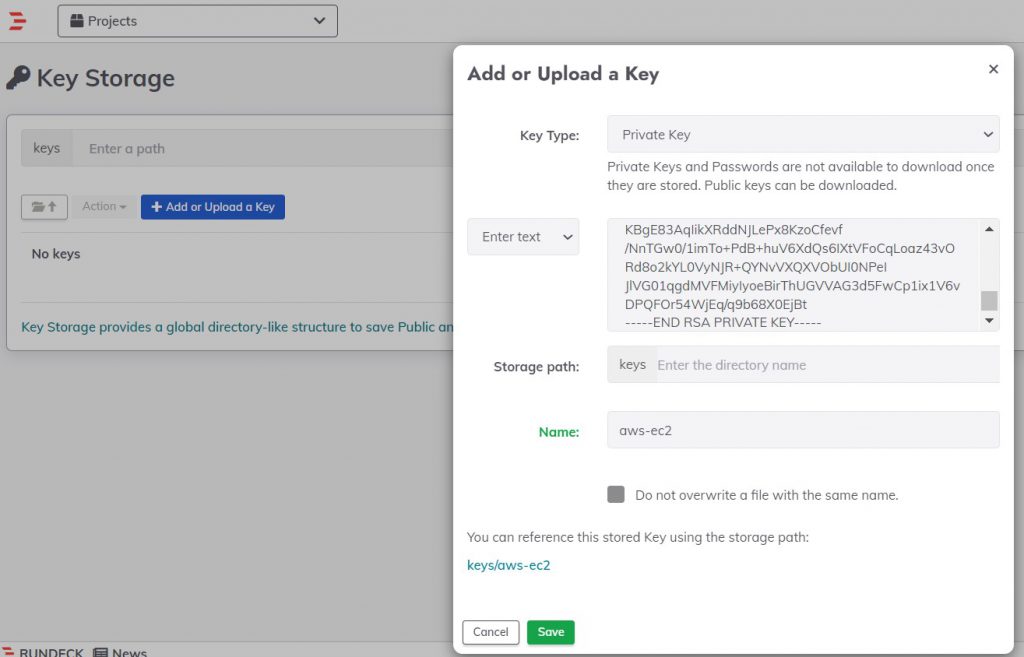
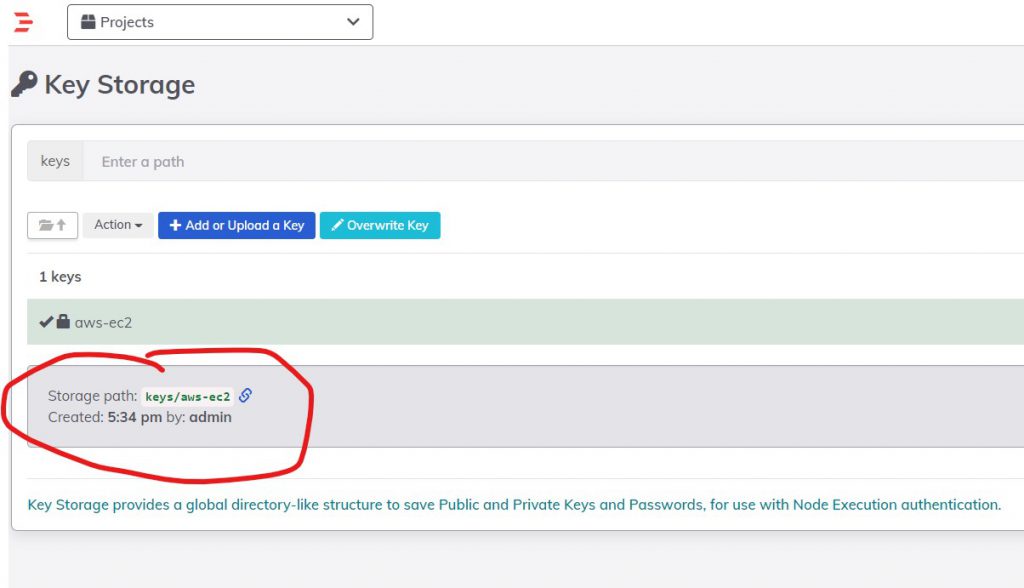
Step 1 – Add authentication keys/password in Key Storage
Add authentication keys/password of the linux node in Rundeck’s built-in Key Storage.
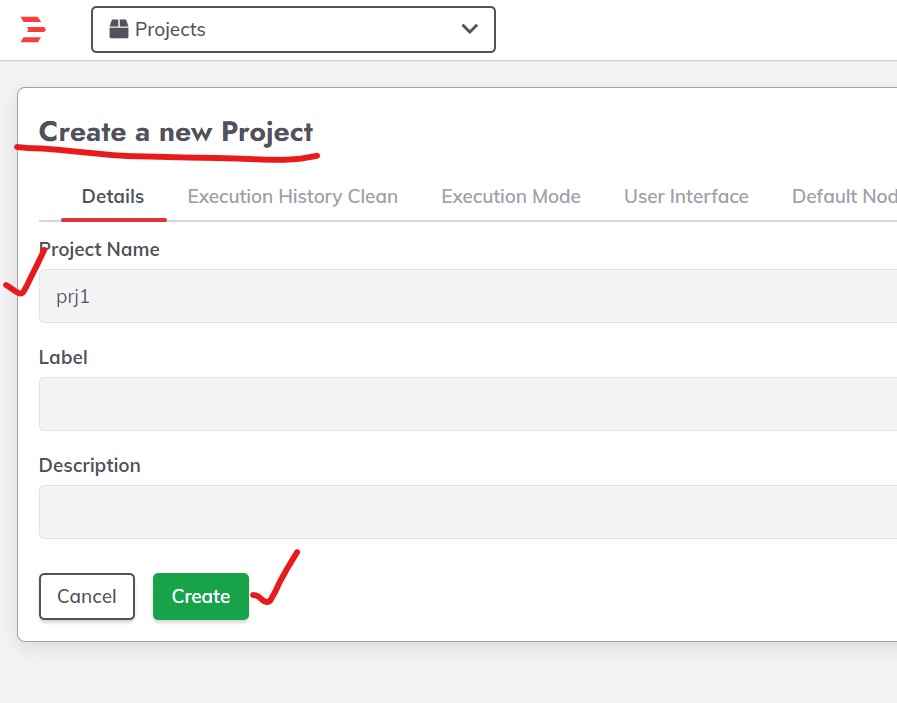
Step 2 – Create a Project
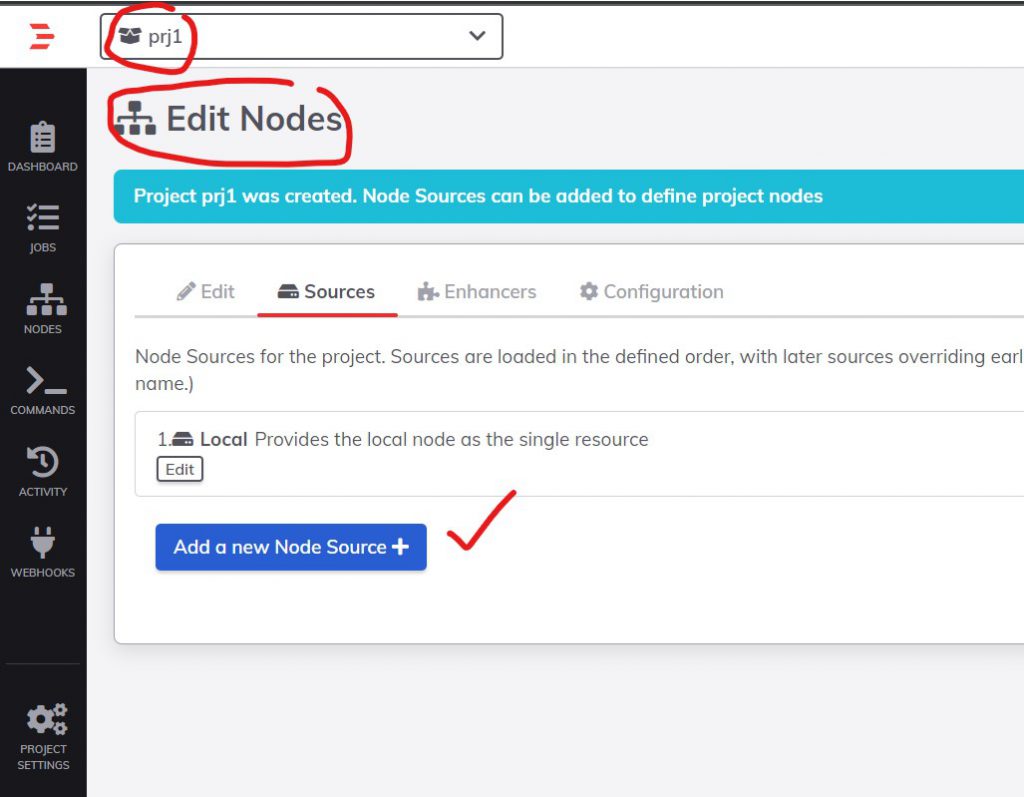
Step 3 – Edit node for the project

Step 4 – Click on the Add new Node Source button.

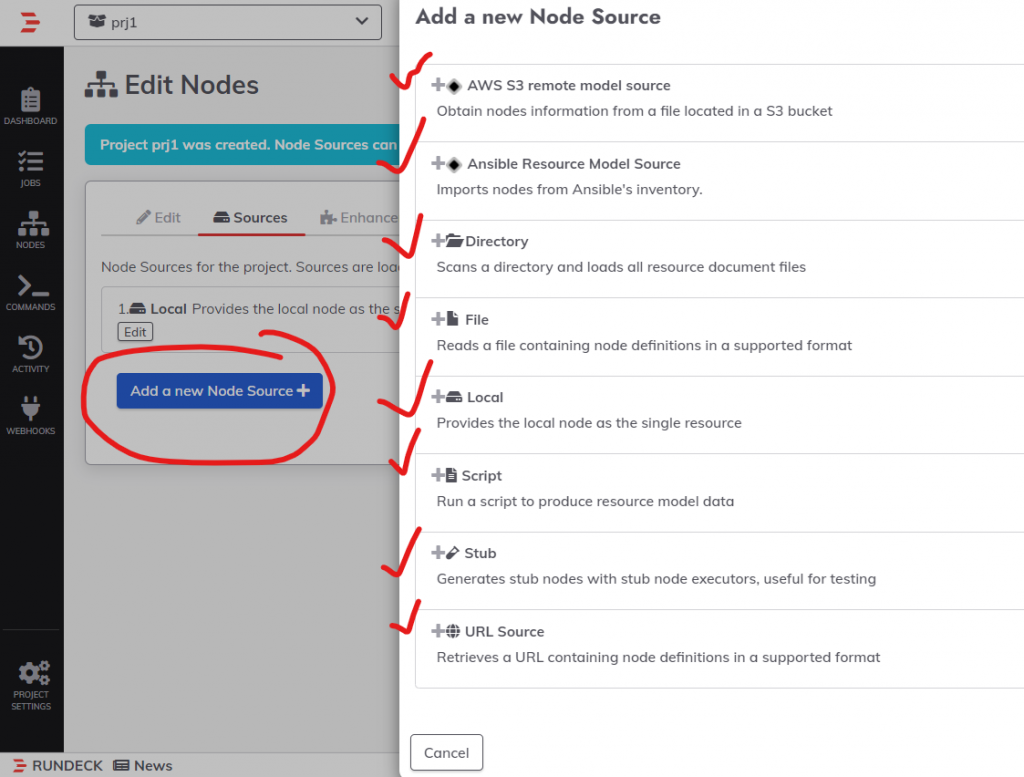
Step 5 – Choose “File”
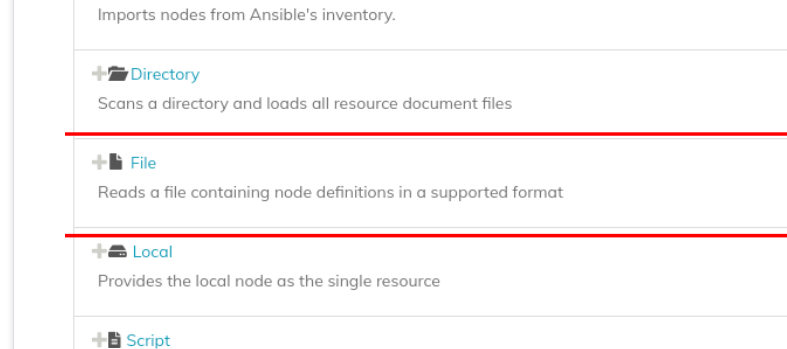
Step 6 – Choose desire options
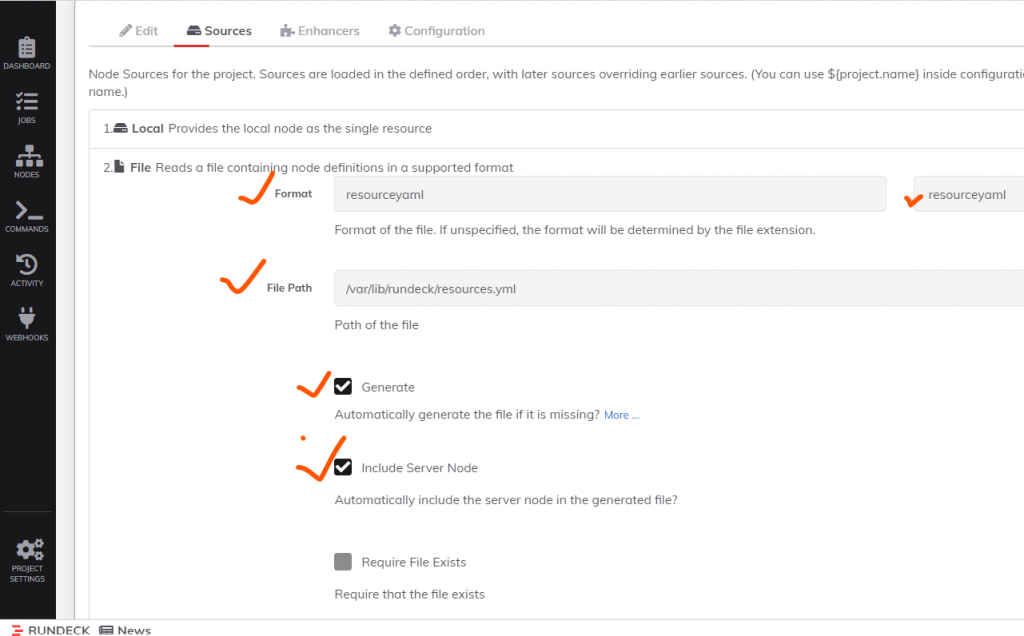
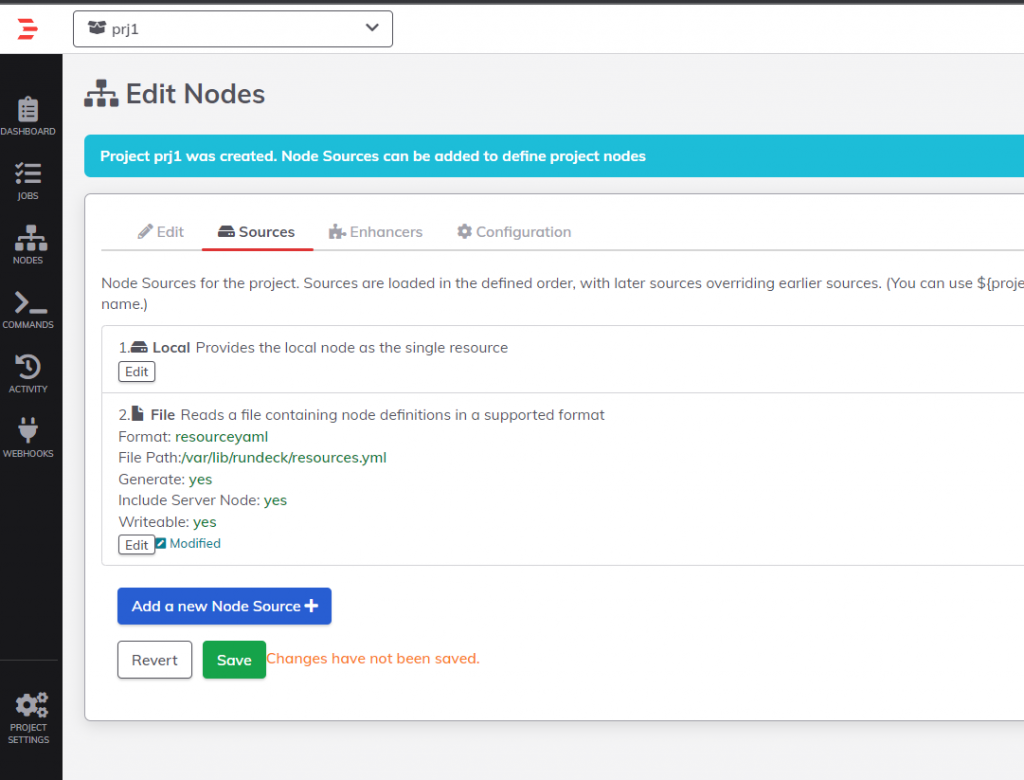
Finally, click on the Save button. The file will be added to the server and ready for a node entry.\
Once created, the file can be edited by clicking on the “Modify” button (Edit tab) where we can add an extra entry corresponding to our remote SSH server.
Step 7 – Update resources.yaml
In the hostname attribute, place the DNS name of our remote node. In username the user who is trying to access the SSH server, In ssh-key-storage-path specifies the path that was created in key storage earlier.
remote-node:
  description: Remote SSH server node
  hostname: ec2-13-235-210-138.ap-south-1.compute.amazonaws.com
  nodename: node1
  osArch: amd64
  osFamily: unix
  osName: Linux
  osVersion: 5.11.0-7612-generic
  tags: 'node1'
  username: centos
  ssh-key-storage-path: keys/aws-ec2Code language: JavaScript (javascript)
localhost:
nodename: localhost
hostname: localhost
osVersion: 3.10.0-1160.59.1.el7.x86_64
osFamily: unix
osArch: amd64
description: Rundeck server node
osName: Linux
username: centos
tags: ''Code language: JavaScript (javascript)root@ip-172-31-45-102:/etc/ssh/sshd_config.d# vi /var/lib/rundeck/resources.yml
remote-node:
description: Remote SSH server node
hostname: ip-172-31-45-102
nodename: node3
osArch: amd64
osFamily: unix
osName: Linux
osVersion: 5.11.0-7612-generic
tags: 'node1'
username: ubuntu
ssh-authentication: password
ssh-password-storage-path: keys/project/DevOpsSchhool/ubuntu
Code language: PHP (php)remote-node:
description: Remote SSH server node
hostname: 3.111.51.163
nodename: node2
osArch: amd64
osFamily: linux
osName: Linux
osVersion: 5.11.0-7612-generic
tags: 'node2'
username: ubuntu
ssh-authentication: password
ssh-password-storage-path: keys/project/DevOpsSchool/rajpass
remote-node:
description: Remote SSH server node
hostname: 3.111.51.163
nodename: node3
osArch: amd64
osFamily: linux
osName: Linux
osVersion: 5.11.0-7612-generic
tags: 'node3'
username: ubuntu
ssh-authentication: privateKey
ssh-key-storage-path: keys/project/DevOpsSchool/rudeckkey
Code language: JavaScript (javascript)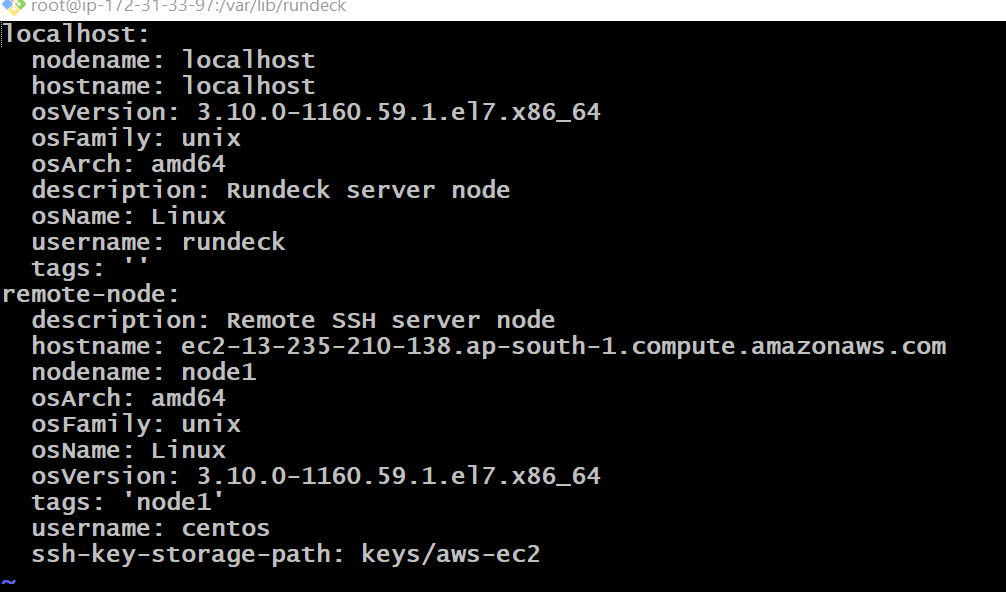
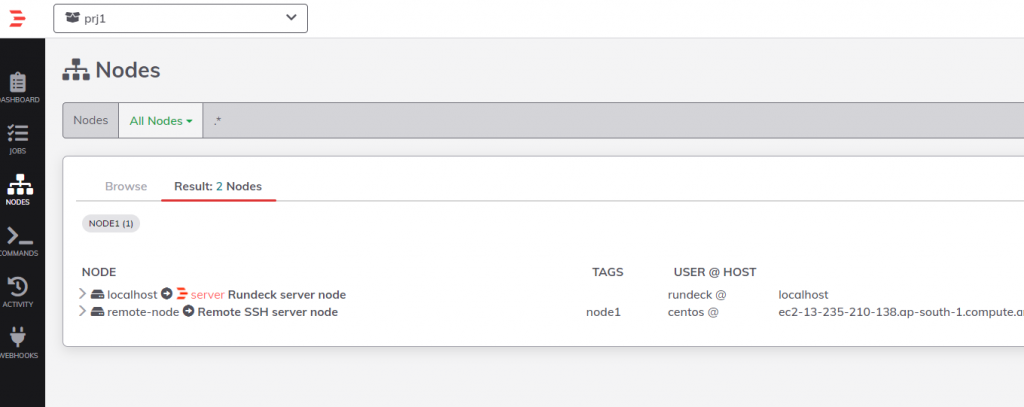
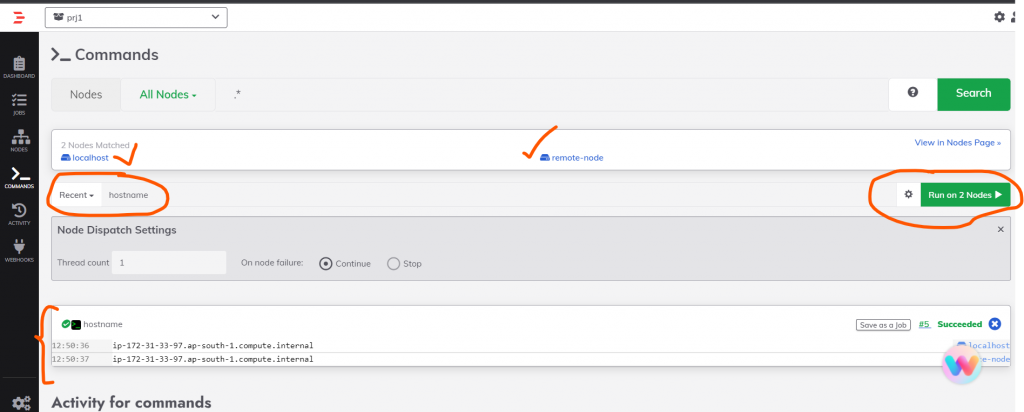
Step 8 – Use Plugins

I’m Rajesh Kumar, a DevOps, SRE, DevSecOps, Cloud, and Platform Engineering expert passionate about sharing practical knowledge, real-world experiences, and industry best practices. I have worked at Cotocus and regularly write about technology, travel, investing, health, product reviews, and digital marketing through my various platforms.
I publish technical articles at DevOps School, travel stories at Holiday Landmark, stock market insights at Stocks Mantra, health and fitness guidance at My Medic Plus, product reviews at TrueReviewNow, and SEO and digital marketing strategies at Wizbrand.
Find Trusted Cardiac Hospitals
Compare heart hospitals by city and services — all in one place.
Explore Hospitals
Hi Rajesh,
Thanks for the clear steps. Still I need help in setting up the file-copier and node-executor. Could you upload the steps for configuring them. Thanks in advance