
What is a Jira workflow?
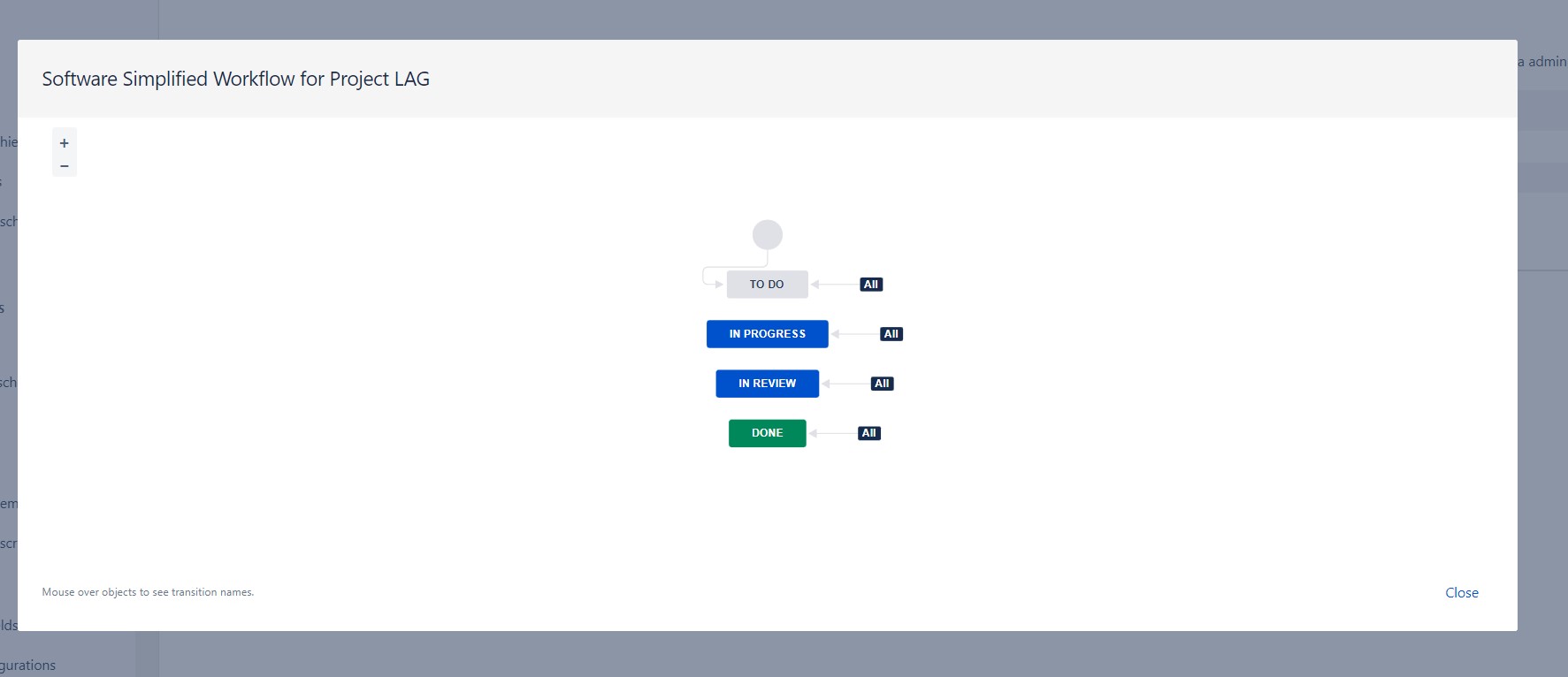
A Jira workflow is the path that an issue takes from creation to completion. It is made up of a series of statuses and transitions, which represent the different stages of the issue’s lifecycle and the actions that can be taken to move it from one stage to the next.
Why are Jira workflows important?
Jira workflows are important because they help teams to:
- Visualize their work: Jira workflows can be used to create Kanban boards and Scrum boards, which allow teams to visualize their work in progress and identify bottlenecks.
- Standardize their processes: Jira workflows can be used to standardize the way that teams work on different types of issues. This can help to improve efficiency and reduce errors.
- Automate their work: Jira workflows can be used to automate tasks, such as sending notifications, assigning issues to users, and moving issues between statuses. This can free up teams to focus on more important work.
How to create a Jira workflow
To create a Jira workflow, you can follow these steps:
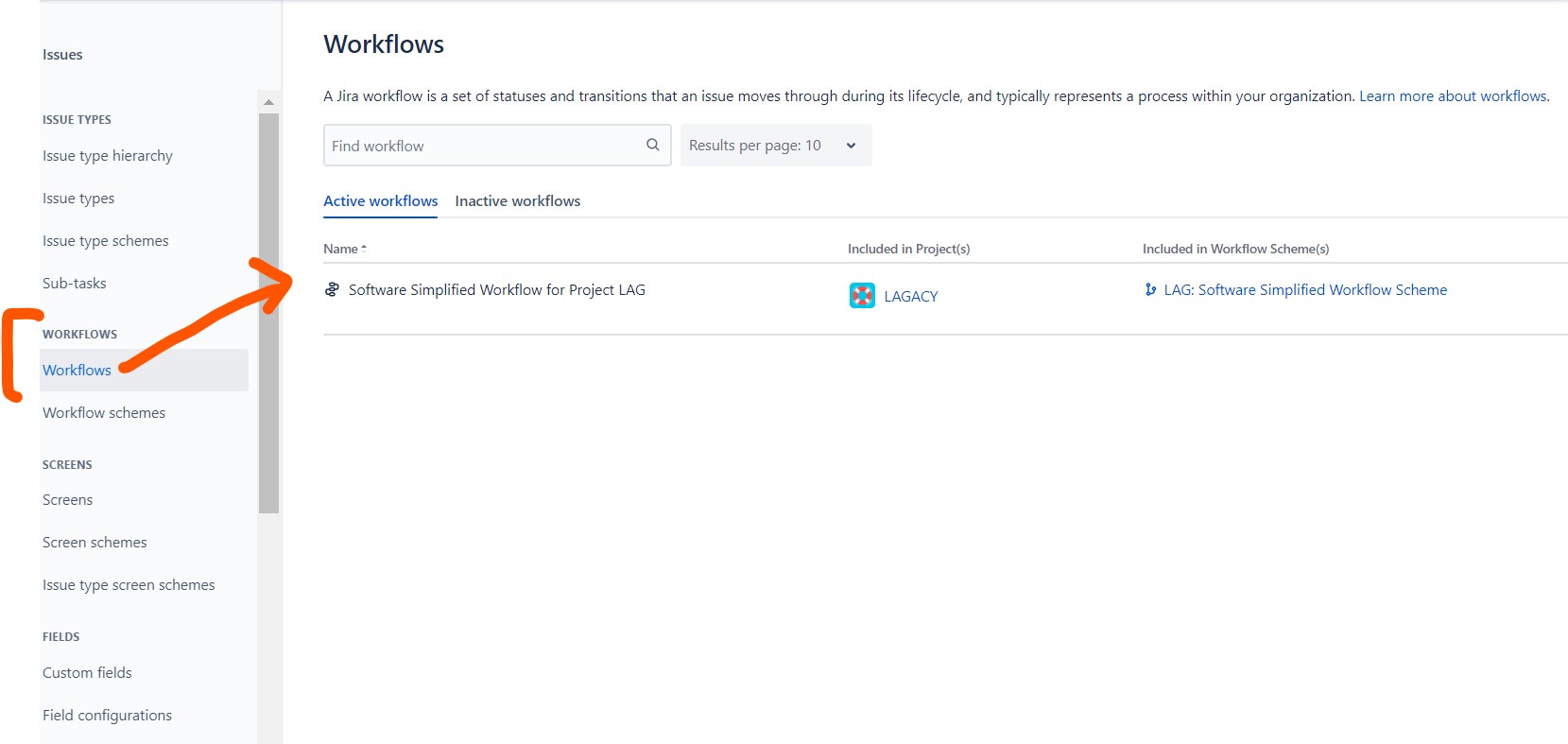
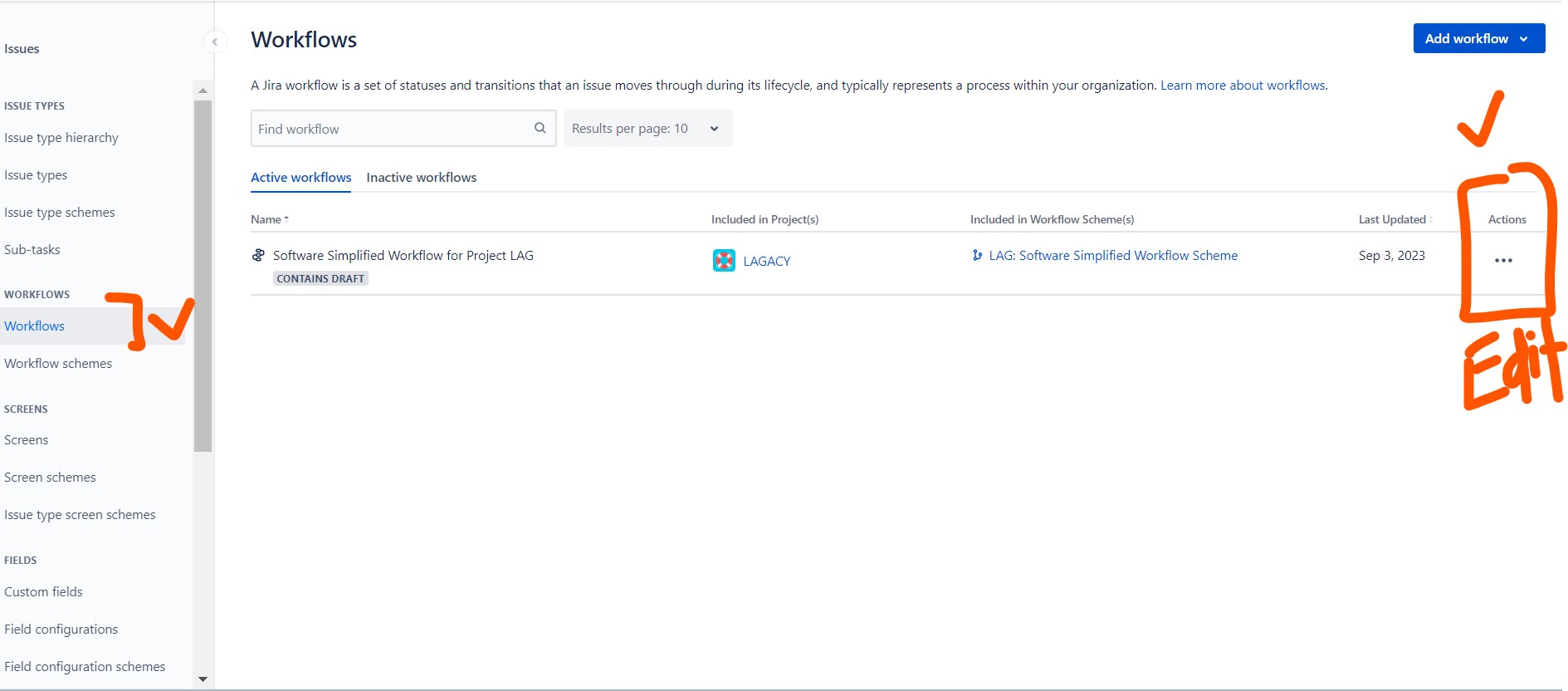
- Go to Project settings > Workflows.
- Click Add workflow.
- Give your workflow a name and description.
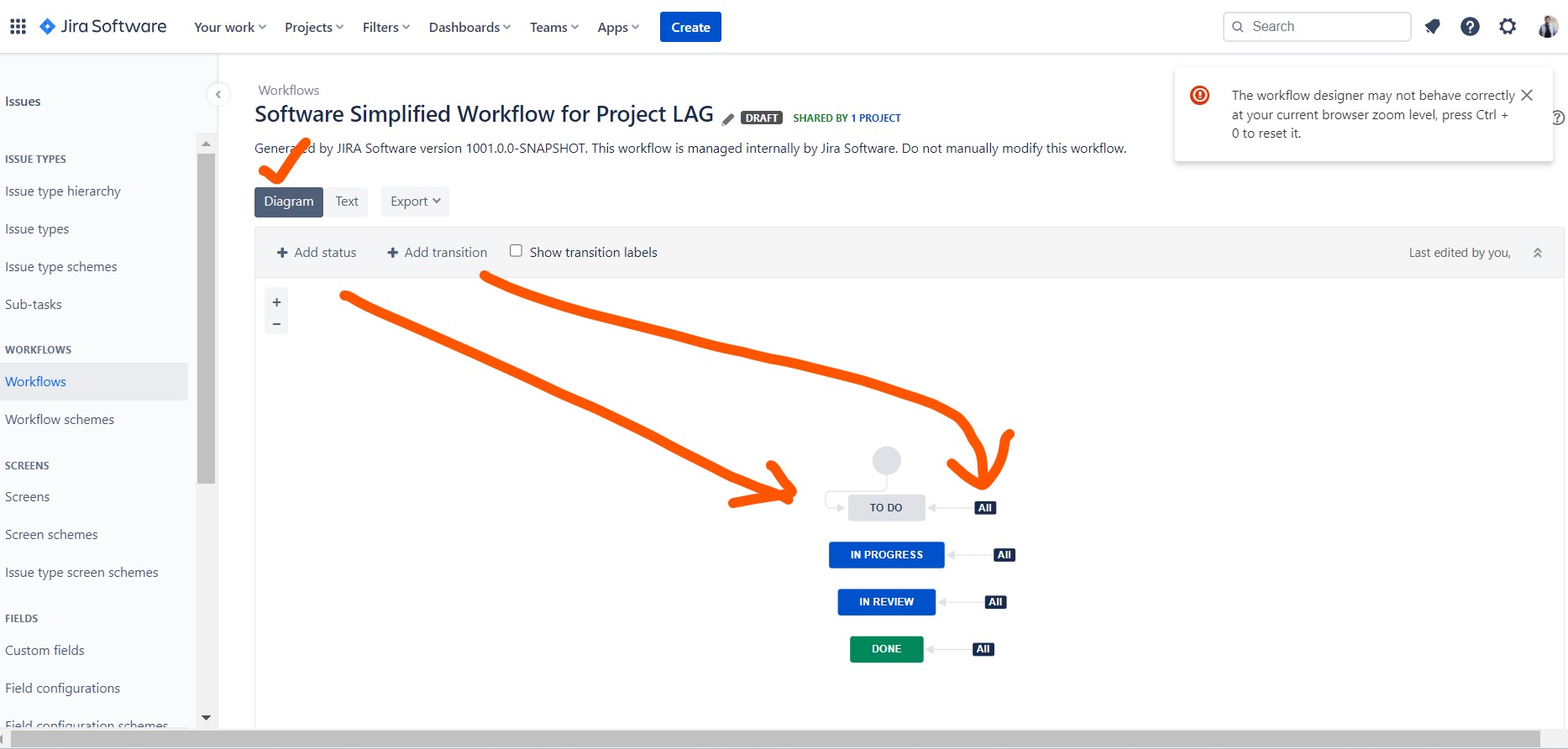
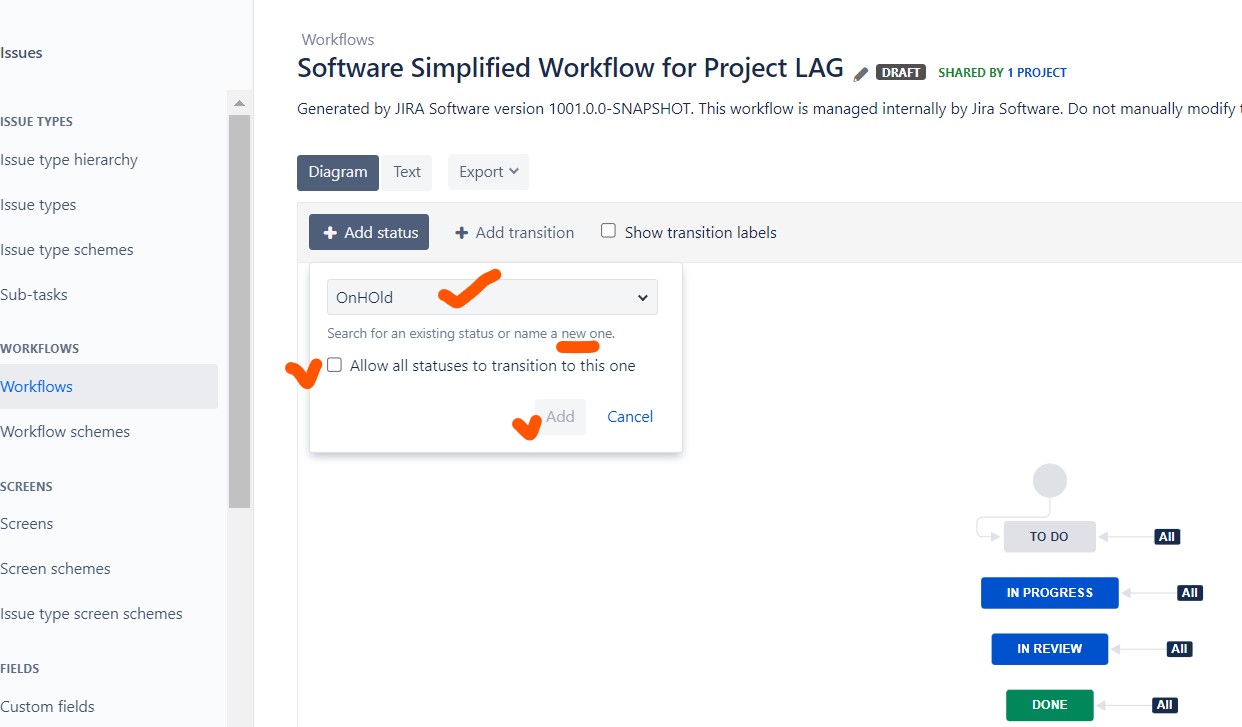
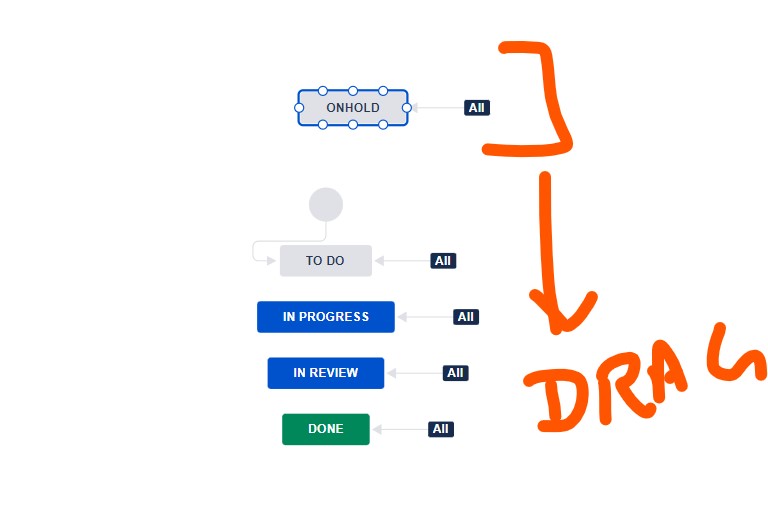
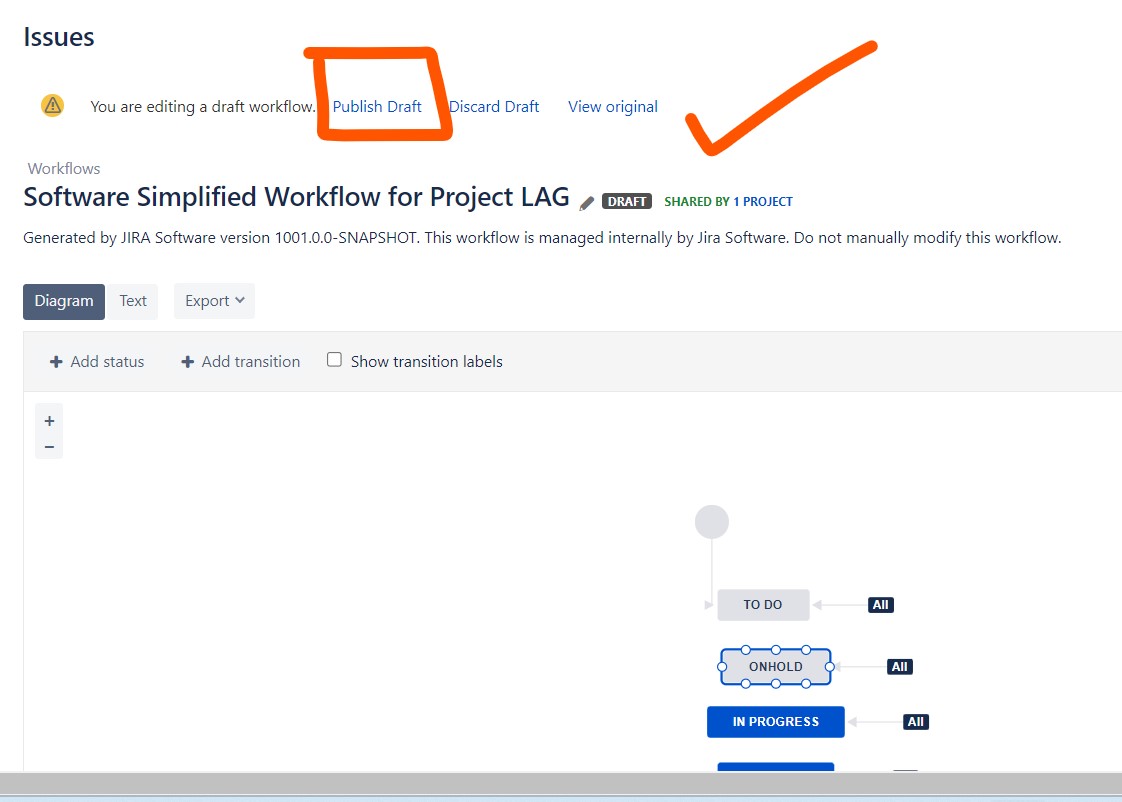
- Click Add status to add each status in your workflow.
- Click Add transition to add each transition in your workflow.
- Click Publish when you are finished.
How to use Jira workflows
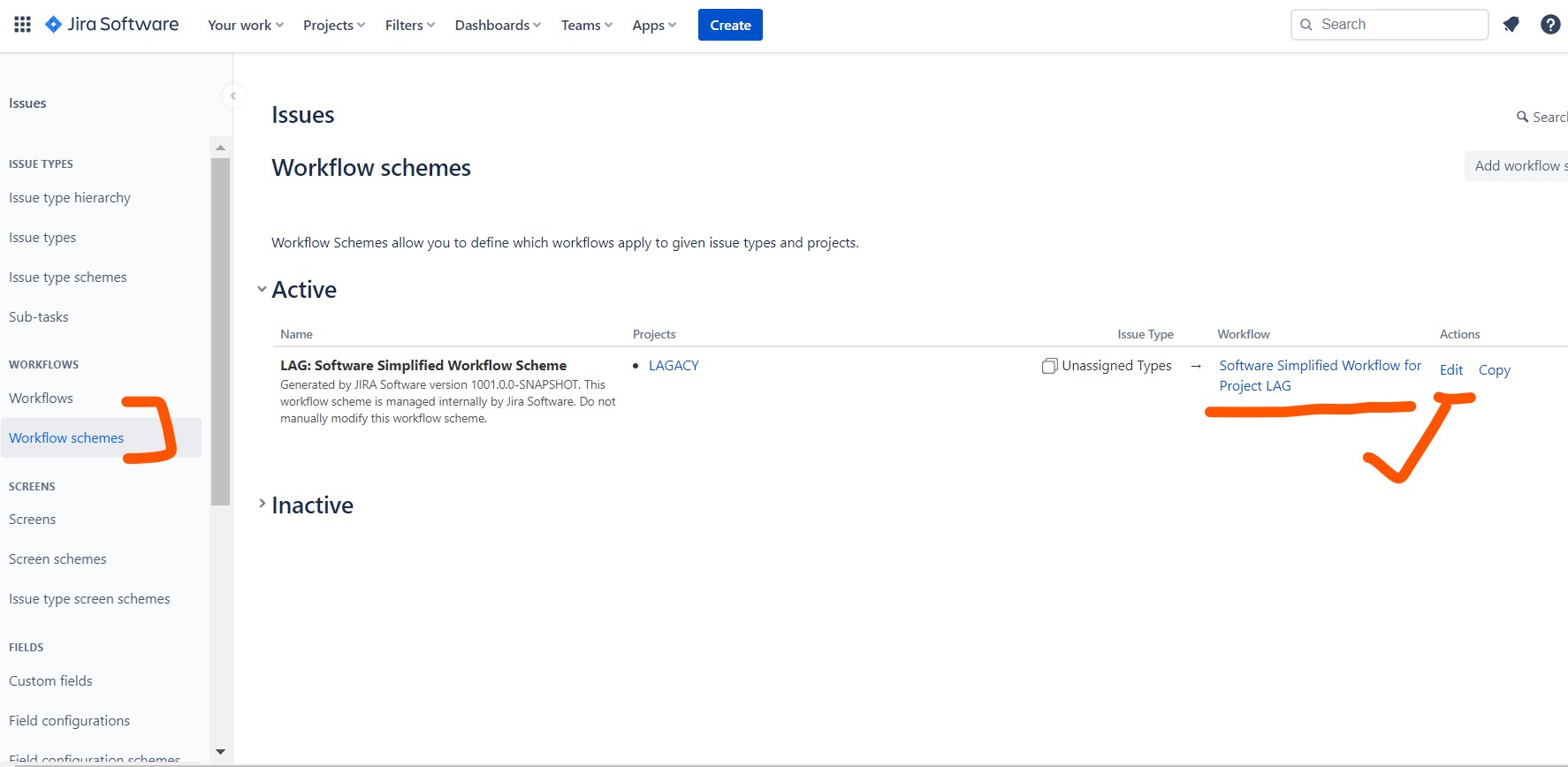
Once you have created a Jira workflow, you can assign it to a project or issue type. This will determine which workflow the issues in that project or issue type follow.
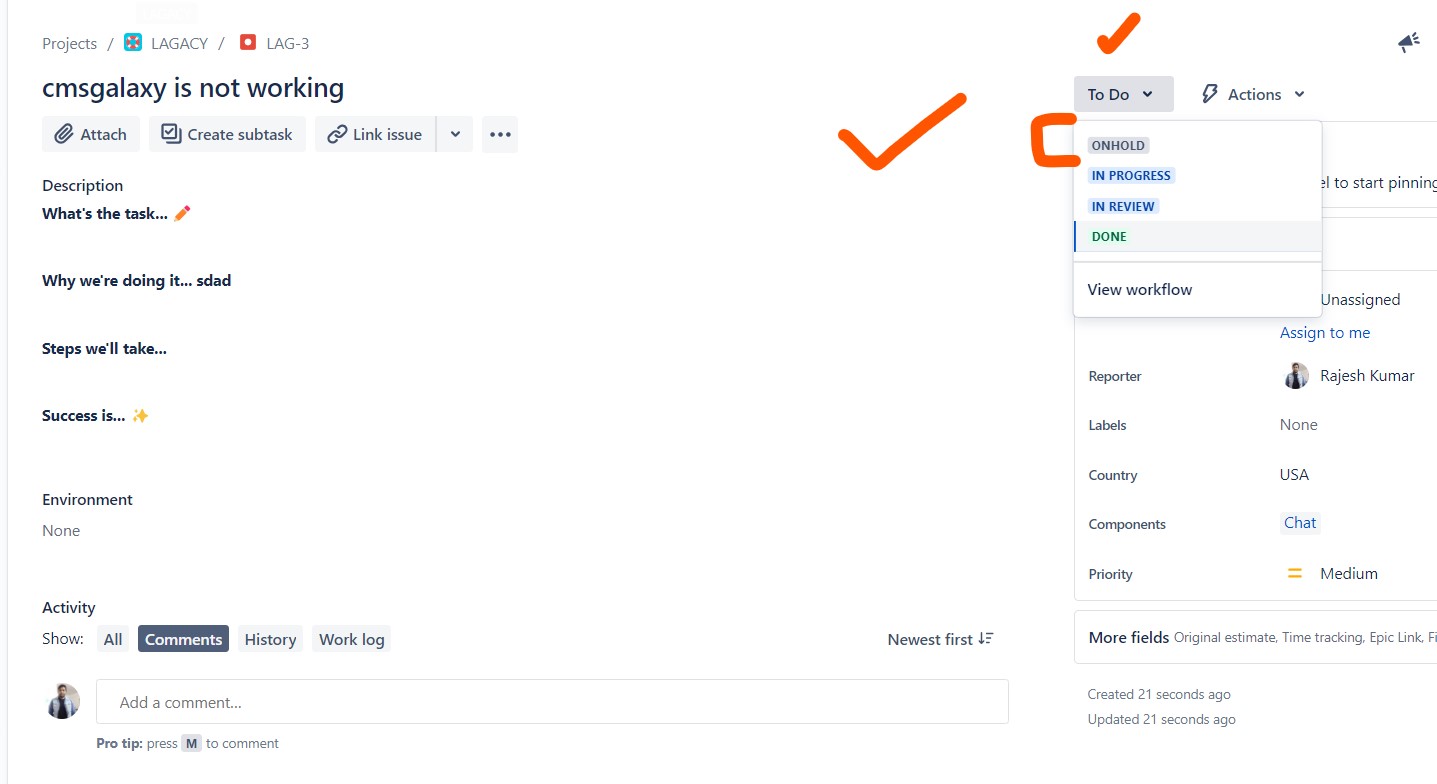
To move an issue through a workflow, you can drag and drop it between statuses on the Kanban board or Scrum board. You can also use the Transitions button to transition the issue to a specific status.
Jira workflow best practices
Here are some best practices for working with Jira workflows:
- Keep your workflows simple: Avoid creating too many statuses and transitions, as this can make your workflows difficult to manage.
- Tailor your workflows to your team’s needs: There is no one-size-fits-all Jira workflow. Make sure to tailor your workflows to the specific needs of your team and the types of issues they work on.
- Test your workflows: Once you have created a Jira workflow, be sure to test it with a few issues to make sure that it works as expected.
- Review your workflows regularly: Jira workflows are not set in stone. You should review your workflows regularly and make adjustments as needed.
Jira workflow examples
Here are some examples of Jira workflows:
- Scrum workflow: This workflow is typically used by software development teams. It consists of the following statuses: Backlog, To Do, In Progress, In Review, and Done.
- Kanban workflow: This workflow is typically used by teams that follow the Kanban methodology. It consists of the following statuses: To Do, In Progress, and Done.
- Bug tracking workflow: This workflow is typically used by teams to track and fix bugs. It consists of the following statuses: New, Assigned, In Progress, Resolved, and Verified.

I’m Rajesh Kumar, a DevOps, SRE, DevSecOps, Cloud, and Platform Engineering expert passionate about sharing practical knowledge, real-world experiences, and industry best practices. I have worked at Cotocus and regularly write about technology, travel, investing, health, product reviews, and digital marketing through my various platforms.
I publish technical articles at DevOps School, travel stories at Holiday Landmark, stock market insights at Stocks Mantra, health and fitness guidance at My Medic Plus, product reviews at TrueReviewNow, and SEO and digital marketing strategies at Wizbrand.
Find Trusted Cardiac Hospitals
Compare heart hospitals by city and services — all in one place.
Explore Hospitals
The explanation of working with workflows in Jira is clear and easy to follow. I especially liked how the steps were broken down — it really helps understand how to manage and customize workflows better. Thanks for the useful guide!