
Introduction
Expense Management Tools are software solutions designed to help individuals and organizations track, manage, approve, reimburse, and analyze business expenses in a structured and compliant way. Instead of relying on manual spreadsheets, paper receipts, and email approvals, these tools automate the entire expense lifecycle—from capturing receipts to generating financial reports.
In today’s fast-paced business environment, managing expenses accurately is critical. Companies face increasing pressure to control costs, maintain compliance, reduce fraud, and gain real-time visibility into spending. Expense management tools play a central role by improving transparency, reducing administrative overhead, and ensuring policies are followed consistently.
Real-world use cases include:
- Employee travel and meal expense tracking
- Corporate card management
- Reimbursement automation
- Expense approval workflows
- Budget control and cost optimization
- Audit readiness and compliance reporting
When evaluating expense management tools, users should look for ease of use, automation capabilities, integrations with accounting systems, strong reporting, security standards, scalability, and total cost of ownership.
Best for:
Expense management tools are ideal for finance teams, accountants, CFOs, HR managers, startup founders, and operations leaders across industries such as IT services, consulting, healthcare, manufacturing, logistics, and professional services. They benefit organizations ranging from small teams to large global enterprises.
Not ideal for:
These tools may be unnecessary for solo freelancers with very few transactions, micro-businesses with no reimbursement process, or organizations that already have deeply customized ERP expense modules they are satisfied with.
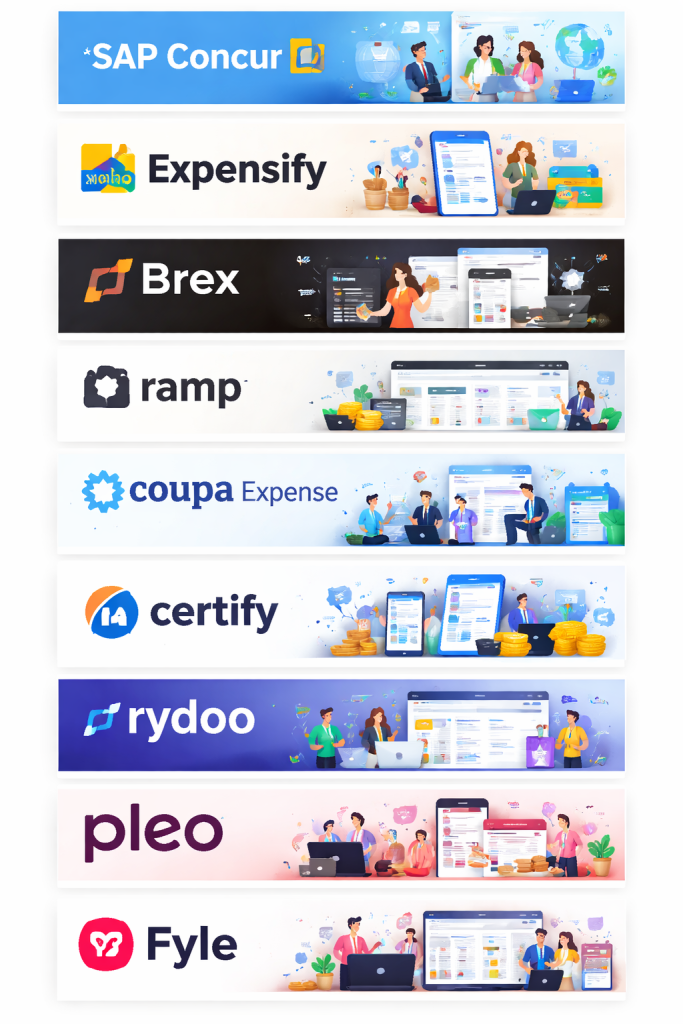
Top 10 Expense Management Tools
1 — SAP Concur
Short description:
SAP Concur is a globally recognized expense and travel management platform designed for mid-sized to large enterprises with complex compliance needs.
Key features:
- Automated expense capture and receipt scanning
- Integrated travel and expense management
- Policy enforcement and approval workflows
- Corporate card reconciliation
- Advanced analytics and reporting
- Global tax and VAT handling
Pros:
- Extremely robust for enterprise-scale operations
- Strong compliance and audit capabilities
- Global currency and tax support
Cons:
- Steeper learning curve
- Higher cost compared to SMB tools
- Interface can feel complex for new users
Security & compliance:
SOC 2, GDPR, ISO standards, encryption at rest and in transit, SSO, audit logs.
Support & community:
Enterprise-grade support, extensive documentation, implementation partners, strong global user base.
2 — Expensify
Short description:
Expensify is a popular, user-friendly expense management tool focused on fast expense reporting and automation for SMBs and growing companies.
Key features:
- Smart receipt scanning
- One-click expense reports
- Corporate card integration
- Approval workflows
- Mileage tracking
- Accounting software sync
Pros:
- Very easy to use
- Fast setup and onboarding
- Strong mobile experience
Cons:
- Reporting depth is limited for large enterprises
- Pricing can scale quickly with users
- Customization options are moderate
Security & compliance:
Encryption, GDPR compliance, SSO available on higher plans.
Support & community:
Good documentation, responsive support, active user community.
3 — Zoho Expense
Short description:
Zoho Expense is a cost-effective expense management solution ideal for SMBs already using the Zoho ecosystem.
Key features:
- Automated receipt scanning
- Multi-level approval workflows
- Mileage and per diem tracking
- Policy enforcement
- Integration with Zoho Books and accounting tools
- Multi-currency support
Pros:
- Excellent value for money
- Clean and intuitive interface
- Seamless integration within Zoho suite
Cons:
- Limited advanced analytics
- Less suitable for very large enterprises
- Custom reporting is basic
Security & compliance:
ISO-certified data centers, encryption, GDPR compliance.
Support & community:
Strong documentation, reliable customer support, growing SMB user base.
4 — Brex – Corporate Cards Built for Modern Teams
Short description:
Brex is a financial platform designed for fast-growing businesses, offering corporate cards and expense management tools that give finance teams real control without slowing employees down. Unlike traditional corporate cards that require personal guarantees and manual reconciliation, Brex automates the busywork so teams can focus on what matters.
Key Features:
- Corporate cards with no personal liability for employees
- Real-time spend tracking and receipt capture via mobile app
- Customizable spending limits and controls by team, role, or merchant category
- Automated expense categorization and policy enforcement
- Native integrations with QuickBooks, NetSuite, Xero, Slack, and more
- Built-in rewards on software, travel, and everyday business purchases
- Multi-currency support for global teams
Pros:
- No personal credit check required; ideal for startups and scaling teams
- Eliminates manual expense reports through automation
- Fast onboarding with instant physical and virtual card issuance
- Strong ERP and accounting integrations reduce reconciliation time
- Generous rewards program tailored to business spending categories
Cons:
- Best suited for U.S.-based companies; international availability is limited
- Some advanced features are gated behind higher-tier plans
- May be more than needed for very small teams with minimal expense volume
Security & Compliance: Brex cards come with built-in fraud monitoring, role-based permissions, and granular spend controls that make policy compliance automatic rather than reactive. Finance teams can lock cards, set merchant restrictions, and receive real-time alerts, all from a single dashboard. Brex is SOC 2 Type II certified and follows industry-standard data security protocols to protect sensitive financial information.
Support & Community: Brex offers 24/7 customer support via chat and email, with dedicated account management available on higher-tier plans. The platform also provides an extensive help center, onboarding resources, and a growing community of finance operators through webinars and events tailored to startup and enterprise finance teams.
5 — Ramp
Short description:
Ramp is a finance automation platform that emphasizes cost savings through intelligent expense management and corporate cards.
Key features:
- Automated receipt matching
- Spend insights and cost-saving recommendations
- Corporate card management
- Approval workflows
- Vendor and subscription tracking
- Accounting integrations
Pros:
- Strong analytics for spend optimization
- User-friendly design
- Excellent automation
Cons:
- Best features tied to Ramp cards
- Less flexible for reimbursement-only needs
- Limited global support
Security & compliance:
SOC 2 compliance, encryption, audit logs.
Support & community:
Good documentation, strong customer success for growing companies.
6 — Coupa Expense
Short description:
Coupa Expense is part of the broader Coupa spend management platform, designed for enterprises seeking end-to-end spend control.
Key features:
- Integrated procurement and expense management
- Policy-driven expense approvals
- Real-time spend visibility
- AI-powered insights
- Global compliance support
- ERP integrations
Pros:
- Unified spend management
- Strong analytics and insights
- Scales well for large organizations
Cons:
- Implementation can be complex
- Higher pricing
- Overkill for small teams
Security & compliance:
SOC 2, ISO standards, GDPR, audit trails.
Support & community:
Enterprise support, implementation partners, large professional community.
7 — Certify
Short description:
Certify focuses on simplifying expense reporting with automation and mobile-first features for SMBs and mid-market companies.
Key features:
- Receipt capture and OCR
- Policy enforcement
- Travel and expense integration
- Approval workflows
- Real-time reporting
Pros:
- Simple and intuitive
- Good mobile usability
- Reliable automation
Cons:
- Limited customization
- Reporting could be deeper
- UI feels dated for some users
Security & compliance:
Encryption, GDPR compliance, audit logs.
Support & community:
Responsive customer support, clear documentation.
8— Rydoo
Short description:
Rydoo is a modern expense management platform designed for global teams and fast-growing organizations.
Key features:
- Real-time expense submission
- Mobile-first experience
- Multi-currency support
- Policy controls
- Accounting integrations
- Reimbursement automation
Pros:
- Clean and modern UI
- Strong mobile performance
- Good international support
Cons:
- Advanced reporting is limited
- Fewer enterprise-level controls
- Smaller ecosystem
Security & compliance:
GDPR compliance, encryption, ISO standards.
Support & community:
Helpful onboarding, responsive support, growing global user base.
9 — Pleo
Short description:
Pleo combines company cards with expense management, aimed at SMBs seeking simplicity and transparency.
Key features:
- Smart company cards
- Real-time expense tracking
- Receipt capture
- Spend limits and controls
- Accounting integrations
Pros:
- Very easy for employees to use
- Real-time visibility
- Reduces reimbursement delays
Cons:
- Card-centric model
- Limited enterprise controls
- Regional availability constraints
Security & compliance:
Encryption, GDPR compliance, role-based access.
Support & community:
Strong customer support, good learning resources.
10 — Fyle
Short description:
Fyle is an expense management solution that emphasizes real-time expense tracking and strong accounting integrations.
Key features:
- Real-time expense capture
- Receipt scanning
- Corporate card reconciliation
- Policy enforcement
- Integration with accounting platforms
Pros:
- Real-time processing
- Strong accounting focus
- Easy to adopt
Cons:
- UI can feel utilitarian
- Limited advanced analytics
- Smaller market presence
Security & compliance:
SOC 2, GDPR, encryption standards.
Support & community:
Good documentation, responsive support, growing user base.
Comparison Table
| Tool Name | Best For | Platform(s) Supported | Standout Feature | Rating |
|---|---|---|---|---|
| SAP Concur | Large enterprises | Web, Mobile | Global compliance | N/A |
| Expensify | SMBs | Web, Mobile | Smart receipt scanning | N/A |
| Zoho Expense | SMBs | Web, Mobile | Cost-effective automation | N/A |
| Brex | Startups | Web, Mobile | Real-time spend control | N/A |
| Ramp | Growing companies | Web | Spend optimization insights | N/A |
| Coupa Expense | Enterprises | Web | Unified spend management | N/A |
| Certify | Mid-market | Web, Mobile | Simplicity | N/A |
| Rydoo | Global teams | Web, Mobile | Mobile-first design | N/A |
| Pleo | SMBs | Web, Mobile | Smart company cards | N/A |
| Fyle | Finance teams | Web, Mobile | Real-time tracking | N/A |
Evaluation & Scoring of Expense Management Tools
| Criteria | Weight | Score Range |
|---|---|---|
| Core features | 25% | High across enterprise tools |
| Ease of use | 15% | Highest in SMB-focused tools |
| Integrations & ecosystem | 15% | Strong in enterprise platforms |
| Security & compliance | 10% | Critical for regulated industries |
| Performance & reliability | 10% | Generally consistent |
| Support & community | 10% | Varies by vendor |
| Price / value | 15% | Best in SMB-focused solutions |
Which Expense Management Tool Is Right for You?
- Solo users: Simple tools or accounting add-ons may be sufficient.
- SMBs: Look for ease of use, affordability, and quick setup.
- Mid-market companies: Balance automation, reporting, and integrations.
- Enterprises: Prioritize compliance, scalability, and advanced analytics.
Budget-conscious teams should focus on Zoho Expense, Expensify, or Rydoo, while premium users may prefer SAP Concur, Coupa, or Ramp. Organizations with strict compliance needs should emphasize security certifications, audit trails, and policy enforcement.
Frequently Asked Questions (FAQs)
- What is an expense management tool?
It automates tracking, approval, reimbursement, and reporting of business expenses. - Are expense management tools secure?
Most offer encryption, access controls, and compliance certifications. - Can small businesses use these tools?
Yes, many are specifically designed for SMBs. - Do these tools replace accounting software?
No, they usually integrate with accounting systems. - How long does implementation take?
From a few hours for SMB tools to weeks for enterprise platforms. - Do they support mobile expense submission?
Yes, most offer mobile apps. - Are corporate cards mandatory?
No, but some tools work best with their own cards. - Can policies be customized?
Most tools allow rule-based expense policies. - Do they support multiple currencies?
Many support global currencies and tax rules. - What is the biggest mistake buyers make?
Choosing overly complex tools without matching business needs.
Conclusion
Expense management tools have become essential for organizations seeking financial control, transparency, and operational efficiency. From simplifying reimbursements to enforcing spending policies, these platforms eliminate manual work and reduce errors.
When choosing the right tool, focus on your company size, budget, compliance requirements, and integration needs. There is no single “best” solution for everyone—the ideal expense management tool is the one that aligns most closely with your workflows, users, and growth plans.

Find Trusted Cardiac Hospitals
Compare heart hospitals by city and services — all in one place.
Explore Hospitals
Receipt scanning and automated categorization can save time, but finance teams still need a reliable way to handle exceptions. A receipt may contain an incorrect date, currency, tax amount, or merchant name, which can create problems during reconciliation. I would evaluate how each platform flags uncertain data, preserves the original receipt, and records corrections made by employees or accountants. Integration testing is equally important because expense records can lose key details when transferred into an ERP or accounting system. Teams should also check whether failed syncs trigger alerts and whether they can safely replay transactions without creating duplicate entries. These details can make a real difference during month-end closing, when accurate records and a clear audit trail matter most.
Reviewing corporate spend software revealed that receipt scanning apps deliver minimal ROI without automated policy enforcement at swipe. Linking virtual corporate cards directly with automated OCR and expense categorization rules blocks unauthorized spending instantly, eliminating month-end expense report backlogs for traveling personnel and corporate accounting teams.
Transitioning from manual spreadsheets to automated expense tracking changes everything, but the biggest challenge is user adoption. Even the most feature-rich platform falls flat if employees find receipt capture cumbersome on mobile. Finding that sweet spot between strict policy enforcement and a friction-free user experience is key to getting teams to actually use the tool.
Expense management tools help businesses record employee spending, automate reimbursements, and keep budgets under control. When comparing platforms, check receipt capture, approval workflows, corporate card integration, policy enforcement, and accounting system compatibility. Clear spending rules and regular expense reviews can reduce manual errors, speed up reimbursements, and give finance teams a more accurate view of where company money goes.
Expense management tools help businesses track spending, automate expense reports, and simplify reimbursement workflows. Platforms like Zoho Expense offer receipt scanning, expense tracking, and approval automation, helping teams improve financial visibility, reduce manual work, and manage budgets more efficiently.
Expense management tools deliver the most value when they do more than automate receipts and reimbursements. Strong accounting integrations, clear approval rules, and real-time budget tracking help finance teams catch policy violations early and avoid month-end surprises.
Helpful and well-structured article on expense management tools. It clearly compares key features, pros, and cons, making it easier to evaluate and choose the right platform.