
Introduction
Food Safety Compliance (HACCP) Software is a specialized digital solution designed to help food businesses implement, monitor, document, and maintain Hazard Analysis and Critical Control Points (HACCP) systems. These tools replace manual paperwork with structured, auditable, and real-time processes that ensure food safety standards are consistently met across operations.
In today’s food industry, compliance is no longer optional. Regulatory requirements are stricter, audits are more frequent, and consumer expectations around food safety and transparency are higher than ever. HACCP software helps organizations reduce risks such as contamination, spoilage, and non-compliance by standardizing processes, improving visibility, and creating reliable audit trails.
Common real-world use cases include monitoring critical control points (CCPs), tracking temperature logs, managing corrective actions, preparing for audits, training staff, and ensuring supplier compliance. When choosing a HACCP software solution, users should evaluate ease of use, regulatory coverage, reporting depth, scalability, integrations, offline access, and overall value.
Best for:
Food manufacturers, processors, restaurants, cloud kitchens, catering companies, food distributors, cold storage operators, quality assurance teams, and compliance managers across small, mid-sized, and enterprise food businesses.
Not ideal for:
Very small food operations with minimal regulatory exposure, businesses already operating under simple local compliance rules without formal audits, or companies looking only for basic checklist tools without full HACCP workflows.
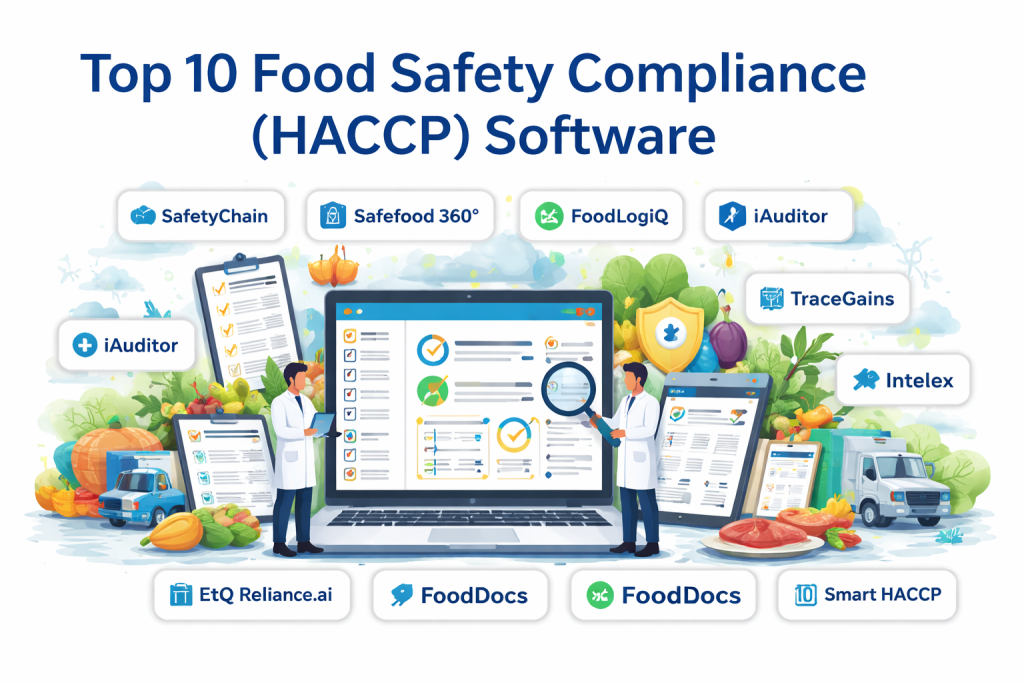
Top 10 Food Safety Compliance (HACCP) Software Tools
1 — SafetyChain
Short description:
SafetyChain is an enterprise-grade food safety and quality management platform designed for manufacturers and processors managing complex compliance requirements.
Key features
- End-to-end HACCP and food safety management
- Real-time data collection and monitoring
- Advanced audit and inspection workflows
- Supplier quality and compliance management
- Corrective and preventive action (CAPA) tracking
- Custom reporting and dashboards
- Integration with ERP and operational systems
Pros
- Very strong enterprise-level capabilities
- Highly configurable for complex operations
- Excellent audit readiness and traceability
Cons
- Steeper learning curve for small teams
- Higher cost compared to SMB-focused tools
Security & compliance
Enterprise-grade encryption, role-based access, audit logs, GDPR-aligned practices; certifications vary by deployment.
Support & community
Strong onboarding, dedicated customer success managers, enterprise support, extensive documentation.
2 — Safefood 360°
Short description:
Safefood 360° is a comprehensive food safety and quality compliance solution focused on HACCP, ISO, and GFSI standards.
Key features
- HACCP plan creation and management
- Digital audits and inspections
- Supplier approval and monitoring
- Incident and corrective action management
- Training and competency tracking
- Customizable workflows and reports
Pros
- Deep regulatory and standards coverage
- Flexible configuration options
- Strong audit preparation tools
Cons
- Interface may feel complex for new users
- Setup requires careful planning
Security & compliance
Supports ISO-aligned controls, access management, audit trails, and data encryption.
Support & community
Professional onboarding, responsive support team, detailed knowledge base.
3 — FoodLogiQ
Short description:
FoodLogiQ focuses on food safety, traceability, and supplier transparency for brands and retailers.
Key features
- HACCP and food safety documentation
- Supplier compliance and verification
- Traceability and recall readiness
- Digital audits and assessments
- Centralized document management
- Data-driven compliance insights
Pros
- Strong supplier collaboration features
- Excellent traceability capabilities
- Trusted by large food brands
Cons
- Less suitable for very small operators
- Customization may require support involvement
Security & compliance
Robust data protection, audit logs, role-based permissions, GDPR-aligned practices.
Support & community
Structured onboarding, customer support, educational resources.
4 — iAuditor (SafetyCulture)
Short description:
iAuditor is a flexible inspection and compliance platform widely used for HACCP checklists and food safety audits.
Key features
- Customizable HACCP checklists
- Mobile inspections with offline access
- Issue tracking and corrective actions
- Photo and evidence capture
- Real-time reporting and dashboards
- Team collaboration features
Pros
- Very easy to use
- Strong mobile experience
- Quick deployment
Cons
- Not a full HACCP system out of the box
- Limited advanced food safety analytics
Security & compliance
Encryption in transit and at rest, audit logs, SSO options available on higher plans.
Support & community
Large user community, extensive documentation, responsive support.
5 — TraceGains
Short description:
TraceGains is a supplier compliance and food safety documentation platform focused on ingredient and supplier management.
Key features
- HACCP and food safety document control
- Supplier compliance automation
- Ingredient specification management
- Audit readiness and reporting
- Regulatory compliance tracking
- Recall preparedness tools
Pros
- Excellent supplier compliance automation
- Reduces manual document chasing
- Scales well for growing brands
Cons
- Limited operational HACCP monitoring
- Best value when supplier network is large
Security & compliance
Secure data storage, access controls, compliance-focused architecture.
Support & community
Dedicated onboarding, customer support, training resources.
6 — EtQ Reliance
Short description:
EtQ Reliance is a quality management system with strong food safety and HACCP modules for regulated industries.
Key features
- HACCP planning and monitoring
- Quality event and CAPA management
- Audit and inspection workflows
- Training management
- Risk assessment tools
- Enterprise reporting and analytics
Pros
- Very robust quality management features
- Highly configurable
- Suitable for large enterprises
Cons
- Complex implementation
- Higher cost and resource requirements
Security & compliance
Enterprise security controls, audit logs, configurable access, compliance-aligned frameworks.
Support & community
Enterprise-level support, onboarding services, extensive documentation.
7 — Intelex Food Safety
Short description:
Intelex provides a configurable EHS and food safety compliance platform with HACCP capabilities.
Key features
- HACCP program management
- Inspection and audit tools
- Incident and corrective action tracking
- Workflow automation
- Advanced reporting
- Integration with enterprise systems
Pros
- Highly customizable workflows
- Strong reporting capabilities
- Scales well for large organizations
Cons
- User interface may feel heavy
- Requires configuration effort
Security & compliance
Role-based access, encryption, audit logs, compliance-aligned data handling.
Support & community
Enterprise support options, onboarding assistance, training materials.
8 — Safefood.ai
Short description:
Safefood.ai is a modern, cloud-based HACCP and food safety platform focused on simplicity and automation.
Key features
- Digital HACCP plans
- Automated monitoring and alerts
- Mobile data capture
- Audit-ready reports
- Corrective action workflows
- Cloud-based document storage
Pros
- Clean, modern interface
- Faster adoption for teams
- Good balance of features and usability
Cons
- Fewer advanced enterprise integrations
- Smaller ecosystem
Security & compliance
Standard cloud security, access controls, data encryption; certifications vary.
Support & community
Responsive support, onboarding assistance, growing user community.
9 — FoodDocs
Short description:
FoodDocs is an SMB-focused HACCP and food safety software designed for restaurants and food service businesses.
Key features
- Automated HACCP plan creation
- Daily monitoring tasks and reminders
- Digital logs and records
- Audit preparation support
- Staff training materials
- Compliance dashboards
Pros
- Very easy to use
- Affordable for small businesses
- Minimal setup effort
Cons
- Limited customization for complex operations
- Not ideal for large manufacturers
Security & compliance
Cloud-based security, basic access controls, compliance-focused design.
Support & community
Strong onboarding, helpful support, educational resources.
10 — Smart HACCP
Short description:
Smart HACCP is a practical compliance tool focused on simplifying HACCP documentation and audits.
Key features
- Digital HACCP forms and logs
- Temperature and CCP monitoring
- Audit-ready reports
- Corrective action tracking
- Mobile-friendly interface
Pros
- Straightforward and practical
- Good for small to mid-sized operations
- Reduces paperwork significantly
Cons
- Limited advanced analytics
- Fewer integrations
Security & compliance
Basic security controls, cloud storage protections, audit logs vary.
Support & community
Email support, documentation, smaller user community.
Comparison Table
| Tool Name | Best For | Platform(s) Supported | Standout Feature | Rating |
|---|---|---|---|---|
| SafetyChain | Large manufacturers | Web, Cloud | Enterprise-grade food safety management | N/A |
| Safefood 360° | Regulated food producers | Web, Cloud | Deep standards compliance | N/A |
| FoodLogiQ | Brands & retailers | Web, Cloud | Supplier transparency | N/A |
| iAuditor | Audits & inspections | Web, Mobile | Ease of use | N/A |
| TraceGains | Supplier-heavy businesses | Web, Cloud | Supplier compliance automation | N/A |
| EtQ Reliance | Large enterprises | Web, Cloud | Quality management depth | N/A |
| Intelex | Enterprise food operations | Web, Cloud | Configurable workflows | N/A |
| Safefood.ai | Modern food teams | Web, Mobile | Automation and usability | N/A |
| FoodDocs | SMB restaurants | Web, Cloud | Simplicity and affordability | N/A |
| Smart HACCP | Small to mid-sized food firms | Web, Mobile | Practical HACCP documentation | N/A |
Evaluation & Scoring of Food Safety Compliance (HACCP) Software
| Criteria | Weight | Description |
|---|---|---|
| Core features | 25% | HACCP coverage, monitoring, reporting |
| Ease of use | 15% | User experience and adoption speed |
| Integrations & ecosystem | 15% | ERP, suppliers, sensors, APIs |
| Security & compliance | 10% | Data protection and audit readiness |
| Performance & reliability | 10% | Stability and uptime |
| Support & community | 10% | Onboarding, help resources |
| Price / value | 15% | Cost vs feature depth |
Which Food Safety Compliance (HACCP) Software Tool Is Right for You?
- Solo users and small teams: Tools like FoodDocs and Smart HACCP offer simplicity and affordability.
- SMBs: Safefood.ai and iAuditor provide a balance between usability and compliance depth.
- Mid-market organizations: TraceGains and FoodLogiQ excel in supplier-heavy environments.
- Enterprises: SafetyChain, Safefood 360°, EtQ Reliance, and Intelex offer scalability and advanced controls.
- Budget-conscious buyers: SMB-focused tools with predefined workflows.
- Compliance-heavy operations: Enterprise platforms with strong audit and reporting features.
- Integration-focused teams: Look for tools that support ERP and supplier data flows.
- High-security environments: Prioritize platforms with strong access controls and audit logs.
Frequently Asked Questions (FAQs)
1. What is HACCP software used for?
It helps manage food safety risks by digitizing HACCP plans, monitoring CCPs, and preparing audit-ready documentation.
2. Is HACCP software mandatory?
Not always, but it greatly simplifies compliance and reduces audit risks.
3. Can small restaurants use HACCP software?
Yes, many tools are designed specifically for small food businesses.
4. How long does implementation take?
It can range from a few days for simple tools to several months for enterprise platforms.
5. Does HACCP software replace audits?
No, but it makes audits faster and more accurate.
6. Is training required?
Basic training is recommended to ensure correct usage.
7. Can these tools work offline?
Some mobile-focused platforms support offline data capture.
8. Are integrations necessary?
Not always, but integrations improve efficiency for larger operations.
9. How secure is HACCP software?
Most reputable tools use encryption and access controls.
10. What is the biggest mistake buyers make?
Choosing overly complex software for simple operations or underpowered tools for complex needs.
Conclusion
Food Safety Compliance (HACCP) Software plays a critical role in protecting consumers, ensuring regulatory compliance, and maintaining operational efficiency in the food industry. The right solution helps teams move beyond manual paperwork to proactive, data-driven food safety management.
There is no single “best” HACCP software for everyone. The ideal choice depends on company size, regulatory exposure, operational complexity, budget, and long-term growth plans. By carefully evaluating features, usability, compliance depth, and support, organizations can select a tool that truly fits their needs and strengthens their food safety culture.

Find Trusted Cardiac Hospitals
Compare heart hospitals by city and services — all in one place.
Explore Hospitals
HACCP software should make it easy to identify what happened when a food safety check falls outside its acceptable limit. Recording a failed temperature reading is only the first step; teams also need to document the corrective action, responsible person, and follow-up verification. I would check whether the platform preserves this complete history and flags repeated failures in the same area. That information can help food businesses address recurring risks before they lead to larger safety problems.
A practical addition: the best HACCP platform should distinguish between a safe reading and a missing one—sensor downtime, delayed mobile entries, or an uncompleted check should trigger a visible exception rather than silently leave a gap in the audit trail. Testing offline capture, calibration workflows, and corrective-action closure times with real shift staff will reveal whether the software strengthens daily food safety or simply digitizes paperwork.
Great points raised. The primary operational friction in hazard analysis critical control point compliance stems from manual paper logging fatigue versus automated IoT sensor telemetry. When commercial kitchens and processing plants rely on staff to manually log refrigerator temperatures, cooling logs, and sanitization checklists, records suffer from pencil whipping and missed shifts during peak production hours. Modern compliance platforms eliminate this friction by ingesting continuous telemetry from wireless LoRaWAN temperature probes and automated Bluetooth thermometers, generating immutable digital logs and sending real time alerts before critical thermal thresholds trigger inventory spoilage.
HACCP software should be assessed on how well it supports corrective actions when a food safety limit is exceeded. Recording an incorrect refrigerator temperature is useful, but the more important question is what happens next. Staff should be able to document the affected food batch, record whether it was isolated or discarded, explain the corrective measure, and confirm that the equipment returned to a safe operating range. I would also check whether managers can identify repeated temperature deviations across different shifts or locations. This creates a more complete picture of food safety performance and helps businesses address recurring problems instead of simply collecting compliance records.
Food safety and HACCP compliance software helps businesses monitor critical control points, maintain accurate safety records, and reduce the risk of food contamination. Features such as digital temperature logs, automated alerts, corrective action tracking, sanitation checklists, and audit-ready reporting can simplify compliance and improve consistency across food handling operations. I believe ease of use, real-time monitoring, traceability, and alignment with applicable food safety regulations are essential factors when comparing these solutions. The right platform should make daily safety checks more reliable while reducing paperwork, helping teams identify potential hazards early, and building a stronger culture of food safety and accountability.
Food safety and HACCP software helps businesses track temperature checks, cleaning tasks, and food safety records in one place. I would check how easily staff can log checks, report issues, and receive alerts when something falls outside safe limits. Clear records can help teams find gaps before they become bigger problems and make audits easier. Simple mobile access is also useful when checks happen across different areas of a kitchen or food facility. How can food businesses use HACCP software to improve daily safety checks without adding too much work for staff?
Food safety compliance software helps businesses monitor hygiene standards, maintain records, and follow food safety procedures. Features like digital checklists, temperature monitoring, and automated alerts can help identify potential issues quickly. I believe these tools are valuable for restaurants and food manufacturers that want to improve safety and maintain consistent quality. Easy reporting and audit documentation can also simplify compliance checks. The right software can support safer food handling and more efficient daily operations.
Keeping food safety records accurate every day can be difficult, especially for businesses that handle large amounts of food. I think digital temperature logs and automatic alerts can help staff catch problems before they become serious. It is also useful to have clear records of cleaning schedules, inspections, and corrective actions in one place. This makes daily checks easier and helps teams stay prepared for food safety audits.
One critical factor worth considering when evaluating HACCP software is how effectively it connects real-time critical control point monitoring with corrective action tracking and audit documentation. Automated temperature alerts are useful, but recording how quickly deviations are resolved can provide deeper insight into food safety performance.
Food safety compliance software helps businesses maintain consistent hygiene standards by digitizing inspections, temperature logs, and corrective action records. Automated alerts and traceable documentation enable teams to identify potential hazards quickly and demonstrate compliance during audits. Regular monitoring, clear staff responsibilities, and reliable recordkeeping are essential for making HACCP procedures effective in everyday food handling operations.
Food safety and HACCP software helps food businesses record checks, monitor risks, and manage corrective actions. Digital forms can make temperature checks and inspection records easier to complete. Alerts can help staff respond when a limit is missed. Clear audit trails also support reviews and inspections. When comparing platforms, assess mobile access, reporting, record retention, and ease of use. The software should fit the site’s actual food safety process. Staff still need proper training and must follow approved procedures. A well-used system can improve consistency and make records easier to review.
Food safety compliance software is most effective when it helps teams record temperature checks, monitor critical control points, and track corrective actions in real time. Digital checklists and expiry alerts can reduce paperwork while helping staff catch risks before they affect food quality. Keeping clear audit records and updating procedures regularly also makes HACCP compliance easier to maintain across daily operations.
HACCP software should account for cases where monitoring equipment gives incomplete or misleading data. I’d want alerts when a sensor stops reporting, produces sudden unexplained changes, or misses scheduled checks. Recording who inspected the equipment and what corrective action followed makes the evidence more useful during an audit. It is also important to keep affected batches identifiable until staff confirm they meet safety requirements. This gives food safety teams a clearer response process instead of relying on temperature records alone.
Food safety and HACCP software helps businesses monitor hazards, record inspections, and maintain compliance with food safety procedures. When comparing platforms, I would focus on temperature monitoring, corrective action tracking, digital checklists, and audit-ready reports. Timely alerts can help staff address issues before they affect food quality or safety. The right system should simplify recordkeeping and support consistent food safety practices.
Automating critical control point logs and cold-chain temperature tracking replaces error-prone clipboards, while real-time sensor streams and automated corrective action workflows ensure audit readiness and stop food safety violations before distribution.
Food safety and HACCP software can help food businesses monitor critical control points, maintain inspection records, and respond to potential hazards more consistently. When comparing platforms, I would prioritize digital temperature logs, automated alerts, corrective action tracking, and easy-to-access audit reports. Mobile checklists can make it easier for staff to complete safety checks during busy shifts. Reliable records and clear accountability are essential for spotting recurring issues before they affect customers. How can food businesses use these tools to build a stronger everyday food safety culture rather than treating compliance as just another checklist?
A critical factor in digital food safety is ensuring that recorded measurements reflect actual conditions in storage and production areas. Even a reliable HACCP platform can miss a food safety risk if a temperature sensor drifts, loses connectivity, or reports incorrect readings. Before deployment, teams should test sensor calibration workflows, define backup procedures for equipment failures, and verify how the system records missing or delayed measurements. It is also important to distinguish a genuine safe reading from a period when no data arrived. Connecting maintenance records with monitoring events can help investigators understand whether an incident resulted from a process failure or faulty equipment. These checks make digital compliance records more dependable and help food businesses respond to risks before they affect product safety.
Transitioning from manual paperwork to HACCP software is a massive leap for audit readiness, but the biggest challenge often lies in frontline adoption rather than tool selection. If kitchen or floor staff find the interface too complex, real-time logging drops off, compromising data accuracy. Matching the software’s complexity to your team’s everyday workflow is just as important as evaluating enterprise features.
Food safety checks are only useful when staff record them at the right time and act on problems immediately. It helps when HACCP software flags temperature readings outside safe limits and records what corrective action was taken. Tracking repeated issues across shifts can also help managers find equipment faults or training gaps before they lead to bigger food safety risks.
Food safety and HACCP software helps food businesses monitor critical control points, document inspections, and maintain records required for food safety compliance. Comparing temperature monitoring, corrective action tracking, digital checklists, audit reporting, and automated alerts helps organizations identify tools that reduce paperwork, improve traceability, and support consistent food safety practices.