
Introduction
Academic writing tools are specialized software solutions designed to support researchers, students, educators, and professionals in producing clear, structured, original, and credible scholarly content. Unlike general writing apps, these tools focus on academic rigor—helping users manage citations, improve formal tone, ensure originality, follow style guides, and maintain logical coherence.
In today’s research-driven environment, academic writing tools play a critical role. Universities, journals, and funding bodies demand high standards of clarity, ethics, and accuracy. Whether it’s drafting a thesis, refining a journal article, checking for plagiarism, or managing hundreds of references, these tools significantly reduce manual effort while improving quality and compliance.
Common real-world use cases include:
- Writing research papers, dissertations, and theses
- Editing manuscripts for journal submission
- Managing citations and references at scale
- Checking originality and academic integrity
- Improving clarity, structure, and formal tone
What to look for when choosing an academic writing tool:
- Accuracy and academic relevance
- Citation and reference support
- Plagiarism detection reliability
- Ease of use and learning curve
- Integration with word processors and research databases
- Data privacy and compliance
Best for:
Academic writing tools are ideal for students, PhD scholars, researchers, faculty members, journal editors, research institutions, universities, think tanks, and R&D teams across education, healthcare, science, law, and social sciences.
Not ideal for:
They may be unnecessary for casual bloggers, marketing copywriters, or creative writers who don’t require formal citations, plagiarism checks, or academic style compliance.
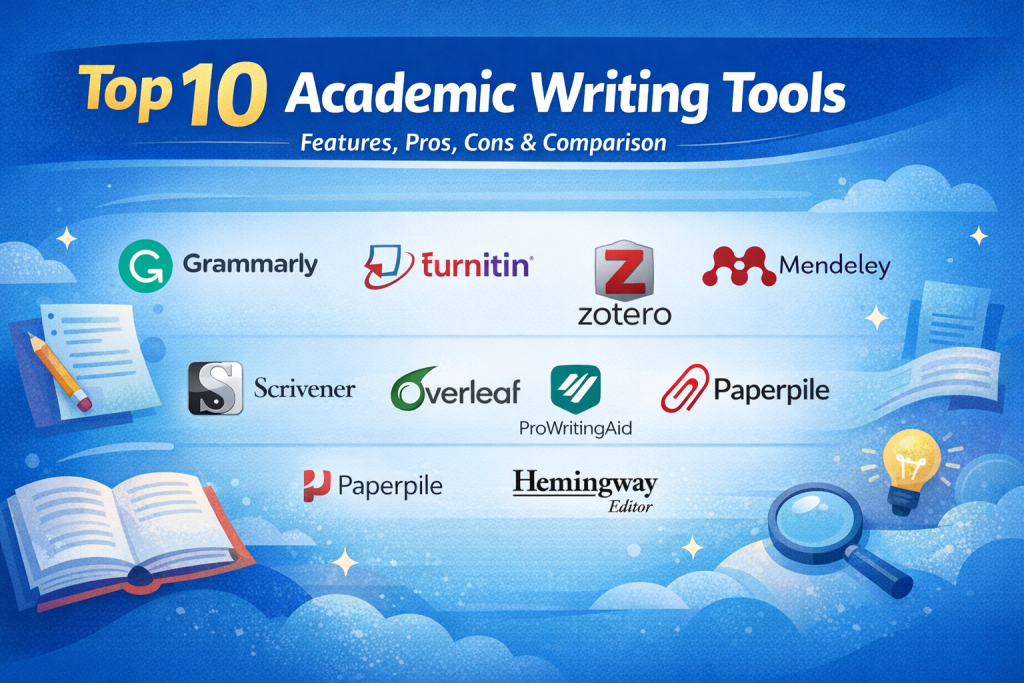
Top 10 Academic Writing Tools
1 — Grammarly
Short description:
Grammarly is an AI-powered writing assistant that helps academic writers improve grammar, clarity, tone, and correctness across essays, papers, and manuscripts.
Key features:
- Advanced grammar and punctuation checking
- Academic tone and clarity suggestions
- Sentence restructuring and conciseness tips
- Plagiarism detection (premium)
- Style and consistency checks
- Context-aware vocabulary enhancement
Pros:
- Extremely easy to use and intuitive
- Improves readability without changing meaning
- Works across documents and platforms
Cons:
- Limited citation management features
- Not discipline-specific for technical writing
Security & compliance:
Encryption in transit, GDPR compliant, SOC 2 (varies by plan)
Support & community:
Strong documentation, large user base, responsive support, enterprise options available
2 — Turnitin
Short description:
Turnitin is a leading academic integrity platform focused on plagiarism detection and originality verification for institutions and publishers.
Key features:
- Industry-leading plagiarism detection
- Massive academic and institutional database
- Similarity reports with source breakdown
- AI-writing detection insights
- Peer review workflows
- Institutional reporting and analytics
Pros:
- Trusted by universities worldwide
- Highly accurate similarity detection
- Strong compliance focus
Cons:
- Limited writing assistance features
- Not designed for individual users
Security & compliance:
GDPR compliant, ISO-aligned security, institutional controls
Support & community:
Enterprise-grade onboarding, dedicated institutional support, extensive documentation
3 — EndNote
Short description:
EndNote is a professional reference management tool used by researchers to organize citations and format bibliographies accurately.
Key features:
- Reference and PDF management
- Thousands of citation styles
- Integration with word processors
- Smart citation suggestions
- Shared libraries for collaboration
- Offline access
Pros:
- Excellent for large research projects
- Highly customizable citation styles
- Trusted by academic publishers
Cons:
- Steeper learning curve
- Desktop-heavy experience
Security & compliance:
Local storage and cloud sync, GDPR compliant
Support & community:
Strong academic documentation, training resources, institutional support
4 — Zotero
Short description:
Zotero is an open-source research tool that helps academics collect, organize, cite, and share research sources efficiently.
Key features:
- One-click reference capture from browsers
- Automatic citation generation
- PDF annotation and tagging
- Group libraries and collaboration
- Multiple citation styles
- Open-source extensibility
Pros:
- Free and community-driven
- Easy citation collection
- Strong academic adoption
Cons:
- Limited advanced writing feedback
- Cloud storage limits on free plans
Security & compliance:
Open-source transparency, GDPR compliant
Support & community:
Very strong global community, extensive forums, good documentation
5 — Mendeley
Short description:
Mendeley combines reference management with academic collaboration and research discovery.
Key features:
- Citation and bibliography management
- PDF annotation and highlighting
- Research paper discovery
- Collaboration and shared libraries
- Integration with word processors
- Cloud synchronization
Pros:
- Easy collaboration with peers
- Good balance of features
- Strong academic ecosystem
Cons:
- Requires account ecosystem buy-in
- Limited advanced editing tools
Security & compliance:
Encryption, GDPR compliant, account-based controls
Support & community:
Moderate documentation, academic user base, institutional support available
6 — Scrivener
Short description:
Scrivener is a long-form writing tool designed for structuring complex academic documents such as dissertations and theses.
Key features:
- Section-based document organization
- Research material storage
- Outline and corkboard views
- Flexible export formats
- Writing progress tracking
- Custom templates
Pros:
- Excellent for long academic projects
- Improves structure and flow
- Offline-friendly
Cons:
- No built-in citation engine
- Learning curve for new users
Security & compliance:
Local storage, user-controlled security
Support & community:
Detailed manuals, loyal academic community, email support
7 — LaTeX Editors (Overleaf-style tools)
Short description:
LaTeX editors support technical and scientific writing with precise formatting and mathematical notation.
Key features:
- Professional academic formatting
- Mathematical and scientific notation
- Version control and collaboration
- Journal-ready templates
- Automated bibliography handling
- Error checking
Pros:
- Gold standard for STEM fields
- Publication-ready output
- Excellent precision
Cons:
- Steep learning curve
- Less friendly for humanities
Security & compliance:
Varies by platform, encryption and access controls
Support & community:
Large global academic community, extensive documentation
8 — ProWritingAid
Short description:
ProWritingAid offers advanced writing analysis to improve structure, readability, and academic tone.
Key features:
- Style and readability reports
- Grammar and sentence analysis
- Overused word detection
- Academic tone suggestions
- Integration with editors
- Detailed writing insights
Pros:
- Deep writing analytics
- Useful for polishing drafts
- Affordable compared to peers
Cons:
- Less focused on citations
- Interface can feel dense
Security & compliance:
Encryption in transit, GDPR compliant
Support & community:
Good documentation, responsive support, growing academic users
9 — Paperpile
Short description:
Paperpile is a cloud-based reference manager optimized for streamlined academic workflows.
Key features:
- Cloud-first reference management
- Fast citation insertion
- PDF organization
- Real-time collaboration
- Automatic metadata extraction
- Clean, modern interface
Pros:
- Very easy to use
- Excellent for collaborative teams
- Low setup effort
Cons:
- Limited offline functionality
- Subscription-based
Security & compliance:
Cloud encryption, GDPR compliant
Support & community:
Clear documentation, email support, growing adoption
10 — Hemingway Editor
Short description:
Hemingway Editor focuses on improving clarity and readability in academic and formal writing.
Key features:
- Readability scoring
- Passive voice detection
- Sentence complexity highlights
- Conciseness improvements
- Distraction-free interface
Pros:
- Excellent for clarity improvement
- Very simple to use
- Fast feedback
Cons:
- No citation or plagiarism features
- Limited academic depth
Security & compliance:
Local or web-based usage, limited data retention
Support & community:
Minimal support, simple documentation, individual users
Comparison Table
| Tool Name | Best For | Platform(s) Supported | Standout Feature | Rating |
|---|---|---|---|---|
| Grammarly | Writing clarity & grammar | Web, Desktop, Browser | AI-driven language accuracy | N/A |
| Turnitin | Academic integrity | Web | Plagiarism detection | N/A |
| EndNote | Large research projects | Desktop, Web | Advanced reference management | N/A |
| Zotero | Open-source citation management | Desktop, Web | One-click reference capture | N/A |
| Mendeley | Research collaboration | Desktop, Web | Academic network integration | N/A |
| Scrivener | Long-form writing | Desktop | Structural organization | N/A |
| LaTeX Editors | Technical writing | Web, Desktop | Publication-ready formatting | N/A |
| ProWritingAid | Writing analysis | Web, Desktop | Deep style reports | N/A |
| Paperpile | Cloud-based research teams | Web | Fast collaborative citations | N/A |
| Hemingway Editor | Readability improvement | Web, Desktop | Simplicity & clarity | N/A |
Evaluation & Scoring of Academic Writing Tools
| Tool | Core Features (25%) | Ease of Use (15%) | Integrations (15%) | Security (10%) | Performance (10%) | Support (10%) | Value (15%) | Total Score |
|---|---|---|---|---|---|---|---|---|
| Grammarly | 22 | 14 | 13 | 8 | 9 | 8 | 13 | 87 |
| Turnitin | 24 | 10 | 12 | 10 | 9 | 9 | 11 | 85 |
| EndNote | 23 | 11 | 14 | 8 | 8 | 8 | 12 | 84 |
| Zotero | 21 | 13 | 12 | 8 | 8 | 9 | 14 | 85 |
| Mendeley | 22 | 12 | 13 | 8 | 8 | 8 | 12 | 83 |
Which Academic Writing Tool Is Right for You?
- Solo users & students: Grammarly, Hemingway, Zotero
- SMBs & research teams: Mendeley, Paperpile, ProWritingAid
- Mid-market & institutions: EndNote, Turnitin
- STEM & technical writers: LaTeX editors
- Budget-conscious users: Zotero, Hemingway
- Premium needs: Turnitin, EndNote
Choose feature depth if you manage citations and integrity, or ease of use if clarity and speed matter more.
Frequently Asked Questions (FAQs)
- Are academic writing tools allowed in universities?
Yes, when used ethically for assistance, editing, and citation—not for plagiarism. - Do these tools replace human proofreading?
No, they complement but don’t fully replace expert review. - Are plagiarism checkers accurate?
Top tools are highly reliable but not infallible. - Can they format citations automatically?
Yes, most support major academic styles. - Are they safe for confidential research?
Reputable tools follow strict data security standards. - Do I need more than one tool?
Often yes—writing, citations, and integrity tools serve different needs. - Are free tools sufficient?
For basic needs, yes. Advanced research benefits from premium tools. - Can they detect AI-generated text?
Some platforms provide AI-writing indicators. - Do journals accept content edited with tools?
Yes, if originality and ethics are maintained. - What’s the most common mistake users make?
Relying solely on tools without understanding academic standards.
Conclusion
Academic writing tools have become essential companions for modern scholars. They improve clarity, ensure integrity, manage citations, and save valuable time across the research lifecycle. However, no single tool fits everyone.
The best choice depends on your discipline, project scale, collaboration needs, budget, and compliance requirements. By aligning tool capabilities with your specific academic goals, you can write with greater confidence, efficiency, and credibility—without compromising scholarly standards.

Find Trusted Cardiac Hospitals
Compare heart hospitals by city and services — all in one place.
Explore Hospitals
Academic writing tools help researchers organize ideas, citations and drafts. The article explains reference management, grammar and collaboration features clearly. Good support lets writers focus on their arguments. A valuable guide for students and scholars.
Academic writing tools help students, researchers, and educators create well-structured documents, improve language quality, and manage references. When comparing these tools, I would focus on grammar checking, citation management, plagiarism detection, formatting support, readability analysis, and collaboration features. These capabilities can save editing time, improve document clarity, and support accurate academic work. The right tool should provide reliable suggestions, proper referencing options, and useful features for maintaining quality and consistency in research and academic writing.
Academic writing involves much more than correcting grammar or improving sentence structure. One challenge researchers frequently encounter is maintaining consistency between citations, references, terminology, and formatting throughout a lengthy manuscript. I think tools that can identify unsupported claims, flag inconsistent references, and preserve the author’s original meaning offer greater value than basic proofreading features alone. Privacy is another consideration, particularly when researchers upload unpublished findings or confidential study materials. How well do these platforms balance writing assistance with academic integrity and protection of original research?
Academic authoring tools must simplify the arduous process of managing hundreds of research citations, complex mathematical equations, and cross-referenced figure numbers across long manuscripts. When scholars write complex dissertations, tools that support robust LaTeX math formatting alongside modern citation managers prevent catastrophic formatting errors during peer-review submissions. Cloud-based collaborative writing environments that allow co-authors to review revisions, leave track-change comments, and resolve source conflicts in real-time accelerate research publication timelines. Instant journal reformatting ensures manuscripts conform to specific publisher citation guidelines with a single click.
Reference management also needs a stronger process for checking whether cited research remains reliable. A paper may receive corrections, be retracted, or have a newer published version while researchers continue using the original reference. Writing tools could help by checking DOI details, tracking publication updates, and flagging retracted sources. Keeping source versions and page references would also make research easier to verify during reviews. This would help authors maintain accurate citations and avoid carrying outdated findings into published work.
Academic writing tools can support students and researchers throughout the process of planning, drafting, editing, and organizing scholarly work. Features such as citation management, grammar assistance, plagiarism checking, reference organization, and collaboration are important when comparing solutions. This guide helps readers understand the strengths and limitations of different tools. A practical resource for anyone looking to make academic writing more organized and efficient.
Academic writing tools help students, researchers, educators, and scholars create well-structured academic documents, improve writing quality, manage references, and streamline research workflows. This comparison explores the top solutions based on their key features, pros and cons, grammar and spelling checks, citation and bibliography management, plagiarism detection, AI writing assistance, paraphrasing capabilities, research organization, document formatting, collaboration features, journal and style guide support, integration options, and ease of use to help users choose the right tools for producing clear, accurate, and professionally formatted academic work.
Dissecting scholarly writing utilities proved that research efficiency requires integrated reference citation managers and LaTeX formula compilation. Maintaining live bibliographic links across evolving manuscript drafts eliminates citation formatting errors, helping academic researchers submit papers that meet strict journal publishing guidelines.
Citation management and grammar checks cannot guarantee that a research paper is factually sound. A reference may exist but fail to support the claim attached to it, especially when researchers rely on automated summaries or AI-generated suggestions. Researchers should verify important statements against the original papers and check whether the cited evidence supports the same conclusion. Keeping a record of major revisions also helps co-authors review changes without losing the original meaning. For research teams, this process can reduce citation errors, prevent unsupported claims, and protect the credibility of the final manuscript.
Academic writing tools help students and researchers organize ideas, improve drafts, manage references, and prepare well-structured papers. When comparing options, check grammar support, citation management, plagiarism detection, formatting features, collaboration, and export options. Choose tools that match your research needs and help maintain clear writing, accurate references, and academic integrity.
While reference managers and grammar assistants get most of the spotlight, managing the structural flow of a massive manuscript is often the hidden bottleneck for researchers. Pairing a dedicated structuring tool like Scrivener with a reliable citation manager creates a much smoother workflow than trying to force a single app to handle everything.
When comparing academic writing tools, I would check whether they help students strengthen their arguments rather than simply correct grammar or make sentences sound more formal. A paper can be well written but still lack a clear research question, strong evidence, or a logical connection between its findings and conclusion. Useful tools should help writers organize ideas, manage citations accurately, and identify unclear reasoning while leaving the original analysis in the student’s hands. I would also look for clear citation-format support and easy reference checking, since small referencing errors can weaken an otherwise carefully prepared academic paper.
Choosing academic writing tools based on the research workflow is more effective than relying on a single all-in-one solution. Combining reference management with clarity checks and careful source verification helps researchers save time while protecting accuracy, originality, and academic integrity.
Academic writing tools can help researchers improve clarity, organize references, and maintain consistent formatting across papers. Reliable citation management, plagiarism checks, and grammar support are valuable, but writers should always verify sources and ensure the final work reflects their own understanding.