
Introduction
Recipe Management Apps are digital tools designed to collect, organize, customize, and use recipes efficiently. Instead of scattered notebooks, screenshots, or bookmarks, these apps bring everything into one structured system—often with meal planning, grocery lists, nutrition insights, and cooking guidance built in.
Their importance has grown as home cooking, dietary personalization, and meal planning have become part of everyday life. Whether you are managing a busy family kitchen, following a specific diet, or running a food-related business, recipe management apps help save time, reduce waste, and improve consistency.
Real-world use cases include planning weekly meals, scaling recipes for events, tracking nutrition goals, organizing family recipes, and collaborating with teams in professional kitchens.
When choosing a recipe management app, users should evaluate:
- Ease of recipe capture and organization
- Meal planning and shopping list automation
- Customization (servings, dietary filters, tags)
- Cross-device access and syncing
- Performance, reliability, and long-term value
Best for:
Home cooks, busy families, fitness-focused users, culinary students, food bloggers, chefs, and small food businesses benefit the most from Recipe Management Apps.
Not ideal for:
People who cook very occasionally, prefer handwritten recipes, or rely entirely on fixed meal kits may find these tools unnecessary or overly detailed.
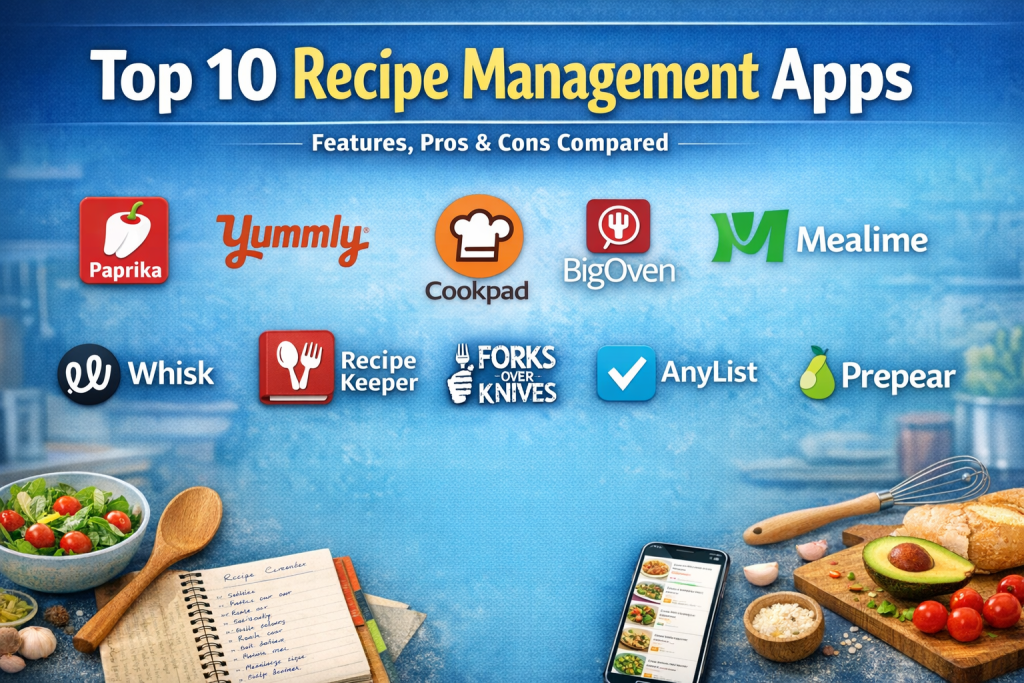
Top 10 Recipe Management Apps Tools
1 — Paprika
Short description:
Paprika is a powerful recipe organizer designed for serious home cooks who want full control over recipes, meal planning, and grocery lists.
Key features:
- Recipe clipping and manual entry
- Smart grocery lists with pantry support
- Meal calendar and menu planning
- Recipe scaling and conversions
- Cross-device cloud sync
- Offline access
- Category and tag-based organization
Pros:
- Extremely robust organization tools
- Reliable offline functionality
- Clean, distraction-free interface
Cons:
- No built-in social or discovery features
- Paid app with no free tier
Security & compliance:
Local storage with optional cloud sync; basic encryption; enterprise compliance not applicable.
Support & community:
Strong documentation, long-term updates, loyal user base.
2 — Yummly
Short description:
Yummly combines recipe management with AI-powered discovery, ideal for users who want inspiration alongside organization.
Key features:
- Personalized recipe recommendations
- Dietary preference filtering
- Recipe saving and collections
- Smart shopping list integration
- Appliance and skill-based suggestions
- Step-by-step cooking mode
Pros:
- Excellent discovery and personalization
- Beginner-friendly experience
- Visually appealing design
Cons:
- Advanced features require subscription
- Less control over manual customization
Security & compliance:
GDPR-aligned consumer data handling; enterprise compliance varies.
Support & community:
Strong help center, large user community, responsive updates.
3 — Cookpad
Short description:
Cookpad is a community-driven recipe app focused on sharing, discovering, and saving everyday home-cooked meals.
Key features:
- Community recipe sharing
- Personal recipe box
- Step-by-step instructions
- Recipe commenting and feedback
- Cultural and regional cuisine discovery
- Simple tagging system
Pros:
- Strong community engagement
- Ideal for regional and home-style cooking
- Easy to use
Cons:
- Limited advanced planning tools
- Less structured for professional use
Security & compliance:
Consumer-grade privacy controls; compliance varies by region.
Support & community:
Extremely active global community, basic documentation.
4 — BigOven
Short description:
BigOven focuses on reducing food waste while helping users plan meals efficiently.
Key features:
- Recipe storage and discovery
- Leftover-based recipe suggestions
- Weekly meal planning
- Auto-generated shopping lists
- Household sharing
- Ingredient-based search
Pros:
- Excellent for reducing food waste
- Family-friendly features
- Balanced feature set
Cons:
- Interface feels dated
- Limited customization depth
Security & compliance:
Standard consumer security practices; enterprise compliance not applicable.
Support & community:
Helpful support articles and long-standing user base.
5 — Mealime
Short description:
Mealime is designed for busy individuals who want fast, healthy meal planning with minimal effort.
Key features:
- Personalized meal plans
- Automatic grocery list creation
- Dietary preference filters
- Simple cooking instructions
- Nutrition-focused recipes
- Household sharing
Pros:
- Extremely easy to use
- Great for health-focused users
- Saves significant planning time
Cons:
- Limited recipe import options
- Less flexibility for custom recipes
Security & compliance:
Basic consumer data protections; compliance varies.
Support & community:
Clear onboarding, responsive support, smaller community.
6 — Whisk
Short description:
Whisk offers recipe management combined with shopping integrations and smart cooking workflows.
Key features:
- Recipe saving from multiple sources
- Meal planning tools
- Smart grocery list sync
- Nutrition insights
- Appliance integrations
- Voice assistant support
Pros:
- Strong automation features
- Modern interface
- Good cross-platform support
Cons:
- Requires account sign-in
- Some features region-dependent
Security & compliance:
GDPR-aligned consumer data handling; enterprise standards vary.
Support & community:
Good documentation, growing ecosystem.
7 — Recipe Keeper
Short description:
Recipe Keeper focuses on fast recipe import and clean organization across devices.
Key features:
- Recipe import from photos and files
- Manual entry and editing
- Meal planner and shopping lists
- Cross-device syncing
- Folder and tag organization
- Recipe scaling
Pros:
- Excellent import accuracy
- Simple and reliable
- Offline-friendly
Cons:
- Limited discovery features
- Interface is basic
Security & compliance:
Local and cloud storage options; consumer-grade security.
Support & community:
Helpful documentation, steady updates.
8 — Forks Over Knives
Short description:
Forks Over Knives is built for users following a whole-food, plant-based lifestyle.
Key features:
- Curated plant-based recipes
- Meal plans and shopping lists
- Nutrition-focused content
- Cooking guides
- Offline access
- Educational resources
Pros:
- Strong dietary focus
- High-quality curated content
- Health-oriented approach
Cons:
- Limited outside its niche
- Smaller recipe variety
Security & compliance:
Consumer privacy standards; compliance varies.
Support & community:
Good educational resources, focused user base.
9 — AnyList
Short description:
AnyList combines recipe management with collaborative grocery lists, ideal for households.
Key features:
- Recipe storage and scaling
- Shared grocery lists
- Meal planning calendar
- Voice assistant support
- Household syncing
- Pantry tracking
Pros:
- Excellent collaboration features
- Very intuitive
- Reliable syncing
Cons:
- Advanced features are paid
- Not designed for professionals
Security & compliance:
Encrypted cloud sync; consumer-grade compliance.
Support & community:
Strong documentation and responsive support.
10 — Prepear
Short description:
Prepear blends guided meal planning with recipe storage and nutrition awareness.
Key features:
- Guided meal planning
- Recipe saving and customization
- Smart shopping lists
- Nutrition insights
- Family-friendly plans
- Cross-platform access
Pros:
- Good balance of guidance and flexibility
- Ideal for families
- Clean interface
Cons:
- Smaller recipe library
- Subscription required for full access
Security & compliance:
Standard consumer data protections; compliance varies.
Support & community:
Helpful onboarding, active user base.
Comparison Table
| Tool Name | Best For | Platform(s) Supported | Standout Feature | Rating |
|---|---|---|---|---|
| Paprika | Power users | Mobile, Desktop | Advanced organization | N/A |
| Yummly | Discovery-focused cooks | Mobile, Web | AI recommendations | N/A |
| Cookpad | Community cooking | Mobile, Web | Recipe sharing | N/A |
| BigOven | Families | Mobile, Web | Waste reduction | N/A |
| Mealime | Health-focused users | Mobile | Fast meal planning | N/A |
| Whisk | Smart kitchens | Mobile, Web | Automation & integrations | N/A |
| Recipe Keeper | Offline users | Mobile, Desktop | Recipe import | N/A |
| Forks Over Knives | Plant-based diets | Mobile | Specialized nutrition | N/A |
| AnyList | Households | Mobile, Web | Shared lists | N/A |
| Prepear | Guided planning | Mobile, Web | Structured meal plans | N/A |
Evaluation & Scoring of Recipe Management Apps
| Tool | Core Features (25%) | Ease of Use (15%) | Integrations (15%) | Security (10%) | Performance (10%) | Support (10%) | Value (15%) | Total |
|---|---|---|---|---|---|---|---|---|
| Paprika | 23 | 13 | 10 | 7 | 9 | 8 | 13 | 83 |
| Yummly | 22 | 14 | 13 | 7 | 8 | 8 | 12 | 84 |
| Mealime | 20 | 15 | 9 | 7 | 8 | 8 | 14 | 81 |
| AnyList | 19 | 15 | 10 | 8 | 8 | 9 | 13 | 82 |
Which Recipe Management Apps Tool Is Right for You?
- Solo users: Paprika, Recipe Keeper
- Families & households: AnyList, BigOven, Prepear
- Health & diet-focused: Mealime, Forks Over Knives
- Explorers & inspiration seekers: Yummly, Cookpad
- Budget-conscious: Cookpad, free tiers of Whisk
- Premium users: Paprika, Yummly
Choose depth if you enjoy cooking control, or simplicity if convenience matters more.
Frequently Asked Questions (FAQs)
1. Are recipe management apps free?
Many offer free tiers, but advanced features usually require payment.
2. Can I import my old recipes?
Yes, most apps support manual entry, photo import, or web clipping.
3. Do these apps work offline?
Several, such as Paprika and Recipe Keeper, offer offline access.
4. Are they suitable for professional kitchens?
Most are consumer-focused; professionals may need specialized software.
5. Can I share recipes with family?
Yes, many apps support household or list sharing.
6. Do they support dietary restrictions?
Most modern apps include filters for allergies and diets.
7. Is my data secure?
Consumer-grade encryption is common, but enterprise compliance is rare.
8. Can recipes be scaled automatically?
Yes, serving-size scaling is a standard feature.
9. Do these apps replace cookbooks?
They complement rather than replace traditional cookbooks.
10. What is the biggest mistake users make?
Choosing an overly complex app instead of one that matches their habits.
Conclusion
Recipe Management Apps simplify cooking, planning, and organization in a world where time and dietary needs matter more than ever. The right tool helps reduce stress, minimize waste, and make cooking enjoyable again.
There is no universal best app—the ideal choice depends on how you cook, who you cook for, and how much structure you want. Focus on usability, core features, and long-term value, and you’ll find a solution that truly fits your kitchen routine.

Find Trusted Cardiac Hospitals
Compare heart hospitals by city and services — all in one place.
Explore Hospitals
Recipe management apps make it easier to save, organize, and find favorite recipes in one place. Features like meal planning, shopping lists, ingredient tracking, and recipe sharing can make daily cooking more organized. A simple interface also helps users quickly find what they need. The right app can save time, reduce food waste, and make meal planning easier.
A useful recipe management app should make meal planning as simple as finding and saving recipes. Features like ingredient scaling, grocery list creation, and meal scheduling can save time in everyday cooking. Easy recipe organization and cross-device syncing also make it easier to build a personal collection.
Mining operations management software is a specialized but important category, and this article treats it seriously. I like how it covers safety, equipment tracking, and compliance. Mining operators will find this practical.
Recipe management apps make it easier to organize favorite recipes, plan meals, and keep track of ingredients in one place. Features such as searchable recipe collections, grocery lists, meal planning, and serving-size adjustments can save time in everyday cooking. When comparing apps, I would look at ease of use, recipe importing options, customization, and syncing across devices. I believe automatic grocery lists are especially helpful because they make shopping more organized and reduce food waste. The best app is one that fits your cooking habits and makes meal planning simpler.
A small but important detail is how well an app handles recipe imports from real-world sources. Paprika and Recipe Keeper stand out for clipping and offline access, but users should test a few messy blog recipes first—some imports miss instructions, units, or ingredients. For households, shared lists and pantry tracking can matter more than recipe discovery, since the goal is fewer duplicate purchases and less food waste.
Recipe management apps become more useful when they help users organize recipes around their daily cooking needs. One important feature to check is how easily they handle ingredient changes, serving sizes, and grocery lists. I would also suggest testing recipe search and meal planning options. A simple way to save personal notes and cooking adjustments can make these apps much more practical over time.
One practical feature to look for in recipe management apps is how well they handle changes in ingredient quantities without affecting the cooking instructions. If someone doubles a recipe for a family gathering or reduces it for a single serving, the app should adjust measurements accurately while keeping track of ingredients that do not scale linearly, such as spices, baking agents, or cooking liquids. It would also be useful to let users add personal notes about adjustments that worked well, so the next preparation becomes easier. These small details can make a recipe collection much more useful than a simple digital cookbook.
Recipe management apps make it easier to organize favorite recipes, plan meals, create shopping lists, and keep cooking routines well structured. Features such as ingredient scaling, nutritional information, meal planning, recipe importing, and cloud synchronization can make everyday cooking more convenient. When comparing apps, important factors include ease of recipe organization, dietary preference support, grocery list integration, offline access, and cross-device compatibility. Choosing the right app can save time in the kitchen, reduce food waste, simplify weekly meal preparation, and help users discover a more organized and enjoyable approach to cooking.
A good recipe management app should make it easy to save favorite dishes, organize recipes, and plan meals without adding extra effort. I’d look for features like automatic ingredient lists, serving-size adjustments, and grocery list creation, especially for people cooking for different family sizes. Importing recipes from websites and syncing them across devices can also save time. The real test is whether the app makes everyday meal planning simpler and helps reduce food waste.
Recipe management apps make meal planning easier by keeping cooking instructions, ingredient lists, and personal favorites organized in one place. Features such as automatic grocery lists, serving-size adjustments, and dietary filters can save time while reducing food waste. Reliable search, cross-device syncing, and simple recipe importing also help users build a practical digital cookbook that fits their everyday cooking habits.
Recipe management apps can make meal planning easier by keeping recipes, ingredients, and cooking instructions in one place. However, the most useful features depend on how people cook and shop each week. Some users may value shopping lists and serving adjustments, while others may need dietary filters or family meal planning. It is worth checking whether ingredient amounts update correctly when serving sizes change. Easy recipe importing and reliable search can also save time. Before choosing an app, users should try a few real recipes and plan a typical week. The best option is one that fits everyday habits rather than simply offering the most features.
Recipe apps should also handle changes in serving sizes without creating confusing ingredient amounts or cooking instructions. Scaling a meal from two people to eight can affect spices, cooking time, and equipment needs in different ways. Developers should test these adjustments with recipes that use fractions, mixed units, and ingredients that do not scale evenly. Clear warnings can help users review unusual quantities before they start cooking. This kind of testing makes the app more dependable for everyday meal planning, especially when users adapt family recipes for larger gatherings.
Recipe import accuracy deserves close attention because a small parsing error can change the outcome of a dish. An app might mistake tablespoons for teaspoons, miss an ingredient hidden in the instructions, or convert regional measurements incorrectly. I would test imported recipes against their original sources and check whether users can review uncertain fields before saving them. Ingredient substitutions and serving-size adjustments also need sensible rules, since scaling spices or baking ingredients does not always work through simple multiplication. Clear unit handling, editable import results, and reliable conversion logic can make these apps far more useful in everyday cooking.
Recipe management apps become much more useful when they do more than store ingredients and cooking instructions. Features like adjustable serving sizes, automatic shopping lists, dietary filters, and meal planning can help users save time and reduce food waste. Apps that sync recipes across devices and keep instructions easy to update also make it simpler to build a reliable collection of favorite meals.
Centralizing recipe storage, intelligent serving-size scaling, automated grocery lists, and meal scheduling into dedicated recipe management platforms eliminates kitchen workflow friction, minimizes household food waste, and streamlines dietary planning across domestic and culinary operations.
Recipe management apps help users organize recipes, plan meals, and keep cooking instructions easy to access. When comparing options, I would focus on recipe importing, ingredient lists, meal planning, and shopping list features. These capabilities can save time and make everyday cooking more organized. The right app should be easy to use and help users manage their favorite recipes in one place.
One practical issue with digital recipe collections is keeping ingredient measurements accurate when users modify a recipe. Converting cups to grams, adjusting baking ratios, or scaling spices does not always work through simple multiplication. Apps should distinguish between ingredients that scale directly and those that need more careful adjustment. It would also help to preserve the original recipe while saving customized versions, so users can compare changes and return to a proven result. For families managing allergies, ingredient substitutions should retain clear warnings instead of silently replacing items. Testing these details against real cooking scenarios can prevent wasted ingredients and disappointing results, especially for recipes where small measurement errors affect the final outcome.
Recipe management apps become much more useful when they help people plan meals and manage ingredients, not just store cooking instructions. I would look for features such as adjustable serving sizes, automatic shopping lists, nutritional information, and easy recipe organization. Reliable import tools are also important because manually saving recipes can quickly become tedious. Offline access can make a real difference when cooking in areas with limited connectivity. How do these apps balance useful meal-planning features with a simple interface that everyday home cooks can navigate easily?
Beyond just comparing features and pros and cons, the biggest hurdle when switching to a recipe management app is overcoming the “migration friction” of digitizing handwritten family recipes and scattered bookmarks. Unless an app offers seamless OCR scanning or robust URL web-import tools that accurately parse ingredients without manual cleanup, users often abandon them within weeks. Evaluating how well an app handles data portability and exports is crucial to ensure years of accumulated recipes don’t end up locked in a proprietary ecosystem.
Recipe management apps are especially helpful when a recipe needs to be adjusted for different serving sizes without changing the balance of ingredients. It is worth checking whether an app can organize personal notes, track substitutions, and flag common allergens clearly, particularly when recipes are shared with family or customers. A reliable shopping list generated from several planned meals can also reduce duplicate purchases and make weekly meal preparation much easier.
Keeping recipes organized becomes much easier when an app lets users save ingredients, adjust serving sizes, plan meals, and create shopping lists in one place. The best choice often depends on whether someone cooks daily, collects recipes from different websites, or plans meals for the whole family. Another app worth checking out is Paprika Recipe Manager, which helps users organize recipes, plan meals, and manage grocery lists without juggling multiple tools.
This comparison of top recipe management apps is both practical and easy to follow! Laying out the key features, strengths, and limitations of each app makes it much clearer for home cooks and food enthusiasts to pick the right tool for organizing recipes, planning meals, and discovering new dishes. With so many options available, insights like these help readers quickly understand which platform fits their lifestyle and workflow — thanks for putting together such a helpful and informative guide!