
Introduction
Geology Modeling Software plays a critical role in understanding the Earth’s subsurface by transforming raw geological, geophysical, and geochemical data into structured, interpretable models. These tools help geologists, mining engineers, oil & gas professionals, and environmental scientists visualize complex geological structures, estimate resources, simulate subsurface behavior, and make data-driven decisions with higher confidence.
In industries where drilling, excavation, or environmental impact assessments involve high costs and risks, accurate geological models are essential. A well-built model can reduce uncertainty, improve resource estimation, support regulatory compliance, and optimize operational planning. From mineral exploration and mine planning to reservoir characterization and groundwater studies, geology modeling software has become a foundational technology.
When choosing a geology modeling tool, users should evaluate factors such as 3D/4D modeling capabilities, data integration, interpolation methods, scalability, performance, usability, collaboration features, and industry-specific workflows. Security, long-term vendor support, and ecosystem compatibility are also increasingly important for enterprise deployments.
Best for:
Geology modeling software is best suited for exploration geologists, mining engineers, reservoir engineers, environmental consultants, academic researchers, and large engineering firms working in mining, oil & gas, infrastructure, and environmental sciences.
Not ideal for:
These tools may be unnecessary for small survey-only projects, basic GIS-only needs, or teams that only require 2D mapping or simple visualization, where lightweight GIS or CAD tools may be sufficient.
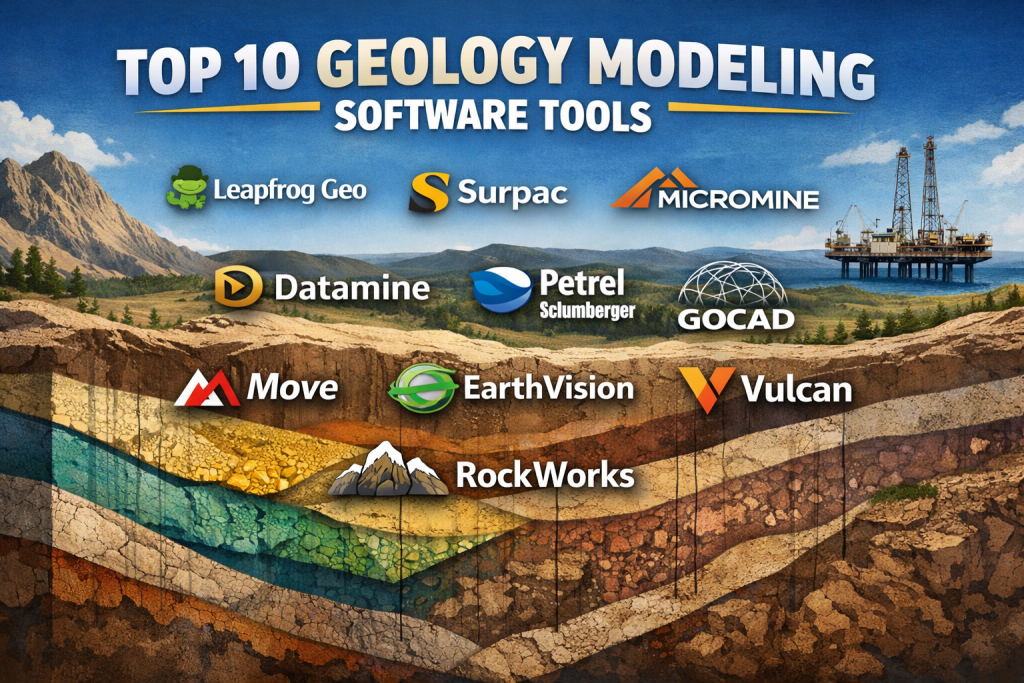
Top 10 Geology Modeling Software Tools
1 — Leapfrog Geo
Short description:
A leading 3D geological modeling platform designed for rapid model building and interpretation in mining, civil, and environmental projects.
Key features:
- Implicit 3D geological modeling
- Real-time model updates from new data
- Strong drillhole data management
- Structural geology interpretation tools
- Seamless integration with mine planning tools
- High-quality visualization and sectioning
Pros:
- Extremely fast model updates
- Intuitive and modern interface
- Widely adopted industry standard
Cons:
- Premium pricing
- Advanced features require training
Security & compliance:
Enterprise-grade access controls, encryption, SSO support (varies by deployment)
Support & community:
Strong documentation, training programs, active global user community, enterprise support available
2 — Surpac
Short description:
A comprehensive geology and mine planning solution widely used in mineral exploration and production environments.
Key features:
- Geological database management
- Block modeling and resource estimation
- Grade control workflows
- Surveying and mine design tools
- Extensive scripting and customization
- Integration with mine planning suites
Pros:
- Mature and trusted platform
- Strong mine production workflows
- Flexible customization options
Cons:
- Interface feels dated
- Steeper learning curve
Security & compliance:
Role-based access control, enterprise deployment options
Support & community:
Global support network, extensive documentation, long-standing user base
3 — Micromine
Short description:
An end-to-end mining and geology modeling platform covering exploration through production.
Key features:
- 3D geological and structural modeling
- Resource estimation and reporting
- Drillhole planning and analysis
- Geostatistical tools
- Integrated mine scheduling
- Visualization and reporting dashboards
Pros:
- Strong balance of features and usability
- Competitive pricing compared to peers
- Good reporting capabilities
Cons:
- Performance can slow on very large datasets
- Limited third-party integrations
Security & compliance:
Standard enterprise security controls; compliance varies by deployment
Support & community:
Responsive vendor support, training resources, growing global community
4 — Datamine
Short description:
A powerful suite of tools for geological modeling, resource estimation, and mine design.
Key features:
- Advanced geostatistics
- Complex geological modeling
- Open pit and underground workflows
- Data validation and QA tools
- Automation and scripting
- Interoperability with planning systems
Pros:
- Highly accurate modeling
- Suitable for complex deposits
- Strong enterprise adoption
Cons:
- Complex interface
- Requires experienced users
Security & compliance:
Enterprise-grade security; deployment-dependent compliance
Support & community:
Professional training, global support, strong enterprise backing
5 — Petrel
Short description:
An industry-standard subsurface modeling platform for oil & gas reservoir characterization.
Key features:
- Integrated geological and reservoir modeling
- Seismic interpretation
- Well correlation and stratigraphy
- Dynamic simulation workflows
- Multi-disciplinary collaboration
- High-performance computing support
Pros:
- Extremely powerful for petroleum geology
- Excellent seismic integration
- Scales well for enterprise use
Cons:
- Very high cost
- Overkill for non-oil & gas projects
Security & compliance:
Enterprise security, audit logs, access controls, compliance varies
Support & community:
Extensive documentation, professional services, strong enterprise support
6 — GOCAD
Short description:
A flexible geological modeling system focused on structural geology and complex subsurface interpretations.
Key features:
- Structural and stratigraphic modeling
- Fault and surface modeling
- Advanced mesh generation
- Interoperability with simulation tools
- Custom workflows via scripting
- High-resolution visualization
Pros:
- Excellent for complex geology
- Highly flexible modeling
- Research-grade accuracy
Cons:
- Steep learning curve
- Limited beginner-friendly workflows
Security & compliance:
Varies / N/A
Support & community:
Strong academic and professional user base, specialized training
7 — Move
Short description:
A structural modeling and analysis tool widely used for deformation and restoration studies.
Key features:
- 2D and 3D structural modeling
- Kinematic and geomechanical analysis
- Fault restoration tools
- Cross-section balancing
- Data integration from GIS and CAD
- Visualization of tectonic processes
Pros:
- Best-in-class structural analysis
- Strong academic credibility
- Highly accurate restoration tools
Cons:
- Limited resource estimation features
- Niche use cases
Security & compliance:
Varies / N/A
Support & community:
High-quality documentation, academic and professional support
8 — EarthVision
Short description:
A versatile 3D modeling platform for geology, engineering, and environmental studies.
Key features:
- 3D surface and volume modeling
- Environmental and groundwater modeling
- Integration with GIS data
- Engineering and geotechnical workflows
- Custom scripting
- Visualization and reporting
Pros:
- Strong cross-industry versatility
- Good environmental modeling support
- Flexible data inputs
Cons:
- Interface less modern
- Smaller user community
Security & compliance:
Standard enterprise controls; varies by deployment
Support & community:
Vendor-led support, technical documentation, niche user base
9 — Vulcan
Short description:
A comprehensive mining geology and design platform focused on operational efficiency.
Key features:
- Geological modeling and estimation
- Mine design and scheduling
- Drillhole and blast design
- Survey and reconciliation tools
- Automation workflows
- Visualization and reporting
Pros:
- Strong operational focus
- Good integration with mining workflows
- Scalable for large mines
Cons:
- Less intuitive UI
- Training required for advanced use
Security & compliance:
Enterprise-grade security options available
Support & community:
Professional training, enterprise support, global mining user base
10 — RockWorks
Short description:
A user-friendly geology and borehole data management tool popular in environmental and engineering geology.
Key features:
- Borehole and well log management
- 2D and 3D visualization
- Stratigraphic modeling
- Environmental reporting tools
- GIS integration
- Affordable licensing
Pros:
- Easy to learn
- Cost-effective
- Strong environmental focus
Cons:
- Limited advanced geostatistics
- Not ideal for very large datasets
Security & compliance:
Varies / N/A
Support & community:
Helpful documentation, responsive vendor support, smaller community
Comparison Table
| Tool Name | Best For | Platform(s) Supported | Standout Feature | Rating |
|---|---|---|---|---|
| Leapfrog Geo | Rapid 3D geological modeling | Windows | Real-time implicit modeling | N/A |
| Surpac | Production mining geology | Windows | End-to-end mine workflows | N/A |
| Micromine | Exploration to production | Windows | Balanced feature set | N/A |
| Datamine | Complex deposits | Windows | Advanced geostatistics | N/A |
| Petrel | Oil & gas reservoirs | Windows/Linux | Seismic integration | N/A |
| GOCAD | Structural geology | Windows/Linux | Complex surface modeling | N/A |
| Move | Structural analysis | Windows | Fault restoration | N/A |
| EarthVision | Environmental & engineering | Windows | Multi-discipline modeling | N/A |
| Vulcan | Operational mining | Windows | Production optimization | N/A |
| RockWorks | Environmental geology | Windows | Borehole management | N/A |
Evaluation & Scoring of Geology Modeling Software
| Evaluation Criteria | Weight | Description |
|---|---|---|
| Core features | 25% | Modeling depth, geostatistics, visualization |
| Ease of use | 15% | Learning curve, UI clarity |
| Integrations & ecosystem | 15% | Compatibility with GIS, planning tools |
| Security & compliance | 10% | Access control, data protection |
| Performance & reliability | 10% | Stability with large datasets |
| Support & community | 10% | Training, documentation, support |
| Price / value | 15% | ROI, licensing flexibility |
Which Geology Modeling Software Tool Is Right for You?
- Solo users & small teams: RockWorks or Micromine offer usability and value.
- SMBs & mid-market: Leapfrog Geo and Datamine balance power and productivity.
- Enterprise organizations: Petrel, Surpac, and Vulcan provide scalability and governance.
- Budget-conscious teams: RockWorks delivers strong fundamentals at lower cost.
- Advanced geology needs: GOCAD and Move excel in structural complexity.
- Integration-heavy environments: Leapfrog Geo and Petrel perform best.
- Security-focused enterprises: Tools with enterprise deployment options are preferable.
Frequently Asked Questions (FAQs)
1. What is geology modeling software used for?
It is used to build 2D/3D representations of subsurface geology for exploration, planning, and risk reduction.
2. Is 3D modeling essential?
Yes, 3D modeling improves accuracy, visualization, and decision-making in complex geology.
3. Can these tools handle large datasets?
Most enterprise tools are designed to scale, though performance varies by platform.
4. Are these tools only for mining?
No, they are also used in oil & gas, civil engineering, and environmental studies.
5. How long does implementation take?
From days for small setups to months for enterprise deployments.
6. Do they support GIS integration?
Most modern tools support GIS data import and export.
7. Are open-source alternatives viable?
They exist but often lack enterprise-grade features and support.
8. What skills are required?
Basic geology knowledge is essential; advanced tools require training.
9. How important is vendor support?
Very important for long-term projects and complex modeling.
10. What is the most common mistake buyers make?
Choosing overly complex tools without matching team expertise.
Conclusion
Geology modeling software is a cornerstone technology for industries that depend on accurate subsurface understanding. While all leading tools aim to reduce uncertainty and improve decision-making, they differ significantly in usability, specialization, scalability, and cost.
There is no single “best” solution for everyone. The right choice depends on project complexity, industry focus, team expertise, integration needs, and budget constraints. By carefully evaluating these factors, organizations can select a tool that delivers long-term value and confidence in geological decision-making.

Find Trusted Cardiac Hospitals
Compare heart hospitals by city and services — all in one place.
Explore Hospitals