
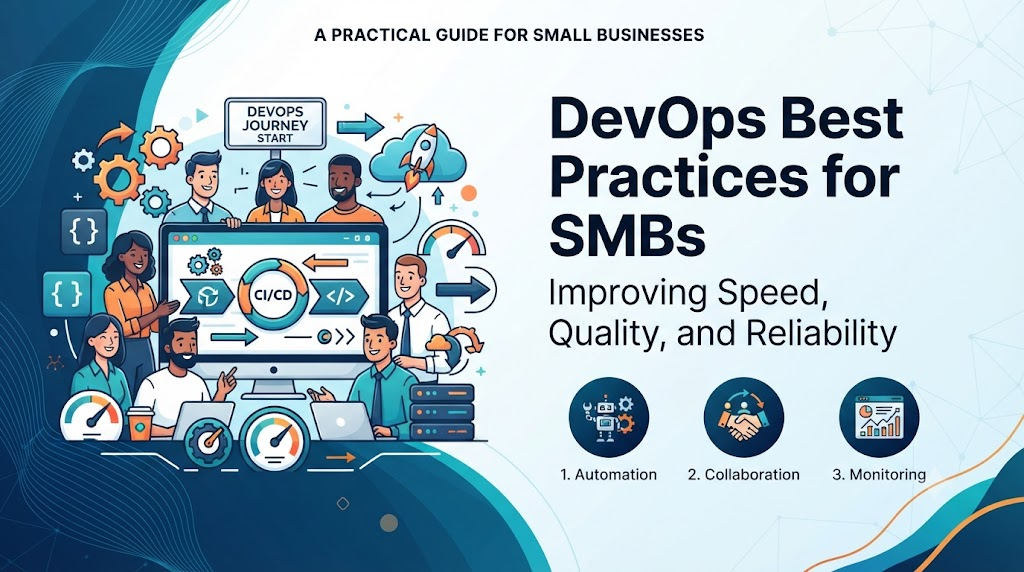
Introduction
In today’s digital economy, software powers businesses of every size, yet startups and small teams frequently struggle with unstable deployments, manual errors, and limited engineering hours. DevOps provides a practical, budget-friendly solution by bridging development and operations through automation and collaboration, helping smaller organizations release software faster, cut operational costs, and scale securely. Whether you are looking to streamline your workflow or build resilient cloud infrastructure, exploring expert-led programs at DevOpsSchool can equip your team with the practical skills needed to drive sustainable growth.
What Is DevOps for Small Businesses?
Definition
At its core, DevOps is the cultural and technical practice that bridges the gap between software development (Dev) and IT operations (Ops). For small businesses, it means breaking down silos where developers write code and someone else figures out how to run it. Instead, the entire team shares responsibility for building, testing, deploying, and maintaining software efficiently.
Core Principles
The DevOps philosophy rests on several foundational pillars that are scaled specifically for smaller organizations:
- Collaboration: Developers, testers, and business leaders communicate continuously, ensuring software updates align with customer needs without administrative delays.
- Automation: Repetitive manual tasks—such as testing code, provisioning servers, and deploying updates—are handled by automated scripts and pipelines.
- Continuous Integration (CI): Developers frequently merge their code changes into a central repository where automated builds and tests verify the changes instantly.
- Continuous Delivery (CD): Validated code is automatically prepared and staged for release, allowing the business to push features to production with a single click.
Business Value
For a small business, DevOps translates directly to agility. When your software pipeline is automated, you can test a new marketing feature on Tuesday, fix a minor bug on Wednesday, and release a customer-requested enhancement on Thursday—all without risking system stability. It replaces chaotic firefighting with predictable, controlled growth.
Why Small Businesses Should Adopt DevOps Early
Faster Product Releases
Startups live and die by their speed to market. If your competitor launches a feature in two weeks while your manual deployment process takes two months, you lose. DevOps automates release cycles, allowing small teams to ship updates daily or weekly.
Lower Operational Costs
Manual IT management is expensive. Every hour spent troubleshooting broken deployment scripts or configuring servers by hand is an hour stolen from product innovation. Automation reduces human error, cuts down downtime costs, and optimizes cloud resource usage.
Improved Collaboration
When team members share a unified workflow, finger-pointing stops. If an application fails in production, transparent logs and shared monitoring dashboards help the team identify and fix the root cause in minutes rather than days.
Better Software Quality
Automated testing catches bugs before they reach customers. Instead of relying on manual quality assurance that slows down releases, small businesses can run hundreds of automated unit and integration tests every time code changes.
Increased Customer Satisfaction
Reliable software means fewer crashes, faster page load times, and immediate bug fixes. When your digital storefront or SaaS platform works seamlessly, customer trust and retention soar.
Business Scalability
As your customer base grows from hundreds to hundreds of thousands, your infrastructure must adapt. DevOps principles ensure that your systems are modular, automated, and ready to scale effortlessly without requiring a massive expansion of your IT department.
Challenges Small Businesses Face Without DevOps
| Challenge | Business Impact | How DevOps Solves It |
| Manual Deployments | High risk of human error, prolonged downtime, and stressed engineering teams. | Replaces manual steps with automated CI/CD pipelines that execute consistently every time. |
| Limited IT Resources | Engineers spend valuable time on repetitive server setup instead of building revenue-generating features. | Utilizes Infrastructure as Code (IaC) to provision environments instantly with single commands. |
| Slow Software Releases | Features pile up in development, delaying time-to-market and frustrating stakeholders. | Streamlines workflows to enable continuous delivery and rapid, iterative feature releases. |
| Frequent Production Issues | Unstable updates break core functionality, damaging brand reputation and customer trust. | Implements automated testing gates and robust staging environments to catch bugs early. |
| Poor Collaboration | Siloed teams blame each other when systems fail, leading to internal friction and slow resolution times. | Fosters a shared operational culture with transparent communication and unified tooling. |
| Lack of Automation | Scaling operations requires hiring proportionally more staff, crushing profit margins. | Leverages automation scripts and cloud-native services to scale workloads without headcount inflation. |
| Security Concerns | Vulnerabilities are discovered late in the cycle, leading to rushed patches or costly breaches. | Integrates security practices early into the development pipeline (DevSecOps). |
| Scaling Problems | Traffic spikes crash servers because infrastructure cannot adapt dynamically to demand. | Utilizes cloud auto-scaling and container orchestration for elastic resource management. |
Building a DevOps Strategy on a Small Budget
Setting Business Goals
Do not adopt DevOps simply because it is trendy. Tie your strategy to concrete business objectives. Are you trying to reduce server costs? Do you need to cut your release cycle from a month to a week? Define clear, measurable targets before writing a single configuration script.
Prioritizing Automation
You cannot automate everything on day one, nor should you. Start by identifying your biggest operational bottleneck. If your team spends hours deploying code manually every Friday, build a CI/CD pipeline for deployment first. If environment setup takes days, prioritize Infrastructure as Code.
Choosing Affordable Tools
Small businesses do not need expensive, enterprise-grade software suites to practice DevOps. A robust, highly effective DevOps toolchain can be built entirely using open-source software, free-tier cloud services, and community-supported editions.
Cloud-First Mindset
Avoid purchasing physical servers or maintaining an on-premise rack. Leverage cloud providers that offer pay-as-you-go pricing models. This allows your small business to access enterprise-grade computing power while paying only for the exact resources you consume.
Incremental Implementation
Adopting DevOps is a journey, not an overnight switch. Introduce one practice at a time. Let your team master version control, then introduce automated testing, followed by automated deployments. Gradual adoption ensures high team morale and lasting cultural change.
Choosing the Right DevOps Tools
| Tool | Purpose | Beginner Friendly | Suitable for Small Businesses |
| Git | Source code management and version control. | Moderate | Yes (Free, industry standard) |
| GitHub | Hosted collaboration, code review, and basic CI/CD (Actions). | High | Yes (Extensive ecosystem) |
| Jenkins | Automation server for building CI/CD pipelines. | Low to Moderate | Yes (Highly customizable open-source) |
| Docker | Containerization for consistent environments. | Moderate | Yes (Eliminates “works on my machine” issues) |
| Kubernetes | Container orchestration at scale. | Low | Optional (Start with simpler orchestrators if small) |
| Terraform | Infrastructure as Code for provisioning cloud resources. | Moderate | Yes (Cloud-agnostic automation) |
| Ansible | Configuration management and server setup automation. | High | Yes (Agentless and easy to learn) |
| Prometheus | Metric collection and system monitoring. | Moderate | Yes (Industry standard for time-series data) |
| Grafana | Visualization dashboards for metrics and logs. | High | Yes (Beautiful, intuitive data displays) |
Explaining the Toolchain
- Git and GitHub: The foundation of modern software development. Every line of code written by your team is tracked, reviewed, and stored securely with a complete historical record.
- Jenkins / GitHub Actions: These tools act as the conductors of your software factory, automatically triggering builds, tests, and deployments whenever new code is committed.
- Docker: Containers package your application code along with all its dependencies into a single lightweight image, ensuring it runs identically on a developer’s laptop and in the cloud production environment.
- Terraform and Ansible: Instead of clicking through cloud consoles to create servers or install software, these tools allow you to define your entire infrastructure in human-readable code files.
- Prometheus and Grafana: Your digital dashboard. They monitor CPU usage, memory limits, and application response times, alerting your team before minor issues become outages.
Cloud Adoption for Small Businesses
AWS, Microsoft Azure, and Google Cloud Platform
The major cloud providers offer incredible leverage for small businesses. Rather than investing capital in physical hardware, startups can rent computing power, databases, and networking infrastructure on demand.
- Amazon Web Services (AWS): Offers the broadest set of services and extensive startup credits programs.
- Microsoft Azure: Excellent for businesses deeply integrated with enterprise Windows environments and active directory.
- Google Cloud Platform (GCP): Renowned for its strengths in data analytics, machine learning, and native Kubernetes support.
Pay-As-You-Go Pricing
Cloud computing transforms capital expenditure (CapEx) into operating expenditure (OpEx). You do not need to buy servers upfront; you pay only for the compute hours and storage gigabytes you use. This model protects cash flow for early-stage startups.
Scalability and Elasticity
If your marketing campaign goes viral on a Tuesday afternoon, cloud infrastructure allows your application to automatically spin up additional server instances to handle the traffic spike, scaling back down automatically when traffic subsides.
Backup and Disaster Recovery
Cloud providers offer automated snapshotting, multi-region replication, and managed database backups. A hardware failure at a local office no longer threatens business continuity.
Implementing CI/CD
Continuous Integration and Continuous Delivery (CI/CD) form the heartbeat of modern DevOps. For small businesses, implementing a CI/CD pipeline eliminates human error and accelerates feature delivery.
[Developer Code Commit]
         │
         ▼
[Source Code Management (Git)]
         │
         ▼
[Automated Build & Unit Testing]
         │
         ├──► [Test Failed] ──► (Notify Developer)
         │
         ▼ (Test Passed)
[Staging Deployment]
         │
         ▼
[Automated Acceptance Testing]
         │
         ▼
[Production Deployment (Manual or Automated Approval)]
Code language: CSS (css)
Beginner-Friendly Implementation Guide
- Centralize Your Code: Place all application code into a Git repository.
- Define a Build Script: Create a configuration file (such as a GitHub Actions workflow YAML file) that defines how your application compiles and runs.
- Add Automated Tests: Attach unit tests that run automatically every time a developer pushes code. If a test fails, the build is blocked.
- Automate Staging Deployment: Once tests pass, configure the pipeline to deploy the application automatically to a cloud staging environment for review.
- Establish a Rollback Strategy: Ensure your pipeline can automatically revert to the previous stable version if a deployment fails smoke tests in production.
Infrastructure as Code (IaC)
Infrastructure as Code (IaC) is the practice of managing and provisioning computing infrastructure through machine-readable definition files, rather than physical hardware configuration or interactive configuration tools.
Terraform and Configuration Management
Using tools like Terraform, a small business can define its entire cloud architecture—servers, subnets, firewalls, and databases—in text files.
- Consistency: Your staging environment is an exact replica of your production environment. No more surprises where code works in staging but fails in production due to configuration drift.
- Speed: Provisioning a complete multi-tier cloud environment takes minutes instead of weeks.
- Version Control: Infrastructure code is stored in Git, meaning you can review changes, audit who modified server settings, and roll back broken configurations easily.
Monitoring and Observability
You cannot fix what you cannot see. For small businesses operating with lean teams, proactive monitoring is essential to prevent minor glitches from turning into customer-facing disasters.
Metrics, Logging, and Dashboards
- Metrics: Numerical data points such as CPU utilization, memory consumption, request latency, and error rates.
- Logging: Detailed textual records of events occurring within your application and servers.
- Dashboards: Visual interfaces powered by tools like Grafana that aggregate metrics from Prometheus into easy-to-read charts.
- Alerts: Automated notifications sent via Slack, email, or PagerDuty when system thresholds are breached (e.g., error rates exceed two percent).
Security Best Practices
DevSecOps Fundamentals
Security should never be an afterthought bolted on right before launch. In a DevOps model, security is integrated into every phase of the software lifecycle, known as DevSecOps.
Identity and Access Management (IAM)
Adhere strictly to the Principle of Least Privilege. Give employees and automated scripts only the minimum permissions necessary to perform their specific tasks. Use Multi-Factor Authentication (MFA) across all cloud consoles and Git repositories.
Secret Management
Never hardcode API keys, database passwords, or cryptographic certificates directly into your source code. Use dedicated secret management services like AWS Secrets Manager, HashiCorp Vault, or GitHub Encrypted Secrets.
Automated Vulnerability Scanning
Integrate security scanning tools into your CI/CD pipeline to automatically check third-party libraries and container images for known vulnerabilities before they are deployed to production.
Scaling DevOps as Your Business Grows
As your small business transitions into a mid-sized enterprise, your DevOps maturity must evolve.
- Team Expansion: Introduce specialized roles while maintaining cross-functional collaboration.
- Cloud Optimization: Implement advanced cost management tools to prune idle resources and leverage reserved instances.
- Kubernetes Adoption: When managing dozens of microservices across multiple cloud clusters becomes complex, adopt Kubernetes for container orchestration.
- Platform Engineering: Build internal developer platforms that provide self-service infrastructure capabilities to product teams, reducing friction and accelerating delivery.
Real-World Startup DevOps Journey
Consider FinFlow, a fictional five-person fintech startup building an invoicing application.
- Product Idea: The team conceptualizes a recurring billing automation tool for freelancers.
- Development: Developers write code locally inside Docker containers to ensure identical environments.
- Git Repository: Code is pushed to GitHub, triggering peer code reviews.
- CI/CD Pipeline: GitHub Actions automatically runs unit tests, builds a Docker image, and pushes it to a cloud container registry.
- Cloud Deployment: Terraform provisions a secure AWS ECS (Elastic Container Service) cluster where the new containerized application is deployed automatically.
- Monitoring: Prometheus and Grafana track API latency and server health, alerting the lead engineer if error rates spike.
- Continuous Improvement: Customer feedback is gathered, translated into user stories, and fed right back into the development cycle.
Common Mistakes Small Businesses Make
- Trying to Automate Everything at Once: Boiling the ocean leads to project burnout. Start small and automate incrementally.
- Choosing Complex Tools Too Early: Adopting Kubernetes when a simple cloud virtual machine is sufficient introduces unnecessary operational overhead.
- Ignoring Documentation: Failing to document pipeline architectures and deployment processes creates single points of failure around key engineers.
- Weak Security Practices: Leaving default passwords active or exposing database ports to the public internet invites security breaches.
- Not Investing in Training: Expecting developers to master DevOps without providing proper learning resources slows down adoption.
- Skipping Monitoring: Launching applications without setting up basic error alerts leaves the business blind to outages.
Best Practices for Successful DevOps Adoption
- Start Small: Pick a low-risk, high-impact project to test your first CI/CD pipeline.
- Automate Repetitive Tasks: Focus first on automating the manual tasks that your team complains about the most.
- Build CI/CD Gradually: Master automated builds and testing before attempting complex automated multi-region deployments.
- Use Infrastructure as Code: Codify your cloud environments early to maintain consistency and repeatability.
- Monitor Continuously: Set up basic health checks and uptime alerts on day one.
- Secure Applications Early: Embed security scanning and secret management into your workflows from the start.
- Train Your Team Regularly: Foster a culture of continuous learning and experimentation.
90-Day DevOps Implementation Roadmap
| Phase | Objectives | Expected Outcome |
| Days 1–30 | Audit current workflows, establish Git standards, adopt cloud basics, and set up basic error monitoring. | Team alignment, version-controlled codebase, and visibility into system performance. |
| Days 31–60 | Implement first CI/CD pipeline, containerize applications with Docker, and automate staging deployments. | Reduced manual deployment friction and consistent application environments. |
| Days 61–90 | Introduce Infrastructure as Code (Terraform), enforce security scanning, and set up production auto-scaling. | Fully automated, secure, and scalable cloud infrastructure ready for business growth. |
Measuring DevOps Success
| KPI | Business Value | Target Outcome |
| Deployment Frequency | Measures how often new features and fixes are delivered to customers. | Move from monthly releases to daily or weekly releases. |
| Lead Time for Changes | Time required for a commit to make its way into production. | Reduce lead time from days to minutes or hours. |
| Change Failure Rate | Percentage of deployments that cause a failure in production. | Maintain a failure rate below 5 percent through automated testing. |
| Mean Time to Recovery (MTTR) | How quickly the business recovers from an unplanned outage. | Reduce recovery time from hours to minutes using robust monitoring and rollback. |
| Customer Satisfaction | Direct reflection of software reliability and user experience. | Consistent uptime and positive user retention metrics. |
| Infrastructure Uptime | Ensures digital products are available when customers need them. | Achieve 99.9 percent or higher system availability. |
Career Opportunities Created by DevOps Adoption
DevOps Engineer
Bridges software development and IT operations, designing and maintaining CI/CD pipelines, automation scripts, and deployment workflows.
Cloud Engineer
Architects, configures, and manages cloud infrastructure across providers like AWS, Azure, or GCP, ensuring high availability and cost optimization.
Automation Engineer
Focuses on eliminating manual toil by writing scripts and tools that automate testing, provisioning, and operational workflows.
Platform Engineer
Builds internal developer platforms that empower product teams to self-serve infrastructure and deployment capabilities safely.
Site Reliability Engineer (SRE)
Applies software engineering principles to operations and infrastructure problems, ensuring system reliability, scalability, and performance.
DevSecOps Engineer
Specializes in embedding security controls, compliance checks, and vulnerability scanning directly into the CI/CD pipeline.
Certifications and Learning Roadmap
| Certification | Best For | Skill Level | Focus Area |
| DevOps Foundation / Practitioner | Understanding core DevOps principles and workflows. | Beginner | Culture, automation, lean principles, and CI/CD basics. |
| Certified Kubernetes Administrator (CKA) | Advanced container orchestration and cluster management. | Intermediate to Advanced | Kubernetes architecture, networking, storage, and security. |
| AWS Certified DevOps Engineer | Cloud-native automation and infrastructure management on AWS. | Intermediate | CI/CD on AWS, monitoring, logging, and security automation. |
| Microsoft Azure DevOps Engineer Expert | Designing and implementing DevOps practices on Azure. | Intermediate | Source control, pipelines, compliance, and infrastructure. |
| Google Cloud Professional Cloud DevOps Engineer | Building resilient systems and service reliability on GCP. | Intermediate | SRE principles, deployment strategies, and monitoring. |
| Terraform Associate | Infrastructure as Code provisioning and management. | Beginner to Intermediate | HashiCorp Terraform syntax, state management, and modules. |
Mastering these domains often requires a structured learning path. Organizations and individuals looking to accelerate their expertise can leverage professional training programs provided by DevOpsSchool to gain hands-on experience in cloud engineering, automation, and modern DevOps tools.
Future of DevOps for Small Businesses
The DevOps landscape is evolving rapidly, driven by emerging technologies that make automation even more accessible for small businesses:
- AI-Assisted Automation: Generative AI tools help write infrastructure code, analyze error logs, and suggest pipeline optimizations in real-time.
- Platform Engineering: Small businesses are increasingly adopting internal developer portals to simplify deployments for non-infrastructure developers.
- GitOps: Managing cloud infrastructure and Kubernetes clusters entirely through Git repositories for maximum auditability and simplicity.
- Cloud-Native Development: Leveraging serverless computing and managed databases to reduce server maintenance overhead to near zero.
- Cost Optimization: Advanced automated tooling that identifies idle cloud resources and scales down spend automatically.
FAQs (15 Questions)
Is DevOps suitable for small businesses?
Yes. DevOps is not reserved for large enterprises. Its core principles of automation, collaboration, and rapid delivery help small businesses compete effectively with larger players by maximizing resource efficiency.
How much does DevOps implementation cost?
DevOps adoption can be virtually free in terms of software licensing by utilizing open-source tools and cloud free tiers. The primary investment is engineering time and strategic planning.
Which DevOps tools should startups use first?
Startups should begin with Git and GitHub for version control, Docker for consistent environments, and GitHub Actions or Jenkins for basic CI/CD automation.
Is cloud computing necessary for DevOps?
While DevOps can theoretically be practiced on-premise, cloud computing provides the elasticity, pay-as-you-go pricing, and automated APIs that make modern DevOps practices efficient and cost-effective.
Can a small team implement DevOps?
Absolutely. Even a two-person development team benefits immensely from automated testing and deployment pipelines, saving hours of manual labor every week.
How long does DevOps adoption take?
Basic CI/CD and version control practices can be established within a few weeks. A mature, fully automated DevOps and cloud infrastructure roadmap typically takes between 3 to 6 months.
Do small businesses need Kubernetes?
Not initially. Kubernetes adds operational complexity. Small businesses are usually better off starting with simpler container services like AWS ECS or Google Cloud Run before moving to Kubernetes.
How can automation reduce costs?
Automation reduces the hours engineers spend on manual server setup and troubleshooting, minimizes costly production downtime, and optimizes cloud resource utilization.
What are the biggest implementation challenges?
Cultural resistance to change, trying to automate too much too quickly, and lacking clear business objectives are the most common hurdles.
Is DevSecOps necessary for startups?
Yes. Security breaches can devastate an early-stage startup. Integrating basic vulnerability scanning and secure secret management early prevents catastrophic incidents.
Which cloud platform should I choose?
Choose the platform that aligns with your team’s existing skill set or offers the most attractive startup credit programs, such as AWS, Azure, or GCP.
How do I measure DevOps success?
Track key performance indicators such as deployment frequency, lead time for changes, change failure rate, and mean time to recovery.
What certifications help small teams?
Foundational DevOps certifications, Terraform Associate, and cloud-specific developer certifications provide the structured knowledge needed to build robust pipelines.
Can DevOps improve customer satisfaction?
Yes. By reducing bugs, preventing downtime, and enabling rapid feature releases, DevOps ensures a seamless and reliable user experience.
Where should a startup begin?
Begin by auditing your current software delivery bottleneck—usually manual deployments or environment setup—and automate that single process first.
Final Thoughts
Adopting DevOps is one of the most impactful investments a small business or startup can make in its technology stack. It is not an exclusive club for tech giants; it is a practical, mindset-driven approach to building and scaling software efficiently.
Small, consistent improvements produce profound long-term results. By replacing manual friction with automated pipelines, fostering cross-functional collaboration, and leveraging cloud infrastructure, your business can save valuable time, reduce operational costs, and deliver exceptional value to your customers. Early DevOps adoption gives startups the agility, resilience, and competitive edge required to thrive in a digital-first world.

Find Trusted Cardiac Hospitals
Compare heart hospitals by city and services — all in one place.
Explore Hospitals
One area that deserves more attention is measuring whether DevOps initiatives are actually delivering business value for SMBs. Adopting CI/CD, automation, and monitoring is a strong start, but without tracking metrics such as deployment frequency, lead time for changes, change failure rate, and mean time to recovery (MTTR), it’s difficult to know which improvements are producing real results. Even small teams benefit from reviewing these indicators regularly, as they help prioritize engineering efforts, justify investments, and prevent automation from becoming an objective instead of a measurable business advantage.