
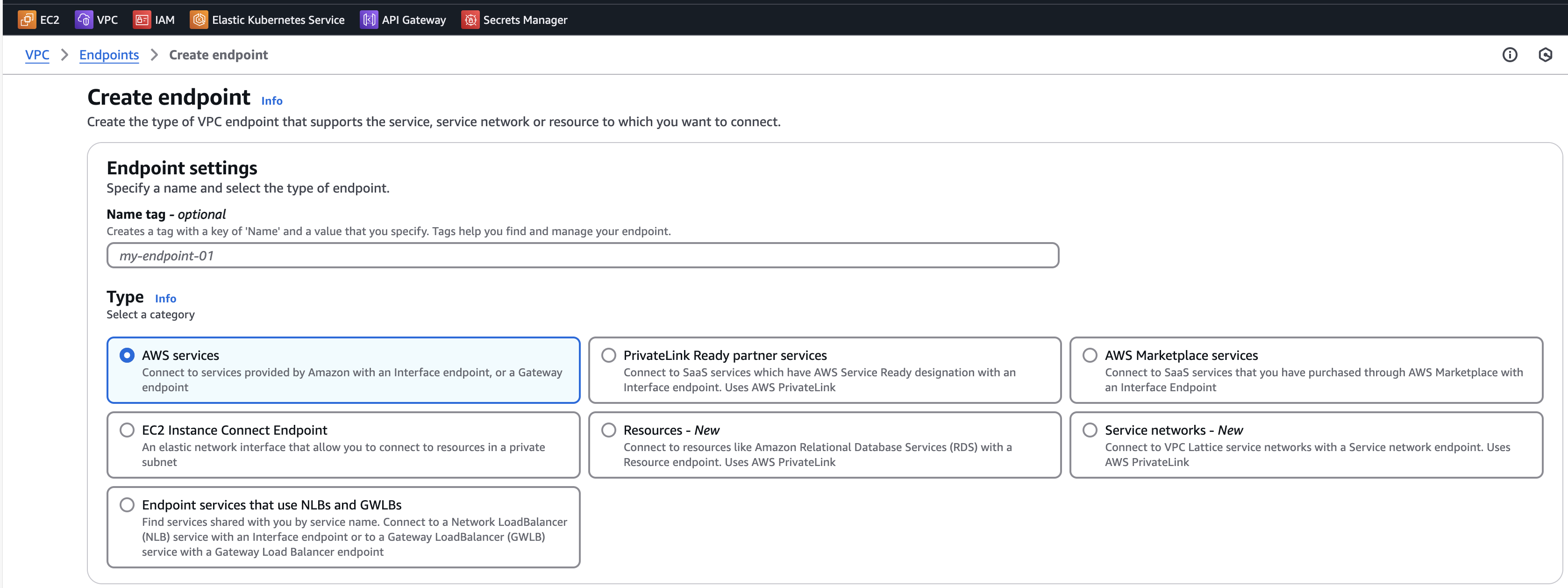
What is an AWS VPC Endpoint?
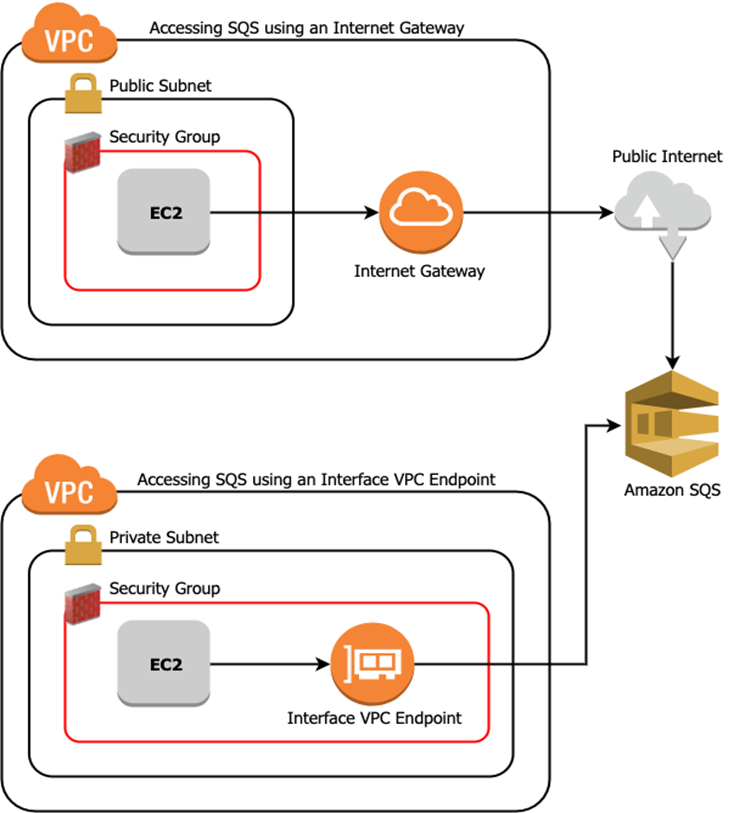
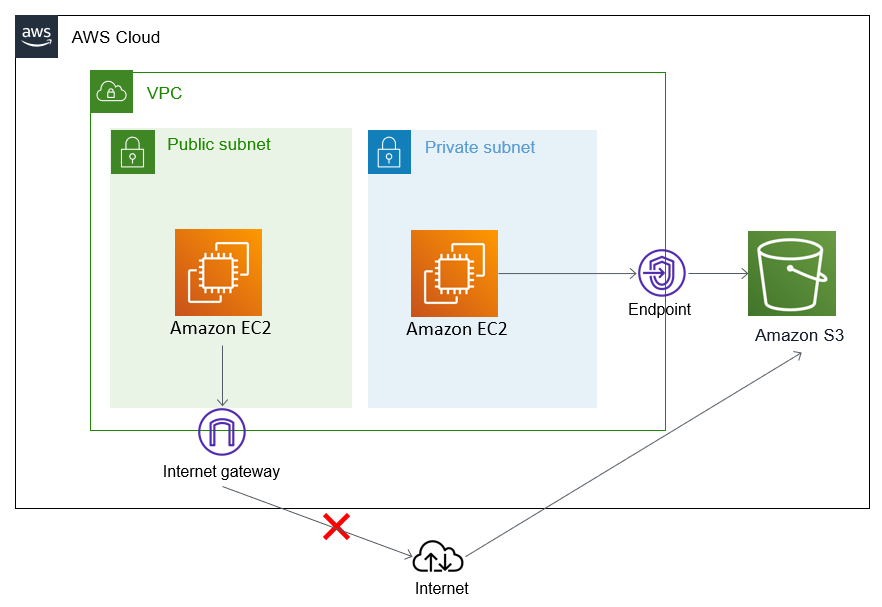
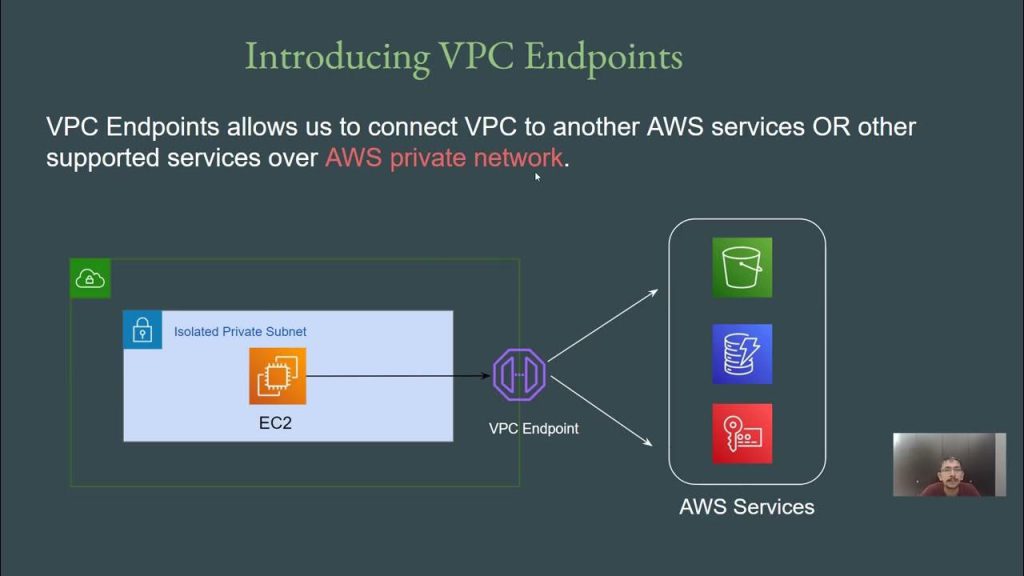
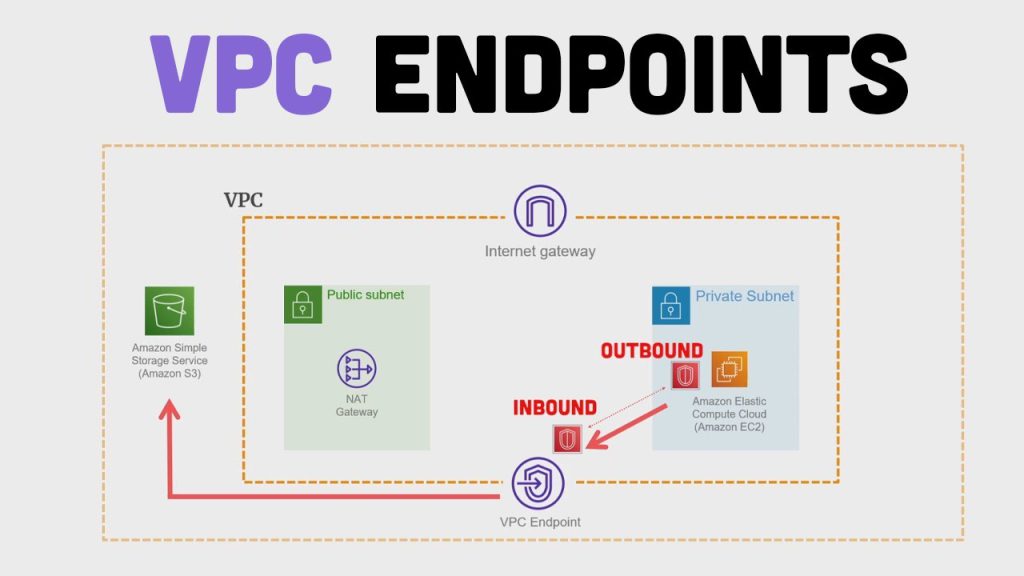
An AWS VPC Endpoint enables you to privately connect your VPC to supported AWS services and VPC Endpoint services without using an Internet Gateway, NAT device, VPN connection, or AWS Direct Connect. Endpoints are highly available, scalable, and eliminate the need for traffic to leave the AWS network.
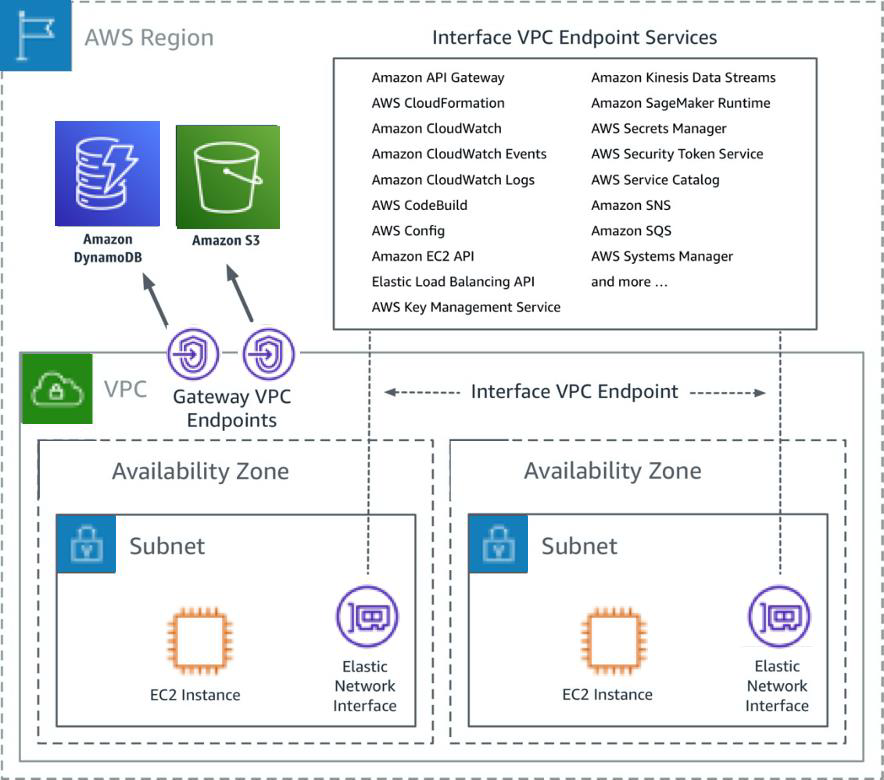
There are two types of VPC Endpoints:
- Interface Endpoints: Powered by AWS PrivateLink, they use Elastic Network Interfaces (ENIs) with private IPs.
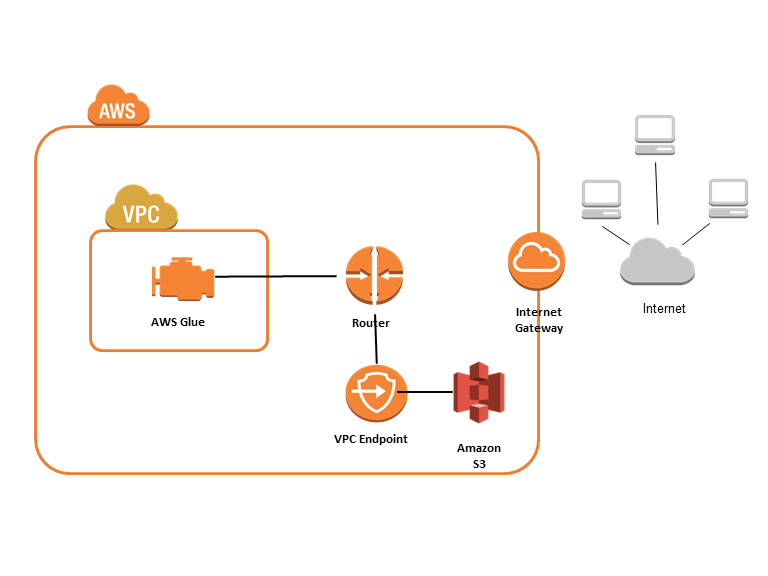
- Gateway Endpoints: A gateway that is targeted for a specific route in your route table. Used only for S3 and DynamoDB.
Benefits of Using VPC Endpoints
- Improved Security: No exposure to the public internet
- Lower Latency & Better Performance: Data doesn’t leave AWS’s internal backbone
- Reduced Data Transfer Costs: Avoid NAT Gateway and Internet Gateway charges
- Simplicity: No need for complex configurations
- Compliance: Data flows within a private network, helping with compliance policies
Supported AWS Services for VPC Endpoints
✅ Gateway Endpoints (only for):
- Amazon S3
- Amazon DynamoDB
✅ Interface Endpoints (for many services, including):
- Amazon EC2
- Amazon ECS
- Amazon ECR
- Amazon SNS
- Amazon SQS
- AWS KMS
- AWS Secrets Manager
- AWS Systems Manager (SSM)
- Amazon CloudWatch
- AWS Lambda
- API Gateway
- Amazon EventBridge
- AWS CodeBuild
- AWS Glue
- AWS Transfer Family
🔗 Full list: https://docs.aws.amazon.com/vpc/latest/privatelink/aws-services-that-support-privatelink.html
Real-World Use Cases for AWS VPC Endpoints
🔟 Practical Scenarios:
- Private Access to S3 for App Logs: EC2 instances write logs to S3 without internet exposure.
- Private API Gateway Integration: Access REST APIs over Interface Endpoints securely.
- Secure DynamoDB Access from Lambda: Lambda functions in private subnets query DynamoDB.
- Private CloudWatch Logs Upload: Apps stream logs to CloudWatch Logs privately.
- Private ECR Image Pulls in CI/CD Pipelines: ECS or EC2 fetch container images securely from ECR.
- Access Secrets Manager Without NAT: Apps fetch secrets from Secrets Manager in a private subnet.
- Private SSM Access for Patch Management: Use SSM Agent in private subnets without NAT.
- Analytics Pipelines Writing to S3: Glue jobs access S3 via Gateway Endpoints.
- Secure VPC-to-S3 Data Transfer in Data Lakes: Lake Formation uses Gateway Endpoints.
- KMS Encryption from VPC Resources: Encrypt/decrypt files using KMS via Interface Endpoint.
High-Level Step-by-Step Guide to Create a VPC Endpoint
🔧 Gateway Endpoint (S3 or DynamoDB)
- Go to the VPC Console → Endpoints → Create Endpoint
- Select Endpoint Type: Gateway
- Service Name: Choose “com.amazonaws..s3” or “dynamodb”
- VPC: Select the VPC where endpoint will be created
- Configure Route Tables: Choose which route tables to associate
- Policy: Choose Full Access or Custom Policy
- Create Endpoint
🔧 Interface Endpoint (for other services)
- Go to the VPC Console → Endpoints → Create Endpoint
- Select Endpoint Type: Interface
- Service Name: Choose the AWS service to connect (e.g., com.amazonaws.region.ssm)
- VPC: Select the VPC
- Subnets: Select one or more subnets to place ENIs
- Security Groups: Attach security groups to ENIs
- Policy: Choose access policy
- Enable Private DNS (optional): Let AWS resolve the service DNS to the private IP
- Create Endpoint
Best Practices
- Use Private DNS with Interface Endpoints where possible
- Attach least-privilege policies to restrict access
- Monitor endpoint usage with CloudTrail and VPC Flow Logs
- Use interface endpoints for high-security zones
- Design subnets to include Interface Endpoints in required AZs
Conclusion
VPC Endpoints are an essential part of building secure, cost-effective, and highly available AWS architectures. They are particularly useful in environments that require no internet exposure, tight security controls, and high compliance standards.
For complex architectures, combining VPC Endpoints with PrivateLink, Transit Gateway, and VPC Peering can help build a scalable and secure multi-account network.

I’m Rajesh Kumar, a DevOps, SRE, DevSecOps, Cloud, and Platform Engineering expert passionate about sharing practical knowledge, real-world experiences, and industry best practices. I have worked at Cotocus and regularly write about technology, travel, investing, health, product reviews, and digital marketing through my various platforms.
I publish technical articles at DevOps School, travel stories at Holiday Landmark, stock market insights at Stocks Mantra, health and fitness guidance at My Medic Plus, product reviews at TrueReviewNow, and SEO and digital marketing strategies at Wizbrand.
Find Trusted Cardiac Hospitals
Compare heart hospitals by city and services — all in one place.
Explore Hospitals





