
File comparison tools help DevOps teams review changes, troubleshoot drift, and safely merge updates across code, configuration, and infrastructure files. This revised guide summarizes the tools listed in the original post, explains where each fits, and includes practical command-line examples for everyday engineering work.
Originally published on 2009-06-20; fully revised and updated.
Source article: File Comparing Tools Review and Feedback.
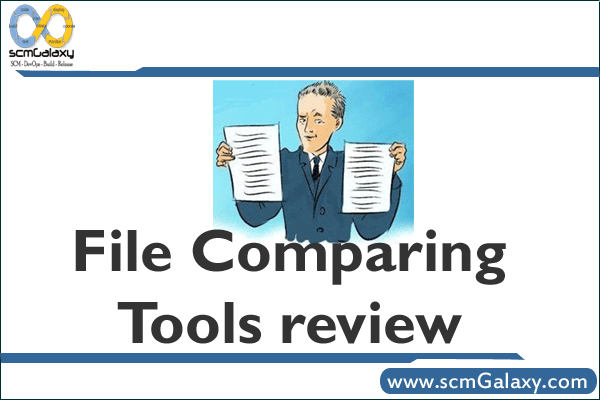
What file comparison tools are used for in DevOps
In DevOps environments, file comparison is not only about source code diffs. Teams also compare deployment manifests, environment files, generated artifacts, and directory trees across systems.
- Change review: understand exactly what changed before merge or release.
- Drift detection: identify differences between expected and actual config files.
- Merge conflict resolution: combine parallel edits safely.
- Folder synchronization: reconcile backup, staging, or website directories.
- Audit/reporting: produce change evidence for troubleshooting or compliance workflows.
Feature comparison of tools listed in the original review
The table below reflects capabilities described in the original post content. Treat it as a historical feature snapshot and verify current product capabilities before standardizing a team toolchain.
| Tool | Best for | Merge and sync capabilities (as described) | Automation or integration notes (as described) |
|---|---|---|---|
| Beyond Compare | Visual file and folder comparison with multiple viewers | 2-way compare, 3-way merge (Pro), folder sync, reports | Command-line scripting; VCS integration; FTP and ZIP workflows |
| Compare Suite | Document-oriented comparison with keyword handling | File/folder comparison, document audit, ignore words, multimedia comparison | Command-line automation and server-side comparison support |
| Araxis Merge | Advanced file and folder comparisons including binaries/images | 3-way comparison and automatic merging, folder hierarchy sync | Access to FTP sites and configuration management systems; reporting |
| ECMerge (ECMergePro 2.0 in original text) | Side-by-side two-way and three-way revision comparison | File and folder comparison, image comparison, merge, folder synchronization | Command-line support; Windows Explorer integration; VCS integration noted |
| FileMerge | Fast visual diff/merge workflow on Mac platform lineage | Visual change navigation and merge actions described | No explicit automation details provided in source text |
| WinMerge | Open-source visual diff and merge on Windows | File and folder compare, merge, regex filters, patch creation, conflict resolution aids | Shell integration, plugin support, archive handling via 7-Zip |
| Diffutils | Command-line comparison and merge in scripts/terminals | diff, cmp, diff3, and sdiff for 2-way and 3-way workflows | CLI-first usage, suitable for automation and pipeline scripting |
Typical file comparison workflow in a delivery pipeline
Whether you use GUI tools or CLI commands, most teams follow the same decision flow: detect differences, assess impact, merge safely, and validate before deployment.
flowchart TD
    A[Change detected] --> B[Choose file or folder scope]
    B --> C[Run comparison tool]
    C --> D{Meaningful differences?}
    D -- no --> E[Close task]
    D -- yes --> F[Review and merge]
    F --> G[Run validation tests]
    G --> H{Validation passes?}
    H -- no --> I[Fix and compare again]
    H -- yes --> J[Commit and deploy]
Command-line examples with GNU Diffutils
For scripting and remote environments, Diffutils commands remain practical building blocks.
| Command | Use case | Typical output style |
|---|---|---|
| diff | Compare two text files or directory trees | Line-by-line differences (normal, unified, context) |
| cmp | Locate byte-level differences | Offset and line position where files diverge |
| diff3 | Compare and merge three versions | Merged content with conflict markers |
| sdiff | Interactive side-by-side merge of two files | Two-column view with merge decisions |
# 1) Unified diff between two files
diff -u app.conf app.conf.new

# 2) Recursive directory diff and patch file generation
diff -ruN config-v1/ config-v2/ > config.patch

# 3) Byte-level comparison
cmp image-a.bin image-b.bin

# 4) Three-way merge to stdout, redirect to file
diff3 -m nginx.mine.conf nginx.base.conf nginx.theirs.conf > nginx.merged.conf

# 5) Interactive side-by-side merge
sdiff -o merged.env prod.env staging.envCode language: PHP (php)
GUI tools vs CLI tools: how to choose
| Decision factor | GUI-focused tools | CLI-focused tools |
|---|---|---|
| Speed of visual review | Strong for side-by-side human inspection | Lower visual clarity unless paired with terminal diff viewers |
| Automation in CI/CD | Usually secondary | Strong fit for scripts and non-interactive jobs |
| Large-scale folder synchronization | Often easier for operators | Possible, but usually requires shell scripting |
| Remote server usage | Depends on desktop access | Excellent over SSH and headless systems |
| Conflict resolution ergonomics | Usually more intuitive for complex merges | Powerful but more manual |
Best practices
- Standardize one primary diff tool per team to reduce merge friction.
- Use consistent ignore rules (whitespace, generated files, secrets placeholders) across environments.
- For production changes, keep a saved diff artifact as part of release evidence.
- Prefer 3-way merge workflows when reconciling concurrent edits from multiple branches.
- Validate merged output with tests before deployment, not after.

I’m Rajesh Kumar, a DevOps, SRE, DevSecOps, Cloud, and Platform Engineering expert passionate about sharing practical knowledge, real-world experiences, and industry best practices. I have worked at Cotocus and regularly write about technology, travel, investing, health, product reviews, and digital marketing through my various platforms.
I publish technical articles at DevOps School, travel stories at Holiday Landmark, stock market insights at Stocks Mantra, health and fitness guidance at My Medic Plus, product reviews at TrueReviewNow, and SEO and digital marketing strategies at Wizbrand.
Find Trusted Cardiac Hospitals
Compare heart hospitals by city and services — all in one place.
Explore Hospitals

In real engineering environments, the bigger challenge is often managing the noise created by frequent changes rather than simply identifying differences. Teams working with large repositories can face situations where generated files, environment-specific configurations, or temporary artifacts create unnecessary comparison results. Establishing clear rules around what should be tracked, ignored, or reviewed can make comparison workflows much more effective. Integrating meaningful diff checks into code review and release processes also helps teams focus on changes that actually impact system behavior instead of spending time analyzing irrelevant differences.