
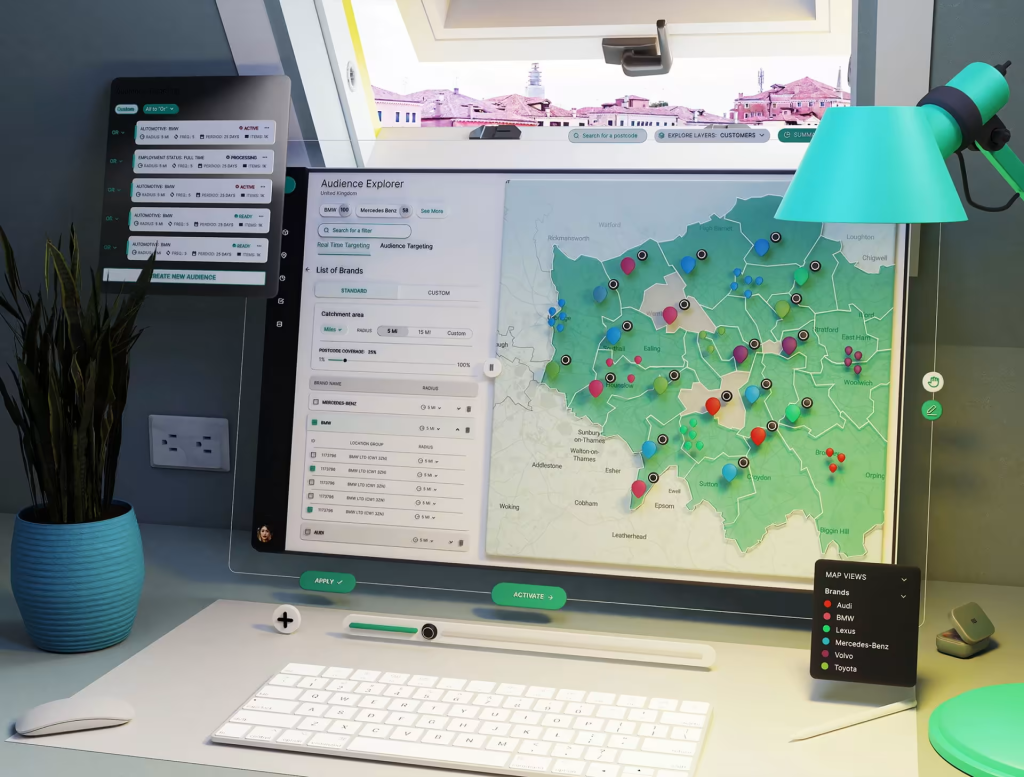
Enterprise dashboards were built to show everything. Revenue. Compliance. Risk. Performance. Real-time feeds. And that’s the problem.
Executives aren’t short on data. They’re short on clarity. MIT Sloan Management Review reveals points out that many legacy dashboards focus on compliance tracking rather than decision-making insight. They measure activity. They don’t support action. That gap is exactly where custom dashboard design services make a difference.
When More Data Creates Less Understanding
Enterprise dashboards often grow layer by layer. A new metric gets added after every quarterly review. A new compliance field appears after every a
udit. A new widget shows up because a department requested visibility. Over time, the interface becomes crowded. Leaders scroll instead of scan. They hunt instead of decide. And when a dashboard requires explanation during every meeting, it’s not serving its purpose.
Custom dashboard design services start by asking a simple question: what decision is this dashboard supposed to support? If that question isn’t clear, everything else becomes noise.
From Data Display to Decision Architecture
Legacy dashboards often treat metrics as equal. But not all metrics deserve equal weight.
Custom dashboard design services restructure information hierarchies. Instead of showing everything at once, they prioritize leading indicators. Supporting metrics become secondary layers. Context appears only when needed. The goal is not to hide data. It’s to stage it.
For example, an executive overview might highlight three core performance indicators at the top level. Drill-down views reveal department-level breakdowns only when the user chooses to explore further.
That structure reduces cognitive load. And lower cognitive load improves decision speed.
Simplifying Without Oversimplifying
There’s a misconception that simplifying dashboards means removing complexity. That’s not accurate. Enterprise systems are complex by nature. Revenue models are layered. Supply chains are dynamic. Risk exposure changes daily.
The job of custom UI/UX design services isn’t to remove complexity from the business. It’s to present complexity in a manageable sequence.
Good dashboard design separates signal from noise. It clarifies relationships between metrics. It shows trends over time instead of static numbers. It highlights anomalies rather than flooding users with raw tables. Clarity doesn’t mean reduction. It means structure.
Real-Time Data Without Real-Time Confusion
Modern enterprise dashboards often stream live data. But real-time feeds without context create anxiety rather than insight.
Numbers shift constantly. Indicators flicker. Without framing, executives can misinterpret normal fluctuations as risk.
Custom UI/UX services address this by pairing live metrics with trend visualization and contextual benchmarks. Instead of showing only the current number, dashboards show trajectory and deviation from baseline. That combination turns movement into meaning.
Reducing Compliance Noise
As MIT Sloan Management Review notes, many legacy dashboards are built around compliance reporting. Compliance metrics matter. But they rarely drive strategic growth decisions.
Custom dashboard design services separate regulatory reporting from performance leadership views. This doesn’t eliminate compliance tracking. It relocates it. Executives see what moves the business first. Compliance remains accessible but not dominant.
That separation alone often makes dashboards feel dramatically clearer.
Cross-Department Alignment Through Interface Structure
Enterprise dashboards aren’t used by one role. Finance, operations, marketing, and leadership may all rely on the same system. Without careful design, that leads to overcrowding.
Custom UI/UX design services introduce role-based views. Each stakeholder sees metrics aligned with their responsibilities while preserving a consistent visual system across the organization.
This approach reduces friction. It prevents departments from competing for dashboard space. And it reinforces alignment because everyone operates from the same data foundation, structured differently for their needs.
The Takeaway
Enterprise dashboards fail when they attempt to show everything equally. Executives don’t need more data. They need structured insight.
MIT Sloan Management Review highlights how legacy compliance-focused dashboards fall short of supporting superior decision-making. Custom dashboard design services address that gap by reshaping how information is prioritized, layered, and contextualized.
The goal isn’t visual polish. It’s decision clarity.

Find Trusted Cardiac Hospitals
Compare heart hospitals by city and services — all in one place.
Explore Hospitals
Really liked this article! It clearly explains how custom UI/UX design can simplify enterprise‑level dashboards and improve usability. A helpful read for anyone working on design and user experience in complex systems.