How to configure Sonatype Nexus repository with Maven?
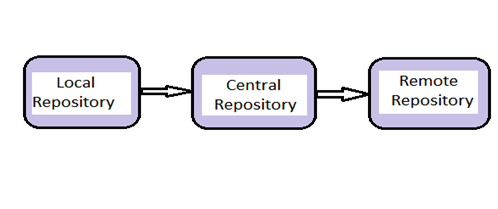
- Local repostory e.g $USER_HOME/.m2
- Central repostory e.g http://repo.maven.apache.org/maven2/
- Private repostory e.g Sonatype Nexus, Artifactory, Archiva etc.
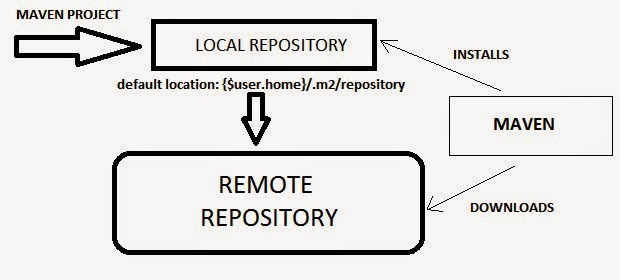
High Level Interaction between Local Repository, Central Repository and Remote Repository.
Dependency Management using Local Repository, Central Repository and Remote Repository.
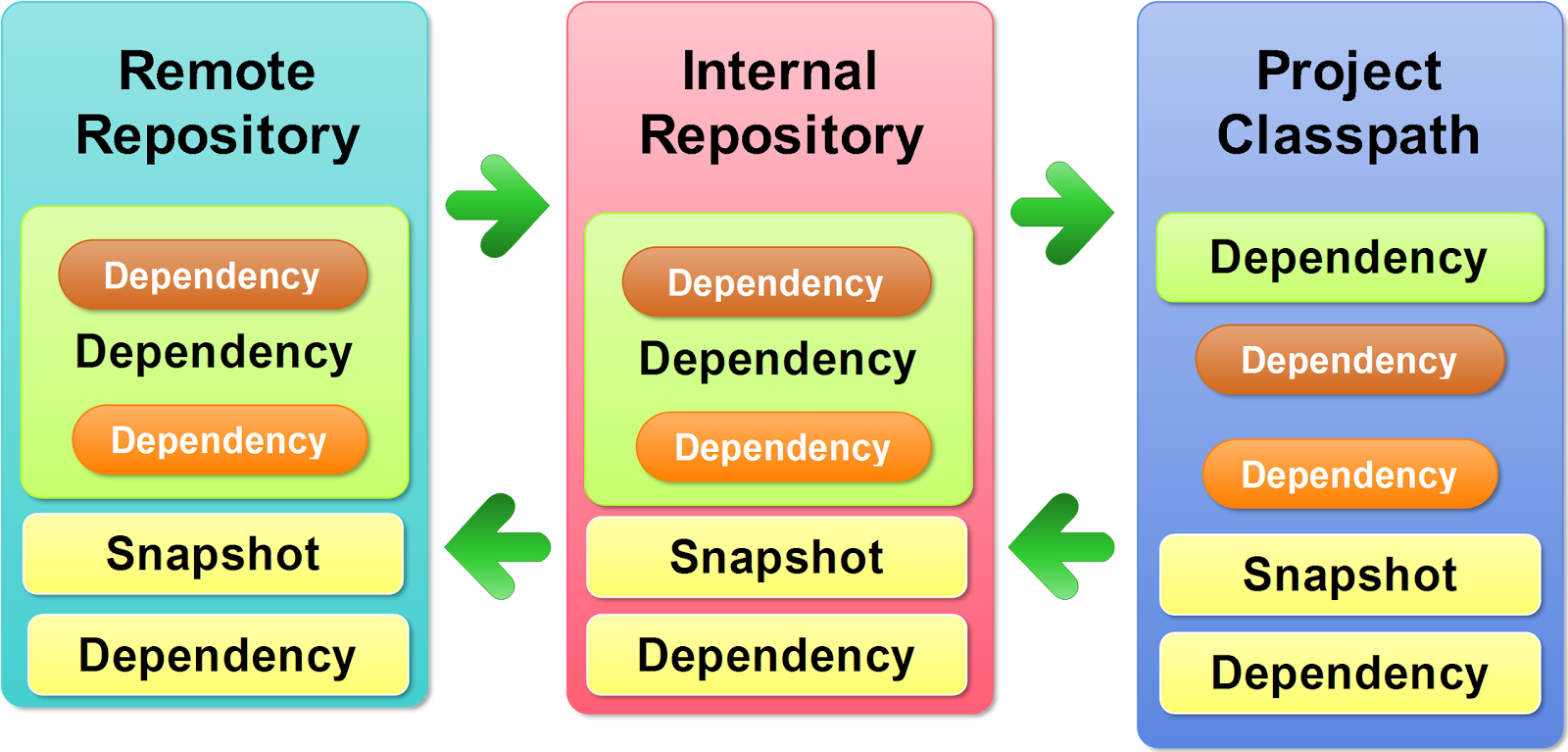
This is How maven interact with Repository!
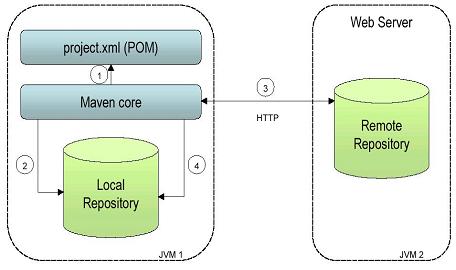
This is a diagram which shows the define flow in which maven try to resolve the dependency.
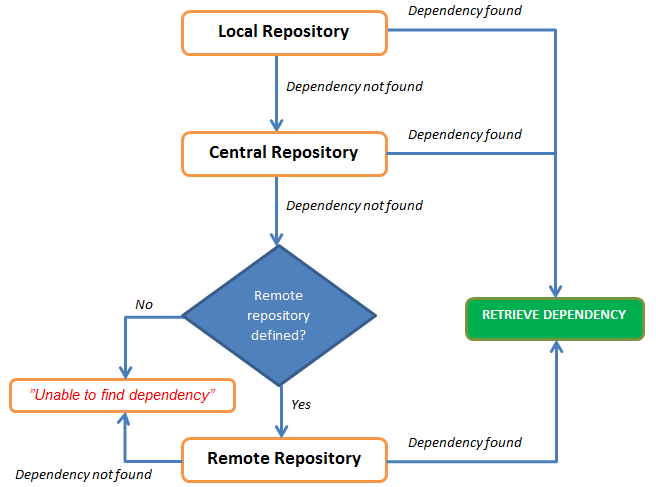
Now, We have understood that Central rrepository is in built but next questions is, How to inform the maven about the location of remote repository? In order to configure maven with remote repostory, in our case SonaType Nexus, we need to configuring host machine setting.xml and projects pom.xml to use your Nexus repos.
Put this in your ~/.m2/settings.xml file. This will configure the credentials to publish to your hosted repos, and will tell your mvn to use your repo as a mirror of central:
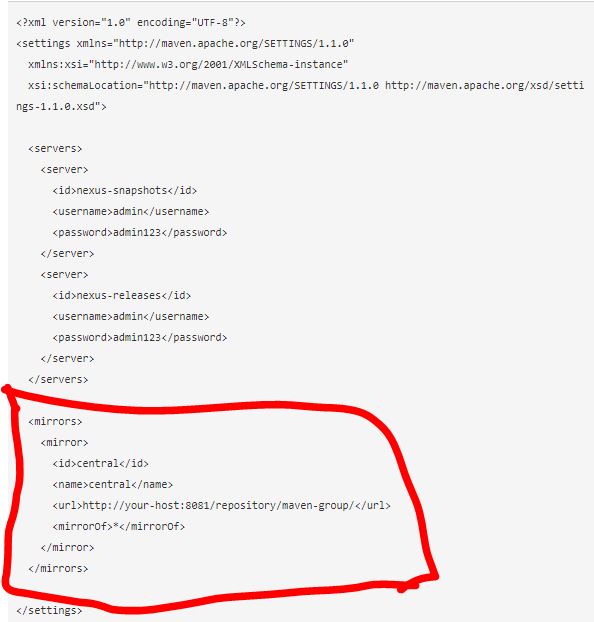
And now configure your projects.
If you want only to download dependencies from Nexus, put this in the pom.xml:
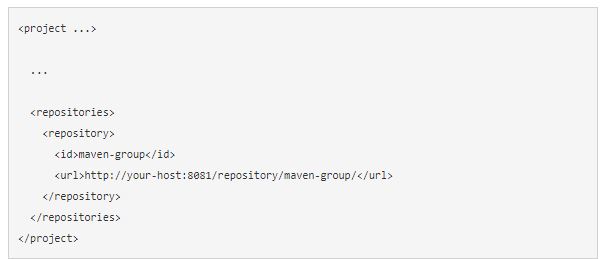
and
Add the following at the end of setting.xml
<activeProfiles>
<!–make the profile active all the time –>
<activeProfile>nexus</activeProfile>
</activeProfiles>
Reference
https://maven.apache.org/guides/mini/guide-mirror-settings.html

I’m Rajesh Kumar, a DevOps, SRE, DevSecOps, Cloud, and Platform Engineering expert passionate about sharing practical knowledge, real-world experiences, and industry best practices. I have worked at Cotocus and regularly write about technology, travel, investing, health, product reviews, and digital marketing through my various platforms.
I publish technical articles at DevOps School, travel stories at Holiday Landmark, stock market insights at Stocks Mantra, health and fitness guidance at My Medic Plus, product reviews at TrueReviewNow, and SEO and digital marketing strategies at Wizbrand.
Find Trusted Cardiac Hospitals
Compare heart hospitals by city and services — all in one place.
Explore Hospitals