
Prerequisite#1 – JAVA
Prerequisite#2 – Artifactory
Prerequisite#3 – Maven
Prerequisite#3 – How to work with Artifactory aka Artifactory Workflow
Step 1 – Create a empty directory and get inside it
$ cd /opt/
$ yum install tree -y
$ mkdir myjava
$ cd myajava
Step 2 – Create a Sample Maven – Java Project & Go inside it
$ mvn archetype:generate -DgroupId=com.devopsschool.software -DartifactId=chat -DarchetypeArtifactId=maven-archetype-quickstart -DinteractiveMode=false
$ cd chat
$ treeCode language: JavaScript (javascript)
Step 3 – Understand Maven and POM.xml
Step 4 – Do a test Compile – test – Package
$ mvn compile
$ mvn test
$ mvn package
Step 5 – Modify pom.xml of maven project with a repository of artifcatory
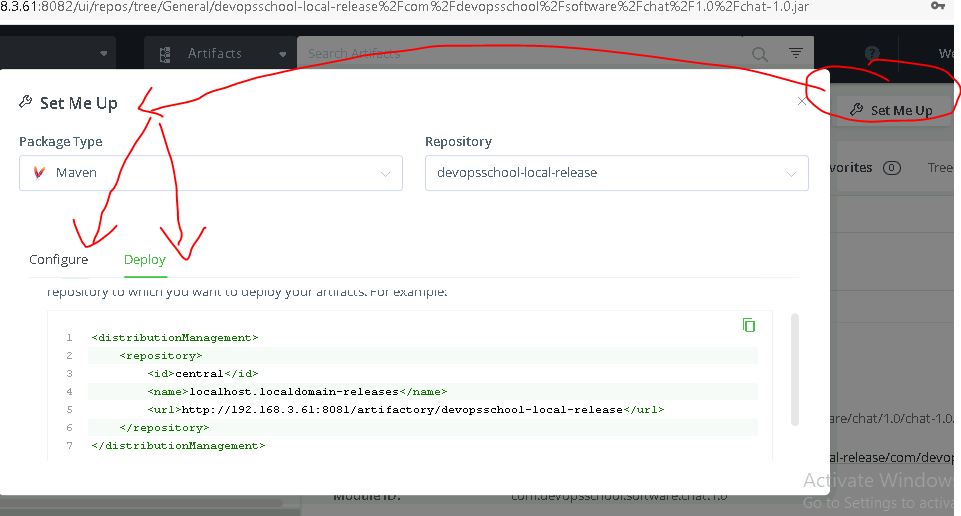
maven element – distributionManagement
<distributionManagement>
    <repository>
        <id>devopsschool</id>
        <name>localhost.localdomain-releases</name>
        <url>http://192.168.3.61:8081/artifactory/devopsschool-local-release</url>
    </repository>
    <snapshotRepository>
        <id>devopsschool</id>
        <name>localhost.localdomain-snapshots</name>
        <url>http://192.168.3.61:8081/artifactory/devopsschool-local-snapshot</url>
    </snapshotRepository>
</distributionManagement>Code language: HTML, XML (xml)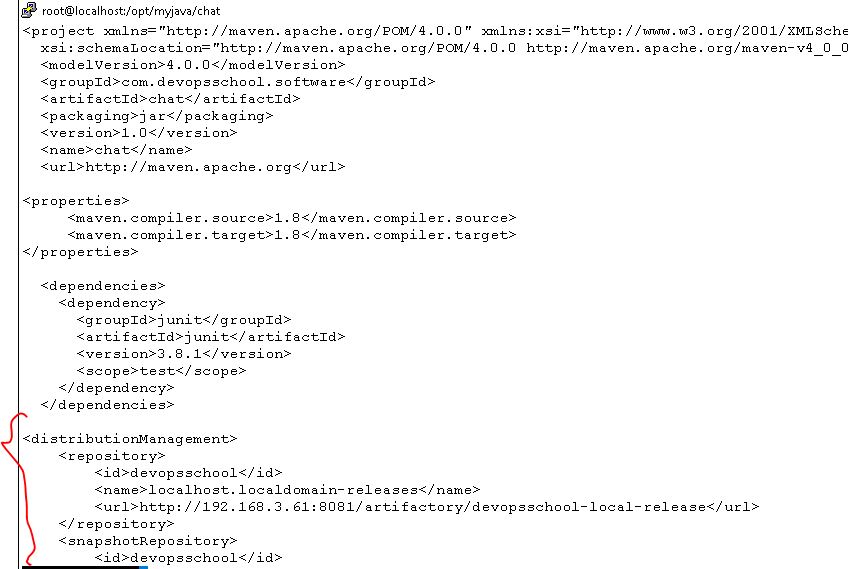
Step 6 – Modify settings.xml of maven config with a access of artifcatory
1. Add following code into setting.xml under “servers” element of settings.xml
2. Make sure that “id” of server element in settings.xml MUST match with repository/snapshotRepository id of pom.xml
$ vi /opt/apache-maven-3.8.1/conf/settings.xml

    <server>
      <username>deploy</username>
      <password>Deploy123</password>
      <id>devopsschool</id>
    </server>Code language: HTML, XML (xml)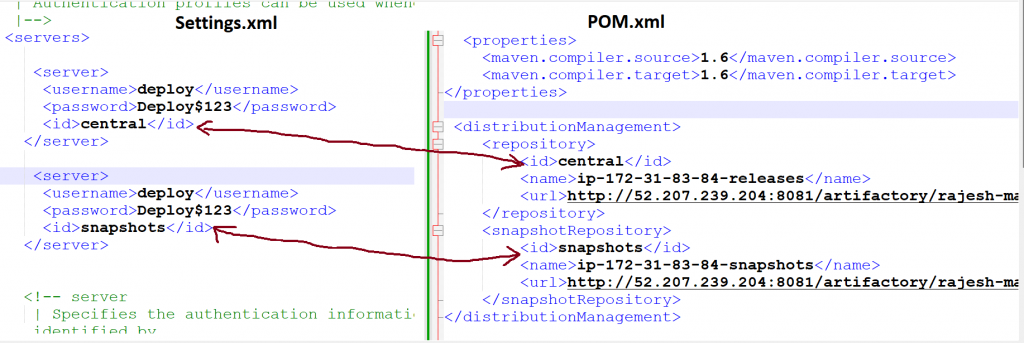
ELEMENT ID in Settings.xml and pom.xml MUST Match
Step 7 – Run a maven command to deploy a package to artifcatory repo.
$ mvn deployStep 8 – Modify pom.xml of maven project and Make sure version is released.
$ mvn deployStep 9 – Verify BOTH(Snapshot) & Release in Artifactory
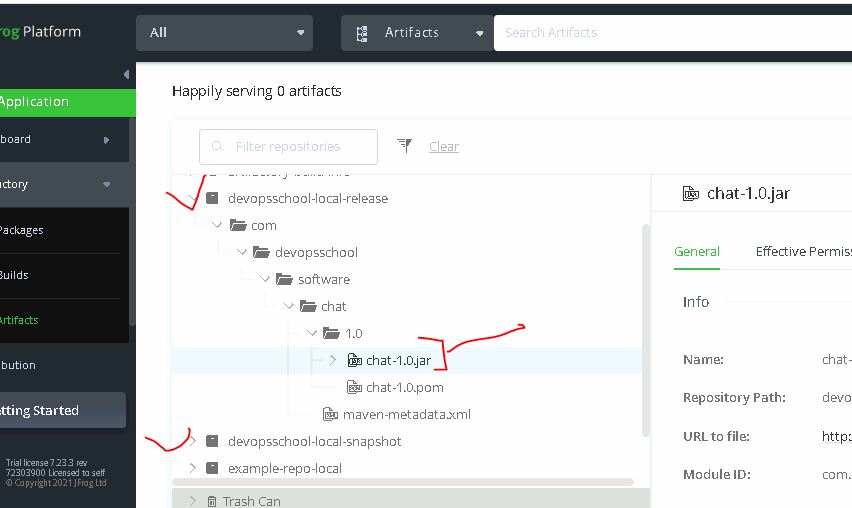
Demo Repo – https://github.com/devopsschool-demo-labs-projects/helloworld-java-maven
Sorry, there was a YouTube error.

I’m Rajesh Kumar, a DevOps, SRE, DevSecOps, Cloud, and Platform Engineering expert passionate about sharing practical knowledge, real-world experiences, and industry best practices. I have worked at Cotocus and regularly write about technology, travel, investing, health, product reviews, and digital marketing through my various platforms.
I publish technical articles at DevOps School, travel stories at Holiday Landmark, stock market insights at Stocks Mantra, health and fitness guidance at My Medic Plus, product reviews at TrueReviewNow, and SEO and digital marketing strategies at Wizbrand.
Find Trusted Cardiac Hospitals
Compare heart hospitals by city and services — all in one place.
Explore Hospitals