
Introduction
AI Learning Analytics Dashboards are platforms that collect, analyze, and visualize learner data to help educators, institutions, and training teams understand how people learn, where they struggle, and what interventions are needed. These dashboards combine AI-driven insights with data from LMS platforms, assessments, classroom activities, engagement signals, and sometimes behavioral interactions.
The reason this category matters is simple: modern learning is digital, fragmented, and fast-paced. Without analytics, educators only see final scores, not the learning journey. AI dashboards fill that gap by identifying at-risk learners, predicting performance trends, measuring engagement, and suggesting personalized learning paths.
Common use cases include student performance tracking, corporate training optimization, course effectiveness analysis, dropout prediction, engagement scoring, curriculum improvement, and personalized learning recommendations.
Key evaluation criteria include data integration depth, AI prediction quality, real-time insights, visualization clarity, LMS compatibility, data privacy, scalability, alerting systems, explainability, and administrative controls.
Best for: schools, universities, EdTech platforms, corporate L&D teams, training providers, and organizations running large-scale digital learning programs.
Not ideal for: small classrooms without digital systems, organizations without LMS usage, or teams that do not collect structured learning data.
What’s Changed in AI Learning Analytics Dashboards in 2026+
- Shift from static reporting to real-time learning intelligence
- AI-driven dropout and risk prediction models are more accurate
- Dashboards now combine behavioral, cognitive, and engagement signals
- Increased focus on explainable AI insights for educators
- Stronger integration with LMS, HR systems, and content platforms
- More emphasis on skill-based learning metrics instead of grades
- Automated intervention recommendations for learners at risk
- Multi-source data fusion (video, LMS, assessments, quizzes)
- Privacy-first design with stricter data governance controls
- Role-based dashboards for students, teachers, and administrators
- Adaptive learning pathways based on AI predictions
- Increased use of generative AI to summarize learner progress
Quick Buyer Checklist
- Does it integrate with your LMS or training platform?
- Can it track engagement, performance, and behavior together?
- Does it support real-time analytics or only historical reports?
- Are AI predictions explainable and transparent?
- Can you configure alerts for at-risk learners?
- Does it support multiple learner cohorts?
- Is data privacy and retention configurable?
- Can dashboards be customized by role (teacher, admin, manager)?
- Does it support skill-based learning tracking?
- Can it scale across institutions or enterprise teams?
- Does it offer API access for data export and integration?
- Is there strong support for visualization and reporting?
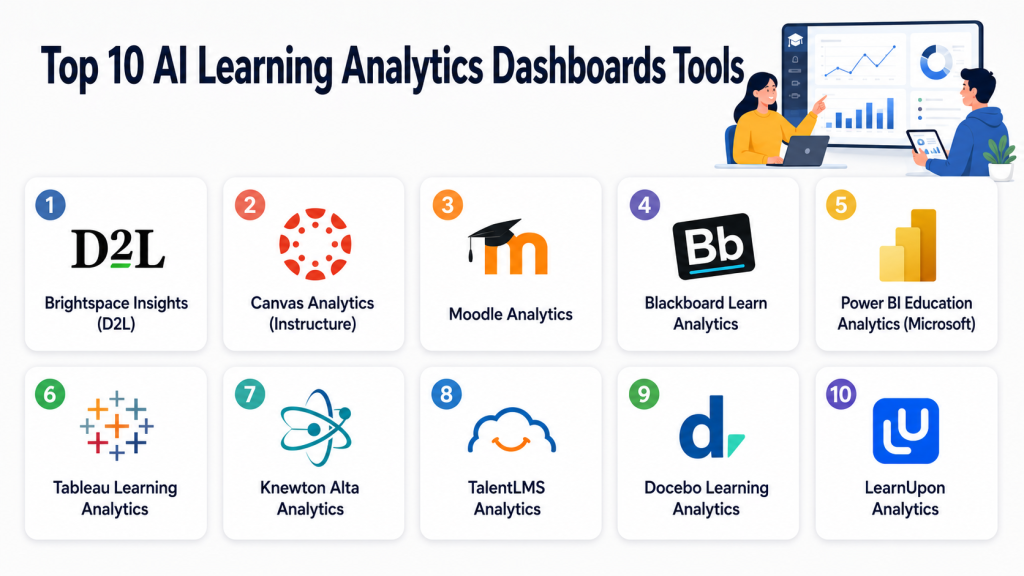
Top 10 AI Learning Analytics Dashboards Tools
#1 — Brightspace Insights (D2L)
One-line verdict: Best for higher education institutions needing deep learner performance analytics.
Short description:
Brightspace Insights is part of the D2L ecosystem and provides advanced analytics for student engagement, performance tracking, and course effectiveness. It is widely used in universities and large educational institutions.
Standout Capabilities
- Real-time student performance tracking
- Engagement and participation analytics
- Course-level effectiveness insights
- Predictive risk scoring for students
- Instructor dashboards
- Institutional reporting
- Learning outcome measurement
- Scalable university-wide analytics
AI-Specific Depth
- Model support: Proprietary predictive models
- RAG / knowledge integration: N/A
- Evaluation: Learning performance prediction models
- Guardrails: Role-based access controls
- Observability: Institutional analytics dashboards
Pros
- Strong higher education focus
- Deep analytics capabilities
- Scalable across large institutions
Cons
- Complex setup for small teams
- Requires ecosystem adoption (D2L LMS)
- Limited flexibility outside its platform
Security & Compliance
Not publicly stated in detail; typically includes institutional-grade access controls, role-based permissions, and data governance aligned with education standards.
Deployment & Platforms
- Cloud-based
- Web dashboards
- LMS-integrated environment
Integrations & Ecosystem
- D2L Brightspace LMS
- Academic systems
- Assessment tools
- Student information systems
- API-based data export
Pricing Model
Institution-based licensing; varies by deployment size.
Best-Fit Scenarios
- Universities
- Large academic institutions
- LMS-centric environments
#2 — Canvas Analytics (Instructure)
One-line verdict: Best for institutions already using Canvas LMS needing integrated learning insights.
Short description:
Canvas Analytics provides embedded learning insights for educators and administrators using the Canvas LMS, focusing on engagement tracking, course progress, and student success metrics.
Standout Capabilities
- Student engagement dashboards
- Assignment and grading analytics
- Course progress tracking
- At-risk learner identification
- Instructor insights
- Institutional reporting tools
- Learning pathway visibility
- LMS-native analytics integration
AI-Specific Depth
- Model support: Proprietary analytics models
- RAG / knowledge integration: N/A
- Evaluation: Predictive student success modeling
- Guardrails: Role-based access controls
- Observability: Course and institutional dashboards
Pros
- Deep LMS integration
- Easy for educators already using Canvas
- Strong academic analytics coverage
Cons
- Limited outside Canvas ecosystem
- Custom AI depth varies by module
- Advanced analytics may require upgrades
Security & Compliance
Not publicly stated; typically includes enterprise education security controls and role-based permissions.
Deployment & Platforms
- Cloud-based
- Canvas LMS integrated
- Web dashboards
Integrations & Ecosystem
- Canvas LMS
- SIS systems
- Assessment tools
- Educational apps marketplace
- API-based extensions
Pricing Model
Included in LMS ecosystem licensing; varies.
Best-Fit Scenarios
- Canvas-based institutions
- K–12 and higher education
- LMS-driven analytics environments
#3 — Moodle Analytics
One-line verdict: Best open-source learning analytics option for customizable education systems.
Short description:
Moodle Analytics provides predictive models and reporting tools within the Moodle LMS ecosystem, helping educators identify at-risk students and track learning engagement.
Standout Capabilities
- Predictive learning models
- Course completion tracking
- Student engagement reports
- Custom analytics rules
- Open-source flexibility
- Instructor dashboards
- Plugin-based extensibility
- Institutional reporting
AI-Specific Depth
- Model support: Configurable predictive models
- RAG / knowledge integration: Limited / N/A
- Evaluation: Rule-based + predictive analytics
- Guardrails: Admin-defined rules
- Observability: Course analytics dashboards
Pros
- Highly customizable
- Open-source flexibility
- Strong global adoption
Cons
- Requires technical setup
- Limited out-of-box AI sophistication
- Maintenance overhead
Security & Compliance
Varies based on deployment; self-hosted environments require organizations to manage security and compliance independently.
Deployment & Platforms
- Self-hosted or cloud-hosted
- Moodle LMS integrated
- Web dashboards
Integrations & Ecosystem
- Moodle LMS ecosystem
- Plugins and extensions
- Third-party assessment tools
- SIS integrations
- API-based customization
Pricing Model
Open-source core; implementation and hosting costs vary.
Best-Fit Scenarios
- Universities needing customization
- Technical teams managing LMS
- Cost-sensitive institutions
#4 — Blackboard Learn Analytics
One-line verdict: Best for enterprise-level academic analytics in large institutions.
Short description:
Blackboard Learn Analytics provides deep institutional insights into student engagement, performance, and course effectiveness across large-scale deployments.
Standout Capabilities
- Institutional performance dashboards
- Student engagement tracking
- Course analytics and reporting
- Predictive success indicators
- Faculty dashboards
- Risk detection insights
- Academic planning tools
- Scalable analytics infrastructure
AI-Specific Depth
- Model support: Proprietary predictive systems
- RAG / knowledge integration: N/A
- Evaluation: Academic success modeling
- Guardrails: Role-based governance
- Observability: Institutional analytics views
Pros
- Enterprise-grade analytics
- Strong institutional reporting
- Scalable architecture
Cons
- Complex setup
- Higher cost ecosystem
- Best within Blackboard environment
Security & Compliance
Not publicly stated in full detail; typically enterprise-grade education security with access control and auditing.
Deployment & Platforms
- Cloud-based
- Blackboard LMS integrated
- Web dashboards
Integrations & Ecosystem
- Blackboard LMS
- SIS systems
- Assessment platforms
- API integrations
- Institutional reporting tools
Pricing Model
Enterprise licensing; varies by institution size.
Best-Fit Scenarios
- Large universities
- Enterprise education systems
- Institutional analytics programs
#5 — Power BI Education Analytics (Microsoft)
One-line verdict: Best flexible analytics dashboard for custom learning data visualization.
Short description:
Microsoft Power BI is not a dedicated education tool but is widely used to build custom AI learning analytics dashboards by connecting LMS, HR systems, and data warehouses.
Standout Capabilities
- Custom dashboard creation
- AI-powered insights
- Data modeling and visualization
- Real-time reporting
- Integration with multiple data sources
- Predictive analytics support
- Drill-down reporting
- Enterprise scalability
AI-Specific Depth
- Model support: Azure AI integration / customizable
- RAG / knowledge integration: Possible via data pipelines
- Evaluation: Custom models and analytics
- Guardrails: Enterprise governance controls
- Observability: Full data pipeline monitoring
Pros
- Extremely flexible
- Strong enterprise integration
- Powerful visualization engine
Cons
- Requires technical expertise
- Not education-specific out of the box
- Setup complexity
Security & Compliance
Enterprise-grade security through Microsoft ecosystem including identity, access control, and governance layers.
Deployment & Platforms
- Cloud-based
- Desktop (Windows)
- Web dashboards
Integrations & Ecosystem
- Microsoft Azure
- LMS platforms via connectors
- HR systems
- Data warehouses
- APIs and custom connectors
Pricing Model
Subscription-based (Microsoft licensing).
Best-Fit Scenarios
- Corporate L&D analytics
- Custom education dashboards
- Enterprise reporting environments
#6 — Tableau Learning Analytics
One-line verdict: Best visual analytics platform for deep educational insights and reporting.
Short description:
Tableau provides advanced visualization capabilities used by institutions and enterprises to build interactive learning analytics dashboards.
Standout Capabilities
- Interactive dashboards
- Real-time data visualization
- Custom reporting views
- Predictive analytics integration
- Drill-down learning insights
- Multi-source data integration
- Cohort analysis
- Performance tracking
AI-Specific Depth
- Model support: External AI integration
- RAG / knowledge integration: Possible via data sources
- Evaluation: Custom analytics models
- Guardrails: Platform-level governance
- Observability: Data visualization monitoring
Pros
- Best-in-class visualization
- Highly flexible dashboards
- Strong enterprise adoption
Cons
- Requires technical setup
- Not education-specific
- Cost may be high for small institutions
Security & Compliance
Enterprise-level security features depend on deployment environment.
Deployment & Platforms
- Cloud-based
- Desktop application
- Web dashboards
Integrations & Ecosystem
- LMS systems
- Data warehouses
- Cloud platforms
- APIs and connectors
- Enterprise reporting tools
Pricing Model
Subscription-based enterprise pricing.
Best-Fit Scenarios
- Advanced analytics teams
- Universities and enterprises
- Custom reporting needs
#7 — Knewton Alta Analytics
One-line verdict: Best for adaptive learning analytics tied to personalized education paths.
Short description:
Knewton focuses on adaptive learning and uses analytics to personalize content delivery based on learner performance.
Standout Capabilities
- Adaptive learning insights
- Personalized learning paths
- Performance tracking
- Skill gap detection
- Engagement analytics
- Course optimization
- Predictive recommendations
- Student progression tracking
AI-Specific Depth
- Model support: Proprietary adaptive AI
- RAG / knowledge integration: Learning content mapping
- Evaluation: Adaptive performance models
- Guardrails: Educational constraints
- Observability: Learning progression tracking
Pros
- Strong personalization engine
- Focus on learning outcomes
- Adaptive learning support
Cons
- Limited standalone dashboard flexibility
- Ecosystem dependency
- Not fully customizable
Security & Compliance
Not publicly stated.
Deployment & Platforms
- Cloud-based
- LMS-integrated environments
Integrations & Ecosystem
- LMS platforms
- Digital learning systems
- Assessment tools
- Educational content systems
Pricing Model
Institutional licensing.
Best-Fit Scenarios
- Adaptive learning programs
- Personalized education platforms
- Skill-based learning environments
#8 — TalentLMS Analytics
One-line verdict: Best for corporate training teams needing simple learning performance dashboards.
Short description:
TalentLMS provides built-in analytics dashboards for corporate training programs, tracking employee learning progress, course completion, and engagement.
Standout Capabilities
- Training completion tracking
- Learner engagement metrics
- Course performance analytics
- Team-level reporting
- Certification tracking
- Progress dashboards
- Simple visualization tools
- HR training insights
AI-Specific Depth
- Model support: Basic analytics / Varies
- RAG / knowledge integration: N/A
- Evaluation: Course completion metrics
- Guardrails: Admin controls
- Observability: Training dashboards
Pros
- Easy to use
- Strong corporate focus
- Quick setup
Cons
- Limited advanced AI analytics
- Not suitable for deep academic analysis
- Visualization simplicity
Security & Compliance
Not publicly stated in detail.
Deployment & Platforms
- Cloud-based
- Web dashboards
- Mobile learning support
Integrations & Ecosystem
- HR systems
- LMS integrations
- API access
- Training tools
- Certification systems
Pricing Model
Subscription-based SaaS.
Best-Fit Scenarios
- Corporate training programs
- SMB learning analytics
- Employee onboarding tracking
#9 — Docebo Learning Analytics
One-line verdict: Best enterprise LMS with AI-driven learning insights.
Short description:
Docebo combines LMS functionality with AI-driven learning analytics, focusing on enterprise training optimization and employee learning insights.
Standout Capabilities
- AI learning recommendations
- Employee learning analytics
- Engagement dashboards
- Skill mapping
- Content effectiveness tracking
- Corporate training insights
- Learning path automation
- Enterprise reporting
AI-Specific Depth
- Model support: Proprietary AI engine
- RAG / knowledge integration: Content recommendation engine
- Evaluation: Learning performance analytics
- Guardrails: Enterprise access control
- Observability: Learning dashboards
Pros
- Strong enterprise LMS integration
- AI-driven recommendations
- Scalable architecture
Cons
- Complex for small teams
- Cost may be high
- Requires onboarding effort
Security & Compliance
Enterprise-grade controls depending on deployment.
Deployment & Platforms
- Cloud-based LMS
- Web dashboards
- Mobile apps
Integrations & Ecosystem
- HR systems
- CRM tools
- Enterprise apps
- API integrations
- Content libraries
Pricing Model
Enterprise subscription model.
Best-Fit Scenarios
- Corporate L&D teams
- Enterprise learning ecosystems
- Skill development programs
#10 — LearnUpon Analytics
One-line verdict: Best for organizations needing straightforward training analytics with strong usability.
Short description:
LearnUpon provides LMS analytics focused on training completion, learner engagement, and reporting for corporate and partner training environments.
Standout Capabilities
- Training progress tracking
- Engagement reporting
- Certification monitoring
- Course analytics
- Multi-audience reporting
- Simple dashboards
- Instructor insights
- LMS-based analytics
AI-Specific Depth
- Model support: Basic / Varies
- RAG / knowledge integration: N/A
- Evaluation: Training performance metrics
- Guardrails: Admin controls
- Observability: LMS dashboards
Pros
- Easy to use
- Good for training teams
- Strong reporting basics
Cons
- Limited AI depth
- Not advanced predictive analytics
- Less customization
Security & Compliance
Not publicly stated.
Deployment & Platforms
- Cloud-based
- Web dashboards
- Mobile access
Integrations & Ecosystem
- HR systems
- CRM tools
- LMS integrations
- API support
- Training platforms
Pricing Model
Subscription-based.
Best-Fit Scenarios
- Corporate training analytics
- SMB learning programs
- Partner training environments
Comparison Table
| Tool Name | Best For | Deployment | Model Flexibility | Strength | Watch-Out | Public Rating |
|---|---|---|---|---|---|---|
| Brightspace Insights | Higher education analytics | Cloud | Hosted | Deep academic insights | LMS dependency | N/A |
| Canvas Analytics | LMS-native insights | Cloud | Hosted | Seamless Canvas integration | Limited outside Canvas | N/A |
| Moodle Analytics | Open-source customization | Self-host/Cloud | Flexible | High customization | Setup complexity | N/A |
| Blackboard Analytics | Enterprise universities | Cloud | Hosted | Institutional reporting | High complexity | N/A |
| Power BI | Custom dashboards | Cloud/Desktop | Multi-source | Flexible visualization | Requires expertise | N/A |
| Tableau | Advanced visualization | Cloud/Desktop | Multi-source | Best visuals | Technical setup | N/A |
| Knewton Alta | Adaptive learning | Cloud | Hosted | Personalization engine | Limited standalone use | N/A |
| TalentLMS | Corporate training | Cloud | Hosted | Simplicity | Limited AI depth | N/A |
| Docebo | Enterprise LMS AI | Cloud | Hosted | AI recommendations | Cost and complexity | N/A |
| LearnUpon | Training reporting | Cloud | Hosted | Ease of use | Limited advanced AI | N/A |
Scoring & Evaluation
This scoring reflects comparative strengths across learning intelligence, AI capabilities, data integration, usability, scalability, and reporting depth. These scores are not absolute benchmarks and should be validated through real-world pilots, especially since learning analytics effectiveness depends heavily on data quality, LMS integration, and institutional goals.
| Tool | Core | Reliability | Guardrails | Integrations | Ease | Perf/Cost | Security/Admin | Support | Weighted Total |
|---|---|---|---|---|---|---|---|---|---|
| Brightspace Insights | 9 | 9 | 8 | 9 | 7 | 8 | 8 | 8 | 8.4 |
| Canvas Analytics | 9 | 9 | 8 | 9 | 8 | 8 | 8 | 8 | 8.5 |
| Moodle Analytics | 8 | 7 | 7 | 8 | 6 | 8 | 7 | 7 | 7.3 |
| Blackboard Analytics | 9 | 9 | 8 | 9 | 6 | 7 | 8 | 8 | 8.0 |
| Power BI | 9 | 8 | 7 | 10 | 7 | 9 | 9 | 8 | 8.6 |
| Tableau | 9 | 8 | 7 | 10 | 7 | 8 | 9 | 8 | 8.4 |
| Knewton Alta | 8 | 8 | 7 | 8 | 7 | 8 | 7 | 7 | 7.6 |
| TalentLMS | 7 | 7 | 7 | 7 | 9 | 9 | 7 | 8 | 7.7 |
| Docebo | 9 | 9 | 8 | 9 | 7 | 8 | 8 | 8 | 8.3 |
| LearnUpon | 7 | 7 | 7 | 7 | 9 | 9 | 7 | 8 | 7.6 |
Which AI Learning Analytics Dashboard Is Right for You?
Solo / Freelancer
Power BI or Tableau work best for independent educators or consultants who want flexible dashboards and custom reporting.
SMB
TalentLMS and LearnUpon are ideal for small training teams needing simple analytics without complex setup.
Mid-Market
Docebo, Canvas Analytics, and Knewton Alta offer strong balance between AI insights, usability, and scalability.
Enterprise
Brightspace Insights, Blackboard Analytics, Power BI, and Docebo are strong choices for institutional-scale analytics.
Regulated Industries
Education systems handling minors or employee data must prioritize governance, role-based access, retention controls, and auditability.
Budget vs Premium
Budget solutions favor LMS-native analytics or open-source tools like Moodle, while premium solutions provide predictive AI, personalization, and enterprise-scale reporting.
Build vs Buy
Building is viable only for organizations with strong data engineering teams, LMS integration capability, and long-term governance infrastructure. Most institutions should adopt existing platforms.
Implementation Playbook (30 / 60 / 90 Days)
30 Days: Foundation Setup
- Define learning KPIs (engagement, completion, success rate)
- Integrate LMS and data sources
- Set baseline performance metrics
- Configure dashboards by role
- Identify at-risk learner indicators
- Validate data accuracy
- Train instructors on dashboards
60 Days: Operationalization
- Activate predictive analytics (if available)
- Create intervention workflows
- Set alert thresholds for learners
- Integrate with academic support teams
- Build reporting cadence
- Validate AI recommendations with educators
- Ensure data governance compliance
90 Days: Optimization & Scaling
- Improve prediction accuracy using historical data
- Reduce alert fatigue through tuning
- Optimize dashboard usability
- Scale across departments or campuses
- Implement automated reporting
- Audit data privacy and retention
- Continuously refine learning models
Common Mistakes & How to Avoid Them
- Focusing only on dashboards instead of actionable insights
- Ignoring data quality from LMS systems
- Over-relying on predictive risk scores
- Not involving educators in design decisions
- Misinterpreting engagement as learning success
- Deploying without privacy governance
- Overloading users with too many metrics
- Ignoring bias in learning predictions
- Not validating AI outputs with human review
- Using tools without integration planning
- Skipping pilot testing before full rollout
- Treating analytics as a replacement for teaching judgment
- Failing to align metrics with learning outcomes
- Underestimating training needs for educators
FAQs
1. What are AI Learning Analytics Dashboards?
They are tools that analyze learner data to provide insights into performance, engagement, and learning outcomes.
2. How do these dashboards use AI?
They use predictive models, pattern recognition, and data aggregation to identify trends and learning risks.
3. Are learning analytics dashboards accurate?
Accuracy depends on data quality, LMS integration, and model design. They should be used as decision support, not absolute truth.
4. Can they predict student dropout risk?
Yes, many platforms use predictive models to identify at-risk learners based on engagement and performance patterns.
5. Do these tools work for corporate training?
Yes, they are widely used in corporate L&D for tracking employee learning and skill development.
6. Are these dashboards customizable?
Most enterprise tools allow customizable dashboards, metrics, and reporting views.
7. Do they require an LMS?
Most tools integrate with LMS platforms, but some can also work with standalone data sources.
8. How is learner privacy protected?
Through role-based access, anonymization options, retention policies, and compliance controls depending on the vendor.
9. Can these tools improve learning outcomes?
Yes, when used correctly, they help educators identify gaps and intervene early.
10. What is the biggest risk in using them?
Misinterpreting analytics without human context and over-relying on automated predictions.
11. Are open-source options available?
Yes, Moodle Analytics is a common open-source option.
12. Do these tools support real-time analytics?
Some platforms provide real-time dashboards, while others focus on historical reporting.
13. What should schools prioritize first?
Integration, data privacy, actionable insights, and ease of educator use.
14. Are these tools suitable for small classrooms?
They are more valuable in digital or scaled environments where structured data exists.
Conclusion
AI Learning Analytics Dashboards are transforming education and corporate training by turning raw learning data into actionable insights. They help institutions understand not just what learners achieved, but how they got there, where they struggled, and what interventions can improve outcomes. The strongest platforms today combine predictive analytics, LMS integration, and role-based dashboards with clear governance and privacy controls. However, success depends on more than technology—it requires thoughtful implementation, educator involvement, and responsible use of AI insights. The best approach is to start with a pilot, validate data quality and usefulness, refine metrics, and then scale gradually. When implemented correctly, these dashboards significantly improve learning visibility, intervention speed, and overall educational effectiveness.

Find Trusted Cardiac Hospitals
Compare heart hospitals by city and services — all in one place.
Explore Hospitals
A useful extension of this discussion would be how learning analytics dashboards move beyond visualization to drive real educational interventions. Simply tracking learner activity or performance metrics is not enough; institutions also need mechanisms to trigger timely support, personalize learning pathways, and verify whether interventions actually improve outcomes. It would also be important to consider data governance concerns, integration with existing LMS ecosystems, and the reliability of AI-generated insights in accurately reflecting learner progress instead of just producing more complex reporting layers for educators and administrators.