
Introduction
Container Security Tools are specialized solutions designed to protect containerized applications and the infrastructure that runs them. Containers, most commonly used with platforms like Docker and Kubernetes, allow teams to package applications with all their dependencies and deploy them quickly across environments. While this brings speed and scalability, it also introduces new security challenges such as vulnerable images, misconfigured clusters, insecure runtime behavior, and supply chain risks.
Container security is important because traditional security tools were not built to understand container images, orchestration platforms, or ephemeral workloads. A single vulnerable container image can be replicated across hundreds of nodes, amplifying risk. Container Security Tools help identify vulnerabilities early in the development lifecycle, enforce policies, monitor runtime behavior, and ensure compliance with security standards.
Real-world use cases include:
- Scanning container images for known vulnerabilities before deployment
- Detecting misconfigurations in Kubernetes clusters
- Monitoring container runtime behavior for suspicious activity
- Enforcing security policies across CI/CD pipelines
- Meeting compliance requirements in regulated industries
When choosing a Container Security Tool, users should evaluate:
- Image scanning depth and accuracy
- Kubernetes and runtime protection capabilities
- Ease of integration with CI/CD pipelines
- Policy management and automation
- Compliance, reporting, and audit readiness
Best for:
Container Security Tools are best suited for DevOps teams, platform engineers, security teams, cloud-native startups, SaaS companies, and enterprises running containerized workloads in production, especially in finance, healthcare, e-commerce, and technology sectors.
Not ideal for:
They may be unnecessary for very small teams running monolithic applications without containers, or for legacy environments that do not use Docker, Kubernetes, or cloud-native architectures.
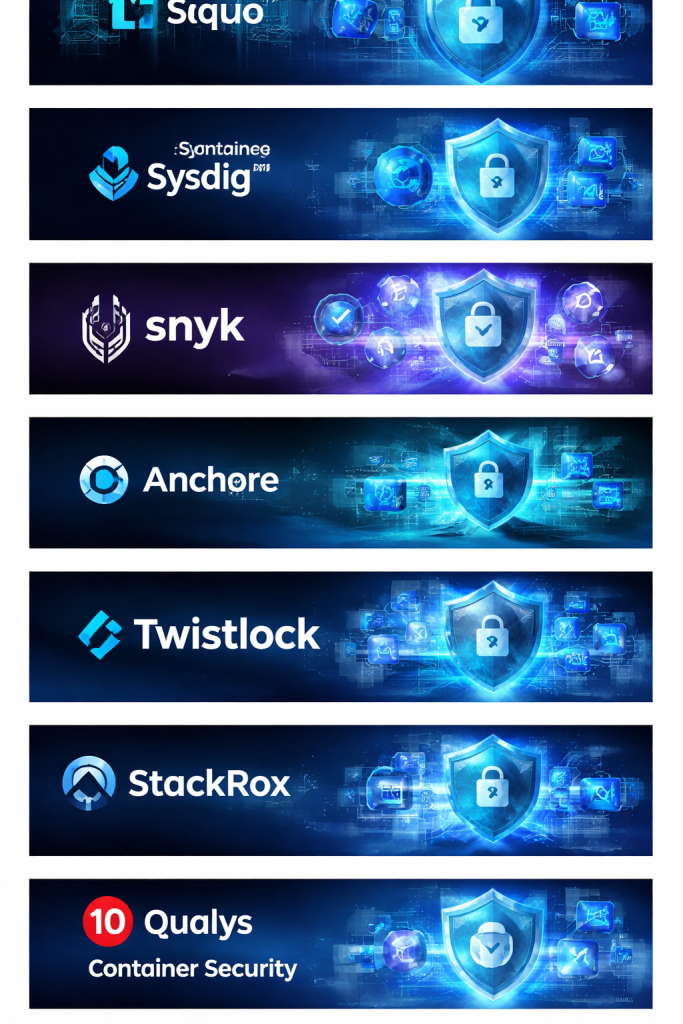
Top 10 Container Security Tools
1 — Aqua Security
Short description:
A comprehensive container and cloud-native security platform designed for enterprises running large-scale Kubernetes and containerized environments.
Key features:
- Deep container image vulnerability scanning
- Kubernetes security and posture management
- Runtime threat detection and prevention
- Supply chain security for container images
- Policy-based controls across CI/CD pipelines
- Secrets management and compliance reporting
Pros:
- Strong enterprise-grade security capabilities
- Excellent Kubernetes and runtime protection
Cons:
- Complex setup for smaller teams
- Premium pricing compared to lightweight tools
Security & compliance:
Supports SSO, encryption, audit logs, SOC 2, ISO, and GDPR.
Support & community:
High-quality documentation, enterprise support, onboarding assistance, and an active security community.
2 — Palo Alto Prisma Cloud
Short description:
An end-to-end cloud-native security platform covering containers, hosts, serverless, and cloud configurations.
Key features:
- Container image scanning and vulnerability management
- Runtime protection for containers and Kubernetes
- Cloud Security Posture Management (CSPM)
- Infrastructure as Code (IaC) scanning
- Compliance dashboards and reporting
- Threat detection with behavioral analysis
Pros:
- Broad security coverage beyond containers
- Strong analytics and reporting
Cons:
- Can feel overwhelming due to feature breadth
- Requires time to fully configure
Security & compliance:
Supports SOC 2, ISO, GDPR, HIPAA, SSO, and encryption.
Support & community:
Enterprise-grade support with strong documentation and training resources.
3 — Sysdig Secure
Short description:
A container and Kubernetes security tool with deep runtime visibility built on open-source foundations.
Key features:
- Runtime threat detection using system-level visibility
- Container image scanning
- Kubernetes security monitoring
- Compliance and audit reporting
- Open-source Falco integration
- Cloud-native threat intelligence
Pros:
- Excellent runtime visibility
- Strong open-source alignment
Cons:
- UI can feel technical for beginners
- Learning curve for advanced features
Security & compliance:
Supports SOC 2, GDPR, audit logs, and role-based access control.
Support & community:
Active open-source community and responsive enterprise support.
4 — Snyk Container
Short description:
A developer-focused container security tool designed to catch vulnerabilities early in the development lifecycle.
Key features:
- Container image vulnerability scanning
- Integration with CI/CD pipelines
- Base image recommendations
- Open-source dependency insights
- Developer-friendly remediation guidance
- Policy enforcement
Pros:
- Very easy to use for developers
- Strong vulnerability database
Cons:
- Limited runtime protection
- Less suitable for deep enterprise governance
Security & compliance:
Supports SSO, audit logs, SOC 2, and GDPR.
Support & community:
Excellent documentation, strong developer community, and fast onboarding.
5 — Anchore
Short description:
An open-source-first container image analysis and policy enforcement platform.
Key features:
- Deep container image inspection
- Policy-based security enforcement
- CI/CD pipeline integrations
- SBOM generation
- Open-source and enterprise editions
- Compliance reporting
Pros:
- Strong image analysis capabilities
- Flexible open-source option
Cons:
- Limited runtime protection
- UI less polished than competitors
Security & compliance:
Varies by deployment; supports audit logs and policy controls.
Support & community:
Active open-source community and optional enterprise support.
6 — Twistlock (Prisma Cloud Compute)
Short description:
A container-focused security solution now integrated into Prisma Cloud for advanced runtime and compliance needs.
Key features:
- Container vulnerability management
- Kubernetes runtime protection
- Network segmentation policies
- Compliance and risk scoring
- CI/CD integration
- Behavioral threat detection
Pros:
- Strong runtime security
- Trusted by large enterprises
Cons:
- Tightly coupled with broader platform
- Premium pricing
Security & compliance:
SOC 2, ISO, GDPR, HIPAA, encryption, and SSO supported.
Support & community:
Enterprise-level support with structured onboarding.
7 — StackRox (Red Hat Advanced Cluster Security)
Short description:
A Kubernetes-native security platform optimized for OpenShift and enterprise Kubernetes environments.
Key features:
- Kubernetes-native security controls
- Build, deploy, and runtime protection
- Policy-driven risk assessment
- Compliance dashboards
- CI/CD and registry integrations
- Network flow visualization
Pros:
- Deep Kubernetes integration
- Strong policy enforcement
Cons:
- Best suited for Red Hat ecosystems
- Less flexible outside Kubernetes
Security & compliance:
Supports SOC 2, GDPR, audit logging, and role-based access.
Support & community:
Backed by Red Hat with strong enterprise support.
8 — NeuVector
Short description:
A zero-trust container security platform focusing on real-time network and runtime protection.
Key features:
- Real-time container firewalling
- Behavioral runtime protection
- Vulnerability scanning
- Kubernetes admission control
- Network segmentation
- Compliance reporting
Pros:
- Strong runtime and network security
- Real-time threat blocking
Cons:
- UI can feel complex
- Smaller ecosystem compared to larger vendors
Security & compliance:
Supports SOC 2, GDPR, audit logs, and encryption.
Support & community:
Growing community and enterprise-grade support options.
9 — Qualys Container Security
Short description:
A vulnerability and compliance-focused container security solution integrated into the Qualys platform.
Key features:
- Container image scanning
- Host and container vulnerability correlation
- Compliance reporting
- Risk prioritization
- Asset inventory
- Integration with Qualys ecosystem
Pros:
- Strong vulnerability management
- Good compliance reporting
Cons:
- Limited runtime protection
- Better suited as part of Qualys suite
Security & compliance:
SOC 2, ISO, GDPR, and audit logs supported.
Support & community:
Well-established enterprise support and documentation.
10 — Lacework
Short description:
A data-driven cloud-native security platform with behavioral analytics for containers and workloads.
Key features:
- Container runtime behavior analysis
- Anomaly detection using machine learning
- Image vulnerability scanning
- Kubernetes monitoring
- Compliance dashboards
- Low-noise alerts
Pros:
- Excellent anomaly detection
- Reduced alert fatigue
Cons:
- Less control over fine-grained policies
- Requires tuning for best results
Security & compliance:
Supports SOC 2, ISO, GDPR, encryption, and audit logs.
Support & community:
Strong customer success focus and enterprise support.
Comparison Table
| Tool Name | Best For | Platform(s) Supported | Standout Feature | Rating |
|---|---|---|---|---|
| Aqua Security | Large enterprises | Kubernetes, Containers | Full lifecycle security | N/A |
| Prisma Cloud | Cloud-native enterprises | Multi-cloud, Kubernetes | Broad security coverage | N/A |
| Sysdig Secure | Runtime visibility | Kubernetes, Containers | Deep runtime insights | N/A |
| Snyk Container | Developers | Containers, CI/CD | Developer-first scanning | N/A |
| Anchore | Policy-driven security | Containers | Deep image analysis | N/A |
| Twistlock | Enterprise runtime security | Kubernetes, Containers | Advanced runtime protection | N/A |
| StackRox | Kubernetes environments | Kubernetes | Native K8s security | N/A |
| NeuVector | Zero-trust security | Kubernetes, Containers | Real-time firewalling | N/A |
| Qualys | Compliance-focused teams | Containers, Hosts | Vulnerability correlation | N/A |
| Lacework | Behavior-based detection | Cloud workloads | Anomaly detection | N/A |
Evaluation & Scoring of Container Security Tools
| Tool | Core Features (25%) | Ease of Use (15%) | Integrations (15%) | Security & Compliance (10%) | Performance (10%) | Support (10%) | Price / Value (15%) | Total Score |
|---|---|---|---|---|---|---|---|---|
| Aqua Security | 23 | 11 | 14 | 9 | 9 | 9 | 10 | 85 |
| Prisma Cloud | 24 | 10 | 15 | 10 | 9 | 9 | 8 | 85 |
| Sysdig Secure | 22 | 10 | 13 | 8 | 9 | 8 | 11 | 81 |
| Snyk Container | 20 | 14 | 13 | 8 | 8 | 9 | 12 | 84 |
| Anchore | 19 | 11 | 12 | 7 | 8 | 8 | 13 | 78 |
| Twistlock | 23 | 10 | 14 | 9 | 9 | 9 | 8 | 82 |
| StackRox | 22 | 11 | 13 | 9 | 8 | 8 | 9 | 80 |
| NeuVector | 21 | 10 | 12 | 9 | 9 | 7 | 10 | 78 |
| Qualys | 20 | 11 | 13 | 9 | 8 | 8 | 9 | 78 |
| Lacework | 22 | 12 | 13 | 9 | 9 | 8 | 9 | 82 |
Which Container Security Tool Is Right for You?
- Solo users & startups: Lightweight, developer-friendly tools with easy setup and lower cost
- SMBs: Tools that balance image scanning, CI/CD integration, and basic runtime protection
- Mid-market: Platforms offering Kubernetes security, compliance reporting, and scalability
- Enterprises: Full lifecycle security, runtime protection, compliance, and advanced policy control
Budget-conscious teams may prefer open-source or developer-first tools, while regulated industries should prioritize compliance, audit logs, and enterprise support.
Frequently Asked Questions (FAQs)
1. What is container security?
It focuses on protecting container images, runtimes, and orchestration platforms from vulnerabilities and threats.
2. Do I need container security if I already have cloud security?
Yes, container-specific risks require specialized visibility and controls.
3. Are container security tools only for Kubernetes?
Most support Kubernetes, but many also work with standalone containers.
4. When should scanning happen in the pipeline?
Ideally during build time and before deployment.
5. Do these tools impact performance?
Most are lightweight, but runtime tools may require tuning.
6. Are open-source tools enough?
They are good for basics but may lack enterprise features.
7. How do these tools help with compliance?
They provide reports, audits, and policy enforcement.
8. Can developers use these tools directly?
Yes, many are designed with developer workflows in mind.
9. What is runtime protection?
Monitoring and blocking malicious activity while containers are running.
10. Is there a single best tool?
No, the best tool depends on scale, budget, and security needs.
Conclusion
Container Security Tools are essential for protecting modern, cloud-native applications. They help teams identify vulnerabilities early, monitor runtime behavior, enforce policies, and meet compliance requirements. While some tools focus on developer productivity and image scanning, others provide deep runtime protection and enterprise-grade governance.
What matters most is aligning the tool with your organization’s size, risk tolerance, compliance needs, and technical maturity. There is no universal winner—only the right fit for your specific use case. Choosing wisely can significantly reduce risk while enabling teams to move fast and innovate securely.

Find Trusted Cardiac Hospitals
Compare heart hospitals by city and services — all in one place.
Explore Hospitals
Container security tools can help teams find vulnerable images, risky configurations, and excessive permissions before deployment. However, scanning alone cannot protect a container throughout its lifecycle. Teams also need to control image sources, protect secrets, and monitor running workloads. Integrating security checks into the build pipeline can help developers fix problems before release. It is equally important to prioritize findings based on actual exposure and exploitability, rather than treating every alert as equally urgent. When comparing tools, teams should review support for their registries, orchestration platforms, and development workflows. This makes container security easier to apply consistently.
Container security checks should also cover the build process and the people or services allowed to publish images. A trusted base image can still become risky if an unauthorized pipeline changes its contents before deployment. Teams should verify image signatures, restrict registry write access, and keep build credentials separate from runtime secrets. Automated release checks can block unsigned images before they reach production. Regularly testing these controls helps catch weaknesses in the delivery chain and makes it easier to trace an image back to its approved source.
This comparison provides valuable insights into leading container security tools, highlighting their features, strengths, and limitations. Choosing the right solution can help teams detect vulnerabilities in container images, secure runtime environments, enforce security policies, and protect Kubernetes workloads throughout the container lifecycle.
Container security also needs a clear process for handling vulnerable workloads that are already running in production. Finding a critical CVE is only the first step; teams must determine which deployed services use the affected package and whether a patched image can be released safely. I would evaluate how well each tool connects vulnerability findings to image digests, running workloads, and deployment records. Automated rebuilds should then trigger regression tests and policy checks before promotion to production. Teams also need a defined exception process for cases where no patch exists, including compensating controls and review deadlines. This helps security teams move from generating vulnerability reports to tracking whether the actual production risk has been reduced.
Container security tools are most effective when teams scan images early and continue monitoring workloads after deployment. Checking for vulnerable packages, misconfigured permissions, exposed secrets, and runtime threats helps catch risks at different stages of the container lifecycle. Integrating these checks into CI/CD pipelines and setting clear remediation priorities can strengthen security without slowing down delivery.
Automating image vulnerability scanning across CI/CD pipelines, enforcing Kubernetes admission controls, and monitoring runtime behavior at the system level protects cloud-native architectures from container escape, supply chain tampering, and unauthorized lateral movement in production clusters.
Container security tools help teams identify vulnerabilities, detect misconfigurations, and protect containerized applications throughout their lifecycle. When comparing platforms, I would focus on image scanning, runtime protection, compliance checks, and CI/CD integration. These features can help developers catch security issues early and reduce risks in production environments. The right tool should strengthen container security without slowing down development and deployment.
A major challenge in container security is deciding which vulnerabilities need immediate action when hundreds of workloads share common base images. A high vulnerability count does not always reflect the actual risk to a running service, so teams should consider exploitability, network exposure, runtime privileges, and the availability of a safe patch. It is also worth testing whether updated images pass compatibility checks before replacing production workloads. Maintaining an inventory that connects deployed containers to their source images and owning teams can speed up remediation when a new critical flaw appears. This helps security teams focus on exploitable risks while avoiding rushed updates that introduce service failures.
Container security tools are most effective when they protect the entire lifecycle, from image creation to runtime monitoring. I would prioritize image vulnerability scanning, secret detection, configuration checks, and runtime threat detection rather than relying on a single security layer. Integrating these checks into CI/CD pipelines helps teams catch issues before vulnerable images reach production. It is also important to establish clear policies for base image updates and container privileges.
Balancing early shift-left vulnerability scanning with robust runtime protection is often where teams face the biggest architectural friction. While developer-focused tools speed up CI/CD pipelines, relying solely on them leaves a blind spot once ephemeral workloads hit production clusters.
Container security tools are most effective when they catch vulnerable images before deployment and continue monitoring containers after they start running. It is worth checking whether a platform can trace a vulnerable package back to the image, running workload, and responsible team, so fixes reach the right place quickly. Prioritizing issues based on actual runtime exposure, rather than vulnerability counts alone, can help developers focus on the risks that matter most.
Securing containers requires more than scanning images before deployment; teams also need visibility into vulnerabilities, runtime activity, and Kubernetes configurations. A tool that covers these areas can help developers catch risks earlier and maintain safer deployments throughout the application lifecycle. Another solution worth exploring is Aqua Security, which provides container and cloud-native security capabilities for image scanning, runtime protection, and Kubernetes environments.
This blog provides a clear and practical overview of container security tools, which is very important as containerized applications are now widely used in production environments. It explains how container security goes beyond traditional security by focusing on image scanning, runtime protection, vulnerability management, and policy enforcement across the CI/CD pipeline. The comparison of features, advantages, and limitations helps readers understand which tools fit different operational and compliance needs. For DevOps and security teams working with Docker and Kubernetes, this kind of structured insight is valuable for making informed decisions, reducing attack surfaces, and maintaining secure, scalable container platforms throughout the application lifecycle.