
Introduction
SaaS Management Platforms (SMPs) have become a critical layer of modern IT and finance operations. As organizations increasingly rely on dozens—or even hundreds—of cloud applications, keeping track of who uses what, how much it costs, and whether it is secure becomes extremely complex. SaaS Management Platforms are purpose-built solutions that help companies discover, manage, optimize, and govern their SaaS applications from a single place.
The importance of these platforms goes far beyond visibility. Unmanaged SaaS sprawl leads to wasted spend, security gaps, compliance risks, and operational inefficiencies. Real-world use cases include identifying unused licenses, automating user onboarding and offboarding, enforcing security policies, preparing for audits, and aligning SaaS usage with business value.
When choosing a SaaS Management Platform, buyers should evaluate application discovery accuracy, license optimization, integrations with identity and finance systems, automation capabilities, security controls, reporting depth, and overall ease of use. The right tool acts as a bridge between IT, finance, security, and procurement teams.
Best for:
SaaS Management Platforms are ideal for IT leaders, CIOs, CISOs, finance teams, procurement managers, and operations leaders in SMBs, mid-market companies, and enterprises that rely heavily on cloud software.
Not ideal for:
Very small teams using only a handful of SaaS tools, or organizations with minimal compliance and cost-governance requirements, may find full-scale SMPs unnecessary and overly complex.
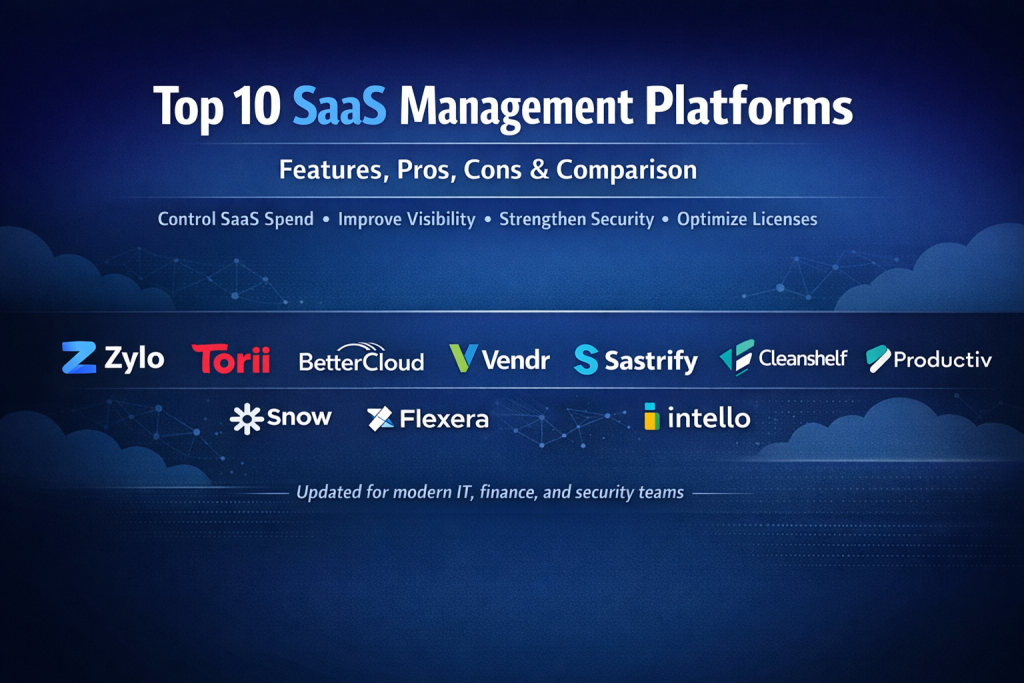
Top 10 SaaS Management Platforms Tools
1 — Zylo
Short description:
Zylo is a comprehensive SaaS Management Platform focused on discovery, spend optimization, and contract intelligence for mid-market and enterprise organizations.
Key features:
- Automated SaaS discovery across financial and identity sources
- License utilization tracking and optimization
- Contract and renewal management
- Vendor consolidation insights
- Cost allocation and chargeback reporting
- Custom dashboards for IT and finance teams
Pros:
- Strong visibility into hidden and shadow SaaS
- Excellent reporting for finance alignment
- Mature enterprise-grade features
Cons:
- Interface may feel complex for smaller teams
- Requires onboarding time to unlock full value
Security & compliance:
SSO, role-based access, encryption, SOC 2, GDPR support.
Support & community:
Dedicated customer success, structured onboarding, strong documentation, enterprise support available.
2 — Torii
Short description:
Torii focuses on SaaS operations automation, helping IT teams manage the full SaaS lifecycle from onboarding to offboarding.
Key features:
- Application discovery via SSO and finance tools
- Automated user onboarding and offboarding workflows
- License optimization recommendations
- SaaS request and approval workflows
- Workflow automation engine
- Detailed usage analytics
Pros:
- Excellent automation capabilities
- Strong identity integration
- Reduces manual IT workload significantly
Cons:
- Advanced workflows require configuration effort
- Pricing may be high for small businesses
Security & compliance:
SSO, audit logs, encryption, SOC 2, GDPR readiness.
Support & community:
Responsive support, guided onboarding, growing user community.
3 — BetterCloud
Short description:
BetterCloud is designed for IT teams seeking deep automation and security controls across SaaS applications.
Key features:
- SaaS-to-SaaS automation workflows
- Advanced security event monitoring
- User lifecycle automation
- Configuration and compliance monitoring
- Integration with major SaaS apps
- Policy-based remediation
Pros:
- Powerful automation engine
- Strong security posture
- Ideal for large IT environments
Cons:
- Steeper learning curve
- More IT-centric than finance-focused
Security & compliance:
SSO, encryption, audit logs, SOC 2, GDPR, compliance monitoring.
Support & community:
Enterprise-grade support, extensive documentation, professional services available.
4 — Vendr
Short description:
Vendr specializes in SaaS procurement and contract negotiation, helping companies reduce software costs.
Key features:
- SaaS buying and renewal negotiation
- Market pricing benchmarks
- Contract lifecycle management
- Renewal alerts and optimization
- Procurement workflow automation
- Spend visibility dashboards
Pros:
- Proven cost savings
- Strong negotiation expertise
- Reduces procurement friction
Cons:
- Less focus on IT automation
- Primarily procurement-oriented
Security & compliance:
SOC 2, encryption, role-based access.
Support & community:
High-touch customer support, procurement specialists, onboarding assistance.
5 — Sastrify
Short description:
Sastrify combines SaaS spend management with procurement and financial transparency for growing companies.
Key features:
- Centralized SaaS inventory
- Spend tracking and optimization
- Contract and renewal management
- Procurement support services
- Usage and license visibility
- Budget forecasting
Pros:
- Finance-friendly dashboards
- Strong cost transparency
- Good balance of features and simplicity
Cons:
- Automation depth is moderate
- Limited advanced security workflows
Security & compliance:
SOC 2, GDPR compliance, encryption.
Support & community:
Dedicated account managers, onboarding support, clear documentation.
6 — Cleanshelf
Short description:
Cleanshelf emphasizes ease of use and fast SaaS discovery for IT and finance teams.
Key features:
- Automated SaaS discovery
- License usage tracking
- Renewal and contract alerts
- Cost optimization insights
- Simple reporting dashboards
- Integrations with finance tools
Pros:
- Easy to deploy
- Clean, intuitive UI
- Quick value realization
Cons:
- Limited advanced automation
- Less suitable for very large enterprises
Security & compliance:
SSO, encryption, SOC 2.
Support & community:
Responsive support team, straightforward onboarding, limited community resources.
7 — Productiv
Short description:
Productiv focuses on deep usage analytics and business value measurement for SaaS investments.
Key features:
- Granular SaaS usage analytics
- Application adoption insights
- Role-based usage reporting
- License right-sizing
- Spend optimization
- Executive dashboards
Pros:
- Best-in-class usage visibility
- Strong analytics capabilities
- Data-driven decision support
Cons:
- Less procurement automation
- Reporting complexity for non-technical users
Security & compliance:
SOC 2, GDPR, encryption, SSO.
Support & community:
Enterprise support, onboarding specialists, good documentation.
8 — Snow Software
Short description:
Snow Software extends traditional asset management into SaaS, ideal for enterprises with hybrid environments.
Key features:
- SaaS and on-prem software tracking
- License compliance monitoring
- Cost and usage optimization
- Vendor and contract management
- Audit readiness reporting
- Integration with ITSM tools
Pros:
- Strong compliance capabilities
- Hybrid asset visibility
- Enterprise scalability
Cons:
- UI can feel dated
- Implementation complexity
Security & compliance:
ISO certifications, SOC 2, GDPR, encryption.
Support & community:
Global enterprise support, partner ecosystem, training resources.
9 — Flexera
Short description:
Flexera provides enterprise-grade SaaS and IT asset management with strong compliance and governance focus.
Key features:
- SaaS discovery and inventory
- License compliance management
- Financial and usage reporting
- Risk and vulnerability insights
- Integration with enterprise IT systems
- Policy enforcement
Pros:
- Deep governance controls
- Suitable for regulated industries
- Mature enterprise platform
Cons:
- Higher cost
- Requires experienced administrators
Security & compliance:
SOC 2, ISO standards, GDPR, audit trails.
Support & community:
Enterprise-level support, professional services, strong partner network.
10 — Intello
Short description:
Intello focuses on SaaS cost transparency and optimization for mid-market companies.
Key features:
- Automated SaaS discovery
- License usage insights
- Spend optimization recommendations
- Renewal tracking
- Cost allocation reporting
- Finance integrations
Pros:
- Simple and cost-effective
- Strong finance alignment
- Fast setup
Cons:
- Limited automation workflows
- Less suitable for complex enterprises
Security & compliance:
SOC 2, encryption, GDPR support.
Support & community:
Customer success support, onboarding assistance, limited community.
Comparison Table
| Tool Name | Best For | Platform(s) Supported | Standout Feature | Rating |
|---|---|---|---|---|
| Zylo | Large IT & finance teams | Web-based | Deep SaaS discovery | N/A |
| Torii | SaaS operations automation | Web-based | Workflow automation | N/A |
| BetterCloud | IT automation & security | Web-based | SaaS-to-SaaS automation | N/A |
| Vendr | SaaS procurement savings | Web-based | Negotiation expertise | N/A |
| Sastrify | Spend-focused teams | Web-based | Financial transparency | N/A |
| Cleanshelf | SMBs & mid-market | Web-based | Ease of use | N/A |
| Productiv | Usage analytics | Web-based | Adoption insights | N/A |
| Snow Software | Hybrid enterprises | Web-based | Compliance tracking | N/A |
| Flexera | Regulated enterprises | Web-based | Governance depth | N/A |
| Intello | Cost-conscious teams | Web-based | Quick optimization | N/A |
Evaluation & Scoring of SaaS Management Platforms
| Criteria | Weight | Zylo | Torii | BetterCloud | Vendr | Sastrify |
|---|---|---|---|---|---|---|
| Core features | 25% | High | High | High | Medium | Medium |
| Ease of use | 15% | Medium | Medium | Low | High | High |
| Integrations & ecosystem | 15% | High | High | High | Medium | Medium |
| Security & compliance | 10% | High | High | High | Medium | Medium |
| Performance & reliability | 10% | High | High | High | High | Medium |
| Support & community | 10% | High | Medium | High | High | Medium |
| Price / value | 15% | Medium | Medium | Medium | High | High |
Which SaaS Management Platforms Tool Is Right for You?
- Solo users: Lightweight tools or basic spend tracking may suffice.
- SMBs: Cleanshelf, Intello, or Sastrify offer quick value without complexity.
- Mid-market: Torii and Zylo balance automation, insights, and scalability.
- Enterprise: BetterCloud, Flexera, and Snow Software provide governance and compliance depth.
Budget-conscious teams should prioritize cost visibility and quick ROI, while premium buyers benefit from automation and advanced analytics. Integration needs, scalability expectations, and compliance requirements should guide final decisions.
Frequently Asked Questions (FAQs)
- What is a SaaS Management Platform?
A centralized system to track, manage, and optimize SaaS applications across an organization. - Do SMPs replace IT asset management tools?
They complement or extend them, especially for cloud-based software. - How do SMPs discover SaaS apps?
Through integrations with SSO, finance systems, and browser activity. - Are SaaS Management Platforms secure?
Most offer enterprise-grade security with encryption and audit logs. - Can SMPs reduce SaaS costs?
Yes, by identifying unused licenses and optimizing renewals. - Do small businesses need SMPs?
Only if SaaS sprawl and spend are becoming difficult to manage. - How long does implementation take?
From days for simple setups to weeks for enterprise deployments. - Are these tools finance-friendly?
Many offer strong cost allocation and reporting features. - Do SMPs support compliance audits?
Yes, especially enterprise-focused platforms. - What is the biggest mistake buyers make?
Choosing tools without aligning features to actual operational needs.
Conclusion
SaaS Management Platforms have become essential for organizations navigating complex SaaS ecosystems. The best tools provide visibility, control, automation, and financial clarity—helping teams reduce waste while improving security and governance. There is no single “best” platform for everyone. The right choice depends on company size, SaaS maturity, budget, and compliance needs. By focusing on real requirements rather than hype, organizations can select a SaaS Management Platform that delivers lasting value.

Find Trusted Cardiac Hospitals
Compare heart hospitals by city and services — all in one place.
Explore Hospitals
Reviewing software estate governance suites proved that reducing software expenditures necessitates continuous shadow-IT discovery. Scanning single sign-on logs and corporate credit card feeds identifies unused licenses and auto-renewing subscriptions, helping IT managers downsize application portfolios and negotiate favorable enterprise contract terms.
SaaS governance should also account for machine identities and third-party application permissions, not just employee accounts. API tokens, OAuth connections, and automated service accounts can retain access to business data long after their original purpose has ended. IT teams should maintain a clear ownership record for these credentials, review their permissions regularly, and alert administrators when an integration has no active owner. It is also worth testing whether offboarding workflows revoke connected application access completely rather than simply disabling the employee’s main account. Addressing these hidden access paths can reduce security exposure and prevent critical integrations from becoming unmanaged dependencies.
SaaS management platforms help organizations track subscriptions, control access, and understand how teams use cloud applications. Teams should compare license usage reports, renewal alerts, access governance, spend visibility, and integration with identity systems to reduce unused subscriptions and improve security.
SaaS management platforms help organizations track software subscriptions, monitor usage, and control spending across teams. When comparing options, look at app discovery, license utilization, renewal alerts, access management, and integration with identity and finance systems. Regularly reviewing unused licenses and upcoming renewals can reduce unnecessary costs, improve security, and give IT teams clearer control over their software environment.
One major challenge often overlooked when adopting a SaaS management platform is bridging the data gap between IT and finance teams. While IT focuses on license utilization and security automation, finance cares strictly about cost allocation and forecasting. Evaluating tools that offer balanced dashboards for both departments is crucial to avoid ongoing internal friction after deployment.
SaaS management becomes much more effective when teams connect license usage data with employee onboarding, offboarding, and renewal schedules. Tracking these together helps prevent unnecessary spending while reducing security risks from unused accounts and forgotten subscriptions.