
Introduction
A Secure Web Gateway (SWG) is a critical cybersecurity solution designed to protect users, devices, and organizations from web-based threats. It acts as a security checkpoint between users and the internet, inspecting web traffic in real time to block malware, phishing, malicious websites, data leakage, and unsafe content. As organizations increasingly adopt cloud services, remote work, and SaaS platforms, traditional perimeter security is no longer enough—this is where SWG plays a vital role.
SWG solutions enforce acceptable use policies, inspect encrypted traffic, prevent data exfiltration, and ensure safe internet access regardless of user location. They are commonly deployed in cloud-first, hybrid, or remote-work environments to maintain consistent security controls across all users.
When evaluating Secure Web Gateway tools, buyers should look for strong threat protection, SSL inspection, policy granularity, performance, integration with identity systems, scalability, and compliance support. Ease of deployment, visibility, reporting, and user experience are equally important in real-world operations.
Best for:
Secure Web Gateway (SWG) tools are ideal for IT teams, security teams, CISOs, cloud-first companies, remote and hybrid workforces, regulated industries (finance, healthcare, education), and enterprises managing distributed users.
Not ideal for:
SWG tools may be unnecessary for very small teams with minimal internet exposure, isolated offline environments, or organizations already fully protected by tightly controlled private networks with limited web access needs.
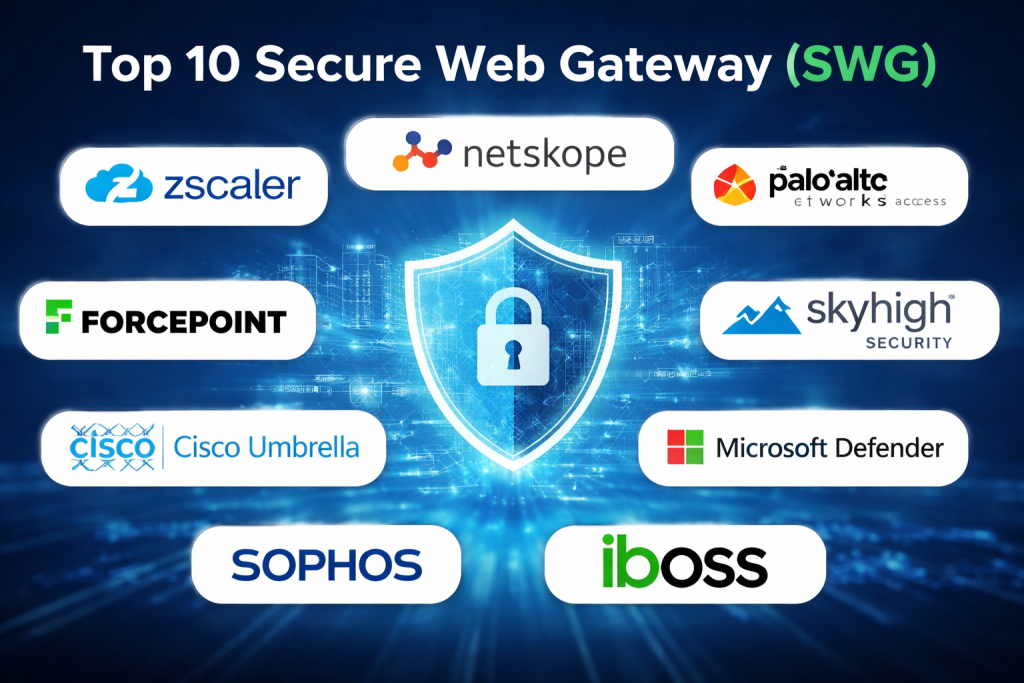
Top 10 Secure Web Gateway (SWG) Tools
1 — Zscaler Internet Access
Short description:
A cloud-native SWG designed for large enterprises and distributed workforces, offering zero-trust access and advanced web threat protection.
Key features:
- Cloud-based proxy architecture
- Advanced threat and malware protection
- Full SSL/TLS inspection
- Granular web access policies
- Integrated data loss prevention
- Identity-based access control
- Real-time traffic visibility
Pros:
- Excellent performance at global scale
- Strong zero-trust alignment
- Highly mature security capabilities
Cons:
- Premium pricing
- Initial configuration can be complex
Security & compliance:
SSO, encryption, audit logs, GDPR, ISO, SOC 2 (varies by deployment)
Support & community:
Enterprise-grade support, extensive documentation, strong global customer base
2 — Netskope Secure Web Gateway
Short description:
A modern SWG focused on cloud and SaaS visibility, ideal for organizations prioritizing cloud security and data protection.
Key features:
- Cloud and SaaS traffic inspection
- Inline CASB capabilities
- Advanced threat protection
- Context-aware policy enforcement
- SSL inspection
- User behavior analytics
Pros:
- Excellent cloud application visibility
- Strong data protection features
- Unified platform approach
Cons:
- Higher learning curve
- Cost may be high for small teams
Security & compliance:
SSO, encryption, audit logs, GDPR, ISO, SOC 2
Support & community:
Strong enterprise support, detailed documentation, growing user community
3 — Palo Alto Networks Prisma Access
Short description:
An integrated SWG solution built on Palo Alto Networks’ security stack, ideal for enterprises seeking unified security.
Key features:
- Cloud-delivered SWG
- Advanced threat prevention
- URL filtering
- SSL decryption
- Tight firewall integration
- Global cloud footprint
Pros:
- Deep security intelligence
- Strong integration with Palo Alto ecosystem
- High detection accuracy
Cons:
- Best value only if using Palo Alto products
- Complex licensing model
Security & compliance:
SSO, encryption, audit logs, GDPR, ISO, SOC 2
Support & community:
Enterprise-focused support, strong vendor backing, extensive knowledge base
4 — Forcepoint Secure Web Gateway
Short description:
A data-centric SWG designed for organizations with strong compliance and insider-threat requirements.
Key features:
- Advanced web filtering
- Behavior-based threat detection
- Data loss prevention integration
- Content classification
- Granular policy controls
- Real-time analytics
Pros:
- Strong data protection focus
- Good insider-threat detection
- Flexible deployment options
Cons:
- UI feels dated to some users
- Performance tuning may be required
Security & compliance:
SSO, encryption, audit logs, GDPR, HIPAA, ISO
Support & community:
Solid enterprise support, good documentation, moderate community presence
5 — Cisco Secure Web Gateway (Umbrella)
Short description:
A DNS-layer and proxy-based SWG suitable for organizations seeking fast deployment and broad protection.
Key features:
- DNS-level threat protection
- Cloud proxy for web traffic
- Malware and phishing defense
- Policy enforcement by identity
- Easy deployment
- Integration with Cisco ecosystem
Pros:
- Very fast setup
- Lightweight endpoint impact
- Strong threat intelligence
Cons:
- Advanced features require add-ons
- Less granular than full proxy SWGs
Security & compliance:
SSO, encryption, audit logs, GDPR, ISO, SOC 2
Support & community:
Extensive documentation, strong enterprise support, large user base
6 — Skyhigh Secure Web Gateway
Short description:
A cloud-focused SWG emphasizing data protection and visibility across web and cloud apps.
Key features:
- Web traffic inspection
- Advanced DLP capabilities
- SSL inspection
- Cloud access controls
- Threat intelligence integration
Pros:
- Strong data-centric controls
- Good visibility into user activity
- Suitable for regulated industries
Cons:
- UI complexity
- Smaller ecosystem compared to top vendors
Security & compliance:
SSO, encryption, audit logs, GDPR, ISO
Support & community:
Enterprise support available, improving documentation, limited community
7 — Sophos Secure Web Gateway
Short description:
An easy-to-manage SWG tailored for SMBs and mid-market organizations.
Key features:
- URL filtering
- Malware and ransomware protection
- SSL inspection
- Policy-based controls
- Centralized management
- Integration with endpoint security
Pros:
- User-friendly interface
- Good value for money
- Strong endpoint integration
Cons:
- Less advanced for large enterprises
- Limited customization at scale
Security & compliance:
SSO, encryption, audit logs, GDPR
Support & community:
Good documentation, responsive support, active SMB community
8 — Barracuda SecureEdge
Short description:
A simplified SWG solution designed for organizations prioritizing ease of deployment and centralized security.
Key features:
- Web filtering
- Malware protection
- Policy enforcement
- Cloud-managed architecture
- SD-WAN integration
Pros:
- Simple setup
- Cost-effective
- Unified networking and security
Cons:
- Fewer advanced threat analytics
- Limited enterprise-grade features
Security & compliance:
SSO, encryption, audit logs, GDPR (varies)
Support & community:
Good onboarding support, moderate documentation, smaller community
9 — iboss Secure Web Gateway
Short description:
A cloud-native SWG focused on remote workforce security and zero-trust access.
Key features:
- Cloud proxy architecture
- SSL inspection
- Policy enforcement anywhere
- Zero-trust network access
- High availability design
Pros:
- Excellent remote user performance
- Simple policy management
- Strong uptime reliability
Cons:
- Limited ecosystem integrations
- Smaller market presence
Security & compliance:
SSO, encryption, audit logs, GDPR, SOC 2
Support & community:
Dedicated enterprise support, clear documentation, limited community
10 — Microsoft Defender for Cloud Apps (SWG capabilities)
Short description:
A security solution integrated into Microsoft ecosystems, providing web protection through identity-aware controls.
Key features:
- Identity-based web access control
- Threat detection
- Integration with Microsoft identity
- Policy enforcement
- Activity monitoring
Pros:
- Strong Microsoft ecosystem integration
- Familiar interface
- Good for existing Microsoft customers
Cons:
- Not a pure standalone SWG
- Limited non-Microsoft integrations
Security & compliance:
SSO, encryption, audit logs, GDPR, ISO
Support & community:
Extensive documentation, global support, large user community
Comparison Table
| Tool Name | Best For | Platform(s) Supported | Standout Feature | Rating |
|---|---|---|---|---|
| Zscaler Internet Access | Large enterprises | Cloud | Zero-trust SWG | N/A |
| Netskope SWG | Cloud-first orgs | Cloud | SaaS visibility | N/A |
| Prisma Access | Security-focused enterprises | Cloud | Threat intelligence | N/A |
| Forcepoint SWG | Regulated industries | Hybrid | Data protection | N/A |
| Cisco Umbrella | Fast deployment | Cloud | DNS-layer security | N/A |
| Skyhigh SWG | Data-centric security | Cloud | Advanced DLP | N/A |
| Sophos SWG | SMB & mid-market | Cloud/Hybrid | Ease of use | N/A |
| Barracuda SecureEdge | Cost-conscious teams | Cloud | Simple management | N/A |
| iboss SWG | Remote workforce | Cloud | Performance | N/A |
| Microsoft Defender | Microsoft users | Cloud | Identity-based security | N/A |
Evaluation & Scoring of Secure Web Gateway (SWG)
| Criteria | Weight | Evaluation Summary |
|---|---|---|
| Core features | 25% | Threat detection, SSL inspection, filtering |
| Ease of use | 15% | UI, deployment, policy management |
| Integrations & ecosystem | 15% | Identity, endpoints, SIEM |
| Security & compliance | 10% | Certifications, encryption |
| Performance & reliability | 10% | Latency, uptime |
| Support & community | 10% | Documentation, vendor support |
| Price / value | 15% | ROI vs capabilities |
Which Secure Web Gateway (SWG) Tool Is Right for You?
- Solo users: Lightweight, DNS-based or bundled security solutions
- SMBs: Easy-to-manage, cost-effective platforms like Sophos or Barracuda
- Mid-market: Balanced tools offering strong features without heavy complexity
- Enterprise: Cloud-native, zero-trust solutions like Zscaler or Netskope
Budget-conscious teams should prioritize simplicity and value, while security-focused enterprises should emphasize feature depth, compliance, and scalability. Integration with identity systems and future growth plans should always guide the final choice.
Frequently Asked Questions (FAQs)
- What does an SWG protect against?
It blocks malicious websites, phishing, malware, and unsafe web content. - Is SWG only for large enterprises?
No, modern SWGs scale from SMBs to global enterprises. - Can SWG inspect encrypted traffic?
Yes, most modern SWGs support SSL/TLS inspection. - How is SWG different from a firewall?
SWG focuses on web traffic inspection, while firewalls manage network access. - Does SWG impact performance?
High-quality SWGs are optimized for low latency. - Is cloud-based SWG secure?
Yes, leading vendors use strong encryption and compliance controls. - Can SWG enforce user-based policies?
Yes, many integrate with identity providers for granular control. - Is SWG required for remote work?
It is highly recommended for secure remote access. - Does SWG replace endpoint security?
No, it complements endpoint protection. - How long does SWG deployment take?
Cloud-based SWGs can be deployed in days or weeks.
Conclusion
Secure Web Gateways have become a foundational component of modern cybersecurity, protecting users wherever they work and browse. The right SWG delivers strong threat protection, policy enforcement, visibility, and compliance without sacrificing performance.
There is no single “best” SWG for everyone. The ideal choice depends on organization size, budget, security maturity, and integration needs. By focusing on what matters most for your environment, you can select a Secure Web Gateway that truly strengthens your security posture while supporting business growth.

Find Trusted Cardiac Hospitals
Compare heart hospitals by city and services — all in one place.
Explore Hospitals
Secure web gateway rules should be reviewed against the needs of different teams, not applied uniformly without testing. Developers may need access to package registries, container images, and external documentation that standard browsing policies could block. Mapping these dependencies before enforcement helps avoid failed builds and unnecessary support tickets. Teams can also use logs to spot repeated blocks and decide whether a rule needs adjustment. This keeps web access secure while allowing essential engineering work to continue smoothly.
This guide offers a helpful comparison of leading Secure Web Gateway (SWG) solutions, outlining their features, strengths, and limitations. Choosing the right platform can block malicious websites, prevent web-based threats, enforce browsing policies, and provide secure internet access for employees while improving visibility and control over network traffic.
Secure web gateways help organizations inspect web traffic and block access to harmful or unsuitable destinations. Their effectiveness depends on how well policies reflect real business needs. Overly broad rules may block useful sites, while weak controls can leave users exposed to risky content. Teams should test web filtering, threat detection, encrypted traffic inspection, and reporting before choosing a solution. They should also consider how remote users connect and how policies remain consistent across devices. Clear exception handling is important for unusual work requirements. A well-tuned gateway can reduce web threats without creating constant interruptions for employees.
TLS inspection needs careful planning because some applications rely on certificate pinning, mutual TLS, or strict certificate validation. Applying decryption policies too broadly can break business-critical services, while creating too many exclusions can leave gaps in threat visibility. Before deployment, teams should test inspection policies against internal applications, developer tools, APIs, and software update services. They should also maintain an approved exception register with clear owners, business reasons, and review dates. Monitoring certificate failures and connection errors after policy changes can help detect problems before they affect large groups of users. This level of testing makes it easier to balance traffic visibility, application compatibility, and security requirements.
A secure web gateway is most effective when it combines URL filtering, malware inspection, and protection against data leaks without disrupting normal browsing. Regularly updating threat intelligence and reviewing blocked traffic helps security teams respond to new risks while avoiding unnecessary restrictions. Integrating the gateway with identity and endpoint security tools also supports consistent protection for employees working from different locations.
Inspecting encrypted outbound traffic, filtering malicious URLs, and enforcing granular acceptable-use policies through cloud-native Secure Web Gateways protects distributed endpoints from web-borne threats, prevents sensitive data exfiltration, and maintains uniform security standards across hybrid workforces.
Secure Web Gateway (SWG) solutions help organizations protect users from malicious websites, unsafe downloads, and web-based threats. When comparing platforms, I would focus on URL filtering, malware protection, traffic inspection, and policy management. These features can improve browsing security and help enforce consistent access rules. The right solution should provide reliable protection without slowing down everyday business activities.
One implementation detail worth examining is how SWG platforms handle certificate pinning, mutual TLS, and applications that break under HTTPS inspection. Enabling decryption across all traffic can disrupt business-critical services, while broad bypass rules may create security blind spots. Before deployment, teams should inventory affected applications, test inspection policies in monitoring mode, and document narrowly scoped exceptions with clear owners and review dates. They should also measure latency and connection failures after policy changes, since a security update can unexpectedly affect developer tools, automated builds, or API integrations. Treating inspection exceptions as governed configuration rather than permanent workarounds helps maintain protection without creating avoidable operational outages.
Choosing the right Secure Web Gateway often comes down to balancing deep SSL/TLS inspection with user latency, especially in distributed workforces. While cloud-native proxy architectures excel at zero-trust scalability, configuring them properly requires careful tuning to avoid bottlenecking day-to-day web traffic. I found the breakdown of evaluation criteria—particularly the weight given to identity integrations and performance—very practical. For organizations transitioning to hybrid models, mapping out existing identity providers before selecting a tool can save a lot of friction down the line.
Secure Web Gateway solutions need to protect users from malicious websites without disrupting legitimate business activity. Alongside URL filtering and threat detection, I would prioritize TLS inspection controls, malware prevention, and detailed visibility into web traffic. Organizations should also review blocked requests regularly to identify false positives and refine policies as business needs change. Integration with endpoint protection and security monitoring tools can help teams investigate threats more efficiently.
Secure web gateways need to protect users from harmful websites without disrupting access to legitimate business resources. One important factor is how well a platform inspects encrypted web traffic while maintaining acceptable browsing speed and respecting privacy requirements. Reviewing blocked-request logs and testing policy exceptions can help teams identify both missed threats and false positives before they affect daily work.
Keeping employees safe while they browse the internet is an important part of protecting a company’s network. This comparison gives readers a clear idea of what to look for in secure web gateway tools, including website filtering, threat blocking, data protection, and activity reports. It can help businesses choose a solution that reduces online risks while allowing employees to access the websites and services they need for their work.