
Introduction
STEM Coding Education Platforms are structured digital learning environments designed to teach programming, computational thinking, and problem-solving skills through science, technology, engineering, and mathematics–focused curricula. These platforms go far beyond basic coding tutorials. They blend hands-on projects, interactive challenges, assessments, and real-world simulations to help learners understand how code applies to real scientific and engineering problems.
In today’s digital economy, coding is no longer a niche skill reserved for software engineers. It is increasingly essential for students, educators, researchers, product teams, and future professionals across industries such as healthcare, manufacturing, finance, robotics, data science, and AI. STEM coding platforms play a crucial role in building these skills early and reinforcing them throughout academic and professional journeys.
Why STEM Coding Education Platforms Matter
- They bridge theory and practice, turning abstract concepts into real applications
- They support early exposure to logic, algorithms, and engineering thinking
- They help institutions scale coding education without heavy infrastructure
- They prepare learners for future-ready, interdisciplinary careers
Key Real-World Use Cases
- K–12 and higher-education STEM curriculum delivery
- Coding bootcamps and extracurricular STEM programs
- Workforce upskilling and reskilling initiatives
- Research labs and innovation hubs
- Corporate early-talent and graduate programs
What to Look for When Choosing a Platform
When evaluating STEM Coding Education Platforms, buyers should consider:
- Curriculum depth and alignment with learning goals
- Hands-on labs and project-based learning
- Age-appropriate and skill-appropriate pathways
- Assessment, analytics, and progress tracking
- Scalability, integrations, and deployment flexibility
Best for:
Students (K–12 to university), educators, STEM institutions, coding academies, EdTech startups, and enterprises building future-skills programs.
Not ideal for:
Learners seeking only casual or entertainment-focused coding games, or advanced researchers requiring highly specialized scientific computing platforms without educational scaffolding.
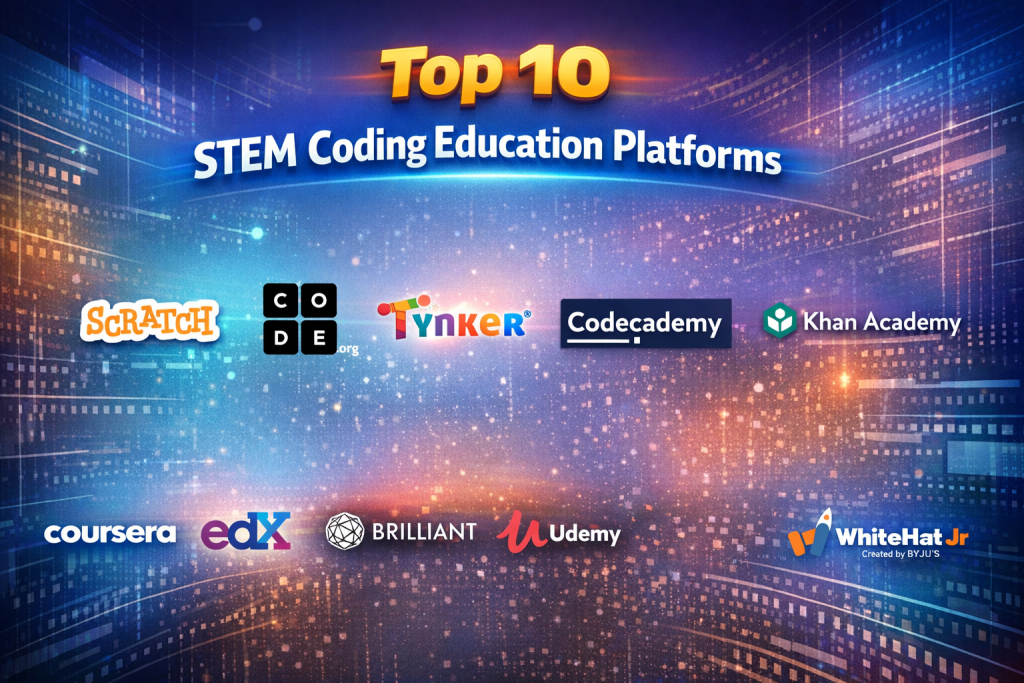
Top 10 STEM Coding Education Platforms Tools
1 — Scratch
Short description:
A visual, block-based coding platform designed to introduce children and beginners to programming concepts through creativity and storytelling.
Key features
- Block-based visual programming
- Project-based learning approach
- Strong community sharing and remixing
- Supports animations, games, and simulations
- Browser-based with no installation
- Teacher dashboards for classrooms
Pros
- Extremely beginner-friendly
- Encourages creativity alongside logic
Cons
- Limited depth for advanced learners
- Not suitable for professional programming
Security & compliance: Varies / N/A
Support & community: Extensive global educator and student community, strong documentation
2 — Code.org
Short description:
A comprehensive platform offering structured coding courses aligned with school curricula, focusing on accessibility and inclusivity.
Key features
- Age-segmented STEM coding pathways
- Teacher lesson plans and classroom tools
- Game-based learning modules
- Progress tracking and assessments
- Supports block and text-based coding
Pros
- Strong curriculum alignment
- Free access for educators and students
Cons
- Limited customization for advanced programs
- Less suitable for enterprise training
Security & compliance: GDPR-aligned practices
Support & community: Strong educator support and training resources
3 — Tynker
Short description:
A gamified coding platform for kids that progresses from visual blocks to real programming languages.
Key features
- Game-based coding challenges
- Gradual transition to Python and JavaScript
- STEM projects with robotics integration
- Parent and teacher dashboards
- Mobile and web access
Pros
- Smooth learning progression
- Highly engaging for younger learners
Cons
- Subscription costs for advanced content
- Less depth for higher education
Security & compliance: Varies / N/A
Support & community: Good onboarding resources, moderate community size
4 — Codecademy
Short description:
An interactive coding education platform focused on hands-on learning through real programming environments.
Key features
- Interactive coding exercises
- Structured career paths
- Quizzes and skill assessments
- Supports multiple programming languages
- Cloud-based coding environment
Pros
- Strong hands-on learning
- Clear skill progression paths
Cons
- Limited K–12 focus
- Premium features behind paywall
Security & compliance: Standard encryption, GDPR-aware
Support & community: Active forums, structured documentation
5 — Khan Academy
Short description:
A broad educational platform with strong foundational STEM and introductory programming content.
Key features
- Free STEM and coding courses
- Interactive exercises and videos
- Self-paced learning
- Progress tracking
- Strong math-coding integration
Pros
- Completely free
- Excellent conceptual explanations
Cons
- Limited advanced coding projects
- Less enterprise-ready tooling
Security & compliance: GDPR-aligned practices
Support & community: Massive learner community, educator resources
6 — Coursera
Short description:
A large-scale learning platform offering STEM and coding programs from universities and industry leaders.
Key features
- University-backed STEM courses
- Hands-on labs and projects
- Certificates and degree pathways
- Scalable enterprise learning
- Multi-device access
Pros
- High-quality academic content
- Strong career credibility
Cons
- Less interactive for younger learners
- Paid certifications
Security & compliance: GDPR, enterprise security standards
Support & community: Instructor-led support, peer forums
7 — edX
Short description:
An open learning platform delivering rigorous STEM and coding education through global universities.
Key features
- University-level STEM coding courses
- Professional certificates
- Self-paced and instructor-led formats
- Assessments and labs
- Enterprise learning solutions
Pros
- Academic rigor
- Recognized credentials
Cons
- Steeper learning curve
- Limited gamification
Security & compliance: GDPR, enterprise-grade controls
Support & community: Academic support channels, learner forums
8 — Brilliant
Short description:
An interactive platform focusing on problem-solving and applied STEM reasoning through guided challenges.
Key features
- Interactive STEM problem solving
- Visual explanations
- Adaptive learning paths
- Mobile-first design
- Conceptual coding logic
Pros
- Excellent conceptual clarity
- Highly engaging micro-lessons
Cons
- Limited full-scale programming
- Not enterprise-oriented
Security & compliance: Varies / N/A
Support & community: Quality documentation, smaller community
9 — Udemy
Short description:
A marketplace offering a wide range of STEM coding courses created by independent instructors.
Key features
- Large variety of STEM coding topics
- Lifetime course access
- Practical project-based lessons
- Mobile and offline access
- Enterprise learning options
Pros
- Broad topic coverage
- Affordable pricing
Cons
- Content quality varies
- Limited curriculum standardization
Security & compliance: GDPR, enterprise controls
Support & community: Instructor-led support, reviews system
10 — WhiteHat Jr
Short description:
A live instructor-led coding platform focused on personalized STEM education for children.
Key features
- One-to-one live coding classes
- Structured STEM curriculum
- Project-based assessments
- Parental progress reports
- Flexible scheduling
Pros
- Personalized instruction
- Strong learner engagement
Cons
- Premium pricing
- Less scalable for institutions
Security & compliance: Varies / N/A
Support & community: Dedicated support teams, structured onboarding
Comparison Table
| Tool Name | Best For | Platform(s) Supported | Standout Feature | Rating |
|---|---|---|---|---|
| Scratch | Beginners & kids | Web | Visual block coding | N/A |
| Code.org | Schools & educators | Web | Curriculum alignment | N/A |
| Tynker | Kids progressing to text code | Web, Mobile | Gamified learning | N/A |
| Codecademy | Individual learners | Web | Interactive coding | N/A |
| Khan Academy | Foundational STEM | Web, Mobile | Free quality education | N/A |
| Coursera | Universities & enterprises | Web, Mobile | University-backed courses | N/A |
| edX | Academic STEM learners | Web | Rigorous certifications | N/A |
| Brilliant | Conceptual STEM learning | Web, Mobile | Problem-based approach | N/A |
| Udemy | Budget learners | Web, Mobile | Course variety | N/A |
| WhiteHat Jr | Personalized K–12 learning | Live online | Instructor-led classes | N/A |
Evaluation & Scoring of STEM Coding Education Platforms
| Criteria | Weight | Average Score |
|---|---|---|
| Core features | 25% | High |
| Ease of use | 15% | High |
| Integrations & ecosystem | 15% | Medium |
| Security & compliance | 10% | Medium |
| Performance & reliability | 10% | High |
| Support & community | 10% | High |
| Price / value | 15% | Medium-High |
Which STEM Coding Education Platforms Tool Is Right for You?
- Solo learners: Codecademy, Brilliant, Khan Academy
- SMBs & academies: Udemy, Coursera
- Mid-market institutions: Code.org, edX
- Enterprises: Coursera, edX
- Budget-conscious: Khan Academy, Scratch
- Premium personalized: WhiteHat Jr
Focus on learning depth vs ease, budget constraints, and scalability needs rather than brand popularity.
Frequently Asked Questions (FAQs)
- Are STEM coding platforms suitable for beginners?
Yes, many platforms offer beginner-friendly pathways with no prior experience required. - Do these platforms replace traditional education?
They complement traditional education rather than fully replacing it. - Are certifications always necessary?
No, practical skills often matter more than certificates. - Can enterprises use these platforms?
Yes, several platforms offer enterprise-grade learning solutions. - Are these tools secure for students?
Most follow standard data protection practices, though levels vary. - Do they support teachers?
Many include dashboards, lesson plans, and classroom analytics. - Is live instruction better than self-paced learning?
It depends on learner preferences and learning goals. - Are free platforms effective?
Yes, especially for foundational learning. - Can kids transition to real programming languages?
Most platforms are designed for gradual progression. - What is the biggest mistake buyers make?
Choosing based on popularity instead of learning objectives.
Conclusion
STEM Coding Education Platforms play a critical role in shaping future innovators by combining technical skills, creativity, and problem-solving. The right platform depends on who is learning, why they are learning, and how deeply they need to go.
Rather than searching for a single “best” tool, decision-makers should focus on alignment with goals, learner experience, scalability, and long-term value. When chosen thoughtfully, these platforms can become powerful engines for STEM education and workforce readiness.

Find Trusted Cardiac Hospitals
Compare heart hospitals by city and services — all in one place.
Explore Hospitals
A point that deserves more attention in STEM coding education is how learners apply their knowledge outside the platform itself. Completing interactive challenges is useful, but students gain deeper understanding when they build something independently, troubleshoot mistakes, and explain why their solutions work. I would also recommend evaluating whether platforms encourage collaboration through shared projects rather than focusing only on individual progress. This can help develop communication and teamwork alongside technical skills. How can educators measure these practical abilities beyond course completion and assessment scores?
A strong coding platform should show how well learners can use their knowledge in unfamiliar situations. Finishing tutorials does not always mean a student can write or fix code independently. Including real-world challenges can help test whether learners understand the logic behind each task. Students should get opportunities to create small projects, debug broken programs, and try different solutions. Teachers can use these activities to spot topics that need more explanation or practice. Reviewing common errors can also help identify where learners struggle most. Progress reports should reflect practical skills instead of focusing only on completed lessons and quiz results. This gives educators a clearer picture of student development and helps learners build confidence through actual coding experience.
Modern coding education platforms must provide interactive, browser-based development sandboxes that eliminate frustrating local environment setup hurdles for beginner students. Transitioning learners smoothly from visual block-based programming (such as Scratch) to real-world syntax languages like Python and JavaScript requires carefully scaffolded curriculum progressions. For educators, having automated code-grading autograders and real-time student struggle telemetry allows teachers to provide targeted interventions before students fall behind. Incorporating gamified challenge mechanics and real-world project portfolios sustains student engagement across long learning courses.
STEM coding education platforms help learners develop programming, logical thinking, and problem-solving skills through structured and interactive activities. Features such as beginner-friendly lessons, coding exercises, project-based learning, progress tracking, and educator support are important when comparing platforms. This overview helps parents, teachers, and learners understand the available options. A helpful resource for exploring accessible ways to build technology skills.
STEM coding education platforms help students, educators, schools, and training organizations develop programming, computational thinking, and problem-solving skills through interactive learning experiences. This comparison explores the top solutions based on their key features, pros and cons, programming language support, block-based and text-based coding, interactive lessons, project-based learning, robotics integration, AI and machine learning activities, curriculum alignment, progress tracking, collaboration tools, gamification, accessibility, scalability, and ease of use to help learners and educators choose the right platform for building practical coding skills and strengthening STEM education.
Dissecting modern technical learning suites showed that student skill acquisition thrives on browser-based code sandboxes and automated unit-test grading. Removing local compiler setup hurdles while providing immediate, visual execution feedback keeps students motivated, helping educational institutions teach computational thinking effectively.
STEM coding education platforms help students learn programming, problem-solving, and technology through practical activities and guided lessons. When comparing options, check age suitability, coding languages, interactive projects, learning paths, teacher tools, progress tracking, and pricing. Choose a platform that matches students’ skill levels and makes coding concepts easier to understand through hands-on practice.
A useful way to assess these platforms is to examine whether students can apply their skills to unfamiliar problems without step-by-step guidance. Completing guided exercises does not always mean a learner understands debugging, program design, or logical reasoning. Educators could introduce independent projects, code review sessions, and practical assignments that test how students approach new challenges. It is also worth checking whether students retain these skills after several weeks, rather than measuring progress only through immediate test results. These measures provide a clearer picture of learning outcomes and help schools decide whether a platform supports lasting skill development.
Choosing the right platform often comes down to balancing block-based creativity with the eventual transition to text-based languages like Python. One challenge educators face is preventing students from getting stuck in visual programming for too long. How do you usually determine the optimal milestone for learners to make that leap.
When comparing STEM coding education platforms, I would look at whether students learn to solve unfamiliar problems rather than only follow step-by-step instructions. A student may complete a coding activity successfully but struggle when asked to change the rules, find a bug, or apply the same idea to a new project. Platforms that encourage experimentation, explain errors in simple language, and let learners build their own solutions can develop stronger problem-solving skills. It is also useful for teachers to see how students reached an answer, not just whether their final code worked.
A strong STEM coding platform should do more than teach syntax; it should help students apply logic through real projects, experiments, and problem-solving tasks. A clear progression from visual coding to text-based programming, combined with regular feedback, can make learning more engaging and build lasting confidence.
STEM coding platforms work best when students can learn by building projects, solving problems, and testing their ideas. Flexible lesson plans, progress tracking, and teacher-friendly tools help make coding education more engaging and easier to manage across different skill levels.
STEM coding platforms are most effective when they combine hands-on projects with clear learning paths and age-appropriate challenges. Easy-to-use tools, useful progress reports, and support for problem-solving help students build practical coding skills while keeping educators involved in the learning process.