
Introduction
Template Management Tools are specialized software solutions designed to create, store, manage, standardize, and reuse templates across documents, emails, designs, forms, workflows, and digital assets. Instead of recreating the same layouts, structures, or content repeatedly, teams can rely on centrally governed templates that ensure consistency, accuracy, and efficiency.
In today’s fast-paced digital environment, organizations produce a high volume of repeatable content—contracts, proposals, marketing materials, emails, reports, invoices, onboarding documents, and more. Without a proper template management system, this leads to version confusion, branding inconsistencies, compliance risks, and wasted time. Template management tools solve this by enabling controlled access, versioning, approvals, and automation.
Common real-world use cases include:
- Legal teams managing standardized contract templates
- Marketing teams maintaining brand-consistent assets
- HR departments automating offer letters and policies
- Sales teams generating proposals faster
- Operations teams standardizing SOPs and internal documentation
When choosing a Template Management Tool, buyers should evaluate ease of use, version control, collaboration, integrations, security, scalability, and governance capabilities—not just how pretty the templates look.
Best for:
Template Management Tools are ideal for marketing teams, legal departments, HR, sales operations, compliance teams, SMBs, enterprises, and fast-growing startups that rely heavily on repeatable content and standardized documents.
Not ideal for:
Solo users with minimal repetition, teams producing one-off documents, or organizations already fully automated inside a niche vertical system where templates are deeply embedded and rarely reused.
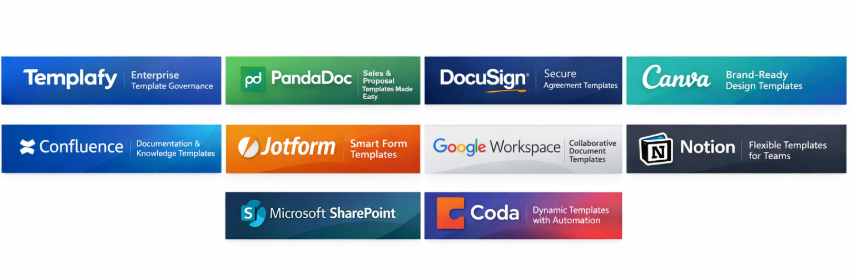
Top 10 Template Management Tools
1 — Templafy
Short description:
An enterprise-grade template and document automation platform focused on governance, brand control, and compliance across large organizations.
Key features:
- Centralized template library with permissions
- Dynamic fields and content controls
- Microsoft 365 integration
- Brand governance and enforcement
- Version control and approvals
- Role-based access management
Pros:
- Strong enterprise governance
- Excellent Microsoft ecosystem integration
- Scales well for global teams
Cons:
- Higher cost than SMB tools
- Setup requires planning
Security & compliance:
SSO, encryption, audit logs, GDPR, ISO, SOC 2 (varies by plan)
Support & community:
Enterprise onboarding, dedicated support, extensive documentation
2 — PandaDoc
Short description:
A document automation and template management platform built for sales, proposals, and contracts.
Key features:
- Reusable document templates
- Content blocks and variables
- Approval workflows
- E-signature support
- CRM integrations
- Analytics and tracking
Pros:
- Easy to use
- Strong sales automation focus
- Fast template creation
Cons:
- Limited advanced governance
- Less flexible for non-sales teams
Security & compliance:
Encryption, audit trails, GDPR, SOC 2
Support & community:
Good onboarding, live chat support, strong user community
3 — DocuSign
Short description:
A well-known digital agreement platform offering robust template management for contracts and agreements.
Key features:
- Agreement templates
- Clause libraries
- Workflow automation
- Version history
- Conditional logic
- API access
Pros:
- Trusted legal standard
- Strong compliance posture
- Global acceptance
Cons:
- Premium pricing
- Less intuitive UI
Security & compliance:
SOC 2, ISO 27001, GDPR, HIPAA, encryption
Support & community:
Enterprise-grade support, extensive documentation
4 — Canva
Short description:
A visual template management tool for marketing, branding, and design-first teams.
Key features:
- Brand kits and locked templates
- Team libraries
- Role-based editing
- Design versioning
- Collaboration tools
- Asset management
Pros:
- Extremely user-friendly
- Ideal for non-designers
- Fast collaboration
Cons:
- Limited document automation
- Not built for legal workflows
Security & compliance:
SSO, GDPR, SOC 2 (enterprise plans)
Support & community:
Large global community, strong learning resources
5 — Notion
Short description:
A flexible workspace platform that supports template management for documentation, processes, and internal knowledge.
Key features:
- Database-driven templates
- Page duplication workflows
- Permissions and sharing
- Rich content blocks
- API integrations
- Version history
Pros:
- Highly flexible
- Affordable
- Strong collaboration
Cons:
- Requires structure discipline
- Limited formal governance
Security & compliance:
Encryption, SSO, SOC 2, GDPR
Support & community:
Active community, extensive guides
6 — Confluence
Short description:
A knowledge and documentation platform widely used for standardized templates in engineering and operations.
Key features:
- Page templates
- Version control
- Permission management
- Workflow macros
- Integrations with Jira
- Audit history
Pros:
- Excellent documentation workflows
- Scales well
- Strong governance
Cons:
- UI feels dated
- Learning curve for new users
Security & compliance:
SSO, encryption, SOC 2, ISO
Support & community:
Enterprise support, strong ecosystem
7 — Jotform
Short description:
A form-focused template management platform ideal for data collection and workflows.
Key features:
- Prebuilt form templates
- Conditional logic
- Approval flows
- Data integrations
- Custom branding
- Mobile-friendly forms
Pros:
- Quick setup
- No-code friendly
- Strong form automation
Cons:
- Limited document templates
- Not enterprise-governed
Security & compliance:
GDPR, HIPAA (paid plans), encryption
Support & community:
Good documentation, responsive support
8 — Google Workspace
Short description:
A cloud productivity suite offering collaborative document templates for everyday business use.
Key features:
- Docs, Sheets, Slides templates
- Real-time collaboration
- Permissions and sharing
- Version history
- Add-on marketplace
- Cloud storage
Pros:
- Familiar interface
- Easy collaboration
- Cost-effective
Cons:
- Limited governance controls
- Not specialized
Security & compliance:
Encryption, GDPR, ISO, SOC 2
Support & community:
Large ecosystem, enterprise support available
9 — Microsoft SharePoint
Short description:
A powerful content and template management platform deeply integrated with Microsoft 365.
Key features:
- Document templates
- Content types
- Metadata tagging
- Versioning and approvals
- Permissions
- Workflow automation
Pros:
- Enterprise-ready
- Deep Microsoft integration
- Strong governance
Cons:
- Complex setup
- Requires admin expertise
Security & compliance:
ISO, SOC 2, GDPR, encryption, audit logs
Support & community:
Extensive enterprise support ecosystem
10 — Coda
Short description:
A hybrid document and database platform with powerful templating for structured workflows.
Key features:
- Dynamic doc templates
- Automation rules
- Cross-doc sync
- Permissions
- Pack integrations
- Version history
Pros:
- Highly customizable
- Powerful automation
- Modern UI
Cons:
- Learning curve
- Not traditional document-centric
Security & compliance:
SOC 2, encryption, GDPR
Support & community:
Growing community, solid documentation
Comparison Table
| Tool Name | Best For | Platform(s) Supported | Standout Feature | Rating |
|---|---|---|---|---|
| Templafy | Enterprise document governance | Web, Microsoft 365 | Brand enforcement | N/A |
| PandaDoc | Sales proposals | Web | Sales automation | N/A |
| DocuSign | Legal agreements | Web | Compliance leadership | N/A |
| Canva | Marketing templates | Web, Mobile | Visual simplicity | N/A |
| Notion | Internal documentation | Web, Desktop | Flexibility | N/A |
| Confluence | Technical documentation | Web | Versioned knowledge | N/A |
| Jotform | Forms & workflows | Web, Mobile | No-code forms | N/A |
| Google Workspace | Collaboration | Web | Real-time editing | N/A |
| SharePoint | Enterprise content | Web | Governance depth | N/A |
| Coda | Structured workflows | Web | Automation-driven docs | N/A |
Evaluation & Scoring of Template Management Tools
| Tool | Core Features (25%) | Ease of Use (15%) | Integrations (15%) | Security (10%) | Performance (10%) | Support (10%) | Value (15%) | Total |
|---|---|---|---|---|---|---|---|---|
| Templafy | 23 | 12 | 14 | 9 | 9 | 9 | 11 | 86 |
| PandaDoc | 21 | 14 | 13 | 8 | 8 | 8 | 13 | 85 |
| DocuSign | 22 | 11 | 12 | 10 | 9 | 9 | 10 | 83 |
| Canva | 20 | 15 | 12 | 7 | 8 | 8 | 14 | 84 |
| Notion | 21 | 14 | 13 | 8 | 8 | 8 | 14 | 86 |
Which Template Management Tool Is Right for You?
- Solo users: Canva, Notion, Google Workspace
- SMBs: PandaDoc, Canva, Coda
- Mid-market: Notion, Confluence, PandaDoc
- Enterprise: Templafy, SharePoint, DocuSign
Budget-conscious: Notion, Google Workspace
Premium governance: Templafy, SharePoint
Ease of use: Canva, PandaDoc
Deep integrations: SharePoint, DocuSign
Strict compliance: DocuSign, Templafy
Frequently Asked Questions (FAQs)
- What is a template management tool?
Software that centralizes reusable templates for documents, forms, or content. - Do small businesses need these tools?
Yes, especially if they produce repeatable documents frequently. - Are these tools secure?
Most offer encryption, access controls, and compliance certifications. - Can templates be automated?
Many tools support dynamic fields and workflows. - Are design templates different from document templates?
Yes—design tools focus on visuals, document tools focus on structure and logic. - Do these tools support collaboration?
Almost all modern platforms support multi-user editing. - Is version control included?
Yes, though depth varies by platform. - Do they integrate with CRM or HR systems?
Many offer native or API-based integrations. - Are no-code options available?
Yes, tools like Canva, Jotform, and Notion are no-code friendly. - Is there a single best tool?
No—the best choice depends on use case, scale, and compliance needs.
Conclusion
Template Management Tools play a critical role in improving efficiency, consistency, and governance across modern organizations. From simple visual templates to complex enterprise document automation, the market offers solutions for every scale and function.
The most important factors when choosing a tool are who will use it, how often templates are reused, required integrations, and compliance expectations. There is no universal winner—the best tool is the one that aligns most closely with your workflows, budget, and growth plans.
By carefully evaluating your needs against the tools covered in this guide, you can confidently select a Template Management Tool that delivers long-term value rather than short-term convenience.

Find Trusted Cardiac Hospitals
Compare heart hospitals by city and services — all in one place.
Explore Hospitals
Template management tools help teams create consistent documents, messages, and other reusable content. The main challenge is making sure people use the correct version and do not overwrite approved material. I would compare version history, permissions, approval workflows, search, and integration with everyday tools. Teams should test how updates reach existing templates and whether old versions remain available when needed. Clear ownership helps keep content current. A useful platform should reduce repeated work while allowing enough flexibility for different teams. Good template management supports consistency without making routine edits or document creation unnecessarily difficult.
Template management tools are most valuable when they help teams maintain consistency without slowing down everyday work. Features like version control, approval workflows, and shared template libraries can prevent outdated documents from being reused across departments. It is also worth setting clear ownership for reviewing templates regularly so that content stays accurate as processes change. A well-organized template system saves time, reduces errors, and makes collaboration much smoother.
Template management tools help teams maintain consistent documents, streamline content creation, and reduce repetitive formatting work across an organization. Centralized template libraries, version control, and permission settings make it easier to keep approved materials accurate and accessible. Integrating templates with document generation and approval workflows also improves efficiency, reduces errors, and ensures that business communications follow established standards as teams grow.
Template updates should be tested like application changes, particularly when documents depend on customer data or automated business rules. A small edit to a placeholder or conditional field can create blank sections, incorrect totals, or missing information in hundreds of generated documents. Teams should use sample datasets to test common and unusual scenarios before releasing a revised template. It also helps to keep a clear rollback path and compare generated outputs between versions. These checks can catch formatting and data-mapping errors early, reducing manual corrections and preventing flawed documents from reaching customers.
Template management tools can save teams time, but only when employees can find the correct approved version without creating copies of outdated documents. Compare features such as role-based editing permissions, reusable content blocks, and automatic updates to shared templates. A clear approval history also helps teams identify who changed a template and ensure that important documents stay consistent across departments.
Scaling enterprise template architecture requires addressing content fragmentation across disparate productivity silos. Without centralized schema-driven metadata governance, automated downstream variable hydration, and programmatic deprecation locks, cross-functional teams inevitably circulate obsolete boilerplate assets, causing pervasive brand identity drift and exposing contractual documentation to preventable legal liabilities during customer onboarding cycles.
Template management tools help teams create, organize, approve, and reuse standard documents without starting from scratch each time. When comparing platforms, look at version control, access permissions, approval workflows, search features, and integration with document or CRM systems. Maintaining a central library of approved templates can reduce inconsistent wording, prevent outdated documents from circulating, and save time across departments.
Template management tools help teams create, organize, and reuse consistent documents, presentations, emails, and other business materials without starting from scratch every time. Platforms like PandaDoc offer reusable templates, document automation, and collaboration features, helping businesses save time, maintain consistency, and streamline everyday workflows.
Choosing between document-centric platforms like Templafy and flexible workspace tools like Notion often comes down to your organization’s tolerance for rigid governance versus open collaboration. While strict enterprise compliance demands centralized controls, lighter tools help teams move faster without getting bogged down by heavy approval workflows. Striking the right balance depends entirely on how often your content needs auditing versus quick iteration.
A strong template management process needs more than a shared library; it also requires clear ownership, version control, and approval workflows to prevent outdated documents from circulating. Matching these controls to each team’s daily workflow can improve consistency without slowing down collaboration.