
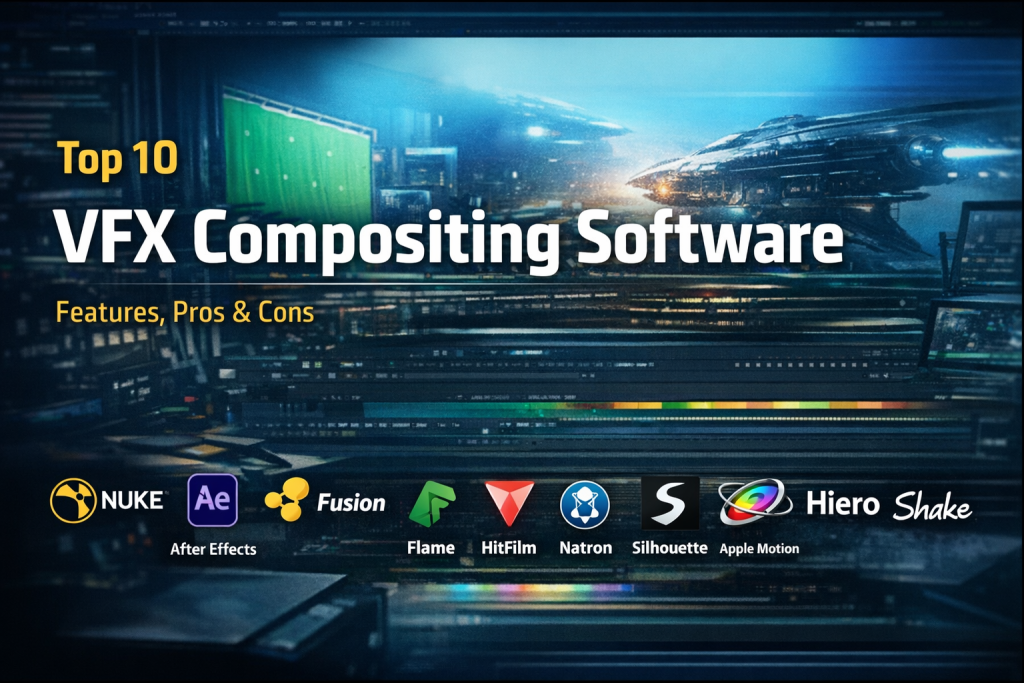
Introduction
VFX compositing software is a critical part of modern visual effects production. In simple terms, compositing is the process of combining multiple visual elements—such as live-action footage, CGI, matte paintings, green screen shots, and visual effects—into a single, seamless final image or scene. It is the stage where all creative and technical elements come together to tell a convincing visual story.
From blockbuster films and OTT series to advertisements, music videos, gaming cinematics, and even corporate videos, compositing software plays a key role in creating believable visuals. It allows artists to remove backgrounds, add explosions or environments, color-correct scenes, and integrate 3D elements into real footage with precision.
When choosing a VFX compositing tool, users should evaluate factors such as node-based vs layer-based workflows, performance on high-resolution footage, color management, integration with 3D software, collaboration features, and long-term scalability. Ease of learning, community support, and licensing cost also matter significantly, especially for freelancers and small studios.
Best for:
VFX compositing software is ideal for VFX artists, compositors, motion designers, film studios, animation houses, advertising agencies, OTT production teams, and game studios. Both freelancers and large enterprises benefit depending on the tool chosen.
Not ideal for:
These tools may not be necessary for basic video editors, social media creators, or teams focused only on simple cuts and transitions. In such cases, standard video editing or motion graphics software may be sufficient.
Top 10 VFX Compositing Software Tools
1 — Nuke
Short description:
Nuke is a high-end, node-based compositing software widely used in film and television studios for complex visual effects work. It is designed for professional VFX pipelines and large-scale productions.
Key features:
- Node-based compositing workflow
- Advanced keying, rotoscoping, and tracking
- Deep compositing support
- Industry-leading color management
- Integration with 3D workflows
- High-resolution and HDR support
- Collaborative studio pipeline tools
Pros:
- Industry standard for high-end VFX
- Extremely powerful and flexible
- Excellent performance on complex shots
Cons:
- Steep learning curve
- Expensive licensing for individuals
Security & compliance:
Enterprise-grade access controls; compliance varies by deployment
Support & community:
Extensive documentation, strong studio adoption, professional enterprise support
2 — After Effects
Short description:
After Effects is a layer-based compositing and motion graphics tool popular among motion designers, VFX generalists, and content creators.
Key features:
- Layer-based compositing
- Strong motion graphics tools
- Massive plugin ecosystem
- Integration with editing software
- Keying, tracking, and masking
- Expressions and scripting
- Wide format support
Pros:
- Easy to learn
- Huge community and tutorials
- Versatile for motion and VFX
Cons:
- Performance issues with heavy compositions
- Not ideal for large VFX pipelines
Security & compliance:
Varies; depends on cloud and enterprise setup
Support & community:
Excellent community support, tutorials, and documentation
3 — Fusion
Short description:
Fusion is a professional node-based compositing tool favored for film, broadcast, and motion graphics, offering strong performance at a competitive price.
Key features:
- Node-based workflow
- Integrated 3D workspace
- Advanced particle systems
- Strong keying and tracking
- GPU acceleration
- Seamless integration with editing software
Pros:
- Powerful at a lower cost
- Strong 3D integration
- Suitable for studios and freelancers
Cons:
- Smaller plugin ecosystem than competitors
- Interface can feel complex initially
Security & compliance:
N/A for standalone use
Support & community:
Good documentation and growing community
4 — HitFilm
Short description:
HitFilm is a compositing and VFX tool designed for independent creators, YouTubers, and small teams needing cinematic effects.
Key features:
- Layer-based compositing
- Built-in VFX presets
- 3D compositing tools
- Particle simulations
- Keying and masking
- Integrated editing timeline
Pros:
- Beginner-friendly
- Affordable
- All-in-one workflow
Cons:
- Limited for large studio work
- Fewer advanced compositing features
Security & compliance:
N/A
Support & community:
Active community, good learning resources
5 — Flame
Short description:
Flame is a premium compositing and finishing software used for high-end commercials and film finishing.
Key features:
- Advanced compositing and finishing
- Real-time playback
- High-end color tools
- Strong conform and editorial tools
- Collaborative workflows
- GPU-accelerated performance
Pros:
- Exceptional performance
- Preferred for commercial finishing
- Powerful creative tools
Cons:
- Very expensive
- Requires high-end hardware
Security & compliance:
Enterprise-ready; varies by deployment
Support & community:
Professional support, smaller but expert user base
6 — Natron
Short description:
Natron is an open-source node-based compositing software inspired by high-end tools, suitable for learning and basic professional work.
Key features:
- Node-based compositing
- Open-source and free
- Cross-platform support
- Rotoscoping and keying
- Plugin compatibility
- Scriptable workflows
Pros:
- Free and open-source
- Good learning platform
- Lightweight
Cons:
- Limited performance on large projects
- Smaller community
Security & compliance:
N/A
Support & community:
Community-driven support, limited official resources
7 — Silhouette
Short description:
Silhouette specializes in rotoscoping, paint, and keying, often used alongside other compositing tools.
Key features:
- Industry-leading rotoscoping
- Advanced paint tools
- Mocha tracking integration
- Node-based workflow
- Stereo support
- High-quality keying
Pros:
- Best-in-class roto tools
- Excellent tracking accuracy
- Complements other software
Cons:
- Not a full compositing solution alone
- Niche-focused
Security & compliance:
N/A
Support & community:
Professional documentation and studio use
8 — Mocha Pro
Short description:
Mocha Pro is a planar tracking and compositing utility widely used for tracking, cleanup, and insert work.
Key features:
- Advanced planar tracking
- Object removal tools
- Stabilization and mesh tracking
- Works as plugin or standalone
- Integrated roto tools
- High accuracy tracking
Pros:
- Industry-leading tracking
- Saves significant manual work
- Integrates with major compositors
Cons:
- Limited standalone compositing
- Additional cost on top of main tools
Security & compliance:
N/A
Support & community:
Strong professional user base and documentation
9 — Blender (Compositor)
Short description:
Blender includes a built-in node-based compositor, making it a strong free option for artists combining 3D and compositing.
Key features:
- Node-based compositor
- Tight 3D integration
- Open-source and free
- Color correction and masking
- Render pass compositing
- Scripting support
Pros:
- Completely free
- Excellent for 3D-heavy workflows
- Rapid development
Cons:
- Not as deep as dedicated compositors
- Learning curve for beginners
Security & compliance:
N/A
Support & community:
Huge global community and tutorials
10 — Smoke
Short description:
Smoke is a professional editing and compositing tool designed for fast turnaround projects in broadcast and post-production.
Key features:
- Timeline-based compositing
- Real-time effects
- Editorial and finishing tools
- Color grading features
- Integrated VFX workflow
- High-performance playback
Pros:
- Fast turnaround
- Strong editorial integration
- Professional-grade output
Cons:
- Expensive
- Less flexible than node-based systems
Security & compliance:
Enterprise-grade options available
Support & community:
Professional support and training resources
Comparison Table
| Tool Name | Best For | Platform(s) Supported | Standout Feature | Rating |
|---|---|---|---|---|
| Nuke | High-end VFX studios | Windows, macOS, Linux | Node-based deep compositing | N/A |
| After Effects | Motion + VFX generalists | Windows, macOS | Motion graphics ecosystem | N/A |
| Fusion | Professional compositing | Windows, macOS, Linux | Integrated 3D workspace | N/A |
| HitFilm | Indie creators | Windows, macOS | Built-in VFX presets | N/A |
| Flame | High-end finishing | Linux | Real-time performance | N/A |
| Natron | Learning & open-source | Windows, macOS, Linux | Free node-based compositor | N/A |
| Silhouette | Rotoscoping specialists | Windows, macOS, Linux | Advanced roto tools | N/A |
| Mocha Pro | Tracking & cleanup | Windows, macOS, Linux | Planar tracking | N/A |
| Blender | 3D + compositing | Windows, macOS, Linux | Full open-source suite | N/A |
| Smoke | Broadcast workflows | Windows, macOS | Timeline compositing | N/A |
Evaluation & Scoring of VFX Compositing Software
| Criteria | Weight | Evaluation Notes |
|---|---|---|
| Core features | 25% | Depth of compositing, keying, tracking |
| Ease of use | 15% | Learning curve and UI |
| Integrations & ecosystem | 15% | Plugins and pipeline fit |
| Security & compliance | 10% | Enterprise-readiness |
| Performance & reliability | 10% | Handling heavy shots |
| Support & community | 10% | Documentation and help |
| Price / value | 15% | Cost vs features |
Which VFX Compositing Software Tool Is Right for You?
- Solo users: Blender, HitFilm, Natron
- SMBs: After Effects, Fusion
- Mid-market studios: Fusion, Nuke Indie
- Enterprise studios: Nuke, Flame, Smoke
Budget-conscious users should prioritize open-source or mid-priced tools, while studios needing deep pipelines should invest in industry-standard solutions. Consider scalability, collaboration needs, and long-term project demands.
Frequently Asked Questions (FAQs)
- What is VFX compositing software used for?
It combines multiple visual elements into a final shot for films, ads, and games. - Is node-based better than layer-based compositing?
Node-based offers flexibility; layer-based is easier for beginners. - Can beginners learn professional tools?
Yes, but expect a learning curve for high-end software. - Is free software good enough for VFX?
For learning and small projects, yes. Large studios need advanced tools. - Do these tools support 4K and higher resolutions?
Most professional tools fully support high-resolution workflows. - Are these tools suitable for gaming cinematics?
Yes, especially node-based compositors and Blender. - Do I need plugins to use compositing software effectively?
Plugins enhance workflows but are not mandatory. - What hardware is required?
Strong CPU, GPU, and RAM are recommended. - Are these tools secure for studio use?
Enterprise tools offer strong access controls; standalone tools vary. - Is there one best tool for everyone?
No, the best tool depends on budget, workflow, and project type.
Conclusion
VFX compositing software is the backbone of modern visual storytelling. From indie creators to global studios, these tools enable artists to merge imagination with reality. While some tools excel in flexibility and depth, others shine in ease of use or affordability.
The key is to evaluate your workflow, team size, budget, and technical requirements. There is no universal winner—only the right tool for your specific needs. Choosing wisely ensures efficiency, creativity, and scalability in your VFX journey.

Find Trusted Cardiac Hospitals
Compare heart hospitals by city and services — all in one place.
Explore Hospitals
A compositing workflow can become difficult to manage when a single shot contains dozens of layers, effects, masks, and external assets. What matters in these situations is how efficiently artists can make revisions without affecting previously approved elements. I find node-based workflows particularly useful for maintaining transparency and isolating individual adjustments in complex scenes. Another factor worth considering is how well software handles color consistency when footage comes from different cameras or rendering pipelines. Efficient caching and playback performance can also save significant production time when working with high-resolution visual effects.
VFX compositing brings together layers of imagery into believable scenes. The article explains node workflows, tracking and keying features nicely. Strong tools give artists room to be creative. An interesting guide for film and animation professionals.
Node-based compositing software remains the gold standard for high-end film and episodic visual effects production because it provides transparent mathematical control over complex pixel blending operations. Managing deep color spaces (ACES, OpenColorIO) and multi-channel EXR render layers requires robust software architecture capable of handling gigabytes of uncompressed imagery. The integration of machine learning for automated rotoscoping, clean-plate generation, and camera tracking has significantly reduced visual effects preparation timelines. Ensuring frictionless Python and C++ plugin extensibility is what allows VFX facilities to weave compositing suites into bespoke studio pipelines.
Older VFX work can become difficult to maintain when its original production setup is no longer available. Missing plugins, changed color settings, outdated scripts, or replaced media files may cause a project to render differently years later. Keeping a complete record of the tools, settings, and supporting assets used during production can reduce this risk. Teams should also run periodic checks on stored projects instead of waiting until a client requests changes. This helps studios preserve visual consistency and avoid costly reconstruction work.
VFX compositing software plays a key role in combining visual elements to create realistic and visually compelling scenes. Features such as node-based workflows, masking, keying, tracking, color correction, and 3D integration are important when choosing a platform. This comparison helps artists understand the strengths and limitations of different solutions. A valuable guide for professionals and aspiring creators exploring visual effects workflows.
Evaluating node-based visual effects platforms showed that photorealistic integration demands 32-bit floating-point color pipelines and 3D camera tracking. Seamlessly merging live-action footage with CGI render passes, depth maps, and rotoscoped mattes gives VFX artists the precision required to produce Hollywood-grade visual effects sequences.
Long-term project compatibility deserves careful attention when selecting compositing software. A project may depend on custom plugins, scripts, color profiles, and specific software versions that become difficult to reproduce after an upgrade. Before committing to a tool, studios should test whether older projects can reopen correctly and whether teams can transfer work between applications without losing essential settings. Maintaining versioned project files, documenting dependencies, and keeping validated software environments can prevent costly delays during revisions. These practices become especially important when several artists collaborate on the same production or clients request changes months after delivery.
VFX compositing software helps artists combine video footage, visual effects, backgrounds, and digital elements into polished scenes. When comparing tools, consider layer management, keying, masking, color correction, 3D integration, rendering speed, and workflow compatibility. Choose software that matches your production needs, supports your team’s skills, and handles complex projects efficiently.
VFX compositing tools bring footage, computer-generated elements, and visual effects together to create complete scenes. A good comparison should cover node-based workflows, masking, color grading, keying, 3D support, rendering performance, and hardware requirements. Test each option with your production tasks to find software that fits your team’s workflow and project complexity.
VFX compositing software needs to blend separate visual elements so naturally that viewers cannot tell where one layer ends and another begins. I would test how accurately a tool handles edge details, motion blur, and color matching when combining footage with computer-generated elements. Working with high-resolution files can also put heavy demands on memory, so proxy workflows and efficient previews are worth comparing. These practical factors help artists maintain visual quality while keeping complex projects manageable during production.
Choosing between a node-based pipeline and layer-based workflows really comes down to project complexity and scale. While node-based setups like Nuke or Fusion offer unmatched flexibility for managing heavy, multi-layered shots, layer-based tools often speed up motion graphics work. Evaluating how a tool integrates with your existing 3D software and team size is just as important as looking at licensing costs.
A strong compositing workflow depends on more than advanced effects; consistent color matching, clean edges, and realistic lighting are what make CGI blend naturally with live footage. Testing software with real project shots before committing can reveal performance limits and workflow gaps that feature lists alone may miss.
Choosing VFX compositing software depends on project complexity, workflow needs, and team experience. Strong keying, color correction, node-based compositing, and reliable render performance help artists integrate visual elements while keeping revisions manageable.