Originally published on 2014-12-10; fully revised and updated.
The original post listed ten websites for hosting Git repositories, but provided almost no technical context. This version keeps those source links intact and adds what DevOps teams usually need: a clear decision process, evaluation criteria, and practical migration commands.
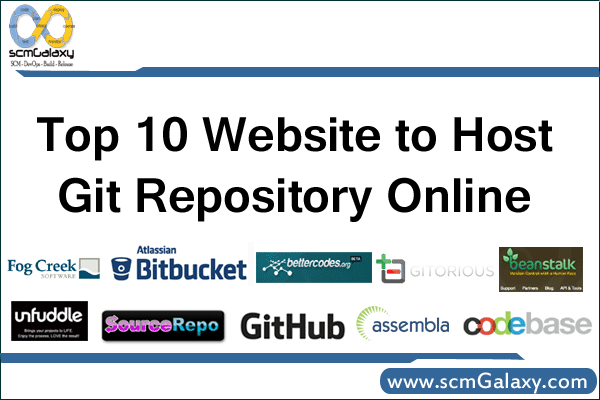
The original 2014 top 10 Git hosting links (preserved)
The source article was primarily a link gallery. The table below preserves the original destinations and adds a practical verification checklist you can use before adoption.
| Rank | Service | Original link | What to verify now |
|---|---|---|---|
| 1 | Assembla | assembla.com/home | Current Git hosting plans, access controls, and integration options. |
| 2 | Beanstalk | beanstalkapp.com | Repository limits, user model, and deployment workflow compatibility. |
| 3 | BetterCodes | bettercodes.org | Service availability and current product scope. |
| 4 | Bitbucket | bitbucket.org | Plan limits, branch permissions, and CI/CD integration fit. |
| 5 | Codebase | codebasehq.com | Project governance features, API coverage, and export options. |
| 6 | Fog Creek Kiln | fogcreek.com/kiln | Whether this product/URL is still active and what replacement exists. |
| 7 | GitHub | github.com | Org policy controls, auditability, and required marketplace integrations. |
| 8 | Gitorious | gitorious.org | Whether service is active or requires migration to an alternative. |
| 9 | SourceRepo | sourcerepo.com | Current service availability, support model, and data export path. |
| 10 | Unfuddle | unfuddle.com | Git capabilities, permission model, and automation endpoints. |
A practical workflow to choose a Git hosting platform
flowchart TD
    A[Define team and repository needs] --> B[Set hard requirements]
    B --> C{Need strict self managed control}
    C -- yes --> D[Shortlist platforms with self managed options]
    C -- no --> E[Shortlist cloud hosted platforms]
    D --> F[Run security and workflow trial]
    E --> F
    F --> G{Meets policy and developer experience}
    G -- no --> H[Refine shortlist and retest]
    G -- yes --> I[Plan migration and cutover]
Comparison checklist for any Git hosting option
| Evaluation area | Why it matters in DevOps | What to test |
|---|---|---|
| Identity and access | Controls who can push, merge, and administer repositories. | SSO support, role granularity, branch protection behavior. |
| Pull request workflow | Defines code review quality and release safety. | Required reviewers, merge checks, policy enforcement. |
| CI/CD integration | Connects commit activity to build, test, and deploy pipelines. | Native pipelines, webhooks, runner/agent flexibility. |
| Audit and compliance | Supports incident analysis and regulated delivery processes. | Audit logs, retention controls, exportability. |
| Backup and portability | Reduces vendor lock-in and outage impact. | Mirror push support, repository export, API completeness. |
| Scale and performance | Affects large monorepos and globally distributed teams. | Clone/fetch behavior, LFS support, concurrency limits. |
Git commands for repository audit and migration
Use these commands to inventory a repository, mirror it to a new host, and verify that refs were copied correctly.
# 1) Inspect current remotes and refs
git remote -v
git branch -a
git tag -lCode language: PHP (php)
# 2) Mirror-clone from old host
git clone --mirror https://old-host.example.com/team/repo.git
cd repo.git
# 3) Add destination and push all refs
git remote add new-origin https://new-host.example.com/team/repo.git
git push --mirror new-originCode language: PHP (php)# 4) Verify heads and tags on destination
git ls-remote --heads new-origin
git ls-remote --tags new-originCode language: PHP (php)Command options compared: clone modes for migration
| Command | Best for | Important behavior |
|---|---|---|
git clone URL | Normal development checkout | Creates a working tree; not ideal for full-host migration. |
git clone --bare URL | Server-side repository copy | No working tree; includes Git database for hosting use. |
git clone --mirror URL | Host-to-host migration | Copies refs and remote-tracking data for near-complete replication. |
Common pitfalls
- Choosing a platform before defining security and compliance requirements.
- Migrating only branches and forgetting tags, protected branch rules, or automation hooks.
- Assuming historical links from older blog posts represent current products without verification.
- Skipping a pilot migration for one non-critical repository before full cutover.
The original post also included a YouTube gallery block that currently reports an API-key restriction error. The referenced URL in that block is youtube.com/watch?v=ZCfrNvu6nMc.

I’m Rajesh Kumar, a DevOps, SRE, DevSecOps, Cloud, and Platform Engineering expert passionate about sharing practical knowledge, real-world experiences, and industry best practices. I have worked at Cotocus and regularly write about technology, travel, investing, health, product reviews, and digital marketing through my various platforms.
I publish technical articles at DevOps School, travel stories at Holiday Landmark, stock market insights at Stocks Mantra, health and fitness guidance at My Medic Plus, product reviews at TrueReviewNow, and SEO and digital marketing strategies at Wizbrand.
Find Trusted Cardiac Hospitals
Compare heart hospitals by city and services — all in one place.
Explore Hospitals