
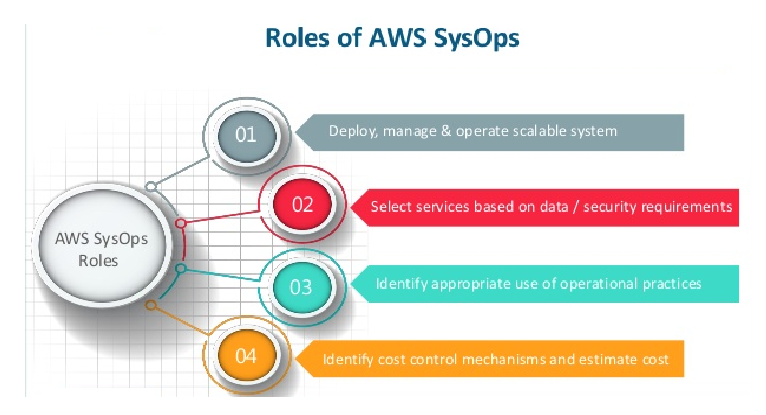
SysOps, short for System Operations, is a critical role in any organization that relies on technology. SysOps professionals are responsible for ensuring the smooth operation of a company’s IT infrastructure and networks. Their role is to keep the systems running, optimize performance, and troubleshoot any issues that arise. In this article, we will explore the responsibilities of SysOps and how they contribute to the smooth operation of an organization’s IT systems.
Introduction
As businesses continue to rely more on technology, the role of SysOps has become increasingly important. SysOps professionals are responsible for the operation, maintenance, and security of an organization’s IT systems. They must ensure that the systems are running smoothly and efficiently to support the business’s goals and objectives.
Role of SysOps
The role of SysOps is multifaceted and includes several responsibilities. Some of the primary responsibilities of SysOps include:
System Maintenance
One of the primary responsibilities of SysOps is to ensure that the systems are maintained and updated regularly. This includes tasks such as installing security updates, upgrading software, and replacing hardware when necessary. Ensuring that the systems are up-to-date and running smoothly is critical to the overall success of an organization.
System Monitoring
SysOps professionals are also responsible for monitoring the performance of the systems and networks. They use various monitoring tools to identify issues before they become major problems. This includes monitoring server uptime, network traffic, and system resources. By monitoring these metrics, SysOps can identify patterns and trends that can help them optimize the performance of the systems.
System Security
Another critical responsibility of SysOps is to ensure that the systems are secure. This includes tasks such as configuring firewalls, implementing access controls, and monitoring for security breaches. SysOps must also stay up-to-date with the latest security threats and vulnerabilities to ensure that the systems are protected against potential attacks.
System Troubleshooting
When issues arise with the systems, SysOps professionals are responsible for troubleshooting and resolving the problems. This includes identifying the root cause of the issue and implementing a solution to fix it. SysOps must also document the issue and solution for future reference.
System Optimization
SysOps professionals are responsible for optimizing the performance of the systems and networks. This includes tasks such as configuring load balancers, optimizing server resources, and fine-tuning network settings. By optimizing the performance of the systems, SysOps can improve the overall efficiency and speed of the systems.
Conclusion
In conclusion, SysOps professionals play a critical role in the operation of an organization’s IT systems. Their responsibilities include system maintenance, system monitoring, system security, system troubleshooting, and system optimization. By performing these tasks, SysOps professionals ensure that the systems are running smoothly and efficiently to support the business’s goals and objectives. As technology continues to evolve, the role of SysOps will become even more critical, and organizations must invest in this role to ensure the success of their IT systems.

👤 About the Author
Ashwani is passionate about DevOps, DevSecOps, SRE, MLOps, and AiOps, with a strong drive to simplify and scale modern IT operations. Through continuous learning and sharing, Ashwani helps organizations and engineers adopt best practices for automation, security, reliability, and AI-driven operations.
🌐 Connect & Follow:
Website: WizBrand.com
Facebook: facebook.com/DevOpsSchool
X (Twitter): x.com/DevOpsSchools
LinkedIn: linkedin.com/company/devopsschool
YouTube: youtube.com/@TheDevOpsSchool
Instagram: instagram.com/devopsschool
Quora: devopsschool.quora.com
Email– contact@devopsschool.com
Find Trusted Cardiac Hospitals
Compare heart hospitals by city and services — all in one place.
Explore Hospitals