
A notebook you closed on Friday rarely opens the same way on Monday. The file is exactly as you left it — every cell, every output, every comment. But two different things are missing, and they’re missing for different reasons: the reasoning behind the decisions the notebook contains, and an accurate picture of what state the notebook is actually in. Fixing one without the other doesn’t make a returning notebook trustworthy again.
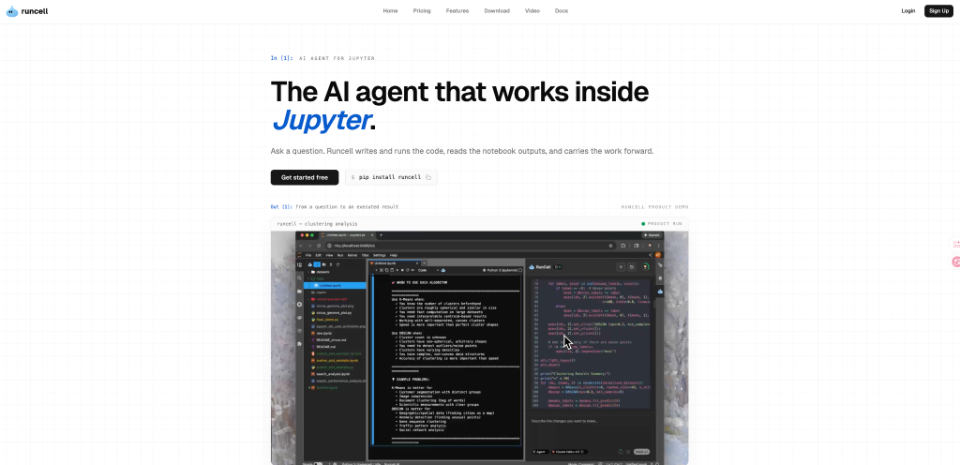
Tools such as RunCell are built around this problem rather than around fixing a single error or tightening one revision loop, because real analysis rarely finishes in one sitting — and most of what makes a notebook usable again later is’t visible in the file at all.
Two Things a Session Loses
The first loss is the why. A groupby that looked obvious while the data was still fresh in mind can look arbitrary a week later — why this column, why that threshold, why was one outlier dropped and another kept. None of that lives in the .ipynb file; it lived in the analyst’s head while the work was happening, and it evaporates the moment attention moves elsewhere.
The second loss is different, and it’s easy to miss because it doesn’t announce itself: an accurate sense of what the notebook actually holds in memory right now, as opposed to what it displays. These two problems compound each other. A notebook that’s hard to reason about and unreliable about its own state is much harder to trust than either problem would be alone.
Two Kinds of Forgetting
The First Loss: Reasoning That Never Made It Into the File
Rerunning a notebook from top to bottom is computationally cheap — most cells execute in seconds. The expensive part is reconstructing intent: reading through old cells to guess which represent the final approach and which were abandoned mid-thought, checking whether a “quick test” three cells up was ever cleaned up, figuring out whether a comment describing a decision is still accurate or was written before the code beneath it changed twice more.
This cost scales with how long a project has been running. A notebook revisited after a day is usually still legible. One revisited after three weeks — picked back up because a stakeholder asked a follow-up question, or new data arrived — often takes longer to re-understand than it would take to redo the core calculation from scratch. The code was never the bottleneck; by the second or third session, remembering it becomes one.
The Second Loss: An Accurate Picture of What’s Actually There
Jupyter compounds the first problem with its own state quirks. Cells can run out of order, so the notebook on screen doesn’t necessarily match what’s held in memory — a variable from cell 12 might reflect an edit made in cell 40 that ran afterward. Autosave checkpoints capture snapshots of the file that don’t always match the version currently open, which matters if a notebook is restored after a crash or shared before it was saved.
Neither of these shows up as an error. A script fails loudly and in the same place every time; a notebook can produce a plausible-looking result from a version of the data that no longer matches what’s on screen, and nothing in the interface flags the difference. It shows up later, as a result that doesn’t reproduce the way it’s supposed to — and by then, the analyst is debugging a state problem while thinking they’re debugging a logic problem.
How Persistent Memory Answers Both
Closing the why gap and the state gap requires remembering two different kinds of information, and a Jupyter AI agent with cross-session memory is positioned to hold onto both rather than just one.
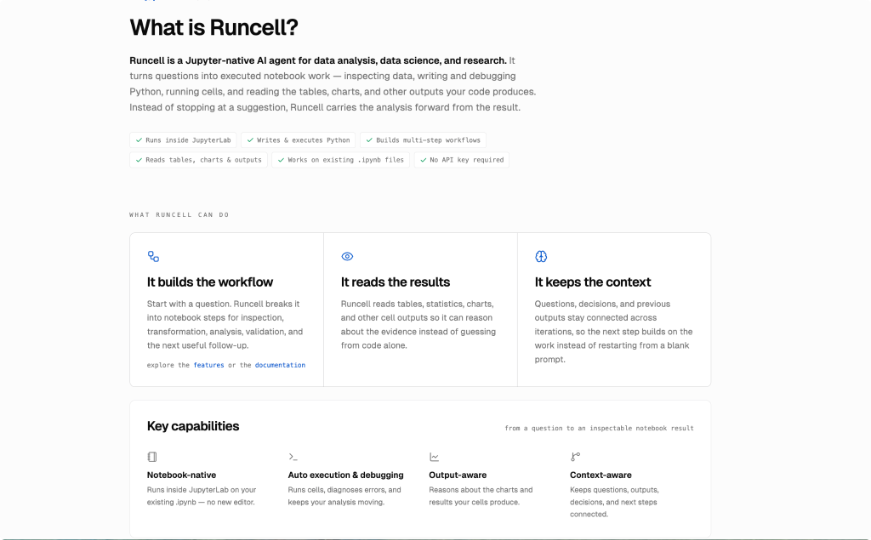
For the first problem, RunCell keeps memory of a dataset and the decisions made about it across sessions — so returning to a multi-week project can start with a direct question about what was already done, instead of re-reading the whole notebook to reconstruct the reasoning behind it. For the second, that same persistent memory covers the state of the work itself, not just the narrative around it — which means the starting point for a new session is grounded in what actually happened during execution, not in whatever the visible cells and outputs currently suggest. RunCell also adds a file browser, project-wide search, and git access directly inside Jupyter, which matters for exactly this kind of return: checking what changed doesn’t require leaving the notebook for a separate editor.
What Memory Doesn’t Replace
Neither kind of memory removes the need to check whether last week’s decisions still hold. Data can change between sessions — a source system gets corrected, a new week of records arrives, a category that used to be rare becomes common. A memory of what was decided and what state the notebook was in is not the same as a guarantee that either one is still current, and treating it that way is how a stale assumption survives three more sessions unquestioned.
The useful version of this is a fast, accurate starting point rather than a final answer: the agent can surface what was tried, what was decided, and what the notebook’s state actually was, so the analyst’s first move in a new session is evaluating whether that history still applies — not rebuilding it from nothing, and not trusting it blindly either.
Treat Continuity as Part of the Analysis, Not an Afterthought
A notebook that’s easy to resume is not the same thing as a notebook that ran correctly the first time — but both failures share a starting point: something true when the work happened stopped being visible by the time someone came back to it, whether that was a piece of reasoning or a piece of state.
Writing analysis that survives its own absence means treating both gaps as part of the work, not a footnote to it: leaving a record of why a decision was made, keeping an accurate account of what the notebook actually did, and using tools built to hold onto both instead of discarding them the moment the kernel restarts. A notebook is rarely finished in one sitting. The projects that hold up are the ones built to be picked back up — completely, not just partially.

I’m Rajesh Kumar, a DevOps, SRE, DevSecOps, Cloud, and Platform Engineering expert passionate about sharing practical knowledge, real-world experiences, and industry best practices. I have worked at Cotocus and regularly write about technology, travel, investing, health, product reviews, and digital marketing through my various platforms.
I publish technical articles at DevOps School, travel stories at Holiday Landmark, stock market insights at Stocks Mantra, health and fitness guidance at My Medic Plus, product reviews at TrueReviewNow, and SEO and digital marketing strategies at Wizbrand.
Find Trusted Cardiac Hospitals
Compare heart hospitals by city and services — all in one place.
Explore Hospitals