
Step 1 – Create a FOLDER for your Product Line
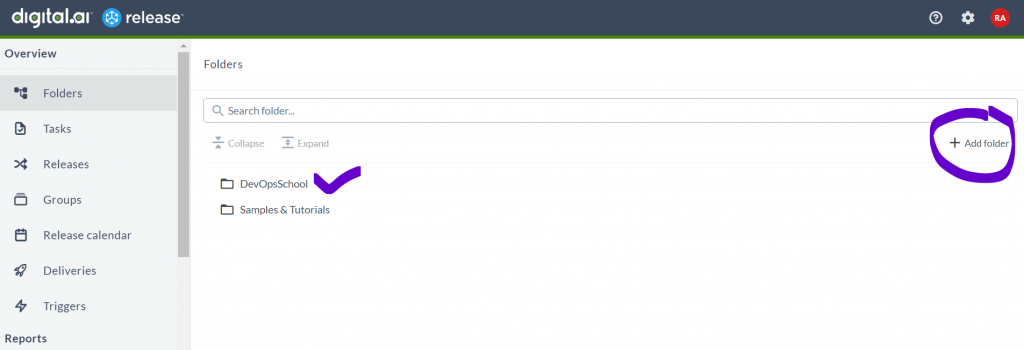
Step 2 – Create a Connection using Unix Host Go to folder
Go inside a FOLDER
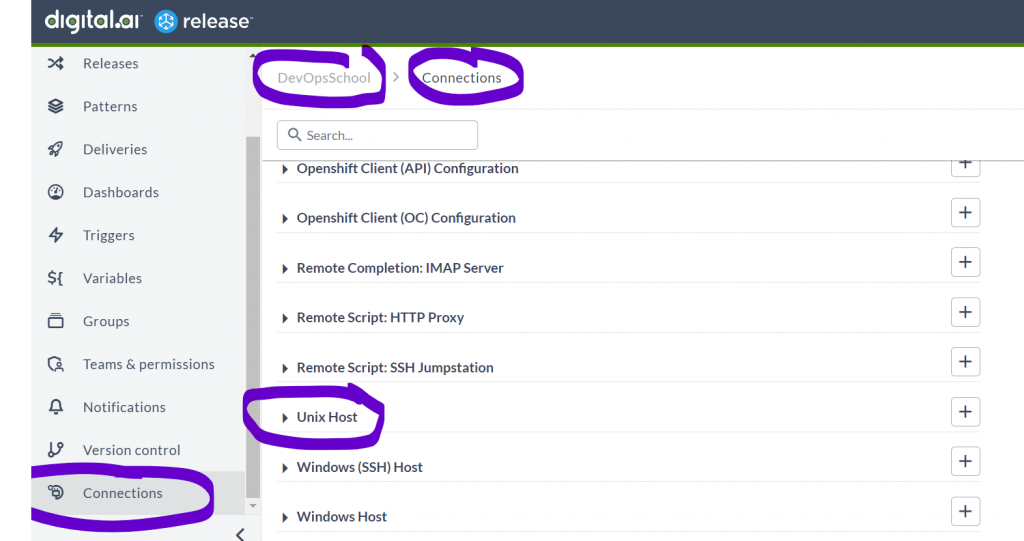
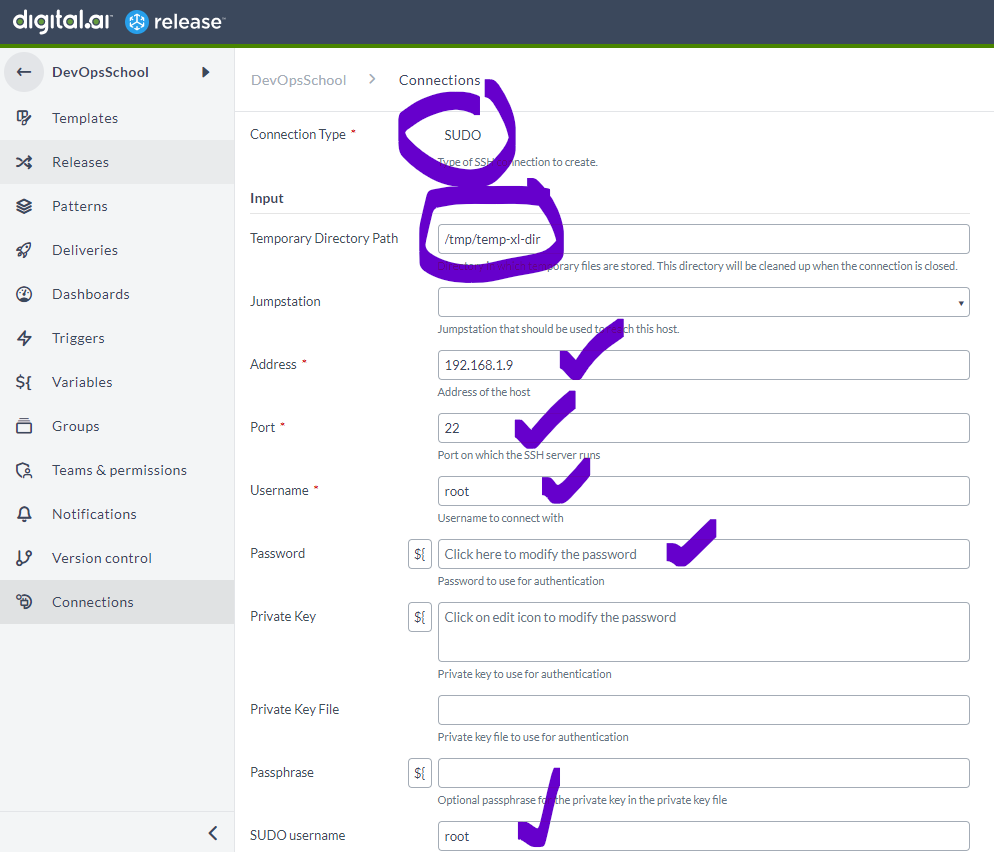
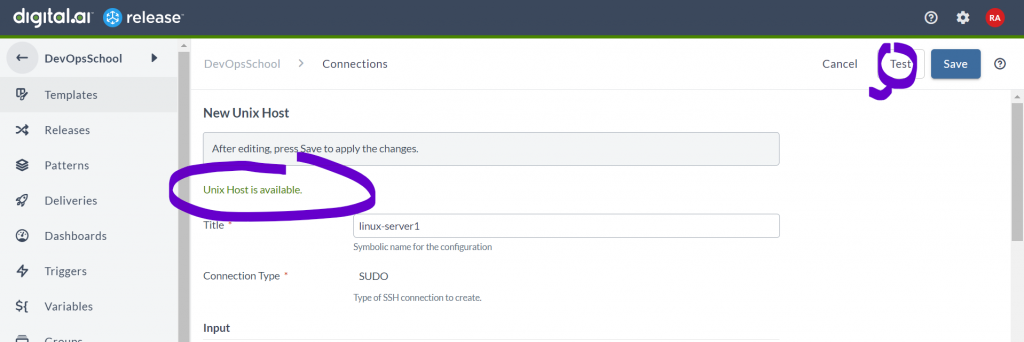
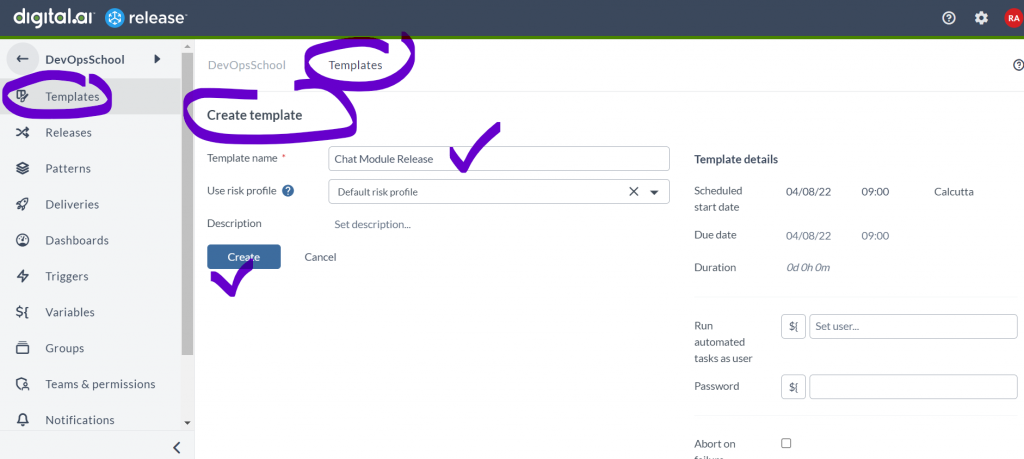
Step 3 – Create a Template for your Product Release
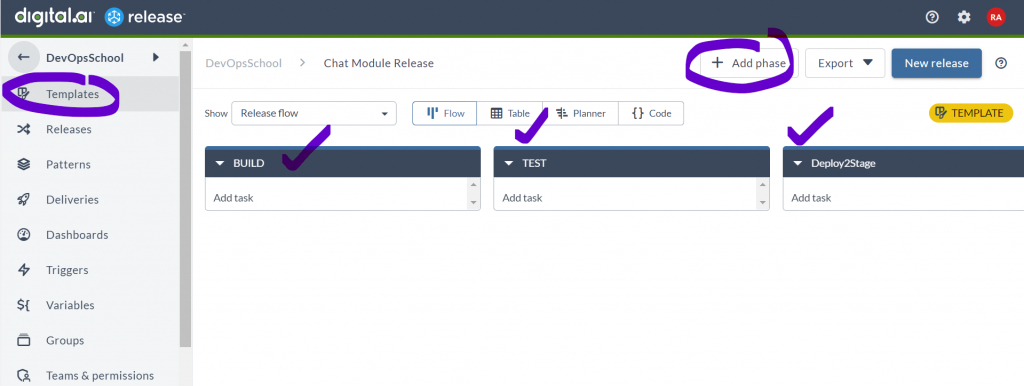
Step 4 – Create Required Phases to Template Release
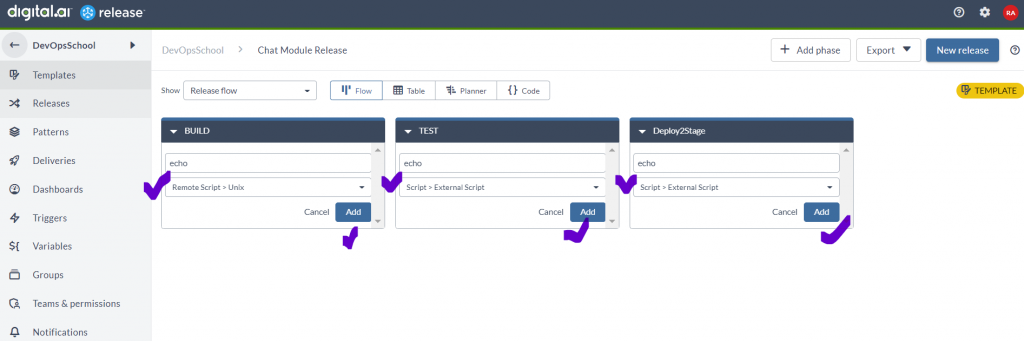
Step 5 – Add Task just to echo some message
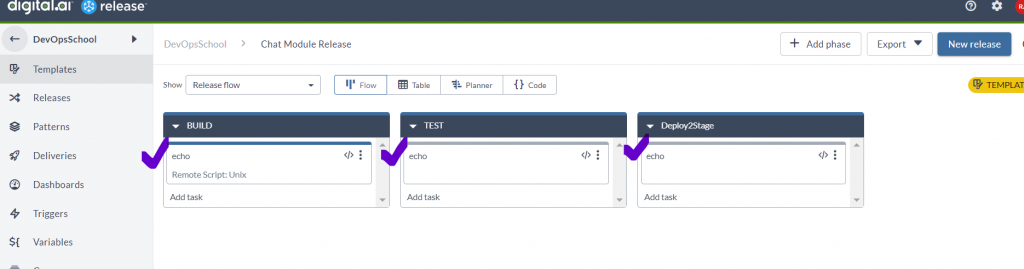
Step 6 – Edit each Task and provide required Input properties. “Remote Script: Unix”
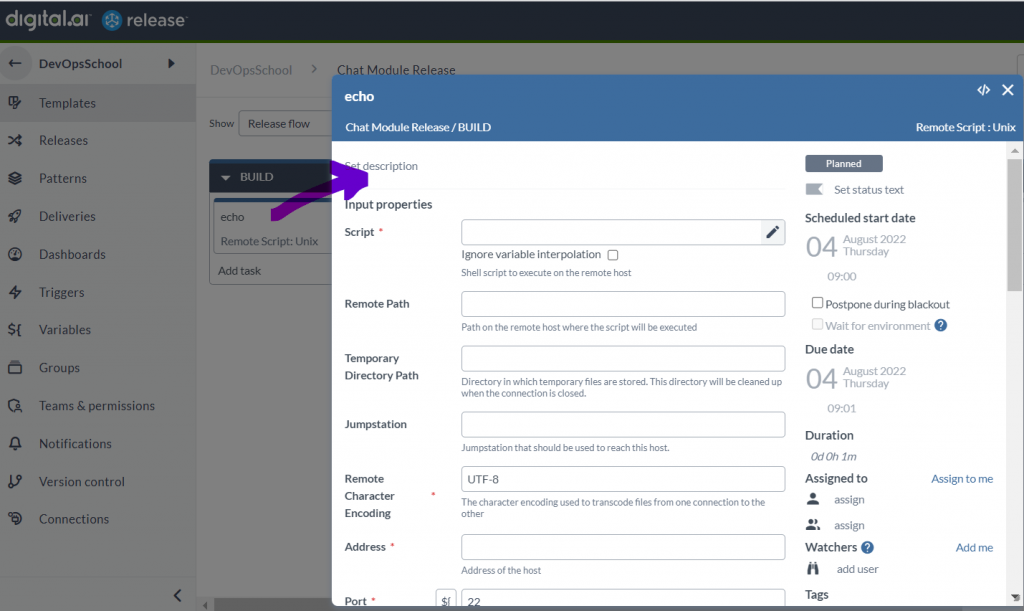
Document – https://legacydocs.xebialabs.com/xl-release/how-to/remote-script-plugin.html
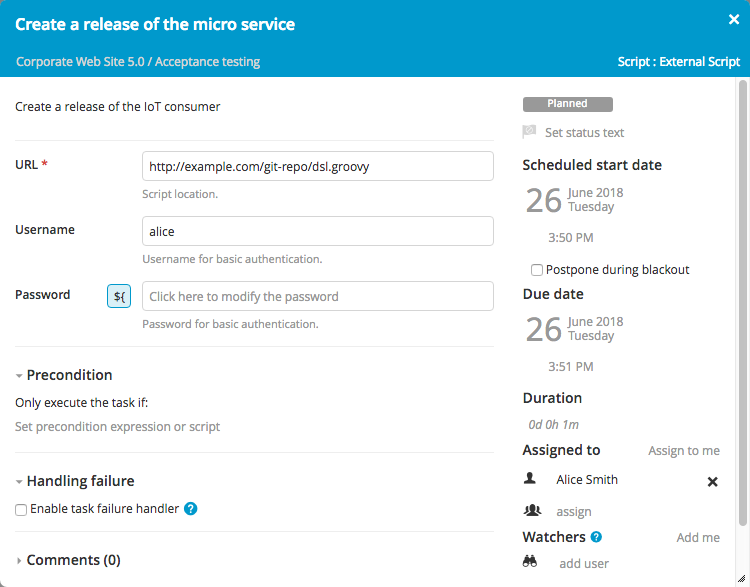
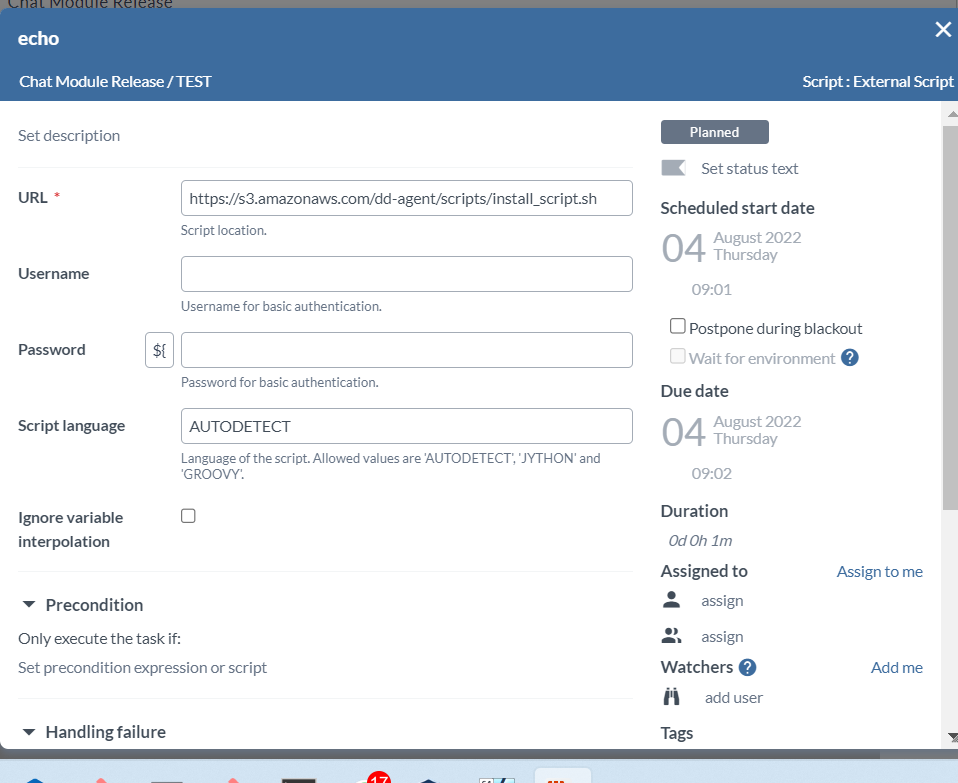
Step 6 – Edit each Task and provide required Input properties. “Script: External Script”
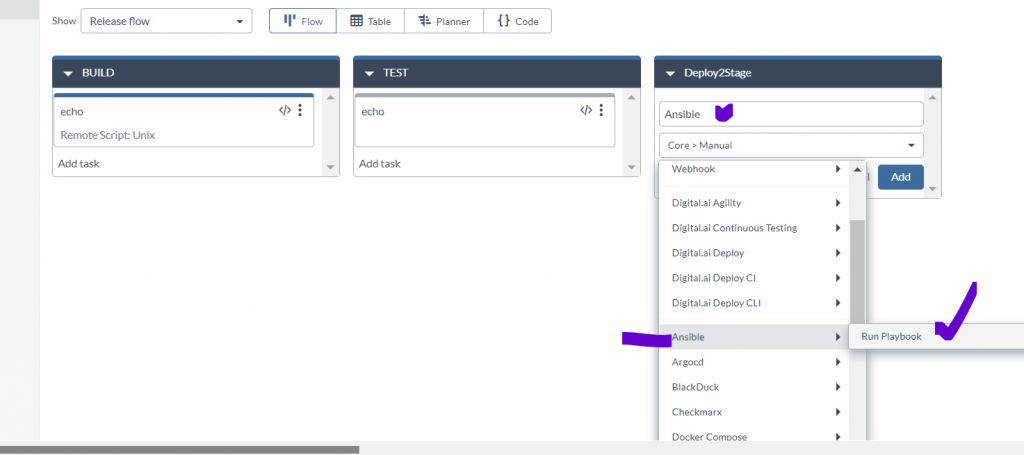
Step 7 – Edit each Task and provide required Input properties. “Ansible: Run Playbook”
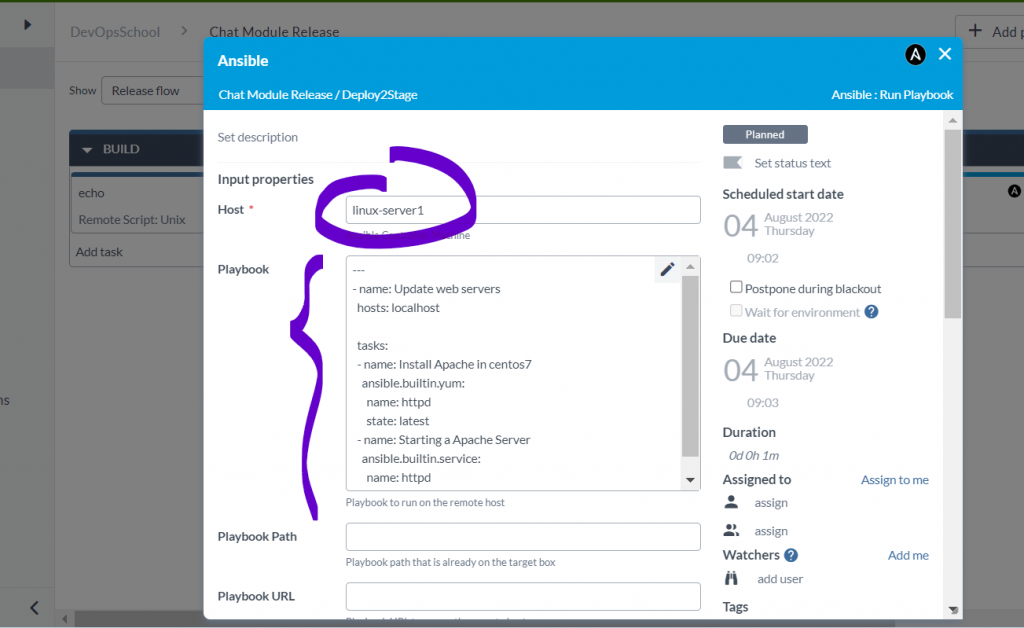
---
- name: Update web servers
  hosts: localhost

  tasks:
  - name: Install Apache in centos7
    ansible.builtin.yum:
      name: httpd
      state: latest
  - name: Starting a Apache Server
    ansible.builtin.service:
      name: httpd
      state: startedCode language: CSS (css)
I’m Rajesh Kumar, a DevOps, SRE, DevSecOps, Cloud, and Platform Engineering expert passionate about sharing practical knowledge, real-world experiences, and industry best practices. I have worked at Cotocus and regularly write about technology, travel, investing, health, product reviews, and digital marketing through my various platforms.
I publish technical articles at DevOps School, travel stories at Holiday Landmark, stock market insights at Stocks Mantra, health and fitness guidance at My Medic Plus, product reviews at TrueReviewNow, and SEO and digital marketing strategies at Wizbrand.
Find Trusted Cardiac Hospitals
Compare heart hospitals by city and services — all in one place.
Explore Hospitals
Thanks for the great insight. Can we use XL Release for automating storage operations e.g. LUN creation and assigning to a server ?