Github Copilot Essential Training
Use Copilot Chat daily to explain, fix, test, document and refactor code, and bring Copilot into commits, pull requests and code review. Learn Github Copilot through a clear Foundation to Advanced path, with hands-on labs, live cohort options, certification support and full LMS access.
Last updated
Self-paced video subscription
Billed yearly at ₹9,996. This includes all four levels, complete LMS access for one year, plus 20+ additional courses and 50+ tools access.
- All four Github Copilot levels in one price.
- 20+ additional courses and 50+ tools included, even when subscribing to one course.
- Best fit for learners who want full-library access and flexible progress.
Live & Interactive session
Instructor-led cohort, max 8 to 10 hours, with demos, labs, Q&A, assignments and practical review.
- Live small-batch cohort from soon.
- Interactive discussion and lab troubleshooting.
- Recommended for teams that need guided implementation.
1:1 Live training
The same agenda, taught one-to-one by the trainer. Start immediately, without waiting for the next batch. Max 8 to 10 hours, one-to-one.
About Github Copilot Essential Training.
Understand where Github Copilot fits in modern software delivery, what this level covers, and how the program builds practical confidence step by step.
Program overview
Github Copilot is taught as a practical technical skill for modern engineering, operations and platform teams. The course explains where the tool fits, how it is used in real delivery environments, and how learners can apply it through guided practice.
This DevOpsSchool Github Copilot program is built for working professionals who want usable skills instead of only conceptual exposure. The training emphasizes live examples, workflow clarity, operational controls and progressive skill depth from Foundation to Essential.
Private Github Copilot training for delivery teams, platform groups and engineering organizations.
DevOpsSchool provides corporate Github Copilot training for teams that need faster adoption, workflow standardization, administrative control, integration guidance and governance-ready rollout. Private batches can be aligned to development practice, release workflow, access model, maturity level and internal tooling.
- Private online or classroom delivery for engineering teams
- Aligned to Github Copilot usage maturity, admin depth and collaboration patterns
- Useful for rollout, migration, governance and workflow consistency goals
- Can be tailored for developers, administrators, DevOps teams and leadership stakeholders
Why teams use DevOpsSchool
DevOpsSchool combines live demonstration, practical workflow discussion, implementation-oriented examples, and strong post-session learning support. That makes the training more usable for real teams than generic slide-led courses.
Choose any level. The page still shows the full progression.
Foundation, Essential, Intermediate and Advanced are presented as one linked training flow. Self-paced buyers get all levels by default, even if they start from only one course page.
Instructor-led, self-paced and corporate delivery options.
Compare delivery format, duration, level access and batch style. Fees are shown only in the top decision panel and once again after the agenda.
| Duration | Mode | Level access | Batch |
|---|---|---|---|
| 8 to 10 Hrs. max | Live & Interactive | Essential | Public batch |
| 8 to 10 Hrs. max | 1:1 Live training | Essential | Starts immediately |
| 1 year LMS access | Self-paced video | All 4 levels | Anytime access |
| 2 Days | Corporate | Github Copilot Essential Training | Private team batch |
What learners should be able to do after Github Copilot training.
The outcomes are written for practical delivery teams: developers, DevOps engineers, release engineers, administrators and technical leads.
Code faster with Copilot
Use completions, chat and edits to write, explain, test and document code efficiently.
Delegate work to agents
Drive agent mode, the coding agent and MCP tools with clear instructions and reviews.
Roll out Copilot safely
Govern, secure and measure Copilot adoption across teams and organisations.
Why this skill, what you will achieve, and who should attend.
Use this section to decide whether the course matches your role, current experience and expected Github Copilot responsibilities before reviewing the detailed agenda.
Why Github Copilot matters
- Github Copilot helps teams standardize a critical part of their software delivery, infrastructure, automation or operations workflow.
- It gives learners a repeatable way to move from basic usage to confident execution in team and enterprise environments.
- For DevOps and platform teams, Github Copilot becomes more valuable when connected with automation, governance, monitoring and delivery practices.
- Teams using Github Copilot effectively reduce ad-hoc execution and move toward consistent engineering standards.
Objectives
- Understand Github Copilot concepts, architecture, terminology and operational usage patterns.
- Learn practical configuration, workflow design, access controls, team usage and quality practices.
- Apply Github Copilot in real delivery workflows using automation, integrations, traceability and governance patterns.
- Build practical confidence to use Github Copilot for individual, team and organizational use cases.
Pre-requisites
- Basic computer literacy and familiarity with software development workflows.
- Helpful but not mandatory: introductory DevOps, cloud, automation or software delivery awareness.
- No deep programming background is required for the Foundation and Essential levels.
Who this course is for
- Developers, administrators and engineers who need practical Github Copilot usage skills.
- DevOps engineers, release engineers, SREs and platform teams managing delivery standards.
- Engineering leads and technical managers responsible for workflow quality, access controls and governance.
- Corporate teams migrating to or standardizing on Github Copilot.
Small-batch live training starts every month.
Weekday batches start on the 1st and weekend batches on the first Saturday of every month. One-to-one (1:1) training can start immediately; corporate sessions are scheduled on demand.
Weekend live batch
Starts on the first Saturday of every month. Weekend sessions with demos, labs and Q&A; max 10 learners.
Weekday live batch
Starts on the 1st of every month. Weekday sessions for working professionals and distributed teams; max 10 learners.
Ask advisorAgenda depth up to the selected level.
This page shows the learning flow from Foundation through Essential. Each level adds to the previous one, and the agenda stops at the current page level. Day counts are for corporate (day-wise) delivery; live online batches cover the same agenda in max 8 to 10 hours.
Foundation Level: setup, completions and first JavaScript and Python exercisesDay 1
- Introduction: course goals, using the slides and getting the exercise repo
- What is GitHub Copilot: AI pair programming in the IDE, on GitHub.com, in the terminal and on mobile
- Copilot plans: Copilot for Individuals versus Copilot for Business, today's Free, Pro, Pro+, Business and Enterprise
- Installing Copilot: VS Code, Visual Studio, JetBrains IDEs and Neovim, signing in and the status indicator
- Basic autocomplete: ghost text, accepting with Tab, accepting word by word and dismissing suggestions
- Autocompletions panel: viewing alternative suggestions and next edit suggestions
- Writing comments: describing intent in natural language to steer what Copilot generates
- Working with GitHub Copilot: how open tabs, history and file names shape suggestions
- Generating data: fixtures, mock records and output to YAML or JSON
- Using GitHub Copilot with JavaScript: set up VS Code and update a JavaScript portfolio
- Using GitHub Copilot with Python: set up VS Code and update a Python web API
- Privacy basics: what is sent to the service, the public code matching filter and settings to review
Essential Level = Foundation + Copilot Chat, everyday coding, tests and reviewsDay 2 · 2 days cumulative
- Using Copilot Chat: the chat panel, inline chat and quick chat in the editor
- Chatting with Copilot: #file, #selection and #codebase context with /explain, /fix, /tests and /doc commands
- Troubleshooting fixes: explaining error messages and stack traces and fixing failing terminal commands
- Using Copilot on projects: multi-file changes with edit mode and a working set of files
- Prompt crafting: specific goals, small steps, examples and constraints, then verifying the output
- Unit tests: generating Jest or pytest tests, edge cases and mocks and running them
- Refactoring and explaining legacy code: simplifying functions, renaming and extracting modules safely
- Documentation: docstrings, inline comments, README sections and API usage notes
- Commits and pull requests: generated commit messages and pull request summaries
- Copilot code review: requesting AI review on pull requests and acting on comments
- Model picker: choosing faster or stronger reasoning models for different tasks
- Copilot on GitHub.com: asking about repositories, files and diffs in the browser
Choose live training or a full year of self-paced access.
If someone buys Foundation, Essential, Intermediate or Advanced as self-paced video, the price stays the same and access is granted to all four levels by default.
Self-paced video subscription
Billed yearly at ₹9,996. This includes all four levels, complete LMS access for one year, plus 20+ additional courses and 50+ tools access.
- All four Github Copilot levels in one price.
- 20+ additional courses and 50+ tools included, even when subscribing to one course.
- Best fit for learners who want full-library access and flexible progress.
Live & Interactive session
Instructor-led cohort, max 8 to 10 hours, with demos, labs, Q&A, assignments and practical review.
- Live small-batch cohort from soon.
- Interactive discussion and lab troubleshooting.
- Recommended for teams that need guided implementation.
1:1 Live training
The same agenda, taught one-to-one by the trainer. Start immediately, without waiting for the next batch. Max 8 to 10 hours, one-to-one.
- Start immediately: no waiting for the monthly batch.
- One learner, one trainer: full attention on your questions.
- Sessions planned around your working hours.
- Your pace, with examples from your own projects and tools.
Method of training and assessment.
The course emphasizes practical demonstration, hands-on labs and assignment-based validation instead of passive lecture-only learning.
| SL | Method of training and assessment | Weightage |
|---|---|---|
| 1 | Understanding the problem space | 5% |
| 2 | Concept discussion | 10% |
| 3 | Live demo and walkthrough | 25% |
| 4 | Lab and hands-on exercises | 50% |
| 5 | Assignments and evaluation | 10% |
Labs, exercises and real workflow practice.
Every level moves from explanation to hands-on practice, review and troubleshooting.
Extend two apps with Copilot
Install Copilot in VS Code, then add features to a JavaScript portfolio page and a Python web API using comments, completions and the suggestions panel.
Fix, test and ship a change
Use Copilot Chat to diagnose a failing service, fix it across several files, generate tests and docs, and open a pull request reviewed by Copilot.
Github Copilot is taught as part of a working delivery ecosystem.
You learn where the tool sits in the wider engineering workflow, not in isolation.
Core foundations
Terminology, concepts, architecture and the operating model behind the tool.
Workflow traceability
Map practical work to tasks, approvals, documentation and delivery visibility.
Automation and integration
Use Github Copilot with validation checks, automation hooks and delivery workflows.
Governance controls
Operate with permissions, approvals, policy checks and production-safe workflows.
How your practical work is assessed.
Your certificate is backed by labs, assignments, capstone thinking and completion evidence.
Assignments
Level-specific assignments verify setup, configuration, workflow quality and operating discipline.
Hands-on validation
Learners are expected to complete practical usage, automation and troubleshooting exercises.
Completion record
Certificate issuance is tied to demonstrated participation, practical completion and course-level coverage.
Led by Rajesh Kumar and the DevOpsSchool practitioner network.
Training is grounded in practical DevOps, SRE, security, release and platform engineering experience with real enterprise delivery context.
Earn a DevOpsSchool Github Copilot certificate.
Completion includes a digital certificate with credential details, practical assignments and a learning record aligned to the selected Github Copilot level.
Certificate verificationCertificate of Completion
Github Copilot Essential Training
Unique credential ID, verifiable online
What learners say about training with Rajesh Kumar.
“Rajesh is very good trainer. Rajesh was able to resolve our queries and question effectively. We really liked the hands-on examples covered during this training program.”
“Very well organized training, helped a lot to understand the AWS concept and detailed related to various tools. Very helpful”
“The training was very useful and interactive. Rajesh helped develop the confidence of all.”
Rated 4.6 on Google · All testimonials · Video reviews on YouTube
Quoted as published, from learners in Rajesh Kumar's live trainings across DevOpsSchool courses.
Used by developers, DevOps engineers, release leads and engineering managers.
Private batches are available for teams that want the same agenda aligned to their own tools and workflows.
Why this Github Copilot path is different.
The value is not only one course. The subscription unlocks the full learning ecosystem for one year.
| Feature | DevOpsSchool Github Copilot Training | Typical short course |
|---|---|---|
| Levels | Foundation, Essential, Intermediate, Advanced | Single generic syllabus |
| Self-paced access | All four levels plus 20+ courses and 50+ tools | Usually one course only |
| Live training | Demos, labs, Q&A and assignment review | Often lecture-heavy |
| Certificate | DevOpsSchool completion certificate | Varies by provider |
Questions learners ask before joining.
Does Foundation cost less than Advanced?
No. Self-paced pricing is intentionally the same because access includes all four levels by default.
What is included in the yearly subscription?
One year of complete LMS access, all four levels for the selected course, plus 20+ additional courses and 50+ tools access.
Can corporate teams request customization?
Yes. The live format can be aligned to team tools, governance requirements, workflows and internal delivery standards.
What is the recommended sequence?
Foundation → Essential → Intermediate → Advanced. The agenda is designed so each level builds on the previous one.
Talk to DevOpsSchool before choosing the batch.
Use this support section for batch questions, corporate planning, LMS access clarifications, or guidance on which Github Copilot level fits your team.
India / Worldwide: +91 99057 40781
USA: +1 (469) 756-6329
Email: contact@DevOpsSchool.com
Chat on WhatsAppExtend the course with articles, explainers and workflow guidance.
Continue learning with supporting articles that connect Github Copilot practices to DevOps, automation, governance and delivery workflows.
Training snapshots and certificate preview.
A look at the completion certificate and the course.
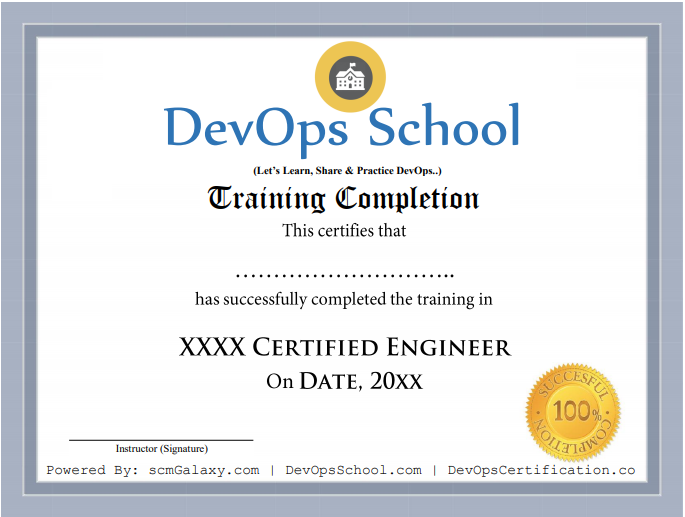
Certificate preview
See what course completion evidence looks like.

Tool-focused training
Course visuals reinforce the Github Copilot workflow and subject area.
Live batch experience
Training supports live online, private team and workshop-style delivery.
Start Github Copilot Essential training.
Next weekday batch starts on the 1st; weekend batch on the first Saturday. Batches are capped at 10 learners. Send your details and DevOpsSchool will share the syllabus and batch options.