LAB · RECOVERY
Get it back
Delete a branch, lose a commit and drop a stash, then recover all three.
> Source Control · DevOpsSchool Training
Weekend and weekday batches, live online or in our Hyderabad classroom — every session a live demo in a real lab, not slides.
★ 4.8 / 5 from 2,300+ ratings18,000+ engineers certifiedTrained teams at JPMorgan Chase, Verizon, Nokia, World Bank
# upcoming batches
Times shown in IST (UTC+5:30). New cohorts start on the 1st of every month.
| Starts | Days & time | Timezone | Mode | Duration | Seats | Enrol |
|---|---|---|---|---|---|---|
| —Most popular | Weekend · Sat · Sun 10:00 AM – 1:00 PM | IST (UTC+5:30) | Live online · Classroom · Corporate onsite | 5 weekends | — of 10 left | Reserve |
| — | Weekday · Mon · Wed · Fri 8:00 – 10:00 PM | IST (UTC+5:30) | Live online · Classroom · Corporate onsite | 5 weeks | — of 10 left | Reserve |
Batches are capped at 10 learners by design.Need a date that isn't listed? Talk to us about a private batch →
# how you attend
Individuals, anywhere
Scheduled instructor-led batch. Every session is a live demo in a real lab, and every session is recorded.
Reserve my seatLearners who prefer in-person
Palmeto Solutions, 8th Floor, Vaishnavi Cynosure, Telecom Nagar, Gachibowli, Telangana 500032. Landmark: Reliance Digital Building, next to Gachibowli Flyover. Classroom batches run when six or more learners in the city book the same cohort.
Check classroom availabilityTeams of 8–30
Custom agenda built from your stack, delivered at your office or online, in your timezone. NDA-friendly, invoiced against a PO.
Request a quoteSelf-starters
The full recorded curriculum plus a year of the entire LMS — 20+ courses and 50+ tools, not just this one.
Enroll now# private batches
We start with a discovery call, map your stack to the modules below, and drop anything your team already runs in production. Delivery is at your office, online, or hybrid — in your timezone, scheduled around your release calendar.
Send us the tools, the team size and a rough window. You'll get an agenda and a quote back, not a sales call.
# hyderabad
Git training in Hyderabad is taken mostly by developers who learned three commands and stopped and teams standardising on a branching model. Sessions run live online in IST (UTC+5:30), or in our Hyderabad classroom when six or more learners in the city book the same cohort. Teams here often pair it with our Ansible and Artifactory training, and a corporate batch can cover more than one in a single engagement. Hyderabad's engineering base is unusually concentrated in a few large employers rather than spread across many small ones, and that shapes what a cohort here wants. Teams from the Financial District and Nanakramguda tend to arrive with an existing platform already chosen for them and a mandate to operate it well, so sessions lean toward operational depth — runbooks, upgrade paths, capacity and on-call — more than toward evaluating alternatives. The pharmaceutical and life-sciences presence adds a requirement that rarely comes up elsewhere in India: validated environments, where a change has to be evidenced as much as executed. Engineers from those teams push hard on change control, reproducible builds and audit trails, and the rest of the cohort usually benefits from the questions. Our Hyderabad centre is at Vaishnavi Cynosure in Gachibowli, next to the flyover, which is a short hop from HITEC City and Madhapur. Classroom cohorts run there when six or more learners in the city book the same batch; otherwise the same batch runs live online.
Palmeto Solutions
8th Floor, Vaishnavi Cynosure, Telecom Nagar, Gachibowli, Telangana 500032Landmark: Reliance Digital Building, next to Gachibowli Flyover
Classroom cohorts run when six or more learners in Hyderabad book the same batch. Otherwise the same batch runs live online.
# the subject
Git stores history as a graph of immutable commits, each pointing at its parents. Almost every confusing thing about Git makes sense once that model is clear — a branch is a moving pointer, a merge creates a commit with two parents, a rebase rewrites commits onto a new base, and detached HEAD simply means you are standing on a commit rather than a branch. Beyond the model, the practical skill is workflow: how a team branches, reviews, and integrates without stepping on each other, and how to recover when something goes wrong. Git rarely loses work, but recovering it requires knowing that the reflog exists.
Git is universal, which means a claim to know it is worth nothing and demonstrated fluency is worth a lot. The things that actually distinguish people are recovery under pressure, clean history that makes a bisect useful, and the ability to design a branching strategy that fits how a team really releases rather than copying one from a blog post.
# outcomes
# curriculum
Every module follows the same shape: 5 hrs · 2 assignments · 1 capstone.
What is Git?, Understanding version control, The history of Git, About distributed version control, Who should use Git?, Installing Git, Installing Git on a Mac, Installing Git on Windows
Installing Git on Linux, Configuring Git, Exploring Git auto-completion, Using Git help, Getting Started, Initializing a repository, Understanding where Git files are stored, Performing your first commit
Writing commit messages, Viewing the commit log, Git Concepts and Architecture, Exploring the three-trees architecture, The Git workflow, Using hash values (SHA-1), Working with the HEAD pointer, Navigating the Commit Tree
Referencing commits, Exploring tree listings, Getting more from the commit log, Viewing commits, Comparing commits, Remotes, Using local and remote repositories, Adding a remote repository
Creating a remote branch, Cloning a remote repository, Tracking remote branches, Pushing changes to a remote repository, Fetching changes from a remote repository, Merging in fetched changes, Checking out remote branches, Pushing to an updated remote branch
Deleting a remote branch, Enabling collaboration, A collaboration workflow, Making Changes to Files, Adding files, Editing files, Viewing changes with diff, Viewing only staged changes
Deleting files, Moving and renaming files, Using Git with a Real Project, Introducing the Explore California web site, Initializing Git, Editing the support phone number, Editing the backpack file name and links, Undoing Changes
Undoing working directory changes, Unstaging files, Amending commits, Retrieving old versions, Reverting a commit, Using reset to undo commits, Demonstrating a soft reset, Demonstrating a mixed reset
Demonstrating a hard reset, Removing untracked files, Ignoring Files, Using .gitignore files, Understanding what to ignore, Ignoring files globally, Ignoring tracked files, Tracking empty directories
Branching, Branching overview, Viewing and creating branches, Switching branches, Creating and switching branches, Switching branches with uncommitted changes, Comparing branches, Renaming branches
Deleting branches, Configuring the command prompt to show the branch, Merging Branches, Merging code, Using fast-forward merge vs. true merge, Merging conflicts, Resolving merge conflicts, Exploring strategies to reduce merge conflicts
Fast Forward Merge, Three way Merge, Rebasing
Open-book, scenario-based, taken in the LMS. Two free re-attempts and detailed feedback.
# hands-on
We don't hand out a sandbox that expires. You provision your own free-tier environment with our guidance, so the setup skill goes with you.
LAB · RECOVERY
Delete a branch, lose a commit and drop a stash, then recover all three.
LAB · HISTORY
Clean a messy branch into reviewable commits and use bisect to find a planted bug.
LAB · CONFLICT
Resolve a conflict across renamed and moved files without losing either side.
LAB · WORKFLOW
Pick a strategy for a given release cadence and defend it against three objections.
# toolchain
# pricing
₹833/mo
billed yearly ₹9,996
All recorded sessions, labs and the full LMS — at your own pace.
₹34,999₹49,999SAVE 30%
works out to ₹2,917/moIllustrative monthly equivalent. The full amount is charged once at enrolment; we do not offer instalments.
5-week live cohort plus the complete LMS bundle.
₹99,999
works out to ₹8,333/moIllustrative monthly equivalent. The full amount is charged once at enrolment; we do not offer instalments.
A dedicated senior practitioner. Pace, schedule and labs tailored to you.
+ GST 18% as applicable · Prices are charged in INR.
If we cancel or postpone a cohort and you decline the rescheduled session, you get a 100% refund within 15 days. Refund policy →
Recordings, slides and lab repos are licensed to you for your own learning. Terms →
We don't share your details with third parties. Privacy →
# who teaches it
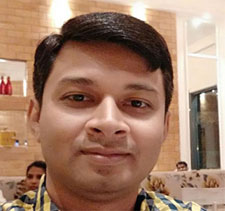
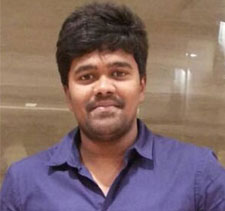
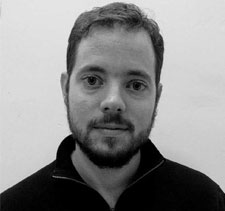
Twenty years across DevOps, SRE and security, in principal and architect roles at PayPay, SoftwareAG, ServiceNow, Intuit, Adobe and IBM. Has personally trained more than 10,000 engineers at JPMorgan Chase, Verizon, Nokia, the World Bank and dozens more. He teaches what he runs, not what he reads.




# the credential
Certificate of Completion
Your Name
Git Training in Hyderabad
DS-GIT-XXXX-XXXX
# reviews
4.8 / 5 from 2,300+ ratings.
Reviews for this program are being collected from public sources. Every review shown here links to the original.
# alternatives
| What matters | YouTube + blogs | Generic online course | Local training institute | DevOpsSchool |
|---|---|---|---|---|
| Teaching method | Unstructured, no sequence | Pre-recorded slides | Slide-led classroom | Live demos in a real lab |
| Batch size | n/a | Unlimited | 30–60 | Capped at 10 |
| Lab environment | Yours to figure out | Shared sandbox that expires | Shared lab | You build your own — the skill goes with you |
| Per-tool structure | None | Video only | Varies | 5 hrs · 2 assignments · 1 capstone |
| Assessment | None | Quiz | Attendance | 3 hours · online · open-book · scenario-based |
| Certificate | None | Auto-issued | Attendance certificate | Industry-recognised, verifiable |
| Corporate invoicing | No | Card only | Sometimes | PO, GST invoice, NDA |
| Post-training support | None | Forum for 30 days | None | Lifetime forum support |
| Total cost | Free, and it costs you months | Low, low completion | High | One fee, LMS included |
# questions
Yes. Classroom cohorts run at our Hyderabad centre when six or more learners in the city book the same batch. Below that number the batch runs live online with the same instructor and the same labs, and we tell you which it will be before you pay.
Sessions run in IST (UTC+5:30), which is local time for you: the weekend cohort at 10:00–13:00 on Saturday and Sunday, and the weekday cohort at 20:00–22:00 on Monday, Wednesday and Friday. Most Hyderabad learners take the weekend batch because it does not collide with a release window.
Most Hyderabad attendees work in Gachibowli, HITEC City, Madhapur, Kondapur, Financial District, Nanakramguda or Uppal. That matters for classroom batches, because we only open the Hyderabad centre when six or more learners from the city book the same cohort — and in practice that is who fills it.
The curriculum is the same everywhere — it is the same course, and pretending otherwise would be dishonest. What changes for Hyderabad is delivery: the batch times are set for IST (UTC+5:30), fees are shown in INR, and a classroom option exists here that most locations do not have. The examples our instructors reach for also tend to follow what Hyderabad teams actually run.
No, and that is deliberate. You build the labs on your own free-tier account, and we walk through the setup and the cost guardrails in week one. A sandbox that expires when the course ends teaches you nothing you keep; your own environment does.
Every session is recorded and available in the LMS the same day, and you keep access for a year. You can also sit the missed session again with the next cohort at no extra cost.
Any experience with version control; Comfortable on a command line; A repository you can experiment with. If you are unsure whether you are ready, tell us what you work on now and we will give you a straight answer rather than a sales one.
You get an industry-recognised DevOpsSchool certificate after the three-hour open-book exam. Most people find the capstone repositories carry more weight in an interview than the certificate itself, which is why the labs are built to be shown.
Yes. We build the agenda from your stack after a discovery call and drop anything your team already runs in production. Teams of 8 to 30 work best; larger groups split into parallel batches.
If we cancel or postpone a cohort and you decline the rescheduled session, you get a full refund within 15 days. We do not offer a general money-back guarantee, and taxes and gateway fees are not refunded.
No. The fee is charged once at enrolment. Where we show a monthly figure it is arithmetic to help you size the cost against a budget, not a payment plan.
# keep learning
Everything below is open and free — no enrolment needed.
# in the room
# ready when you are