LAB · CHECKS
Monitor what matters
Replace CPU alerts with checks tied to something a user would notice.
> Observability · DevOpsSchool Training
Live online batches timed for IST (UTC+5:30), or corporate onsite across Mumbai — every session a live demo in a real lab, not slides.
★ 4.8 / 5 from 2,300+ ratings18,000+ engineers certifiedTrained teams at JPMorgan Chase, Verizon, Nokia, World Bank
# upcoming batches
Times shown in IST (UTC+5:30). New cohorts start on the 1st of every month.
| Starts | Days & time | Timezone | Mode | Duration | Seats | Enrol |
|---|---|---|---|---|---|---|
| —Most popular | Weekend · Sat · Sun 10:00 AM – 1:00 PM | IST (UTC+5:30) | Live online · Corporate onsite | 5 weekends | — of 10 left | Reserve |
| — | Weekday · Mon · Wed · Fri 8:00 – 10:00 PM | IST (UTC+5:30) | Live online · Corporate onsite | 5 weeks | — of 10 left | Reserve |
Batches are capped at 10 learners by design. We do not run a classroom in Mumbai — sessions here are live online, or onsite at your office for corporate batches.Need a date that isn't listed? Talk to us about a private batch →
# how you attend
Individuals, anywhere
Scheduled instructor-led batch. Every session is a live demo in a real lab, and every session is recorded.
Reserve my seatTeams of 8–30
Custom agenda built from your stack, delivered at your office or online, in your timezone. NDA-friendly, invoiced against a PO.
Request a quoteSelf-starters
The full recorded curriculum plus a year of the entire LMS — 20+ courses and 50+ tools, not just this one.
Enroll now# private batches
We start with a discovery call, map your stack to the modules below, and drop anything your team already runs in production. Delivery is at your office, online, or hybrid — in your timezone, scheduled around your release calendar.
Send us the tools, the team size and a rough window. You'll get an agenda and a quote back, not a sales call.
# mumbai
Nagios training in Mumbai is taken mostly by System administrators responsible for uptime and Operations teams running on-premises infrastructure. Sessions run live online in IST (UTC+5:30), or onsite at your office — there is no Mumbai classroom. Teams here often pair it with our Ansible and Artifactory training, and a corporate batch can cover more than one in a single engagement. Mumbai's technology work is downstream of its financial services concentration, and that changes the emphasis. Teams from BKC and Lower Parel are usually operating under a regulator's expectations rather than an internal standard, so questions about data residency, retention, segregation of duties and provable access control arrive early and stay. A cohort here will push on the audit story harder than on the feature set. Powai and Andheri East bring a different profile — product and media companies with real scale problems and far more freedom in how they solve them. Navi Mumbai and Thane add the operations centres, where the interest is in reducing toil on systems that already work rather than in adopting anything new. Mumbai's commute is the practical constraint on classroom training, and we do not run a centre here. Batches are live online in IST, or onsite at your office; for teams split across the island city and Navi Mumbai, online is usually the only format that gets everyone in the same session.
We do not run a classroom in Mumbai. Batches here are live online, or onsite at your office for corporate cohorts.
Our two classrooms are in Bengaluru and Hyderabad.
# the subject
Nagios monitors hosts and services by running checks on a schedule and evaluating the result against thresholds. A check returns OK, WARNING, CRITICAL or UNKNOWN; the scheduler decides how often to run it and when a soft state becomes hard; notifications escalate through contact groups. Plugins are just executables that follow that contract, which is why almost anything can be monitored. The skill is in restraint. A Nagios installation that alerts on everything trains its operators to ignore it, and the useful configuration is one where a page means someone must act now.
Nagios and its derivatives still run a great deal of production monitoring, particularly in on-premises and regulated environments where a newer stack has not been approved. Beyond the tool itself, the transferable skill is alert design — thresholds that reflect user impact rather than resource utilisation — and that applies whatever you monitor with.
# outcomes
# curriculum
Every module follows the same shape: 5 hrs · 2 assignments · 1 capstone.
Installation and Updates, Nagios Dependencies & Prerequisite, Manual installation, Upgrading your installation, Installing of Nagios, Nagios Configuration, Nagios Terminology, Host Checks & Service Checks
Hostgroups, Contacts, Contactgroup, Notifications, State types:SOFT, HARD, Time periods, Event Handlers, Addons& Plugins
Administration, Checking system status, Managing users, Cloning user accounts, Masquerading as a user, Managing components, Managing plugins, Core Configuration Manager:
Accessing the CCM, Dashboards, Understanding and using dashboards, Customizing dashboards, Using Nagios for Monitoring, Monitoring Windows machines:, Installing the NSClient++ agent on Windows machines, Monitoring a Windows desktop
Monitoring a Windows server, Monitoring Linux machines:, Installing the Linux agent, Using the Linux monitoring wizard, Monitoring a website, Monitoring website URLs, Monitoring DNS, Monitoring a router or switch, Monitoring FTP servers, Monitoring common TCP/UDP ports
Network Monitoring Using Nagios, Monitoring Network Devices, Publicly Enabled Service (HTTP, FTP etc.), Hostgroup Configuration, Servicegroup Configuration, Check Scheduling, Runtime Modification of Nagios Parameters, Auto-Discovery
Running auto-discovery jobs, Notifications in Nagios, Configuring notification preferences, Using different notification methods, Customizing notification messages, Customizing mobile providers, Sending Notification via E-mail, Scheduling the Notification
Building Software, Introduction, Build Agent, Demo: Configure a Build Agent, Demo: Build Capabilities, Build Definition, Demo: Create a Build Definition, Running a Build
Demo: Running a Build, Build Customization, Demo: Customize a Build and View Test Results, Demo: Customize with Build Steps, Demo: Multiple Configurations and Parallel Builds, Demo: Build Triggers - Continuous Integration and Pull Requests, Demo: Capabilities and Demands, Demo: Build Definition History
Demo: Build Definition Templates, Summary, Testing Software, Test Hub1, Demo: Create a Test Plan, Demo: Create Test Suites, Demo: Create Test Cases, Demo: Create Test Cases from the Grid View
Demo: Shared Steps, Demo: Test Parameters, Demo: Shared Parameters, Demo: Running Tests, Demo: Test Run Analysis, Demo: Export Test Plans, Exploratory Testing Extension, Demo: Install Exploratory Testing Extension
Demo: Exploratory Testing Results, Kanban Integration, Demo: Creating Test Cases from the Kanban Board, Integrating with TFS 2015, Marketplace, Demo: Installing Marketplace Extensions, Demo: Working with Extensions, Demo: Manage Extensions
Open-book, scenario-based, taken in the LMS. Two free re-attempts and detailed feedback.
# hands-on
We don't hand out a sandbox that expires. You provision your own free-tier environment with our guidance, so the setup skill goes with you.
LAB · CHECKS
Replace CPU alerts with checks tied to something a user would notice.
LAB · CUSTOM
Build a plugin for an application with no existing check, following the exit-code contract.
LAB · NOISE
Take a config that alerts 200 times a day and get it to alert only when action is needed.
# toolchain
# pricing
₹833/mo
billed yearly ₹9,996
All recorded sessions, labs and the full LMS — at your own pace.
₹34,999₹49,999SAVE 30%
works out to ₹2,917/moIllustrative monthly equivalent. The full amount is charged once at enrolment; we do not offer instalments.
5-week live cohort plus the complete LMS bundle.
₹99,999
works out to ₹8,333/moIllustrative monthly equivalent. The full amount is charged once at enrolment; we do not offer instalments.
A dedicated senior practitioner. Pace, schedule and labs tailored to you.
+ GST 18% as applicable · Prices are charged in INR.
If we cancel or postpone a cohort and you decline the rescheduled session, you get a 100% refund within 15 days. Refund policy →
Recordings, slides and lab repos are licensed to you for your own learning. Terms →
We don't share your details with third parties. Privacy →
# who teaches it
Twenty years across DevOps, SRE and security, in principal and architect roles at PayPay, SoftwareAG, ServiceNow, Intuit, Adobe and IBM. Has personally trained more than 10,000 engineers at JPMorgan Chase, Verizon, Nokia, the World Bank and dozens more. He teaches what he runs, not what he reads.







# the credential
Certificate of Completion
Your Name
Nagios Training in Mumbai
DS-NAGIOS-XXXX-XXXX
# reviews
4.8 / 5 from 2,300+ ratings.
Reviews for this program are being collected from public sources. Every review shown here links to the original.
# alternatives
| What matters | YouTube + blogs | Generic online course | Local training institute | DevOpsSchool |
|---|---|---|---|---|
| Teaching method | Unstructured, no sequence | Pre-recorded slides | Slide-led classroom | Live demos in a real lab |
| Batch size | n/a | Unlimited | 30–60 | Capped at 10 |
| Lab environment | Yours to figure out | Shared sandbox that expires | Shared lab | You build your own — the skill goes with you |
| Per-tool structure | None | Video only | Varies | 5 hrs · 2 assignments · 1 capstone |
| Assessment | None | Quiz | Attendance | 3 hours · online · open-book · scenario-based |
| Certificate | None | Auto-issued | Attendance certificate | Industry-recognised, verifiable |
| Corporate invoicing | No | Card only | Sometimes | PO, GST invoice, NDA |
| Post-training support | None | Forum for 30 days | None | Lifetime forum support |
| Total cost | Free, and it costs you months | Low, low completion | High | One fee, LMS included |
# questions
No. We do not have a training centre in Mumbai, and we would rather say so than let you plan a commute. Batches here run live online, or onsite at your own office for corporate cohorts. Our two classrooms are in Bengaluru and Hyderabad.
Sessions run in IST (UTC+5:30), which is local time for you: the weekend cohort at 10:00–13:00 on Saturday and Sunday, and the weekday cohort at 20:00–22:00 on Monday, Wednesday and Friday. Most Mumbai learners take the weekend batch because it does not collide with a release window.
Most Mumbai attendees work in Bandra Kurla Complex, Powai, Andheri East / SEEPZ, Goregaon, Navi Mumbai (Airoli, Vashi), Thane or Lower Parel. We mention it because there is no Mumbai classroom to travel to: batches run live online, and for corporate cohorts we come to your office in whichever of those areas you are in.
The curriculum is the same everywhere — it is the same course, and pretending otherwise would be dishonest. What changes for Mumbai is delivery: the batch times are set for IST (UTC+5:30), fees are shown in INR, and delivery is live online or onsite at your office rather than in a classroom. The examples our instructors reach for also tend to follow what Mumbai teams actually run.
No, and that is deliberate. You build the labs on your own free-tier account, and we walk through the setup and the cost guardrails in week one. A sandbox that expires when the course ends teaches you nothing you keep; your own environment does.
Every session is recorded and available in the LMS the same day, and you keep access for a year. You can also sit the missed session again with the next cohort at no extra cost.
Comfortable on a Linux shell; Understanding of the services you intend to monitor; Basic scripting in any language. If you are unsure whether you are ready, tell us what you work on now and we will give you a straight answer rather than a sales one.
You get an industry-recognised DevOpsSchool certificate after the three-hour open-book exam. Most people find the capstone repositories carry more weight in an interview than the certificate itself, which is why the labs are built to be shown.
Yes. We build the agenda from your stack after a discovery call and drop anything your team already runs in production. Teams of 8 to 30 work best; larger groups split into parallel batches.
If we cancel or postpone a cohort and you decline the rescheduled session, you get a full refund within 15 days. We do not offer a general money-back guarantee, and taxes and gateway fees are not refunded.
No. The fee is charged once at enrolment. Where we show a monthly figure it is arithmetic to help you size the cost against a budget, not a payment plan.
# keep learning
Everything below is open and free — no enrolment needed.
# in the room
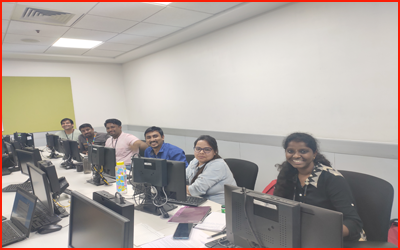
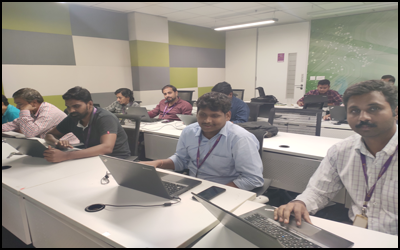
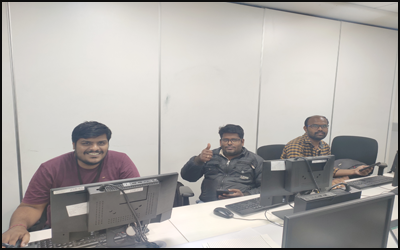
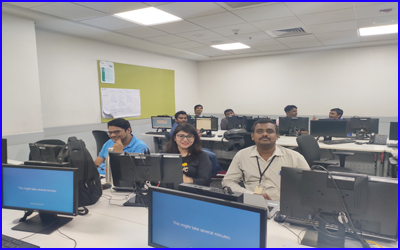
# ready when you are