
Software Configuration Management (SCM) is the practice of controlling and tracking changes to software artifacts so teams can build, test, release, and audit systems reliably. This is useful for developers, release engineers, SREs, and DevOps teams that need repeatable deployments and clear change history.
Originally published on 2010-03-21; fully revised and updated.
Original source material was a SlideShare deck: Introduction To Software Configuration Management by Rajesh Kumar.
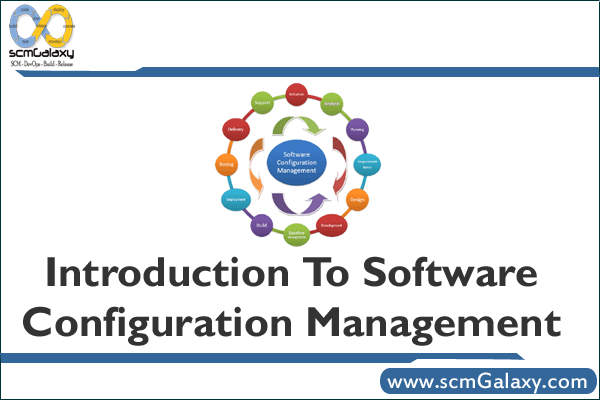
What SCM is and why it matters in DevOps
SCM is not only about source code versioning. It also covers configuration files, build definitions, infrastructure-as-code, release tags, and records of what changed, when, and why. In DevOps, SCM reduces deployment risk and improves rollback, auditability, and team coordination.
- Traceability: map every release back to commits, tickets, and approvals.
- Reproducibility: rebuild the same artifact from a known baseline.
- Control: enforce review and testing before changes reach production.
- Audit readiness: show evidence of who changed what and when.
Core SCM activities
Configuration identification
Define which artifacts are configuration items (for example application code, deployment manifests, Terraform modules, and environment variable templates).
Change control
Use pull requests or merge requests, approvals, and policy checks so changes are reviewed before they become part of a shared baseline.
Status accounting
Track current and historical states: which version is in staging, which tag is in production, and what differences exist between releases.
Verification and audits
Periodically verify that deployed systems match approved baselines and that records are complete.
Typical SCM workflow in a delivery pipeline
flowchart TD
    A[Change request submitted] --> B[Create or update issue]
    B --> C[Implement on feature branch]
    C --> D[Peer review and automated tests]
    D --> E{Approved and green build}
    E -- no --> C
    E -- yes --> F[Merge to main]
    F --> G[Tag release baseline]
    G --> H[Deploy and record status]
    H --> I[Audit and traceability report]
SCM tool options at a glance
| Tool | Best for | Strengths | Trade-offs |
|---|---|---|---|
| Git | Distributed development and modern CI/CD | Fast branching, strong ecosystem, offline commits | History rewriting and branching models require team discipline |
| Subversion (SVN) | Centralized workflows and simpler linear history | Straightforward permissions and central control | Less flexible branching and slower distributed collaboration |
| Perforce Helix Core | Large binary assets and enterprise-scale repositories | Strong performance for large files and granular controls | Operational complexity and licensing considerations |
Practical Git example for SCM controls
The following command sequence shows a simple controlled change flow: create a branch, commit a tracked change, tag a release baseline, and inspect history for traceability.
# Start a feature branch for a controlled change
 git checkout -b feature/logging-improvement

# Make and commit the change
 git add .
 git commit -m "Improve application logging format"

# Push for review
 git push -u origin feature/logging-improvement

# After review and merge, create a release baseline tag
 git checkout main
 git pull origin main
 git tag -a v1.2.0 -m "Release baseline v1.2.0"
 git push origin v1.2.0

# Traceability checks
 git log --oneline --decorate --graph --all
 git diff v1.1.0..v1.2.0Code language: PHP (php)
To strengthen SCM in CI/CD, add automated validation on merge requests so untested changes cannot become part of the baseline.
stages:
  - validate

validate_change:
  stage: validate
  script:
    - ./scripts/test.sh
  only:
    - merge_requests
Best practices and common pitfalls
- Keep baselines explicit: use immutable tags or release branches for deployable states.
- Review everything that changes runtime behavior: code, IaC, secrets templates, and deployment manifests.
- Avoid direct changes in production: treat production updates as repository-driven changes.
- Do not skip status records: teams often track code but forget to record what is actually deployed.
- Standardize branch and tagging conventions: inconsistent naming makes audits and incident response slower.
A lightweight but disciplined SCM process usually provides the highest return: clear ownership, mandatory review, automated checks, and reliable release tagging.

I’m Rajesh Kumar, a DevOps, SRE, DevSecOps, Cloud, and Platform Engineering expert passionate about sharing practical knowledge, real-world experiences, and industry best practices. I have worked at Cotocus and regularly write about technology, travel, investing, health, product reviews, and digital marketing through my various platforms.
I publish technical articles at DevOps School, travel stories at Holiday Landmark, stock market insights at Stocks Mantra, health and fitness guidance at My Medic Plus, product reviews at TrueReviewNow, and SEO and digital marketing strategies at Wizbrand.
Find Trusted Cardiac Hospitals
Compare heart hospitals by city and services — all in one place.
Explore Hospitals
