
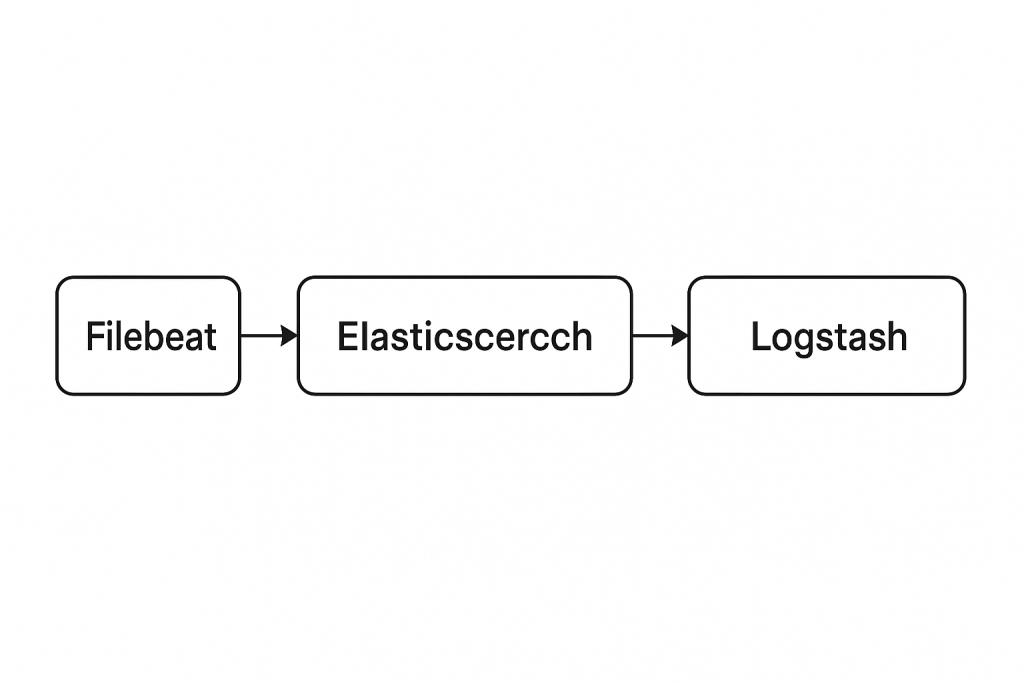
Filebeat client is a lightweight, resource-friendly tool that collects logs from files on the server and forwards these logs to your Logstash instance for processing. Filebeat is designed for reliability and low latency. Filebeat has a light resource footprint on the host machine, and the Beats input plugin minimizes the resource demands on the Logstash instance.
Prerequisite
To get started, go here to download the sample data set used in this example. Unpack the file.
$ wget https://download.elastic.co/demos/logstash/gettingstarted/logstash-tutorial.log.gz
Step 1 – Download your preferred beat. e.g filebeat
Using – https://www.elastic.co/downloads/beats/
Install a filebeat 7.x
Using – https://www.elastic.co/downloads/beats/filebeat
$ sudo yum install wget -y
$ wget https://artifacts.elastic.co/downloads/beats/filebeat/filebeat-7.15.0-linux-x86_64.tar.gz
$ tar -zxvf filebeat-7.15.0-linux-x86_64.tar.gz
Code language: JavaScript (javascript)
Install a filebeat 9.0
sudo -s
cd
wget https://artifacts.elastic.co/downloads/beats/filebeat/filebeat-9.0.0-linux-x86_64.tar.gz
tar -zxvf filebeat-9.0.0-linux-x86_64.tar.gz
cd filebeat-9.0.0-linux-x86_64
vi filebeat.yml
sudo ./filebeat -e -c filebeat.ymlCode language: JavaScript (javascript)
Install a filebeat 9.3
$ cd
$ wget https://artifacts.elastic.co/downloads/beats/filebeat/filebeat-9.3.3-linux-x86_64.tar.gz
$ tar -zxvf filebeat-9.3.3-linux-x86_64.tar.gz
$ mv filebeat-9.3.3-linux-x86_64 filebeat
$ cd filebeat/
$ vi filebeat.yml [ AS PER THE IMAGE BELOW ]
$ sudo ./filebeat -e -c filebeat.ymlCode language: PHP (php)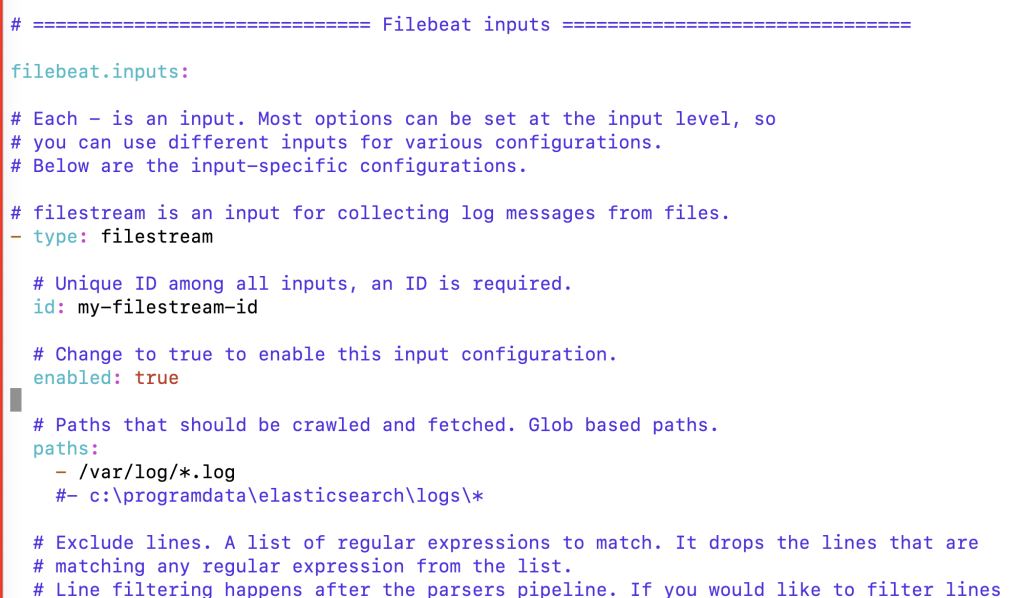
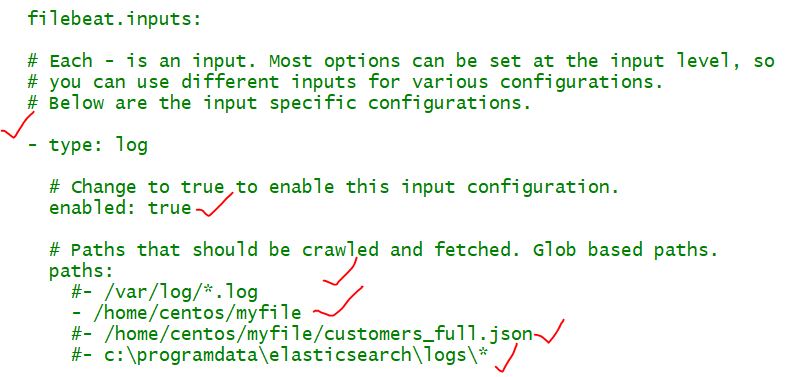
Step 3 – Configure a filebeat.yml input with a some log file
Open the filebeat.yml file located in your Filebeat installation directory, and replace the contents with the following lines. Make sure paths points to the example Apache log file, logstash-tutorial.log, that you downloaded earlier:
$ vi filebeat-7.15.0-linux-x86_64/filebeat.yml

enabled: true

filebeat.inputs:
- type: log
  paths:
    - /path/to/file/logstash-tutorial.log
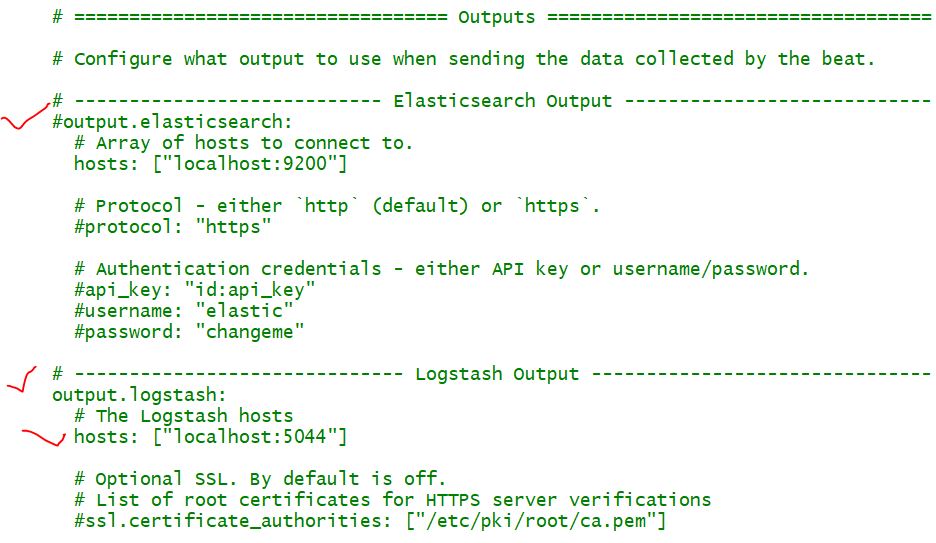
output.logstash:
  hosts: ["localhost:5044"]Code language: JavaScript (javascript)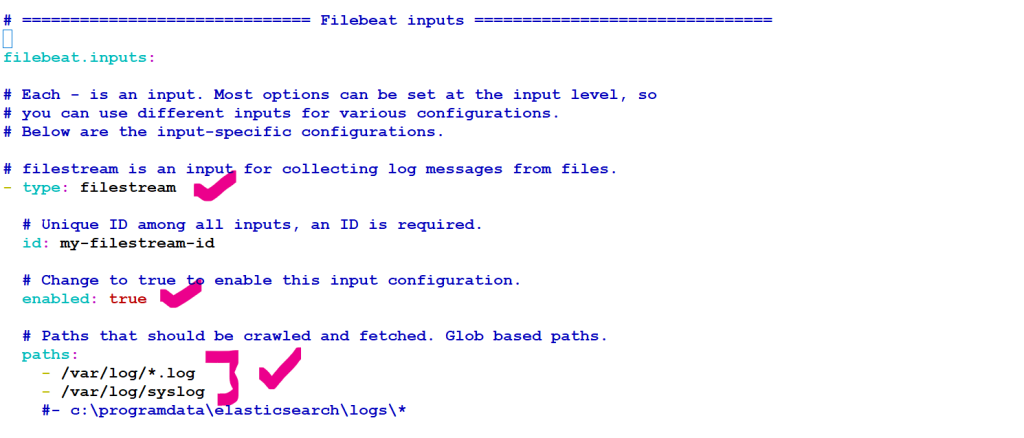
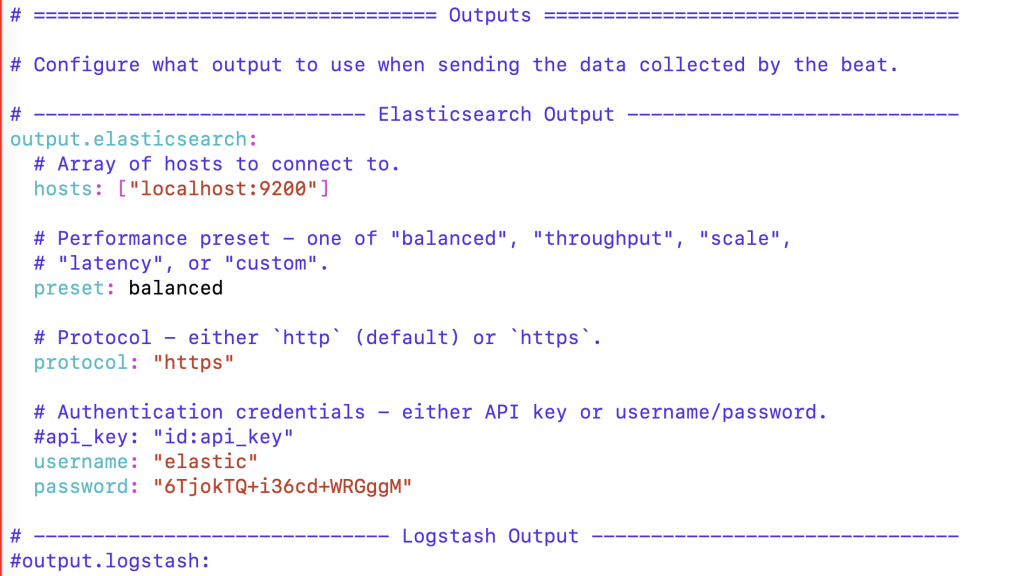
Step 4 – Configure a filebeat.yml output with Logstash or elasticsearch
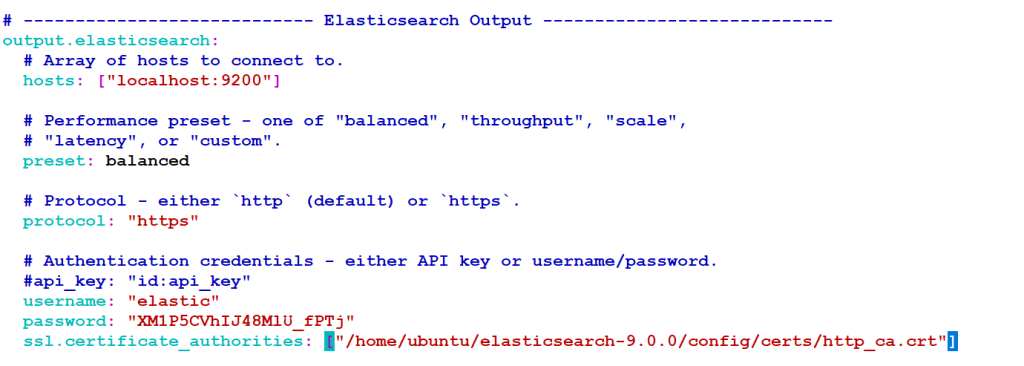
output.elasticsearch:
  # Array of hosts to connect to.
  hosts: ["localhost:9200"]

  # Performance preset - one of "balanced", "throughput", "scale",
  # "latency", or "custom".
  preset: balanced

  # Protocol - either `http` (default) or `https`.
  protocol: "https"

  # Authentication credentials - either API key or username/password.
  #api_key: "id:api_key"
  username: "elastic"
  password: "XM1P5CVhIJ48MlU_fPTj"
  ssl.certificate_authorities: ["/home/ubuntu/elasticsearch-9.0.0/config/certs/http_ca.crt"]
Code language: PHP (php)
Step 5 – Start a logbeat
$ cd filebeat-7.2.0-linux-x86_64/
$ sudo chown root filebeat.yml
$ sudo ./filebeat -e -c filebeat.yml -d "publish"
or
$ sudo ./filebeat -e -c filebeat.ymlCode language: JavaScript (javascript)
To run filebeat as a background process
$ sudo ./filebeat -e -c filebeat.yml -d "publish" &
$ screen -d -m ./filebeat -e -c filebeat.yml -d "publish"Code language: JavaScript (javascript)Filebeat will attempt to connect on port 5044. Until Logstash starts with an active Beats plugin, there won’t be any answer on that port, so any messages you see regarding failure to connect on that port are normal for now.
Configuration file of filebeats
To delete the Filebeat registry file
For example, run:

$ cd /home/ec2-user/filebeat-7.2.0-linux-x86_64
$ sudo rm -rf data/registry
$ sudo chown root filebeat.yml
$ sudo ./filebeat -e -c filebeat.yml -d "publish"
$ sudo ./filebeat -e -c filebeat.yml -d "publish"Code language: JavaScript (javascript)
I’m Rajesh Kumar, a DevOps, SRE, DevSecOps, Cloud, and Platform Engineering expert passionate about sharing practical knowledge, real-world experiences, and industry best practices. I have worked at Cotocus and regularly write about technology, travel, investing, health, product reviews, and digital marketing through my various platforms.
I publish technical articles at DevOps School, travel stories at Holiday Landmark, stock market insights at Stocks Mantra, health and fitness guidance at My Medic Plus, product reviews at TrueReviewNow, and SEO and digital marketing strategies at Wizbrand.
Find Trusted Cardiac Hospitals
Compare heart hospitals by city and services — all in one place.
Explore Hospitals