
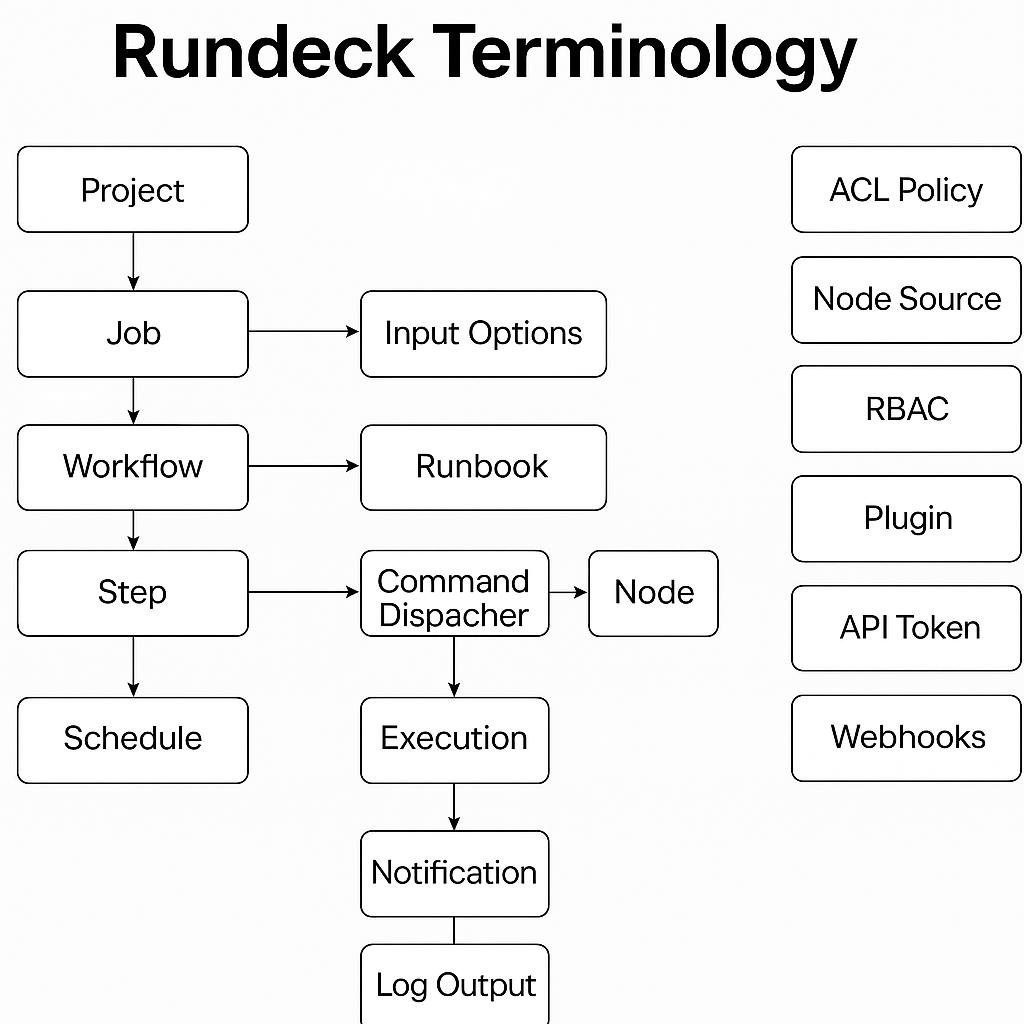
Here’s a clear explanation of the Rundeck Basic Workflow, perfect for beginners or teams implementing Rundeck for the first time.
🔄 Rundeck Basic Workflow: Step-by-Step
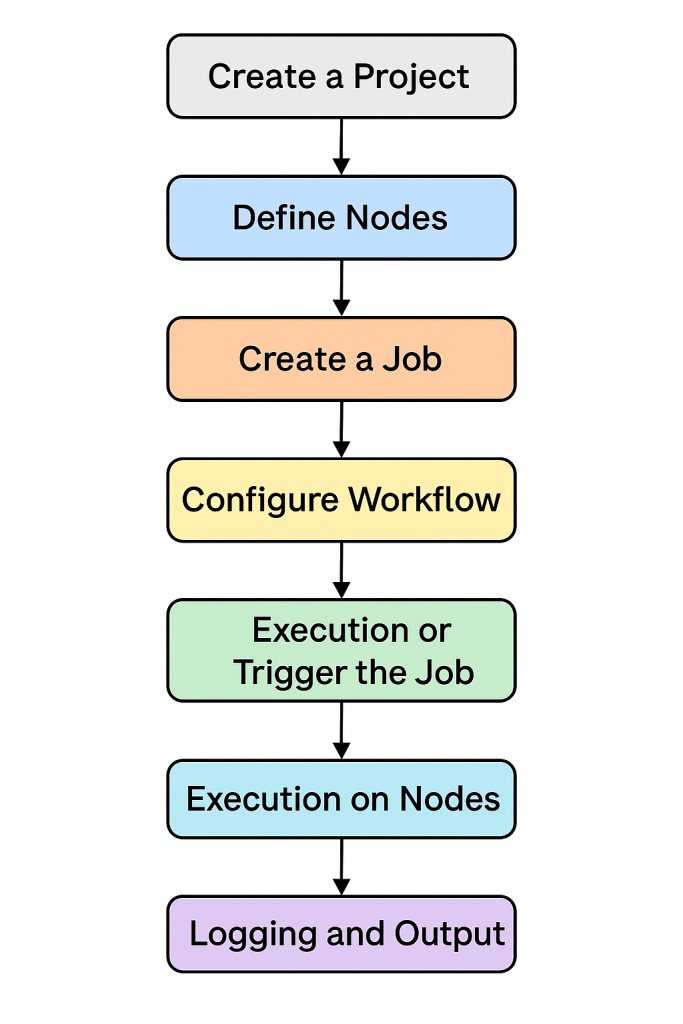
This describes the standard flow from job creation to execution and logging.
📋 1. Create a Project
- A Project is the top-level container in Rundeck.
- Each project holds:
- Jobs
- Node definitions
- ACL policies
- Plugins/configuration
rd projects create --project my-project
🛠️ 2. Define Nodes (Targets)
- Nodes are the machines or environments where jobs will run.
- Methods:
- Static file (
resources.xmlor YAML) - Cloud-based discovery (AWS, Azure, Kubernetes, etc.)
- Script-based plugin
- Static file (
- hostname: web01.example.com
  username: ubuntu
  tags: web
Code language: CSS (css)
🧱 3. Create a Job
- Jobs are defined using:
- GUI
- YAML/XML
- REST API
- Rundeck CLI (
rd jobs)
- Jobs contain:
- Steps (commands/scripts)
- Node filters
- Options (parameters)
- Notifications
- Scheduling (cron)
🔧 4. Configure Workflow
- Define one or more Steps:
- Inline shell script
- External scripts
- Ansible/Terraform/kubectl
- Choose execution type:
- Sequential
- Parallel
- Node-first vs. Step-first
⏰ 5. Schedule or Trigger the Job
- Manual: via UI or CLI
- Scheduled: cron-based
- API/Webhook: from Jenkins, GitHub, or external alerting tools
rd run -j "backup-job"
Code language: JavaScript (javascript)
⚙️ 6. Execution on Nodes
- Rundeck server connects to nodes (via SSH, WinRM, plugins).
- Executes each job step in order.
- Context variables and options are passed to scripts.
📬 7. Notifications (Optional)
- Send job status to:
- Slack
- Webhook
- PagerDuty
- Configurable per job or globally
📝 8. Logging and Output
- Each job run is recorded:
- Start/End time
- User
- Node output logs
- Status (SUCCEEDED/FAILED)
- View logs in UI or export via CLI/API
rd executions follow 12345
🧠 Rundeck Basic Workflow Visual Summary:
[ Project ]
    ↓
[ Job Definition ]
    ↓
[ Workflow Steps ]
    ↓
[ Node Selection ]
    ↓
[ Job Execution ]
    ↓
[ Notification & Logs ]
Code language: CSS (css)
✅ Summary: Why This Matters
| Step | Purpose |
|---|---|
| Project | Organize jobs and configs |
| Nodes | Target environments |
| Job | Defines what will run |
| Workflow | Logic and steps |
| Execution | Actual run time on node |
| Notification | Alerting and visibility |
| Logging | Audit and debugging |

I’m Rajesh Kumar, a DevOps, SRE, DevSecOps, Cloud, and Platform Engineering expert passionate about sharing practical knowledge, real-world experiences, and industry best practices. I have worked at Cotocus and regularly write about technology, travel, investing, health, product reviews, and digital marketing through my various platforms.
I publish technical articles at DevOps School, travel stories at Holiday Landmark, stock market insights at Stocks Mantra, health and fitness guidance at My Medic Plus, product reviews at TrueReviewNow, and SEO and digital marketing strategies at Wizbrand.
Find Trusted Cardiac Hospitals
Compare heart hospitals by city and services — all in one place.
Explore Hospitals