
Introduction
Network Configuration Management (NCM) refers to the processes and tools used to centrally manage, monitor, back up, track, and control changes to network device configurations such as routers, switches, firewalls, load balancers, and wireless controllers. In modern IT environments—where networks are highly distributed, hybrid, and constantly evolving—manual configuration is no longer practical or safe.
Network Configuration Management is important because misconfigurations are one of the leading causes of outages, security breaches, and compliance failures. Even a small, untracked change can lead to downtime, performance issues, or serious vulnerabilities. NCM tools help organizations maintain consistency, enforce standards, detect unauthorized changes, and quickly roll back to known-good configurations.
Real-world use cases include:
- Preventing downtime caused by accidental changes
- Automating configuration deployment across hundreds or thousands of devices
- Meeting compliance and audit requirements
- Troubleshooting network incidents faster
- Managing hybrid and multi-vendor network environments
When choosing a Network Configuration Management tool, users should evaluate:
- Depth of configuration automation and backup
- Change tracking and rollback capabilities
- Multi-vendor device support
- Security and compliance features
- Scalability and ease of integration
Best for:
Network engineers, system administrators, DevOps teams, security teams, MSPs, and enterprises managing medium to large network infrastructures across industries such as IT services, telecom, finance, healthcare, manufacturing, and cloud providers.
Not ideal for:
Very small networks with only a few devices, non-technical teams, or environments where configuration rarely changes and manual management is sufficient.
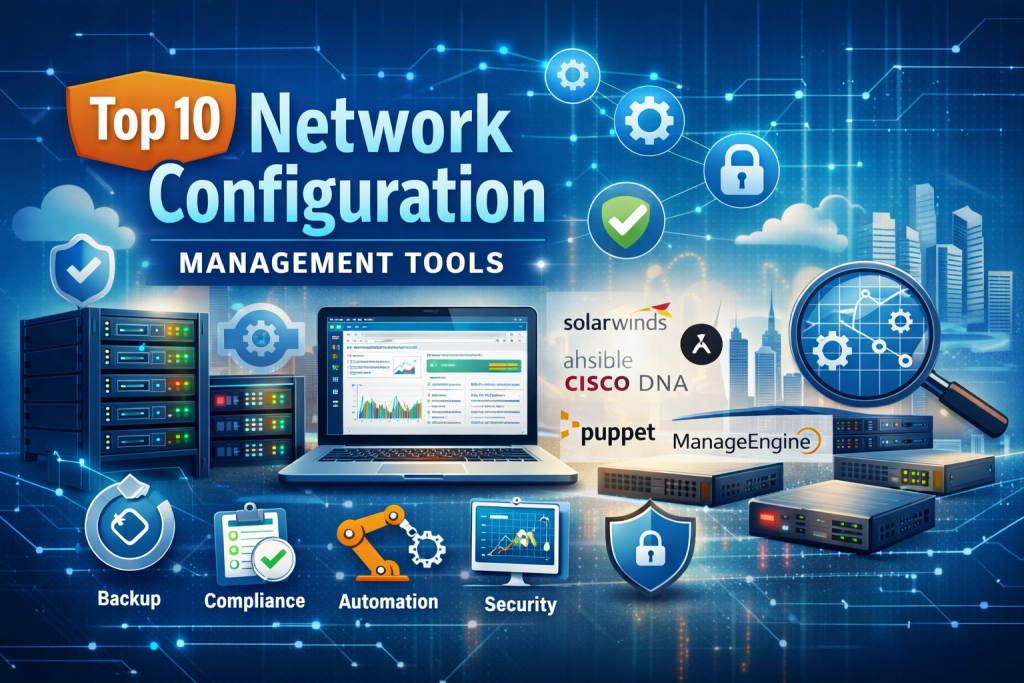
Top 10 Network Configuration Management Tools
1 — SolarWinds Network Configuration Manager
Short description:
A comprehensive enterprise-grade tool focused on automating configuration backup, change tracking, and compliance for multi-vendor network devices.
Key features:
- Automated configuration backups
- Real-time change detection
- Policy-based compliance auditing
- Bulk configuration deployment
- Role-based access control
- Detailed reporting and alerts
- Multi-vendor device support
Pros:
- Very mature and feature-rich
- Strong compliance and audit capabilities
- Scales well for large enterprises
Cons:
- Higher cost compared to simpler tools
- Requires dedicated resources to manage
- UI can feel complex for beginners
Security & compliance:
SSO, role-based access, encryption, audit logs, compliance reporting (SOC-aligned, ISO-ready)
Support & community:
Enterprise-grade support, strong documentation, active professional community
2 — ManageEngine Network Configuration Manager
Short description:
A user-friendly NCM solution designed for SMBs and mid-sized enterprises needing automation and compliance without heavy complexity.
Key features:
- Automated device configuration backup
- Change tracking and alerts
- Configuration versioning and rollback
- Compliance checks
- Scheduled configuration tasks
- Visual dashboards
Pros:
- Easy to deploy and use
- Cost-effective
- Good balance of features and simplicity
Cons:
- Limited advanced automation
- UI customization is basic
- Reporting less flexible than enterprise tools
Security & compliance:
Encryption, audit trails, role-based access, GDPR support
Support & community:
Responsive vendor support, solid documentation, growing user base
3 — Cisco DNA Center (Configuration Management)
Short description:
Cisco’s centralized platform for managing, automating, and enforcing configuration standards in Cisco-centric networks.
Key features:
- Intent-based configuration management
- Automated provisioning
- Policy enforcement
- Configuration templates
- Network assurance integration
- AI-assisted insights
Pros:
- Deep integration with Cisco devices
- Strong automation and analytics
- Designed for large-scale environments
Cons:
- Cisco-only ecosystem
- Expensive licensing
- Steep learning curve
Security & compliance:
Enterprise-grade security, audit logs, policy enforcement, compliance-ready
Support & community:
Cisco enterprise support, extensive documentation, large professional community
#4 — Ansible (Network Automation)
Short description:
An open-source automation framework widely used for network configuration management through code-driven playbooks.
Key features:
- Infrastructure as Code approach
- Agentless architecture
- Multi-vendor support
- Configuration templates
- Strong automation flexibility
- Integration with CI/CD pipelines
Pros:
- Highly flexible and customizable
- No licensing cost
- Strong community support
Cons:
- Requires scripting knowledge
- No built-in GUI by default
- Limited native compliance reporting
Security & compliance:
Varies by implementation; supports encryption and RBAC via integrations
Support & community:
Very large open-source community, extensive documentation, enterprise support available
5 — Puppet (Network Automation & Management)
Short description:
A configuration management platform that extends beyond servers to network devices using model-driven automation.
Key features:
- Declarative configuration management
- Version-controlled configurations
- Automation workflows
- Compliance enforcement
- Scalable architecture
- Integration with DevOps tools
Pros:
- Strong consistency enforcement
- Good for large infrastructures
- Mature automation ecosystem
Cons:
- Complex setup
- Steep learning curve
- Licensing costs for enterprise use
Security & compliance:
Encryption, RBAC, audit trails, compliance-ready
Support & community:
Professional enterprise support, solid documentation, active user base
6 — NetBrain
Short description:
An advanced network automation and configuration management platform with strong visualization and troubleshooting capabilities.
Key features:
- Automated configuration discovery
- Change analysis
- Network mapping
- Intent verification
- Root cause analysis
- Configuration compliance checks
Pros:
- Excellent visibility and diagnostics
- Strong automation workflows
- Reduces troubleshooting time significantly
Cons:
- Expensive for small teams
- Requires training
- Resource-intensive deployment
Security & compliance:
RBAC, audit logs, encryption, compliance-ready
Support & community:
High-quality enterprise support, detailed documentation
7 — Device42 (Configuration Discovery & Management)
Short description:
An infrastructure discovery and management tool that includes network configuration tracking and documentation.
Key features:
- Automated device discovery
- Configuration tracking
- Dependency mapping
- IP address management
- Integration with CMDBs
- Change history
Pros:
- Excellent visibility across infrastructure
- Easy deployment
- Strong documentation capabilities
Cons:
- Limited deep automation
- Not a pure NCM tool
- Advanced features require add-ons
Security & compliance:
Encryption, RBAC, audit logs, GDPR support
Support & community:
Responsive support, good onboarding resources
8 — RANCID
Short description:
A lightweight open-source tool for tracking configuration changes and maintaining version control for network devices.
Key features:
- Automated configuration collection
- Version control integration
- Change diff tracking
- Multi-vendor support
- Lightweight architecture
Pros:
- Free and open-source
- Simple and reliable
- Minimal resource usage
Cons:
- No modern UI
- Limited automation
- Requires manual setup
Security & compliance:
Varies by setup; basic logging and access control
Support & community:
Community-driven support, basic documentation
9 — BackBox
Short description:
A network automation and configuration management platform focused on backup, compliance, and security operations.
Key features:
- Automated configuration backup
- Change detection
- Security-focused automation
- Multi-vendor support
- Compliance auditing
- Workflow automation
Pros:
- Strong security automation
- Easy to use
- Good vendor-neutral support
Cons:
- Smaller ecosystem
- Limited advanced analytics
- Pricing not transparent
Security & compliance:
Encryption, RBAC, audit logs, compliance frameworks supported
Support & community:
Good vendor support, smaller community
10 — OpenNMS (Configuration Management Modules)
Short description:
An open-source network management platform that includes configuration tracking and automation capabilities.
Key features:
- Configuration monitoring
- Change detection
- Event-driven automation
- Multi-vendor support
- Scalable architecture
Pros:
- Open-source flexibility
- Highly customizable
- Strong monitoring integration
Cons:
- Requires technical expertise
- UI is less polished
- Limited native compliance features
Security & compliance:
Varies by deployment; supports RBAC and logging
Support & community:
Active open-source community, optional enterprise support
Comparison Table
| Tool Name | Best For | Platform(s) Supported | Standout Feature | Rating |
|---|---|---|---|---|
| SolarWinds NCM | Large enterprises | On-prem | Compliance & automation depth | N/A |
| ManageEngine NCM | SMB & mid-market | On-prem / Cloud | Ease of use | N/A |
| Cisco DNA Center | Cisco networks | On-prem | Intent-based automation | N/A |
| Ansible | DevOps & automation teams | Cross-platform | Infrastructure as Code | N/A |
| Puppet | Large-scale automation | Cross-platform | Declarative configs | N/A |
| NetBrain | Complex networks | On-prem | Advanced troubleshooting | N/A |
| Device42 | Infrastructure visibility | On-prem / Cloud | Auto discovery | N/A |
| RANCID | Small teams | Cross-platform | Lightweight tracking | N/A |
| BackBox | Security-focused teams | On-prem / Cloud | Security automation | N/A |
| OpenNMS | Open-source users | Cross-platform | Monitoring integration | N/A |
Evaluation & Scoring of Network Configuration Management
| Criteria | Weight | Key Considerations |
|---|---|---|
| Core features | 25% | Backup, automation, rollback, compliance |
| Ease of use | 15% | UI, learning curve, setup |
| Integrations & ecosystem | 15% | Vendor support, APIs, DevOps tools |
| Security & compliance | 10% | Audit logs, RBAC, standards |
| Performance & reliability | 10% | Scalability, stability |
| Support & community | 10% | Documentation, vendor support |
| Price / value | 15% | Cost vs feature depth |
Which Network Configuration Management Tool Is Right for You?
- Solo users / small teams: Lightweight or open-source tools like RANCID or Ansible
- SMBs: ManageEngine or BackBox for balance of cost and features
- Mid-market: SolarWinds, Device42, NetBrain
- Enterprises: SolarWinds, Cisco DNA Center, Puppet
- Budget-conscious: Open-source tools with manual effort
- Premium needs: AI-driven, compliance-heavy platforms
- Security-focused: Tools with strong auditing and rollback
- Highly scalable environments: Automation-first platforms
Frequently Asked Questions (FAQs)
1. What is Network Configuration Management?
It is the practice of managing, tracking, and automating network device configurations.
2. Why is configuration management critical?
It prevents outages, improves security, and ensures compliance.
3. Can NCM tools work with multi-vendor networks?
Yes, many tools support multiple vendors, though some are vendor-specific.
4. Are open-source tools reliable?
Yes, but they require more technical expertise and manual effort.
5. Do NCM tools support rollback?
Most modern tools provide configuration versioning and rollback.
6. How do these tools help with compliance?
They enforce policies, log changes, and generate audit reports.
7. Are these tools cloud-friendly?
Many support hybrid and cloud-managed devices.
8. Is automation mandatory?
Not mandatory, but highly recommended for scalability.
9. How long does implementation take?
From hours for small setups to weeks for enterprise deployments.
10. What is the biggest mistake when choosing an NCM tool?
Ignoring scalability, security, and integration needs.
Conclusion
Network Configuration Management has become a foundational requirement for reliable, secure, and scalable network operations. With increasing network complexity and security threats, manual configuration is no longer sustainable.
The right tool depends on network size, technical expertise, compliance needs, and budget. Some organizations benefit from open-source flexibility, while others require enterprise-grade automation and auditing.
There is no single “best” Network Configuration Management tool—only the best fit for your specific operational and business needs. Choosing wisely can significantly reduce risk, improve uptime, and future-proof your network infrastructure.

Find Trusted Cardiac Hospitals
Compare heart hospitals by city and services — all in one place.
Explore Hospitals


Network configuration management is most effective when automation is combined with proper change control and continuous validation. Features like configuration backups, drift detection, version history, and rollback help teams maintain consistency across multi-vendor environments. I would also give importance to integration with CI/CD pipelines and infrastructure monitoring tools. Testing configuration changes before production deployment can reduce operational risks and make network management more reliable as infrastructure grows.
Network configuration management becomes more reliable when teams track every device change and maintain approved configuration backups. Automated compliance checks and configuration rollback can reduce human errors during updates. Regular drift detection also helps identify unexpected changes before they cause network outages.
Network configuration changes need proper tracking, especially in environments with many devices and locations. I have seen how a small manual change can create bigger connectivity problems when nobody knows what was updated. Keeping automatic backups and comparing configuration versions can make troubleshooting much easier. How do network teams reduce human errors while managing frequent configuration changes?
Network configuration management tools help IT teams maintain consistent network settings and reduce the risks associated with manual changes. When comparing solutions, I would focus on automated configuration backups, change tracking, compliance checks, device discovery, and support for multiple network vendors. The ability to detect configuration drift and restore previous settings can also improve reliability and simplify troubleshooting. Choosing the right tool can strengthen network security while making ongoing maintenance more efficient.
Configuration drift is the silent risk in network management. Backups help, but comparing running configs against a golden template catches unauthorized or accidental changes. I’d look for change approval workflows, pre-change validation and fast rollback. Compliance checks, such as confirming legacy protocols are disabled, can run automatically.
The comparison highlights a clear operational shift: legacy NCM platforms like SolarWinds and ManageEngine excel at scheduled backups and regulatory audit trails, but they remain largely reactive. Meanwhile, modern teams are moving toward GitOps and code-driven tools like Ansible to treat network state as software and eliminate configuration drift before deployment. The real evaluation criterion today is automated pre-change validation and closed-loop rollback—a tool shouldn’t just alert you to an unauthorized change after an outage, it should prevent human misconfiguration from reaching production switch ports in the first place.
When evaluating network configuration management tools, I would look at how effectively they handle configuration differences between devices from different vendors. In a mixed network environment, routers, switches, and firewalls may use different command structures and configuration formats, making consistent management difficult. A useful platform should normalize configuration data, identify unexpected changes, and allow administrators to compare device settings without manually interpreting every vendor-specific command. It is also important to verify that configuration backups can be restored correctly on the intended hardware. These capabilities can simplify network maintenance and reduce the chances of errors during infrastructure upgrades or device replacements.
Network Configuration Management (NCM) tools are essential for maintaining consistent network settings, reducing configuration errors, and ensuring reliable infrastructure operations. Features such as automated configuration backups, change tracking, policy enforcement, compliance checks, configuration rollback, and centralized device management help network teams maintain better control over their environments. When comparing solutions, organizations should evaluate multi-vendor support, automation capabilities, scalability, security controls, and integration with existing monitoring systems. The right NCM platform can simplify troubleshooting, minimize configuration drift, strengthen network security, and reduce the operational effort required to manage complex networks.
Network configuration management helps IT teams keep devices properly configured and makes network changes easier to track. Having configuration backups, change history, and automated compliance checks can reduce manual work and prevent avoidable mistakes. I find configuration rollback especially useful because it helps teams recover quickly when a change causes problems. A dependable solution can improve network stability and make troubleshooting much easier.
Network configuration management tools help IT teams maintain consistent device settings, track configuration changes, and reduce manual errors. When comparing solutions, I would focus on automated backups, change tracking, compliance checks, device compatibility, and rollback capabilities. These features can simplify network maintenance and help teams identify configuration issues faster. The right tool should improve visibility, strengthen network reliability, and make configuration management easier across complex environments.
Network automation also needs a practical strategy for handling devices that become unreachable midway through a change. A failed connection should not leave engineers guessing whether the update completed or stopped halfway. Recording each device’s execution status and last confirmed configuration helps teams identify where recovery must begin. For critical equipment, staged commits or automatic rollback can reduce the chance of prolonged disruption. Recovery procedures should be tested with real device limitations, including slow responses and restricted management access. Teams should also verify that restored settings match the intended baseline before closing the incident. This turns partial failures into manageable recovery tasks instead of prolonged troubleshooting sessions.
Network configuration management helps teams track device settings and reduce the risks of manual changes. A reliable backup is useful, but teams also need to know what changed and how to recover safely. I would compare configuration backups, change alerts, policy checks, and rollback support. It is also important to test whether the tool works across the network devices already in use. Clear records can speed up troubleshooting after an unexpected outage. The right solution should make network changes easier to review, reduce configuration drift, and help teams restore known-good settings when needed.
Network configuration management tools help IT teams track device settings, automate changes, and maintain consistent network configurations. When comparing platforms, I would focus on configuration backups, change tracking, compliance checks, and multi-vendor support. These features can reduce manual errors and make troubleshooting easier. The right tool should simplify network administration while improving reliability and control over infrastructure changes.
Network configuration management tools help teams maintain consistent device settings, track configuration changes, and recover quickly from unexpected failures. Automated backups, policy compliance checks, and change history reduce manual errors while making troubleshooting more straightforward. Integrating configuration monitoring with alerting systems also helps administrators detect unauthorized modifications early, strengthen network reliability, and maintain better control as infrastructure becomes more complex.
Network configuration changes should be tested against expected behavior before they reach production devices. A configuration can pass syntax checks and still break routing, interrupt connectivity, or expose services unintentionally. Teams can reduce this risk by validating changes in a lab or simulated topology, checking dependencies, and deploying updates to a small group of devices first. Automated post-change tests should verify reachability, routing behavior, access rules, and service health. It is also useful to define clear stop conditions so a failed rollout cannot continue across the network. These safeguards make configuration automation more predictable and help teams avoid turning a small change into a widespread outage.
Network configuration management tools help teams track device settings, automate changes, and maintain consistent network policies. When comparing platforms, organizations should consider configuration backups, change auditing, compliance checks, and support for different network devices. Automated drift detection and tested rollback procedures can reduce human error, speed up troubleshooting, and prevent configuration changes from causing avoidable outages.
Automating multi-vendor device backups, policy-based compliance audits, and instant configuration rollbacks eliminates network misconfigurations, accelerates disaster recovery, and enforces strict baseline standards across distributed enterprise switches, routers, and firewalls.
Network configuration management tools should make it easy to identify exactly what changed when a device starts behaving unexpectedly. Comparing automated configuration backups, change-diff reports, and policy compliance checks can help teams spot unauthorized edits before they cause wider outages. It is especially useful when the platform can roll back a faulty change quickly and preserve an audit trail for later troubleshooting.
Choosing between agentless automation frameworks like Ansible and enterprise suites like SolarWinds really highlights the trade-off between operational agility and out-of-the-box compliance reporting. It would be great to see a follow-up on how teams handle configuration drift detection across multi-cloud environments where traditional SNMP polling falls short.
Network configuration management is most valuable when it helps teams detect configuration drift before it causes outages or security issues. Automated backups, change tracking, and reliable rollback procedures can make troubleshooting faster and reduce the risks of manual changes. Standardizing configurations across multi-vendor environments also improves consistency and simplifies compliance.
Network configuration management tools help IT teams automate device backups, track configuration changes, detect policy violations, and maintain consistency across network infrastructure. Solutions like ManageEngine Network Configuration Manager offer configuration backup, change auditing, compliance checks, and automated deployment, helping administrators reduce manual errors and troubleshoot network issues more efficiently.
This article offers a very insightful overview of Network Configuration Management by clearly linking real-world risks—outages, security breaches, and compliance failures—to practical capabilities like automated backups, change tracking, and policy-based compliance. The way it contrasts heavyweight platforms such as SolarWinds NCM, Cisco DNA Center, and NetBrain with automation-first (Ansible, Puppet) and lightweight/open‑source options (RANCID, OpenNMS) makes it easy for teams of different sizes and skill levels to identify a realistic fit rather than chasing a one-size-fits-all tool. The evaluation criteria around multi-vendor support, rollback strength, security controls, and scalability are especially useful for avoiding common mistakes like picking a tool that cannot grow with the network or integrate into existing DevOps workflows. Overall, this guide is a strong starting point for network and DevOps teams looking to move from ad-hoc device changes to a controlled, auditable, and automation-driven configuration practice.