
Introduction
AI Cloud Misconfiguration Detection tools help security teams find risky cloud settings, exposed resources, weak access controls, insecure storage, public services, missing encryption, logging gaps, and compliance violations across cloud environments. These tools use artificial intelligence, machine learning, cloud security posture management, entitlement analysis, policy-as-code, graph analytics, asset discovery, and risk scoring to detect cloud misconfigurations before attackers can exploit them. They are commonly used across AWS, Microsoft Azure, Google Cloud, Kubernetes, containers, infrastructure as code, and multi-cloud environments.
Why It Matters
Cloud environments change quickly. Developers create resources, security groups are modified, storage buckets are shared, identity permissions expand, containers are deployed, and cloud services are connected across teams. A small misconfiguration can expose sensitive data, allow privilege escalation, disable logging, open management ports, or create an attack path into production systems. AI cloud misconfiguration detection matters because it helps teams continuously identify risky configurations, prioritize the most dangerous issues, reduce alert noise, and guide remediation. It also supports compliance, DevSecOps, cloud governance, and security-by-design across fast-moving cloud environments.
Real World Use Cases
- Public storage detection: Identify exposed cloud storage, public buckets, misconfigured containers, and overly broad access policies.
- IAM risk detection: Find over-permissioned roles, unused privileges, risky service accounts, access keys, and privilege escalation paths.
- Network exposure detection: Detect open security groups, exposed management ports, public databases, and insecure ingress rules.
- Kubernetes misconfiguration detection: Identify risky cluster settings, privileged containers, weak policies, and exposed control planes.
- Infrastructure as code scanning: Detect misconfigurations in Terraform, CloudFormation, Kubernetes manifests, and CI CD pipelines.
- Compliance monitoring: Map cloud configurations to frameworks, internal policies, and audit requirements.
- Attack path prioritization: Connect misconfigurations with vulnerabilities, identity risk, sensitive data, and internet exposure.
- Remediation workflow support: Assign owners, create tickets, suggest fixes, and track closure across cloud and DevOps teams.
Evaluation Criteria for Buyers
- Cloud coverage: The platform should support AWS, Microsoft Azure, Google Cloud, Kubernetes, containers, and multi-cloud environments where needed.
- Misconfiguration depth: It should detect public exposure, weak IAM, insecure networking, missing encryption, logging gaps, and risky defaults.
- AI prioritization: Buyers should check whether AI helps reduce noise, rank risks, summarize findings, and recommend remediation.
- Attack path analysis: Strong tools should show how a misconfiguration could be exploited with identity, data, workload, or network context.
- Identity and entitlement analysis: CIEM-style visibility into permissions and privilege paths is important.
- Code-to-cloud coverage: Teams should evaluate whether the tool scans infrastructure as code before deployment and cloud runtime after deployment.
- Developer workflow: Fix guidance should integrate with pull requests, CI CD pipelines, tickets, and cloud owner workflows.
- Compliance reporting: Dashboards should support CIS, internal policies, audit evidence, and cloud governance reporting.
- Integrations: Look for SIEM, SOAR, ITSM, ticketing, CI CD, cloud providers, repositories, container registries, and identity systems.
- Governance controls: SSO, RBAC, audit logs, exception management, retention, and admin controls are important.
- Ease of remediation: Findings should include clear impact, ownership, priority, and step-by-step fix guidance.
- Scalability: The platform should support many accounts, subscriptions, projects, clusters, teams, and cloud resources.
Best for: Cloud security teams, DevSecOps teams, platform engineers, vulnerability management teams, SOC teams, compliance teams, cloud architects, MSSPs, and enterprises that need continuous detection of cloud misconfigurations across multi-cloud and cloud-native environments.
Not ideal for: Very small teams with only a few cloud resources, organizations that do not use public cloud, companies without remediation ownership, or teams that only need basic one-time cloud configuration checks.
What Changed in AI Cloud Misconfiguration Detection
- CSPM is moving into CNAPP: Misconfiguration detection is now often part of broader cloud-native security platforms that include workload, identity, runtime, and code security.
- Risk prioritization matters more than finding count: Security teams want to know which misconfigurations are exploitable, exposed, and connected to sensitive assets.
- Identity context is critical: Over-permissioned roles, service accounts, and access keys can turn a simple misconfiguration into a major attack path.
- Cloud graph analytics is becoming standard: Platforms increasingly map relationships between resources, identities, vulnerabilities, data, and network exposure.
- Agentless scanning is popular: Many teams prefer fast deployment through cloud APIs, while runtime protection may still require agents or sensors.
- Code-to-cloud security is growing: Teams want to catch misconfigurations before deployment through IaC scanning and policy checks.
- Kubernetes posture is now a core requirement: Cluster configuration, workload privileges, secrets, and network policies are common risk areas.
- AI is helping with remediation guidance: Tools increasingly summarize risk, suggest fixes, and route issues to the right owners.
- Compliance automation is expected: Teams need continuous evidence, policy mapping, audit reports, and drift detection.
- Data security posture is merging with cloud posture: Exposed storage is more dangerous when sensitive data is present.
- Runtime context improves prioritization: A misconfiguration on an active internet-facing workload matters more than one on an isolated test asset.
- Developer-friendly workflows are important: Findings must reach cloud engineers in the tools they already use.
Quick Buyer Checklist
- Confirm support for AWS, Microsoft Azure, Google Cloud, Kubernetes, and containers.
- Check whether the tool detects public exposure, weak IAM, missing encryption, insecure networking, and logging gaps.
- Review whether AI prioritization explains why a misconfiguration matters.
- Test attack path analysis using real cloud resources.
- Confirm infrastructure as code scanning for Terraform, CloudFormation, Kubernetes, and CI CD workflows.
- Review CIEM capabilities for roles, permissions, access keys, and service accounts.
- Check whether the platform identifies sensitive data exposure.
- Validate integrations with ticketing, ITSM, SIEM, SOAR, CI CD, repositories, and cloud providers.
- Review SSO, RBAC, audit logs, encryption, retention, and admin controls.
- Check exception management and risk acceptance workflows.
- Confirm remediation guidance is clear for cloud engineers.
- Test dashboard usability for security, DevOps, compliance, and executive teams.
- Review deployment model, agentless scanning, agent-based runtime support, and setup effort.
- Run a pilot with real cloud accounts and production-like workloads.
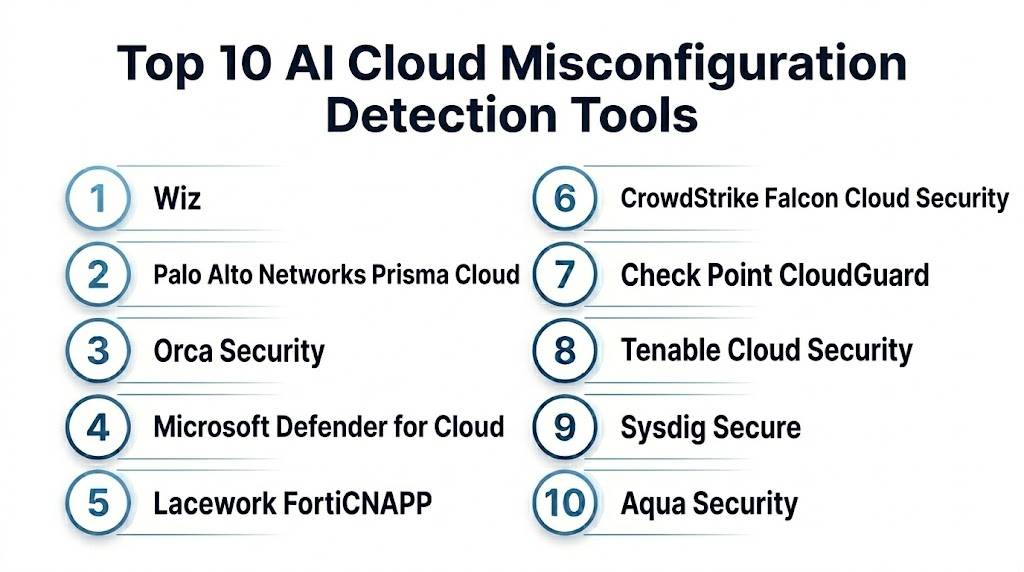
Top 10 AI Cloud Misconfiguration Detection Tools
1- Wiz
2- Palo Alto Networks Prisma Cloud
3- Orca Security
4- Microsoft Defender for Cloud
5- Lacework FortiCNAPP
6- CrowdStrike Falcon Cloud Security
7- Check Point CloudGuard
8- Tenable Cloud Security
9- Sysdig Secure
10- Aqua Security
1- Wiz
One-line verdict: Best for cloud-first teams needing agentless misconfiguration detection with attack path context.
Short description:
Wiz helps organizations find cloud misconfigurations, vulnerabilities, identity risks, exposed resources, and attack paths across cloud environments. It is useful for cloud security teams that want fast visibility, graph-based risk prioritization, and clear remediation workflows without heavy agent deployment.
Standout Capabilities
- Agentless cloud security visibility
- Cloud misconfiguration detection
- Attack path analysis using cloud graph context
- Identity and entitlement risk visibility
- Kubernetes and container posture insights
- Sensitive data and exposure context
- Developer-friendly remediation workflows
- Multi-cloud security posture analytics
AI-Specific Depth
- Model support: Proprietary analytics and security graph intelligence
- RAG and knowledge integration: Varies / N/A
- Evaluation: Not publicly stated
- Guardrails: Policy rules, role controls, and administrative settings vary by configuration
- Observability: Cloud risk graph, misconfiguration findings, attack paths, resource context, dashboards, and remediation tracking
Pros
- Strong cloud graph-based prioritization
- Fast agentless visibility across cloud environments
- Good fit for cloud and DevSecOps collaboration
Cons
- Best suited for cloud-first environments
- Runtime protection depth may depend on selected capabilities
- Pricing and package details vary by contract
Security and Compliance
Wiz provides enterprise cloud security controls and administrative features. Exact SSO, RBAC, audit logs, encryption, retention, residency, and certifications should be verified during procurement. If not confirmed, use Not publicly stated.
Deployment and Platforms
- Cloud-based platform
- Agentless cloud connection
- AWS, Microsoft Azure, Google Cloud, and other support varies by package
- Kubernetes and container support varies by configuration
- API and workflow integrations
Integrations and Ecosystem
Wiz connects cloud misconfiguration detection with cloud, DevOps, and security operations workflows.
- Cloud providers
- Kubernetes environments
- Container registries
- CI CD workflows
- Ticketing systems
- SIEM and SOAR workflows
- Developer and cloud team workflows
Pricing Model
Typically subscription-based and based on cloud scope, workloads, or enterprise agreement. Exact pricing is Not publicly stated.
Best-Fit Scenarios
- Cloud-first enterprises needing fast misconfiguration visibility
- Teams prioritizing cloud risks with attack path context
- DevSecOps teams needing actionable remediation workflows
2- Palo Alto Networks Prisma Cloud
One-line verdict: Best for large enterprises needing full CNAPP coverage from code to cloud runtime.
Short description:
Prisma Cloud helps organizations detect cloud misconfigurations, workload risks, identity issues, compliance violations, container risks, and infrastructure-as-code problems. It is useful for enterprises that need broad cloud-native application protection across development, deployment, and runtime environments.
Standout Capabilities
- Cloud security posture management
- Infrastructure as code scanning
- Container and Kubernetes security
- Workload protection capabilities
- Cloud identity and entitlement insights
- Compliance monitoring and reporting
- Runtime protection options
- Integration with Palo Alto Networks security ecosystem
AI-Specific Depth
- Model support: Proprietary analytics, risk scoring, and security intelligence
- RAG and knowledge integration: Varies / N/A
- Evaluation: Not publicly stated
- Guardrails: Policy controls, compliance rules, and administrative settings vary by configuration
- Observability: Cloud posture dashboards, compliance reports, workload alerts, IaC findings, and risk views
Pros
- Broad code-to-cloud security coverage
- Strong fit for large enterprise cloud security programs
- Useful for compliance, posture, workload, and runtime security in one platform
Cons
- Platform breadth can create complexity
- Best value requires implementation planning and governance
- Pricing and packaging can vary significantly
Security and Compliance
Palo Alto Networks provides enterprise security capabilities across its products. Exact SSO, RBAC, audit logs, encryption, data retention, residency, and certifications should be verified directly. If not confirmed, write Not publicly stated.
Deployment and Platforms
- Cloud-based platform
- Agentless and agent-based capabilities vary by module
- Supports major cloud providers depending on configuration
- Kubernetes, containers, code, and workload coverage vary by package
- Web console and API options
Integrations and Ecosystem
Prisma Cloud connects cloud misconfiguration detection with DevSecOps, runtime security, and security operations.
- Cloud providers
- CI CD platforms
- Code repositories
- Container registries
- Kubernetes environments
- SIEM and SOAR workflows
- Palo Alto Networks ecosystem
Pricing Model
Typically subscription-based, module-based, or credit-based depending on package and contract. Exact pricing is Not publicly stated.
Best-Fit Scenarios
- Large enterprises needing broad CNAPP coverage
- Teams wanting IaC, CSPM, CWPP, and compliance in one platform
- Organizations already using Palo Alto Networks security tools
3- Orca Security
One-line verdict: Best for teams needing agentless cloud misconfiguration detection with workload and data context.
Short description:
Orca Security provides agentless cloud security that detects misconfigurations, vulnerabilities, identity risks, malware, exposed resources, and sensitive data exposure. It is useful for teams that want broad cloud visibility and risk prioritization without deploying agents to every workload.
Standout Capabilities
- Agentless cloud security scanning
- Cloud misconfiguration detection
- Workload and vulnerability context
- Identity and entitlement risk detection
- Sensitive data exposure insights
- Attack path and risk prioritization
- Compliance reporting
- Cloud asset inventory and posture visibility
AI-Specific Depth
- Model support: Proprietary analytics and risk prioritization models
- RAG and knowledge integration: Varies / N/A
- Evaluation: Not publicly stated
- Guardrails: Policy and administrative controls vary by configuration
- Observability: Cloud asset inventory, misconfiguration findings, risk scores, attack paths, and remediation dashboards
Pros
- Strong agentless deployment approach
- Good context across workloads, identity, data, and exposure
- Useful for cloud teams needing fast visibility
Cons
- Runtime depth may depend on selected capabilities
- Best value depends on cloud account coverage
- Pricing details vary by customer agreement
Security and Compliance
Orca Security provides enterprise cloud security capabilities. Exact SSO, RBAC, audit logs, encryption, retention, residency, and certifications should be verified during procurement. If not verified, write Not publicly stated.
Deployment and Platforms
- Cloud-based platform
- Agentless scanning
- Multi-cloud support varies by package
- Workload, data, identity, and posture coverage varies by configuration
- Web console and API support
Integrations and Ecosystem
Orca Security integrates cloud misconfiguration detection with remediation and security workflows.
- Cloud providers
- Ticketing systems
- SIEM workflows
- SOAR workflows
- Container and workload context
- Compliance reporting workflows
- API integrations
Pricing Model
Typically subscription-based and cloud-environment-based. Exact pricing depends on scope and contract. Exact pricing is Not publicly stated.
Best-Fit Scenarios
- Teams wanting fast agentless cloud visibility
- Cloud security teams prioritizing misconfigurations with workload context
- Organizations needing sensitive data and exposure risk correlation
4- Microsoft Defender for Cloud
One-line verdict: Best for Microsoft-centered teams needing cloud posture, workload protection, and compliance visibility.
Short description:
Microsoft Defender for Cloud helps organizations detect cloud misconfigurations, improve security posture, protect workloads, and monitor compliance across Microsoft Azure and supported multi-cloud environments. It is useful for teams already using Microsoft security and cloud services.
Standout Capabilities
- Cloud security posture management
- Security recommendations and posture scoring
- Workload protection options
- Multi-cloud posture support varies by configuration
- Compliance dashboard and regulatory mapping
- Defender ecosystem integration
- Cloud resource inventory and risk context
- Integration with Microsoft Sentinel and Defender XDR
AI-Specific Depth
- Model support: Proprietary Microsoft analytics and AI-assisted security capabilities
- RAG and knowledge integration: Varies / N/A
- Evaluation: Not publicly stated
- Guardrails: Security policies, recommendations, and admin controls vary by configuration
- Observability: Security score, recommendations, compliance dashboards, workload alerts, and cloud resource context
Pros
- Strong fit for Microsoft Azure and Microsoft security environments
- Good posture recommendations and compliance visibility
- Useful integration with Sentinel and Defender XDR
Cons
- Best value depends on Microsoft ecosystem adoption
- Multi-cloud depth may vary by setup
- Cost and licensing can vary by service and workload
Security and Compliance
Microsoft provides enterprise cloud security controls such as identity integration, encryption, access management, audit capabilities, and governance features. Exact certifications, retention, residency, and feature availability depend on plan, region, and configuration. If not verified, use Not publicly stated.
Deployment and Platforms
- Cloud-based Microsoft security platform
- Strong Azure integration
- Multi-cloud support varies by plan and configuration
- Web console and API access
- Workload and posture capabilities vary by enabled plans
Integrations and Ecosystem
Microsoft Defender for Cloud connects cloud misconfiguration detection with Microsoft security and operations workflows.
- Microsoft Azure
- Microsoft Defender XDR
- Microsoft Sentinel
- Microsoft Entra
- GitHub and DevOps workflows where configured
- APIs and automation
- Compliance reporting
Pricing Model
Typically cloud-service-based and plan-based. Exact pricing varies by enabled workload protections, cloud usage, region, and configuration. Exact pricing is Not publicly stated in a universal format.
Best-Fit Scenarios
- Microsoft Azure-centered organizations
- Teams needing cloud posture and compliance recommendations
- Enterprises connecting cloud risk with Microsoft Sentinel and Defender workflows
5- Lacework FortiCNAPP
One-line verdict: Best for teams needing cloud misconfiguration detection with behavioral anomaly and runtime context.
Short description:
Lacework FortiCNAPP provides cloud security posture, workload security, anomaly detection, compliance monitoring, and cloud threat detection. It is useful for teams that want misconfiguration detection connected with runtime behavior, cloud activity, and risk prioritization.
Standout Capabilities
- Cloud security posture management
- Misconfiguration and compliance detection
- Behavioral anomaly detection for cloud environments
- Workload and container security capabilities
- Cloud activity monitoring
- Risk prioritization and alert context
- Fortinet ecosystem alignment
- Cloud-native threat detection workflows
AI-Specific Depth
- Model support: Proprietary analytics and behavioral anomaly detection
- RAG and knowledge integration: Varies / N/A
- Evaluation: Not publicly stated
- Guardrails: Policy rules and administrative controls vary by configuration
- Observability: Cloud alerts, anomaly views, posture findings, compliance dashboards, and workload context
Pros
- Strong behavioral anomaly detection focus
- Useful for cloud runtime and posture correlation
- Good fit for teams wanting Fortinet-aligned cloud security
Cons
- Product packaging may vary under Fortinet alignment
- Full value depends on cloud telemetry and deployment scope
- Pricing details are not universally public
Security and Compliance
Lacework FortiCNAPP provides enterprise cloud security features. Exact SSO, RBAC, audit logs, encryption, retention, residency, and certifications should be verified during procurement. If not confirmed, use Not publicly stated.
Deployment and Platforms
- Cloud-based platform
- Cloud posture and workload security workflows
- Multi-cloud support varies by package
- Agentless and agent-based capabilities may vary
- Web console and API integrations
Integrations and Ecosystem
Lacework FortiCNAPP connects cloud misconfiguration detection with cloud operations and security workflows.
- Cloud providers
- Kubernetes environments
- Container security workflows
- SIEM integrations
- SOAR workflows
- Fortinet security ecosystem
- Ticketing and remediation workflows
Pricing Model
Typically subscription-based and enterprise-oriented. Exact pricing depends on scope, modules, and contract. Exact pricing is Not publicly stated.
Best-Fit Scenarios
- Cloud teams needing misconfiguration and behavior anomaly detection
- Organizations using Fortinet security products
- Teams wanting posture, workload, and runtime context together
6- CrowdStrike Falcon Cloud Security
One-line verdict: Best for organizations needing cloud misconfiguration detection connected with threat intelligence and runtime protection.
Short description:
CrowdStrike Falcon Cloud Security helps teams detect cloud misconfigurations, workload risks, identity issues, vulnerabilities, and runtime threats. It is useful for organizations already using CrowdStrike that want cloud posture connected with endpoint, workload, identity, and threat intelligence workflows.
Standout Capabilities
- Cloud security posture management
- Cloud workload protection capabilities
- Misconfiguration and compliance detection
- Cloud identity and entitlement risk visibility
- Runtime threat detection
- Threat intelligence enrichment
- Integration with Falcon platform
- Cloud risk prioritization and remediation workflows
AI-Specific Depth
- Model support: Proprietary analytics and threat-informed detection models
- RAG and knowledge integration: Varies / N/A
- Evaluation: Not publicly stated
- Guardrails: Policy controls and response settings vary by configuration
- Observability: Cloud posture dashboards, workload alerts, identity risks, misconfiguration findings, and remediation views
Pros
- Strong fit for CrowdStrike customers
- Useful cloud posture plus runtime threat context
- Good threat intelligence alignment
Cons
- Best value depends on Falcon ecosystem adoption
- Packaging may vary by cloud security modules
- Pricing details are not universally public
Security and Compliance
CrowdStrike provides enterprise security capabilities across its platform. Exact SSO, RBAC, audit logs, encryption, retention, residency, and certifications should be verified directly. If not confirmed, write Not publicly stated.
Deployment and Platforms
- Cloud-based Falcon platform
- Cloud posture and workload security workflows
- Multi-cloud support varies by package
- Agentless and agent-based capabilities may vary
- Web console and API options
Integrations and Ecosystem
CrowdStrike Falcon Cloud Security fits into Falcon-centered cloud and security operations.
- CrowdStrike Falcon platform
- Cloud providers
- SIEM workflows
- SOAR workflows
- Workload security workflows
- Identity protection context
- ITSM and ticketing systems
Pricing Model
Typically subscription-based and module-based. Exact pricing depends on workloads, cloud scope, modules, and agreement. Exact pricing is Not publicly stated.
Best-Fit Scenarios
- Enterprises using CrowdStrike Falcon
- Teams needing posture plus runtime cloud protection
- SOC teams connecting cloud misconfigurations with threat intelligence
7- Check Point CloudGuard
One-line verdict: Best for cloud security teams needing posture management, compliance, and cloud threat prevention.
Short description:
Check Point CloudGuard helps organizations detect cloud misconfigurations, enforce security posture, monitor compliance, and protect cloud workloads and applications. It is useful for teams that want CSPM and CNAPP-style capabilities connected with Check Point security operations.
Standout Capabilities
- Cloud security posture management
- Misconfiguration detection
- Compliance monitoring and reporting
- Cloud network security options
- Workload and container security capabilities vary by package
- Cloud threat prevention context
- Policy-based governance
- Remediation guidance
AI-Specific Depth
- Model support: Proprietary analytics and threat prevention intelligence
- RAG and knowledge integration: Varies / N/A
- Evaluation: Not publicly stated
- Guardrails: Policy controls and administrative settings vary by configuration
- Observability: Posture findings, compliance dashboards, security alerts, policy results, and remediation views
Pros
- Strong cloud posture and compliance focus
- Good fit for Check Point security environments
- Useful policy-based governance workflows
Cons
- Best value depends on selected CloudGuard modules
- Configuration and policy tuning require planning
- Pricing and packaging vary
Security and Compliance
Check Point provides enterprise security capabilities across its cloud security products. Exact SSO, RBAC, audit logs, encryption, retention, residency, and certifications should be verified during procurement. If not verified, use Not publicly stated.
Deployment and Platforms
- Cloud-based management options vary
- Multi-cloud support varies by package
- Workload, posture, and network security modules may vary
- Web console and API support
- Deployment depends on cloud architecture
Integrations and Ecosystem
Check Point CloudGuard supports cloud posture, compliance, and threat prevention workflows.
- Cloud providers
- CI CD workflows
- SIEM integrations
- SOAR workflows
- Check Point security ecosystem
- Ticketing systems
- Policy and compliance reporting
Pricing Model
Typically subscription-based and module-based. Exact pricing depends on cloud scope, modules, workloads, and contract. Exact pricing is Not publicly stated.
Best-Fit Scenarios
- Cloud teams needing posture and compliance monitoring
- Organizations using Check Point security tools
- Enterprises wanting policy-driven cloud misconfiguration detection
8- Tenable Cloud Security
One-line verdict: Best for teams needing cloud misconfiguration detection with identity, IaC, and exposure context.
Short description:
Tenable Cloud Security helps organizations detect cloud misconfigurations, identity risks, infrastructure-as-code issues, and cloud exposure gaps. It is useful for cloud security and DevSecOps teams that want posture management connected with identity context and exposure analytics.
Standout Capabilities
- Cloud misconfiguration detection
- Infrastructure as code scanning
- Cloud identity and entitlement analysis
- Policy-as-code workflows
- Risk prioritization with cloud context
- Cloud asset visibility
- Compliance reporting
- Integration with Tenable exposure management workflows
AI-Specific Depth
- Model support: Proprietary analytics and risk models
- RAG and knowledge integration: Varies / N/A
- Evaluation: Not publicly stated
- Guardrails: Policy controls and administrative settings vary by configuration
- Observability: Cloud posture findings, identity risk, IaC findings, compliance dashboards, and remediation tracking
Pros
- Strong cloud posture and identity context
- Useful IaC and policy-as-code support
- Good fit for Tenable exposure management users
Cons
- Best value depends on cloud and Tenable ecosystem integration
- Advanced use may require cloud security maturity
- Pricing and package details vary
Security and Compliance
Tenable provides enterprise security controls across its platform. Exact SSO, RBAC, audit logging, encryption, data retention, residency, and certifications should be verified during procurement. If not confirmed, write Not publicly stated.
Deployment and Platforms
- Cloud-based platform
- Multi-cloud support varies by package
- Infrastructure as code scanning support varies by repository and pipeline setup
- Web console and API access
- Integration with Tenable exposure workflows
Integrations and Ecosystem
Tenable Cloud Security connects cloud misconfiguration detection with DevSecOps and exposure management.
- Cloud providers
- Code repositories
- CI CD workflows
- Tenable One
- SIEM integrations
- Ticketing systems
- API workflows
Pricing Model
Typically subscription-based and enterprise-oriented. Exact pricing depends on cloud scope, modules, and contract. Exact pricing is Not publicly stated.
Best-Fit Scenarios
- DevSecOps teams scanning cloud and IaC misconfigurations
- Enterprises using Tenable for exposure management
- Cloud teams prioritizing identity and posture risk together
9- Sysdig Secure
One-line verdict: Best for Kubernetes and cloud-native teams needing posture, runtime, and container misconfiguration detection.
Short description:
Sysdig Secure helps teams detect misconfigurations, vulnerabilities, runtime threats, and compliance issues across containers, Kubernetes, and cloud environments. It is useful for cloud-native teams that need posture detection connected with runtime behavior and container security.
Standout Capabilities
- Kubernetes posture management
- Container and workload security
- Cloud misconfiguration detection
- Runtime threat detection
- Vulnerability management
- Compliance monitoring
- Infrastructure as code and image scanning options vary
- Cloud-native security workflows
AI-Specific Depth
- Model support: Proprietary analytics and runtime detection capabilities
- RAG and knowledge integration: Varies / N/A
- Evaluation: Not publicly stated
- Guardrails: Policy rules, runtime controls, and admin settings vary by configuration
- Observability: Kubernetes posture findings, runtime events, container alerts, compliance views, and remediation dashboards
Pros
- Strong Kubernetes and container security focus
- Useful runtime and posture combination
- Good fit for DevSecOps and cloud-native teams
Cons
- Best suited for containerized and Kubernetes-heavy environments
- May be more specialized than general CSPM-only tools
- Pricing and packaging vary
Security and Compliance
Sysdig provides enterprise cloud-native security capabilities. Exact SSO, RBAC, audit logs, encryption, retention, residency, and certifications should be verified directly. If not confirmed, use Not publicly stated.
Deployment and Platforms
- Cloud-based platform
- Kubernetes and container integrations
- Cloud posture support varies by package
- Agent and sensor capabilities may vary
- Web console and API access
Integrations and Ecosystem
Sysdig Secure integrates cloud-native posture detection with DevOps and security operations.
- Kubernetes environments
- Container registries
- CI CD workflows
- Cloud providers
- SIEM integrations
- SOAR workflows
- Ticketing tools
Pricing Model
Typically subscription-based and workload-based or module-based. Exact pricing is Not publicly stated.
Best-Fit Scenarios
- Kubernetes-heavy organizations
- DevSecOps teams needing runtime and posture together
- Cloud-native teams managing containers, clusters, and workloads
10- Aqua Security
One-line verdict: Best for cloud-native teams needing misconfiguration detection across containers, Kubernetes, code, and runtime.
Short description:
Aqua Security provides cloud-native application protection across containers, Kubernetes, cloud workloads, infrastructure as code, and runtime environments. It is useful for teams that need misconfiguration detection connected with container security, Kubernetes posture, vulnerability scanning, and runtime protection.
Standout Capabilities
- Cloud and Kubernetes posture management
- Container security and image scanning
- Infrastructure as code misconfiguration detection
- Runtime protection capabilities
- Vulnerability and compliance monitoring
- Policy enforcement for cloud-native environments
- Secrets and supply chain security support varies by package
- DevSecOps workflow integration
AI-Specific Depth
- Model support: Proprietary analytics and policy-driven security intelligence
- RAG and knowledge integration: Varies / N/A
- Evaluation: Not publicly stated
- Guardrails: Policy enforcement, runtime controls, and admin settings vary by configuration
- Observability: Misconfiguration findings, workload alerts, policy violations, compliance dashboards, and runtime events
Pros
- Strong cloud-native and Kubernetes security focus
- Useful code-to-runtime coverage
- Good fit for DevSecOps and container security teams
Cons
- May be more specialized for cloud-native environments
- Requires implementation planning for full platform value
- Pricing and packaging vary by module
Security and Compliance
Aqua Security provides enterprise cloud-native security capabilities. Exact SSO, RBAC, audit logs, encryption, retention, residency, and certifications should be verified during procurement. If details are not confirmed, write Not publicly stated.
Deployment and Platforms
- Cloud and enterprise deployment options may vary
- Kubernetes and container support
- Cloud workload and IaC scanning capabilities vary by package
- Web console and API access
- Runtime protection options vary by environment
Integrations and Ecosystem
Aqua Security connects cloud misconfiguration detection with cloud-native development and runtime workflows.
- Kubernetes environments
- Container registries
- CI CD pipelines
- Code repositories
- Cloud providers
- SIEM and SOAR workflows
- Ticketing and remediation tools
Pricing Model
Typically subscription-based and module-based. Exact pricing depends on workloads, modules, deployment scope, and agreement. Exact pricing is Not publicly stated.
Best-Fit Scenarios
- Cloud-native teams using Kubernetes and containers
- DevSecOps teams needing IaC and runtime controls
- Organizations securing code-to-cloud misconfigurations
Comparison Table
| Tool Name | Best For | Deployment | Model Flexibility | Strength | Watch Out | Public Rating |
|---|---|---|---|---|---|---|
| Wiz | Agentless cloud misconfiguration detection | Cloud | Hosted proprietary | Cloud graph attack path context | Best for cloud-first teams | N/A |
| Palo Alto Networks Prisma Cloud | Full CNAPP coverage | Cloud | Hosted proprietary | Code-to-cloud security breadth | Platform complexity | N/A |
| Orca Security | Agentless cloud and workload context | Cloud | Hosted proprietary | Workload and data-aware prioritization | Runtime depth varies | N/A |
| Microsoft Defender for Cloud | Microsoft cloud security environments | Cloud | Hosted proprietary | Azure and Defender integration | Multi-cloud depth varies | N/A |
| Lacework FortiCNAPP | Misconfiguration plus anomaly detection | Cloud | Hosted proprietary | Behavioral cloud analytics | Packaging may vary | N/A |
| CrowdStrike Falcon Cloud Security | Cloud posture plus threat intelligence | Cloud | Hosted proprietary | Falcon ecosystem correlation | Ecosystem dependent | N/A |
| Check Point CloudGuard | Cloud posture and compliance | Cloud options vary | Hosted proprietary | Policy-driven governance | Module selection matters | N/A |
| Tenable Cloud Security | IaC, identity, and posture context | Cloud | Hosted proprietary | Cloud identity risk and IaC | Best with mature workflows | N/A |
| Sysdig Secure | Kubernetes and runtime posture | Cloud | Hosted proprietary | Container and runtime focus | Kubernetes-heavy fit | N/A |
| Aqua Security | Cloud-native and container misconfigurations | Cloud and enterprise options vary | Hosted proprietary | Code-to-runtime cloud-native security | Specialized platform scope | N/A |
Scoring and Evaluation
This scoring is comparative, not absolute. It helps buyers compare AI cloud misconfiguration detection tools based on posture detection depth, AI prioritization, guardrails, integrations, usability, performance, security controls, and support. Scores may vary based on cloud provider mix, Kubernetes usage, DevSecOps maturity, runtime needs, compliance requirements, and existing security stack. Public ratings are not guessed. Buyers should validate shortlisted tools with real cloud accounts, IaC repositories, Kubernetes clusters, and remediation workflows.
| Tool | Core | Reliability and Eval | Guardrails | Integrations | Ease | Performance and Cost | Security and Admin | Support | Weighted Total |
| Wiz | 9.2 | 8.7 | 8.5 | 8.8 | 8.8 | 8.5 | 8.7 | 8.5 | 8.8 |
| Palo Alto Networks Prisma Cloud | 9.3 | 8.6 | 8.7 | 9.0 | 8.0 | 8.1 | 8.8 | 8.7 | 8.7 |
| Orca Security | 9.0 | 8.5 | 8.4 | 8.5 | 8.7 | 8.5 | 8.6 | 8.4 | 8.6 |
| Microsoft Defender for Cloud | 8.8 | 8.4 | 8.5 | 9.0 | 8.5 | 8.5 | 8.9 | 8.8 | 8.6 |
| Lacework FortiCNAPP | 8.7 | 8.5 | 8.3 | 8.5 | 8.2 | 8.3 | 8.5 | 8.4 | 8.4 |
| CrowdStrike Falcon Cloud Security | 8.8 | 8.5 | 8.4 | 8.7 | 8.3 | 8.3 | 8.7 | 8.7 | 8.5 |
| Check Point CloudGuard | 8.5 | 8.3 | 8.5 | 8.4 | 8.1 | 8.3 | 8.6 | 8.5 | 8.4 |
| Tenable Cloud Security | 8.6 | 8.4 | 8.4 | 8.6 | 8.2 | 8.3 | 8.6 | 8.5 | 8.4 |
| Sysdig Secure | 8.6 | 8.3 | 8.4 | 8.5 | 8.0 | 8.2 | 8.5 | 8.4 | 8.3 |
| Aqua Security | 8.6 | 8.3 | 8.5 | 8.5 | 8.0 | 8.2 | 8.5 | 8.4 | 8.3 |
Top 3 for Enterprise
1- Palo Alto Networks Prisma Cloud
2- Wiz
3- Microsoft Defender for Cloud
Top 3 for SMB
1- Microsoft Defender for Cloud
2- Orca Security
3- Check Point CloudGuard
Top 3 for Developers
1- Wiz
2- Sysdig Secure
3- Aqua Security
Which AI Cloud Misconfiguration Detection Tool Is Right for You
Solo / Freelancer
Solo consultants usually do not need a large enterprise CNAPP unless they manage client cloud environments. For Microsoft Azure-focused work, Microsoft Defender for Cloud can be practical when the client already uses Microsoft cloud and security services. For technical cloud-native projects involving Kubernetes or containers, Sysdig Secure or Aqua Security may be useful depending on the workload type.
SMB
SMBs should focus on fast deployment, clear remediation, manageable cost, and limited operational overhead. Microsoft Defender for Cloud is a strong option for Azure-centered SMBs, Orca Security is useful for agentless visibility, and Check Point CloudGuard can work well for teams that need posture and compliance monitoring. SMBs should avoid overly complex platforms unless they have enough cloud security maturity.
Mid-Market
Mid-market organizations usually need multi-cloud visibility, IaC scanning, ticketing workflows, and risk prioritization. Wiz, Orca Security, Lacework FortiCNAPP, Tenable Cloud Security, and CrowdStrike Falcon Cloud Security can be strong candidates depending on whether the team values graph analytics, runtime context, identity risk, or ecosystem fit.
Enterprise
Large enterprises should prioritize scalability, governance, multi-cloud support, compliance reporting, attack path analysis, identity context, and code-to-cloud coverage. Palo Alto Networks Prisma Cloud, Wiz, Microsoft Defender for Cloud, CrowdStrike Falcon Cloud Security, and Orca Security are strong enterprise candidates. The best fit depends on cloud architecture, DevSecOps maturity, and existing security stack.
Regulated Industries
Finance, healthcare, government, and critical infrastructure teams should prioritize audit logs, RBAC, retention controls, encryption, exception management, compliance reporting, and evidence trails. Prisma Cloud, Microsoft Defender for Cloud, Check Point CloudGuard, Tenable Cloud Security, and Wiz may be strong options depending on environment needs. Buyers should verify all compliance claims directly.
Budget vs Premium
Budget-conscious teams should start with cloud-native or existing security stack capabilities. Microsoft-focused organizations may begin with Microsoft Defender for Cloud, while container-first teams may evaluate Sysdig Secure or Aqua Security for focused use cases. Premium enterprise teams may benefit from Wiz, Prisma Cloud, Orca Security, or CrowdStrike Falcon Cloud Security when they need broader CNAPP capabilities.
Build vs Buy
Building cloud misconfiguration detection internally can work for advanced platform teams using policy-as-code, cloud APIs, and custom automation. However, most organizations should buy because production-grade cloud security requires continuous asset discovery, policy updates, compliance mapping, identity context, attack path analysis, ticket routing, governance, and support. A hybrid approach can work where commercial CNAPP tools provide visibility and internal teams build custom guardrails for unique business policies.
Implementation Playbook
First 30 Days
- Define cloud misconfiguration priorities such as public exposure, weak IAM, missing encryption, insecure networking, and logging gaps.
- Identify cloud accounts, subscriptions, projects, Kubernetes clusters, container registries, and IaC repositories.
- Select two or three tools for pilot testing.
- Connect a limited set of production-like cloud accounts.
- Scan current resources and compare findings with existing cloud policies.
- Test attack path prioritization using real cloud resources.
- Review remediation guidance with cloud engineers.
- Validate privacy, retention, SSO, RBAC, audit logs, and administrative controls.
- Define success metrics such as high-risk findings reduced, public exposure closed, IAM risk reduced, and remediation time improved.
- Create a pilot team with cloud security, DevOps, platform engineering, compliance, and SOC stakeholders.
First 60 Days
- Expand scanning to more accounts, projects, regions, and clusters.
- Integrate with CI CD pipelines and IaC repositories.
- Create policies for public access, IAM permissions, encryption, logging, networking, and Kubernetes posture.
- Configure ticketing and ownership workflows.
- Set up risk acceptance and exception management.
- Validate AI prioritization against analyst and engineer review.
- Build dashboards for cloud security, platform teams, compliance, and executives.
- Integrate alerts with SIEM, SOAR, ITSM, and ticketing systems.
- Train cloud engineers on remediation workflows.
- Define escalation rules for exposed sensitive data, admin ports, and privilege escalation paths.
First 90 Days
- Scale coverage across all cloud accounts and cloud-native environments.
- Tune policies based on business needs and false positives.
- Automate pull request checks and pre-deployment policy enforcement.
- Track metrics such as misconfiguration closure, drift detection, compliance status, and attack path reduction.
- Review exceptions and accepted risks regularly.
- Add runtime, data, and identity context where supported.
- Improve executive reporting around cloud risk reduction.
- Create incident handling playbooks for critical cloud exposure.
- Establish continuous posture review with DevOps and platform teams.
- Mature from basic misconfiguration detection to continuous cloud exposure management.
Common Mistakes and How to Avoid Them
- Scanning only runtime cloud resources: Add infrastructure as code scanning to catch problems before deployment.
- Prioritizing only by severity: Consider exploitability, exposure, identity risk, sensitive data, and business impact.
- Ignoring IAM permissions: Over-permissioned roles and service accounts are major cloud risk drivers.
- Not assigning owners: Misconfiguration alerts are useless if no team owns remediation.
- Skipping Kubernetes posture: Clusters, workloads, secrets, and privileges need continuous review.
- Overlooking public storage: Exposed buckets and containers can lead to major data leaks.
- Not integrating with CI CD: Developers need feedback before insecure configurations reach production.
- Ignoring alert fatigue: Tune policies and use risk-based prioritization to reduce noise.
- No exception workflow: Accepted risks need owners, reasons, expiry dates, and audit trails.
- Relying only on cloud-native tools: Native tools are useful but may not provide unified multi-cloud context.
- Not testing remediation guidance: Fix instructions must be practical for engineers.
- Forgetting data sensitivity: A misconfiguration is more serious when sensitive data is exposed.
- Buying before piloting: Test tools with real cloud accounts and IaC repositories.
- Not measuring progress: Track risk reduction, closure time, compliance improvement, and recurring misconfiguration patterns.
FAQs
1- What is AI Cloud Misconfiguration Detection?
AI Cloud Misconfiguration Detection uses analytics, machine learning, posture rules, and cloud context to find risky cloud settings. It helps identify public exposure, weak IAM, missing encryption, insecure networking, logging gaps, and compliance violations.
2- How is CSPM different from CNAPP?
CSPM focuses on cloud security posture and misconfiguration detection. CNAPP is broader and usually includes CSPM plus workload protection, entitlement management, runtime security, container security, IaC scanning, and risk prioritization.
3- What cloud misconfigurations are most common?
Common issues include public storage, overly permissive IAM, open security groups, exposed databases, missing encryption, disabled logging, public Kubernetes APIs, weak secrets handling, and insecure network rules.
4- Why is AI useful for cloud misconfiguration detection?
AI can help group related findings, reduce duplicate alerts, identify attack paths, summarize risk, and prioritize the misconfigurations that are most likely to cause real business impact. Human review is still important for critical remediation decisions.
5- Do these tools support multi-cloud environments?
Most leading cloud misconfiguration detection tools support multiple cloud providers, but depth varies by platform and package. Buyers should test AWS, Microsoft Azure, Google Cloud, Kubernetes, and other environments they actually use.
6- Can these tools detect IAM risks?
Yes, many modern platforms include identity and entitlement analysis. They can detect over-permissioned roles, risky service accounts, unused permissions, privilege escalation paths, and dangerous access keys.
7- Can misconfigurations be detected before deployment?
Yes, tools with infrastructure as code scanning can detect risky configurations in Terraform, CloudFormation, Kubernetes manifests, and pipeline templates before deployment. This helps shift cloud security earlier in the development process.
8- Which tool is best for cloud-first teams?
Wiz and Orca Security are strong options for cloud-first teams needing fast agentless visibility and risk prioritization. Prisma Cloud is strong for enterprises needing broader code-to-cloud CNAPP coverage.
9- Which tool is best for Microsoft Azure environments?
Microsoft Defender for Cloud is a strong fit for Azure-centered organizations because it integrates with Microsoft cloud and security services. It can also support broader cloud posture use cases depending on configuration.
10- Which tool is best for Kubernetes misconfiguration detection?
Sysdig Secure and Aqua Security are strong options for Kubernetes-heavy and container-focused environments. Prisma Cloud, Wiz, and Orca Security can also support Kubernetes posture depending on configuration.
11- Do these tools replace cloud engineers?
No. They help detect risk and recommend fixes, but cloud engineers, platform teams, and security teams still need to validate changes, apply remediation, and manage exceptions based on business needs.
12- What should buyers verify before choosing a tool?
Buyers should verify cloud coverage, IAM analysis, Kubernetes support, IaC scanning, risk prioritization, attack path analysis, integrations, RBAC, audit logs, retention controls, compliance reporting, pricing model, and remediation workflow quality.
Conclusion
AI Cloud Misconfiguration Detection tools help organizations find and fix risky cloud settings before attackers exploit them. The best platform depends on cloud provider mix, DevSecOps maturity, Kubernetes usage, compliance requirements, identity risk, runtime needs, and existing security stack. Wiz is strong for agentless cloud graph visibility, Prisma Cloud is powerful for broad CNAPP coverage, Orca Security is useful for agentless workload and data context, Microsoft Defender for Cloud fits Microsoft-centered environments, Lacework FortiCNAPP adds behavioral anomaly context, CrowdStrike Falcon Cloud Security connects cloud posture with threat intelligence, Check Point CloudGuard supports posture and compliance governance, Tenable Cloud Security helps with IaC and identity context, Sysdig Secure is strong for Kubernetes and runtime posture, and Aqua Security fits cloud-native code-to-runtime workflows. To choose wisely, shortlist tools based on your cloud architecture, pilot them with real accounts and IaC repositories, verify security and evaluation controls, then scale with governance, automation, remediation ownership, and continuous posture improvement.

Find Trusted Cardiac Hospitals
Compare heart hospitals by city and services — all in one place.
Explore Hospitals
A key factor often overlooked is whether these tools can prevent misconfigurations proactively through IaC and CI/CD integration instead of only detecting them after deployment.