
Introduction
AI Security Copilots for Analysts are intelligent assistants that help security teams analyze threats, investigate incidents, triage alerts, automate repetitive work, and improve productivity across SOC, security operations, threat hunting, and incident response workflows. These copilots use natural language understanding, machine learning, automation, and integration with security tools to interpret alerts, correlate data, surface context, and accelerate investigation steps that traditionally require manual analysis.
Why It Matters
Security analysts face overwhelming alert volumes, fragmented toolsets, and complex incident contexts across logs, endpoints, network telemetry, identity systems, cloud, and threat intelligence feeds. Manual investigation is slow, error‑prone, and hard to scale. AI security copilots help reduce cognitive load, cut investigation time, and elevate analyst effectiveness by summarizing complex data, suggesting next steps, correlating disparate signals, producing narratives, and automating playbooks. They matter because they help teams detect threats faster, respond accurately, reduce manual toil, and allow analysts to focus on high‑impact tasks rather than repetitive triage and data gathering.
Real World Use Cases
- Incident summarization: Automatically generate clear incident narratives from alert data, logs, and security events.
- Alert triage assistance: Suggest alert severity, probable causes, and initial next steps based on data correlation.
- Threat intelligence enrichment: Provide context about threat actors, malware behavior, indicators, and tactics from internal and external signals.
- Investigation automation: Automatically gather related logs, timeline data, entity behavior, and environment context.
- Automated playbooks: Trigger predefined response actions or recommendations based on AI insight and threat patterns.
- Analyst guidance: Help junior analysts with step‑by‑step investigation suggestions and knowledge base references.
- Report generation: Produce executive summaries, incident timelines, and investigation reports.
- SOC efficiency dashboards: Surface patterns, risky trends, and prioritized insights for leadership and operations.
Evaluation Criteria for Buyers
- Contextual understanding: Evaluate how well the copilot interprets complex security language, queries, alerts, and investigation context.
- Integration coverage: The platform should connect with SIEM, SOAR, EDR/XDR, threat intel, cloud security, identity systems, and ticketing systems.
- Query flexibility: Analysts should be able to ask free‑form questions, refine results, and extract meaningful answers across data sources.
- Explanation quality: Insight narratives must be clear, accurate, and actionable.
- Automation support: The tool should support automation rules that help accelerate investigation and response.
- Data privacy and governance: Copilots must respect role‑based access, privacy policies, retention controls, and auditability.
- Customization: Buyers should check whether workflows, prompts, and rules can be tuned to organizational context.
- Security context awareness: Copilots need strong threat vocabularies, entity profiling, behavior correlation, and environment awareness.
- Performance: Responses should be timely for live investigation workflows.
- False‑positive management: Copilots should help reduce noise by correlating alerts and de‑duplicating related events.
- Explainability: Insights should include reasoning or referenced data points for analyst trust.
- Usability: Analysts should be able to use copilots without deep AI or coding expertise.
Best for: SOC teams, threat hunters, incident responders, security operations managers, security engineers, and security analysts who face high alert volumes, complex investigation data, and repetitive workflows.
Not ideal for: Very small teams with low alert volumes, teams without centralized security data, or organizations without security operations processes that can act on AI assistant guidance.
What Changed in AI Security Copilots for Analysts
- Natural language security interrogation: Analysts can now ask in plain language and get correlated results instead of manually querying logs.
- Cross‑tool awareness: Copilots increasingly unify SIEM, SOAR, EDR/XDR, cloud, identity, network, and threat intelligence sources.
- Automated narrative generation: Summaries, timelines, attack chains, and investigation reports are now created automatically.
- Guided investigations: Copilots can suggest next steps, relevant queries, and escalation guidance.
- Security playbook automation: Copilots can trigger automated playbooks based on context and risk.
- Explainability essentials: Analysts demand traceable reasoning and reference data alongside AI outputs.
- Contextual risk scoring: Copilots increasingly factor asset value, identity risk, and threat context in recommendations.
- SOC orchestration support: Copilots help prioritize alerts, route tasks, and work with operations dashboards.
- Adaptive learning: Some platforms learn from analyst feedback to refine suggestions and reduce noise.
- Multi‑modal data support: Modern copilots ingest logs, network telemetry, endpoint events, cloud metadata, and identity signals.
- Human‑in‑the‑loop control: Analysts retain vetting authority over automated actions.
- Privacy and governance controls: Enterprise copilots increasingly support access control, auditing, and retention policies.
Quick Buyer Checklist
- Confirm integration with your SIEM, SOAR, EDR/XDR, cloud logs, identity systems, and alert sources.
- Test whether the copilot understands security context in your environment and use cases.
- Review whether users can ask free‑form security questions and get relevant answers.
- Validate whether summarized investigation results are clear, accurate, and actionable.
- Check automation support for investigation workflows and response playbooks.
- Review role‑based access, audit logs, retention controls, and privacy governance.
- Confirm how copilots handle noisy or incomplete data and reduce false positives.
- Evaluate response times for complex queries and live investigation assistance.
- Test whether copilots can generate reports, timelines, and narratives.
- Review customization options for prompts, rules, and response behavior.
- Check whether the tool can learn from analyst feedback over time.
- Validate integration with ticketing, ITSM, and SOC dashboards.
- Evaluate whether copilots link to your threat intelligence feeds and external context.
- Test pilot scenarios with common alerts and simulated incidents.
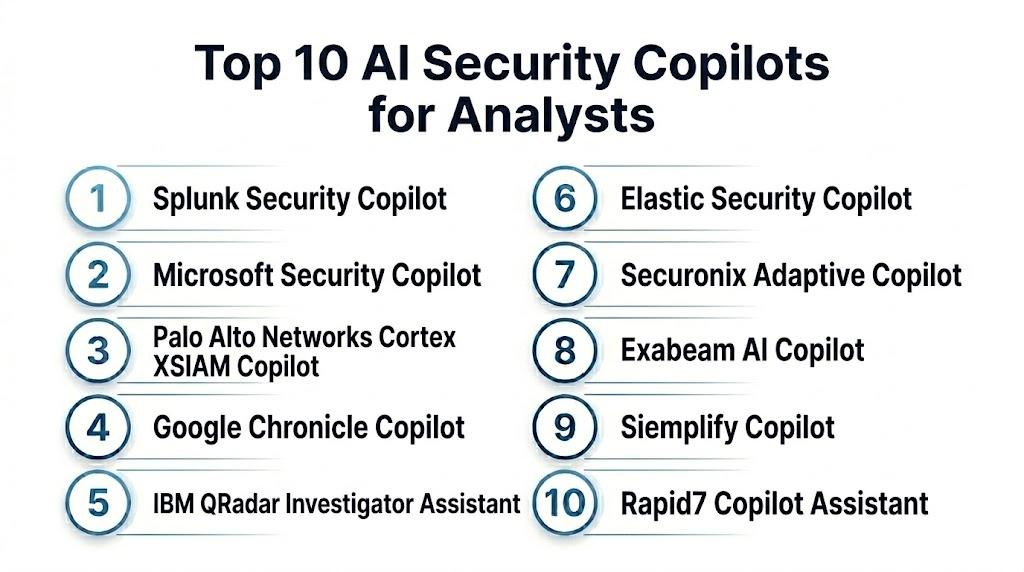
Top 10 AI Security Copilots for Analysts
1- Splunk Security Copilot
2- Microsoft Security Copilot
3- Palo Alto Networks Cortex XSIAM Copilot
4- Google Chronicle Copilot
5- IBM QRadar Investigator Assistant
6- Elastic Security Copilot
7- Securonix Adaptive Copilot
8- Exabeam AI Copilot
9- Siemplify Copilot
10- Rapid7 Copilot Assistant
1- Splunk Security Copilot
One-line verdict: Best for analysts in Splunk environments needing natural language investigation and SIEM‑centric copilot assistance.
Short description:
Splunk Security Copilot uses natural language understanding and security context to help analysts triage alerts, investigate incidents, generate reports, and accelerate detection workflows within Splunk SIEM and SOAR environments.
Standout Capabilities
- Plain language investigation across security data
- Alert summarization and incident narratives
- Contextual correlation across logs, events, and entities
- Guided investigation suggestions
- Integration with Splunk SIEM and SOAR dashboards
- Analyst query flexibility
- Automated report generation
- Prioritized insights for SOC teams
AI‑Specific Depth
- Model support: Proprietary and contextual security models trained with Splunk data
- RAG and knowledge integration: Security data retrieval for context
- Evaluation: Not publicly stated
- Guardrails: Admin and role‑based access controls
- Observability: Alert summaries, contextual insights, timeline views
Pros
- Strong in SIEM‑centric workflows
- Helps reduce manual investigation steps
- Good integration with Splunk tools
Cons
- Best value when combined with Splunk ecosystem
- Advanced capabilities depend on data quality
- Licensing considerations vary
Security and Compliance
SSO, RBAC, audit logs, and retention policies should be verified based on SIEM deployment. Exact certification details are Not publicly stated.
Deployment and Platforms
- Cloud and enterprise deployment options vary
- Web console inside Splunk platforms
- Analyst workflows inside security dashboards
Integrations and Ecosystem
- Splunk SIEM
- SOAR tools
- Security logs
- Identity context
- Endpoint, network, cloud sources
- Dashboards and reports
Pricing Model
Subscription‑based and dependent on Splunk licensing tiers. Exact pricing is Not publicly stated.
Best‑Fit Scenarios
- Splunk‑centric SOC teams
- Analysts needing natural language alert triage
- Teams automating investigation reporting
2- Microsoft Security Copilot
One‑line verdict: Best for large security operations needing cross‑platform AI assistance across Microsoft and third‑party data.
Short description:
Microsoft Security Copilot provides natural language investigation, alert summarization, automated playbooks, cross‑tool insights, and analyst guidance integrated with Microsoft security products and broader security sources.
Standout Capabilities
- Cross‑platform natural language investigations
- Incident summarization
- Threat intelligence enrichment
- Automated response suggestions
- Playbook automation support
- Analyst query flexibility
- Integration with Microsoft Defender and Sentinel
- Guided investigation steps
AI‑Specific Depth
- Model support: Proprietary large language models with security context
- RAG and knowledge integration: Retrieval from security signals and logs
- Evaluation: Not publicly stated
- Guardrails: Admin controls, permission governance
- Observability: Summary views, incident context, query responses
Pros
- Strong cross‑platform support
- Natural language ease of use
- Integrated threat context
Cons
- Best value in Microsoft environments
- Requires configuration for third‑party signals
- Licensing and scope vary
Security and Compliance
Microsoft provides enterprise governance, access control, and retention capabilities. Exact certification and configuration details are Not publicly stated.
Deployment and Platforms
- Cloud‑based copilot
- Integration with Microsoft security suite
- Analyst and investigation dashboards
Integrations and Ecosystem
- Microsoft Defender suite
- Microsoft Sentinel
- Cloud security signals
- Identity and access sources
- Third‑party connectors
- Automated workflows
Pricing Model
Generally subscription‑based and tied to security stack usage. Exact pricing is Not publicly stated.
Best‑Fit Scenarios
- Enterprises using Microsoft security tools
- Analysts needing cross‑domain copilot support
- SOC teams focusing on automated investigation
3- Palo Alto Networks Cortex XSIAM Copilot
One‑line verdict: Best for analysts seeking unified AI assistance across SIEM, SOAR, and XDR telemetry.
Short description:
Cortex XSIAM Copilot assists analysts by summarizing alerts, correlating contextual signals, recommending next steps, generating narratives, and automating playbooks across Palo Alto Networks security data and integrations.
Standout Capabilities
- Unified copilot across XSIAM
- Alert summarization and context
- Automated investigation guidance
- Integrated response playbooks
- Cross‑signal correlation
- Analyst query interface
- Risk‑based prioritization
- Integration with network and cloud telemetry
AI‑Specific Depth
- Model support: Proprietary contextual security models
- RAG and knowledge integration: Data retrieval for investigation context
- Evaluation: Not publicly stated
- Guardrails: Admin policies and governance
- Observability: Incident summaries, correlation context, prioritized findings
Pros
- Good XSIAM integration
- Helps automate cross‑tool investigations
- Unified data context
Cons
- Best when Palo Alto data pipelines are robust
- Implementation planning needed
- Mixed ecosystems may need additional connectors
Security and Compliance
RBAC, audit logging, SSO controls are configurable. Exact certification details are Not publicly stated.
Deployment and Platforms
- Cloud and enterprise options
- Analyst interface inside security platforms
- Playbook orchestration tools
Integrations and Ecosystem
- Palo Alto Networks XSIAM
- Network security controls
- Cloud telemetry
- Endpoint and identity signals
- SOAR workflows
- Security logs
Pricing Model
Subscription‑based, dependent on product bundles. Exact pricing is Not publicly stated.
Best‑Fit Scenarios
- Teams using Palo Alto XSIAM
- Analysts needing unified copilot guidance
- SOC teams prioritizing cross‑signal context
4- Google Chronicle Copilot
One‑line verdict: Best for analysts needing fast search, correlation, and AI narrative generation over large security datasets.
Short description:
Google Chronicle Copilot provides natural language search assistance, alert correlation, incident overview generation, automated summarization, and data exploration capabilities within a cloud‑scale security data platform.
Standout Capabilities
- Cloud‑scale data search
- AI narrative generation
- Correlation across disparate signals
- Analyst natural language query support
- Incident context and exploration
- Prioritized insights
- Integration with cloud data sources
AI‑Specific Depth
- Model support: Proprietary models optimized for security data analysis
- RAG and knowledge integration: Security dataset retrieval
- Evaluation: Not publicly stated
- Guardrails: Admin access controls
- Observability: Query results, narrative responses, incident summaries
Pros
- Strong data exploration capabilities
- Useful for large datasets and correlation
- Natural language ease of use
Cons
- Best fit with Chronicle deployments
- Analyst learning curve for advanced queries
- Platform context matters
Security and Compliance
Governance, retention, and audit capabilities depend on deployment. Exact certification details are Not publicly stated.
Deployment and Platforms
- Cloud‑based copilot integrated with Chronicle
- Analyst search and investigation interface
Integrations and Ecosystem
- Chronicle data lake
- Cloud logs
- Identity and endpoint telemetry
- Network and threat intelligence feeds
- SOAR integrations
- Investigation dashboards
Pricing Model
Subscription‑based, tied to data volume and usage. Exact pricing is Not publicly stated.
Best‑Fit Scenarios
- Organizations with large security datasets
- Analysts seeking fast correlation responses
- SOC teams prioritizing cloud search workflows
5- IBM QRadar Investigator Assistant
One‑line verdict: Best for QRadar SOC teams wanting contextual investigation summaries and copilot assistance within SIEM workflows.
Short description:
IBM QRadar Investigator Assistant helps analysts interpret alerts, correlate evidence, generate investigation narratives, and accelerate root cause analysis within QRadar SIEM environments.
Standout Capabilities
- Alert interpretation and explanation
- Correlation of security events
- Incident summary generation
- Analyst coaching and query suggestions
- SIEM context awareness
- Investigation insights
- Prioritized alerts
AI‑Specific Depth
- Model support: Proprietary security models integrated with SIEM context
- RAG and knowledge integration: Security event and log retrieval
- Evaluation: Not publicly stated
- Guardrails: Admin governance and role policies
- Observability: Summaries, investigation context, alert timelines
Pros
- Good SIEM integration
- Helps analysts interpret complex alerts
- Useful for QRadar‑centric workflows
Cons
- Best when QRadar data is rich
- Limited outside SIEM context
- Advanced cross‑tool work depends on connectors
Security and Compliance
SIEM governance, RBAC, and audit controls should be verified based on deployment. Certification details are Not publicly stated.
Deployment and Platforms
- Embedded inside QRadar environment
- Analyst investigation interface
Integrations and Ecosystem
- QRadar SIEM
- Log and event sources
- Identity and endpoint contexts
- Automated playbook connectors
- SOAR and ticketing systems
Pricing Model
Subscription or licensing tied to SIEM module usage. Exact pricing is Not publicly stated.
Best‑Fit Scenarios
- QRadar SOC analysts
- Teams needing SIEM‑centric copilot guidance
- Organizations focused on QRadar investigations
6- Elastic Security Copilot
One‑line verdict: Best for open data security teams wanting flexible query assistance and narrative generation.
Short description:
Elastic Security Copilot helps analysts query data in plain language, build investigation timelines, generate narrative summaries, correlate signals, and explore security telemetry using a flexible search and analytics runway. It is useful for teams that want copilot assistance integrated with open data security workflows.
Standout Capabilities
- Plain language search assistance
- Narrative generation for investigations
- Correlation across data sources
- Elastic query flexibility
- Analyst query refinement tools
- Dashboards and investigation context
- Integration with Elastic SIEM and observability
AI‑Specific Depth
- Model support: Proprietary analytics and contextual security models
- RAG and knowledge integration: Security data retrieval
- Evaluation: Not publicly stated
- Guardrails: Admin and policy controls
- Observability: Query narrative outputs, correlation context, alert summaries
Pros
- Flexible data exploration
- Good for rich telemetry environments
- Natural language ease of use
Cons
- Requires analyst familiarity with Elastic data model
- Best value when tied to Elastic SIEM
- Advanced correlation workflows may need tuning
Security and Compliance
RBAC, SSO, audit, and data retention policies depend on Elastic deployment. Exact certification details are Not publicly stated.
Deployment and Platforms
- Cloud and self‑managed options
- Analyst query interfaces
- Elastic SIEM integration
Integrations and Ecosystem
- Elastic data streams
- SIEM and observability pipelines
- Identity and endpoint telemetry
- Cloud logs
- Threat intelligence feeds
- Investigation dashboards
Pricing Model
Subscription or usage‑based depending on Elastic deployment. Exact pricing is Not publicly stated.
Best‑Fit Scenarios
- Teams using Elastic SIEM
- Analysts needing flexible query assistance
- Security operations with rich telemetry
7- Securonix Adaptive Copilot
One‑line verdict: Best for threat analysts needing adaptive AI suggestions and narrative insights in behavioral analysis dashboards.
Short description:
Securonix Adaptive Copilot uses AI to guide analysts with narrative insights, alert triage assistance, contextual explanations, and investigation suggestions within behavioral analytics environments.
Standout Capabilities
- Adaptive copilot assistance
- Narrative alert explanations
- Behavioral correlation insights
- Analyst query flexibility
- Investigation support
- Integration with behavioral detection systems
AI‑Specific Depth
- Model support: Proprietary security and behavior models
- RAG and knowledge integration: Event and behavior retrieval
- Evaluation: Not publicly stated
- Guardrails: Configurable admin settings
- Observability: Narratives, alert context, analysis recommendations
Pros
- Behavioral insight assistance
- Helps interpret complex signals
- Useful for behavioral analytics
Cons
- Best value when integrated deeply
- Outside copilot context may need connectors
- Advanced workflows may need additional tools
Security and Compliance
Governance, RBAC, and audit logs should be verified. Specific certifications are Not publicly stated.
Deployment and Platforms
- Cloud and enterprise deployment options
- Analyst dashboards
- Integration with behavior analytics
Integrations and Ecosystem
- Behavioral analytics environments
- SIEM and SOAR
- Identity signals
- Endpoint context
- Cloud and network integrations
- Investigation workflows
Pricing Model
Usually subscription‑based. Exact pricing is Not publicly stated.
Best‑Fit Scenarios
- SOC teams with behavioral analytics
- Analysts focusing on complex signal interpretation
- Teams needing copilot narrative insights
8- Exabeam AI Copilot
One‑line verdict: Best for workflow‑oriented copilot guidance inside investigation timelines.
Short description:
Exabeam AI Copilot helps analysts by summarizing investigations, correlating event sequences, generating reports, and suggesting next steps within Exabeam investigation timelines and security workflows.
Standout Capabilities
- Investigation timeline summaries
- Event correlation insights
- Next‑step suggestions
- Automated reporting
- Integration with investigation dashboards
- Alert prioritization
- Analyst guidance
AI‑Specific Depth
- Model support: Proprietary behavioral and investigation models
- RAG and knowledge integration: Security event retrieval
- Evaluation: Not publicly stated
- Guardrails: Admin governance and policy settings
- Observability: Timeline summaries, insights, correlated findings
Pros
- Helpful investigation assistance
- Timeline context for analysts
- Improves report quality
Cons
- Best within Exabeam ecosystem
- Data quality affects outcomes
- Licensing and deployment scope matters
Security and Compliance
Exabeam provides enterprise security controls. Exact RBAC, audit, SSO, and certification details are Not publicly stated.
Deployment and Platforms
- Cloud and enterprise deployments
- Analyst interfaces
- Investigation dashboards
Integrations and Ecosystem
- Exabeam investigation workflows
- SIEM and SOAR connectors
- Endpoint and identity signals
- Cloud logs
- Ticketing systems
- Narrative workflows
Pricing Model
Subscription‑based and dependent on Exabeam modules. Exact pricing is Not publicly stated.
Best‑Fit Scenarios
- Exabeam SOC teams
- Analysts needing correlated investigations
- Organizations focusing on timeline context
9- Siemplify Copilot
One‑line verdict: Best for analysts needing automated playbook guidance and copilot assistance inside SOAR workflows.
Short description:
Siemplify Copilot provides security analysts with AI assistance that helps triage alerts, suggest playbook actions, automate flows, generate investigation narratives, and prioritize incidents within SOAR environments.
Standout Capabilities
- Playbook guidance
- Alert triage suggestions
- Narrative generation
- Automated flows
- Incident enrichment
- Analyst query support
- Prioritized insights
- Response action recommendations
AI‑Specific Depth
- Model support: Proprietary AI models tailored for SOAR operations
- RAG and knowledge integration: Security data enrichment
- Evaluation: Not publicly stated
- Guardrails: Administrative policies and response controls
- Observability: Playbook suggestions, copilot narratives, alert context
Pros
- Strong SOAR playbook integration
- Helps automate investigation steps
- Good for SOC efficiency
Cons
- Best value within SOAR workflows
- Requires configuration for cross‑tool data
- Pricing and packaging vary
Security and Compliance
Governance, RBAC, audit logs, and administrative controls should be verified. Certifications are Not publicly stated.
Deployment and Platforms
- Cloud and enterprise options
- SOAR and management consoles
- Analyst interfaces
Integrations and Ecosystem
- SOAR workflows
- SIEM and alerts
- Incident response tools
- Identity and endpoint context
- Cloud and network signals
- Ticketing systems
Pricing Model
Subscription‑based SOAR pricing. Exact pricing is Not publicly stated.
Best‑Fit Scenarios
- SOC teams using SOAR
- Analysts needing automated response guidance
- Teams focusing on playbook automation
10- Rapid7 Copilot Assistant
One‑line verdict: Best for accessible analyst copilot workflows in unified detection and response platforms.
Short description:
Rapid7 Copilot Assistant helps analysts interpret alerts, explore correlated data, generate investigation summaries, suggest actions, and automate steps within unified detection and response environments.
Standout Capabilities
- Alert interpretation and explanation
- Correlated data exploration
- Investigation narratives
- Suggested next steps
- Automated task guidance
- Integration with detection workflows
- Analyst query flexibility
AI‑Specific Depth
- Model support: Proprietary analytics and behavior models
- RAG and knowledge integration: Event and signal retrieval
- Evaluation: Not publicly stated
- Guardrails: Admin controls and policy settings
- Observability: Narrative insights, correlated context, investigation views
Pros
- Helpful investigation context
- Accessible analyst guidance
- Useful in unified detection platforms
Cons
- Best within platform context
- Packaging and data coverage vary
- Pricing and implementation planning matter
Security and Compliance
Security controls, RBAC, audit logs, and governance depend on deployment. Exact certifications are Not publicly stated.
Deployment and Platforms
- Cloud and enterprise options
- Analyst copilot interfaces
- Security dashboards
Integrations and Ecosystem
- Detection and response modules
- SIEM and SOAR connectors
- Endpoint and cloud telemetry
- Threat intelligence feeds
- Ticketing workflows
- Incident enrichment
Pricing Model
Subscription‑based and tied to platform modules. Exact pricing is Not publicly stated.
Best‑Fit Scenarios
- Detection and response teams
- Analysts needing narrative assistance
- Unified security operations workflows
Comparison Table
| Tool Name | Best For | Deployment | Model Flexibility | Strength | Watch Out | Public Rating |
|---|---|---|---|---|---|---|
| Splunk Security Copilot | SIEM‑centric investigations | Cloud and enterprise | Hosted proprietary | Natural language investigations | Works best with Splunk data | N/A |
| Microsoft Security Copilot | Cross‑platform copilot | Cloud | Hosted proprietary | Broad integrations & narratives | Microsoft‑centric value | N/A |
| Palo Alto Networks Cortex XSIAM Copilot | XSIAM‑integrated investigations | Cloud/enterprise | Hosted proprietary | Unified context across signals | Depends on data pipelines | N/A |
| Google Chronicle Copilot | Large dataset exploration | Cloud | Hosted proprietary | Cloud‑scale search and narratives | Best with Chronicle data | N/A |
| IBM QRadar Investigator Assistant | QRadar SOC workflows | Enterprise | Hosted proprietary | SIEM contextual summaries | SIEM dependent | N/A |
| Elastic Security Copilot | Flexible query and narrative | Cloud/self‑managed | Hosted proprietary | Open data exploration | Elastic familiarity needed | N/A |
| Securonix Adaptive Copilot | Behavioral analytics insights | Cloud/enterprise | Hosted proprietary | Adaptive explanations | Integration depth varies | N/A |
| Exabeam AI Copilot | Investigation timeline focus | Cloud/enterprise | Hosted proprietary | Timeline correlation | Best with Exabeam workflows | N/A |
| Siemplify Copilot | SOAR workflow assistance | Cloud/enterprise | Hosted proprietary | Playbook guidance | SOAR context required | N/A |
| Rapid7 Copilot Assistant | Unified detection copilot | Cloud/enterprise | Hosted proprietary | Correlation and narratives | Platform dependency | N/A |
Scoring and Evaluation
This scoring is comparative and helps buyers assess AI security copilot tools based on copilot intelligence, integration depth, explainability, guardrails, automation support, usability, performance, and security controls. Scores may vary based on your security stack, SOC maturity, data quality, and investigation use cases. Public ratings are not guessed. Buyers should validate shortlisted tools through pilots with real alert streams and investigation scenarios.
| Tool | Core | Reliability and Eval | Guardrails | Integrations | Ease | Performance and Cost | Security and Admin | Support | Weighted Total |
| Splunk Security Copilot | 9.0 | 8.7 | 8.5 | 8.8 | 8.5 | 8.3 | 8.7 | 8.6 | 8.7 |
| Microsoft Security Copilot | 9.2 | 8.8 | 8.6 | 9.0 | 8.4 | 8.4 | 8.8 | 8.7 | 8.8 |
| Palo Alto Networks Cortex XSIAM Copilot | 9.0 | 8.7 | 8.6 | 8.9 | 8.3 | 8.2 | 8.7 | 8.6 | 8.7 |
| Google Chronicle Copilot | 8.9 | 8.6 | 8.5 | 8.7 | 8.1 | 8.0 | 8.6 | 8.5 | 8.6 |
| IBM QRadar Investigator Assistant | 8.8 | 8.5 | 8.4 | 8.6 | 8.1 | 8.1 | 8.5 | 8.5 | 8.5 |
| Elastic Security Copilot | 8.7 | 8.6 | 8.4 | 8.7 | 8.0 | 8.2 | 8.5 | 8.4 | 8.5 |
| Securonix Adaptive Copilot | 8.6 | 8.5 | 8.4 | 8.6 | 8.1 | 8.1 | 8.5 | 8.4 | 8.4 |
| Exabeam AI Copilot | 8.7 | 8.5 | 8.4 | 8.7 | 8.0 | 8.1 | 8.5 | 8.5 | 8.5 |
| Siemplify Copilot | 8.6 | 8.5 | 8.4 | 8.6 | 8.2 | 8.1 | 8.5 | 8.5 | 8.4 |
| Rapid7 Copilot Assistant | 8.7 | 8.5 | 8.4 | 8.7 | 8.1 | 8.1 | 8.5 | 8.5 | 8.5 |
Top 3 for Enterprise
1- Microsoft Security Copilot
2- Splunk Security Copilot
3- Palo Alto Networks Cortex XSIAM Copilot
Top 3 for SMB
1- Elastic Security Copilot
2- IBM QRadar Investigator Assistant
3- Securonix Adaptive Copilot
Top 3 for Developers
1- Google Chronicle Copilot
2- Elastic Security Copilot
3- Rapid7 Copilot Assistant
Which AI Security Copilot Tool Is Right for You
Solo / Freelancer
Solo security practitioners and consultants usually do not need a full enterprise copilot unless they serve large client environments. For flexible query exploration and narrative assistance, Elastic Security Copilot and Google Chronicle Copilot can help analysts explore data in natural language across datasets.
SMB
SMBs should choose copilots that are easy to use, integrate with existing security tools, and reduce manual investigation effort. Elastic Security Copilot, IBM QRadar Investigator Assistant, and Securonix Adaptive Copilot are strong candidates depending on SIEM, behavioral analytics, and data workflows.
Mid‑Market
Mid‑market teams usually need strong investigation guidance, playbook assistance, and cross‑tool correlation. Splunk Security Copilot, Siemplify Copilot, and Rapid7 Copilot Assistant are strong options when paired with relevant SIEM, SOAR, or unified detection platforms.
Enterprise
Large enterprises should prioritize cross‑platform copilots that provide broad integrations, threat context, automated playbooks, explainability, and scalability. Microsoft Security Copilot, Splunk Security Copilot, and Palo Alto Networks Cortex XSIAM Copilot are strong enterprise candidates depending on data sources and security stack alignment.
Regulated Industries
Regulated teams should prioritize auditability, governance controls, role‑based access, evidence trails, and explainable copilot outputs. Microsoft Security Copilot, Splunk Security Copilot, and IBM QRadar Investigator Assistant can provide strong governance context when integrated with mature security programs.
Budget vs Premium
Budget teams should start with tools already in their security stack, such as the copilot capabilities in SIEM or detection platforms. Premium teams can adopt broader AI copilots that span multiple toolsets, offer advanced narratives, automated playbooks, and cross‑domain context.
Build vs Buy
Building an internal copilot requires deep data engineering, NLP integration, query engines, and security context modeling. Many organizations benefit from buying copilot capabilities integrated into existing security tools and workflows. A hybrid approach can work where commercial copilots provide base insight and internal AI logic enhances specific policies and alert taxonomies.
Implementation Playbook
First 30 Days
- Define key analyst tasks that are repetitive, high cognitive load, and investigation heavy.
- Identify SIEM, SOAR, endpoint, network, cloud, and identity systems to connect.
- Choose two or three copilot tools for pilot testing.
- Configure data connectors and relevant telemetry sources.
- Run test queries, investigations, alert summarizations, and narrative generation.
- Validate governance controls, role‑based access, audit logs, and privacy policies.
- Train analysts on copilot usage patterns and query strategies.
- Define success metrics such as response time saved, incident resolution time, and analyst satisfaction.
First 60 Days
- Expand data integrations and refine query templates for common incident types.
- Tune copilot behavior for your environment and alert taxonomy.
- Configure automation workflows and playbooks.
- Create dashboards that highlight copilot recommendations and insights.
- Validate narrative quality and root cause explanations with analysts.
- Integrate with ticketing and ITSM workflows for seamless handoffs.
- Train cross‑team analysts on advanced copilot query strategies.
- Monitor false positives and refine copilot prompts.
First 90 Days
- Scale copilot usage to SOC shifts, threat hunting teams, and incident response playbooks.
- Measure metrics such as investigation time, accuracy, alert prioritization, and analyst time saved.
- Evaluate new integrations with cloud, identity, and network sources.
- Automate high‑confidence response actions where policy governance allows.
- Review governance policies, retention settings, and audit trails regularly.
- Refine playbooks based on real event outcomes and analyst feedback.
- Share copilot best practices across teams.
Common Mistakes and How to Avoid Them
- Expecting perfect accuracy: Copilots accelerate work but still need human vetting for high‑impact decisions.
- Integrating only a few data sources: The more data sources included, the better the context for copilot guidance.
- Ignoring governance: Copilots must respect access controls, retention policies, and audit logs.
- Treating copilots as replacements for analysts: They augment performance but do not replace analyst judgment.
- Skipping pilot testing: Always test with real alerts and investigation scenarios.
- Not tuning copilot behavior: Copilots need customization for organizational context and alert taxonomy.
- Over‑automating responses: Keep human‑in‑the‑loop for containment and high‑risk actions.
- Not documenting outcomes: Analysts should document how copilot insights lead to decisions.
- Neglecting explainability: Analysts need traceable reasoning alongside recommendations.
- Forgetting incident reporting: Copilots can improve reports but must be configured to meet organizational standards.
- Not training analysts: Copilot skills need training like any tool in the SOC.
- Ignoring multi‑tool workflows: Copilot value increases when integrated across SIEM, SOAR, endpoint, cloud, and identity contexts.
- Expecting instant ROI: Improvement accrues as copilots learn environment context and analysts adopt better queries.
- Not reviewing privacy: Copilots may expose sensitive data; configure privacy and masking controls.
FAQs
1- What is an AI Security Copilot for Analysts?
An AI Security Copilot for Analysts is an intelligent assistant that helps analysts investigate, summarize, correlate, triage, and respond to security events using natural language understanding, automation, and contextual security insights.
2- Do copilots replace security analysts?
No. They augment analysts by reducing manual work, accelerating investigation, and providing contextual insights. Analysts still make final decisions on response actions and risk.
3- Can copilots access my security data?
Copilots work on connected security data sources. They should respect role‑based access, privacy, retention policies, and governance controls set by the organization.
4- What integrations are important for copilots?
Important integrations include SIEM, SOAR, endpoint telemetry, network logs, cloud logs, identity systems, threat intelligence feeds, ticketing systems, and investigation dashboards.
5- How should analysts ask questions?
Analysts can ask questions in natural language, such as “Show me related logs for this alert,” “Summarize this incident,” or “What assets are impacted?” Copilots should provide relevant insights and context.
6- Are copilots secure?
Copilots should enforce access controls, privilege enforcement, audit logs, and retention policies. Security teams must verify governance settings before deployment.
7- Can copilots automate remediation steps?
Many copilots support automated workflows and playbooks, but high‑impact actions should involve human review based on policy.
8- Do copilots continue learning?
Some copilots can improve from feedback and usage patterns, but organizations should monitor behavior and validate outputs.
9- Which tool is best for SIEM‑centric workflows?
Splunk Security Copilot and IBM QRadar Investigator Assistant are strong for SIEM‑centric investigations.
10- Which tool is best for unified copilot support across signals?
Microsoft Security Copilot and Palo Alto Networks Cortex XSIAM Copilot provide broad cross‑tool context.
11- Are copilots useful for reporting?
Yes. Many copilots can generate narrative investigation reports and summaries that help analysts and leadership understand incident context.
12- How should teams evaluate false positives?
Teams should test copilot responses with real alerts and simulated incidents, refine prompts, and integrate noise‑reduction strategies.
Conclusion
AI Security Copilots for Analysts empower security teams to investigate faster, understand threats deeply, triage alerts accurately, and automate repetitive tasks. Top platforms include Microsoft Security Copilot for cross‑domain insights, Splunk Security Copilot for SIEM‑centric investigations, Palo Alto Networks Cortex XSIAM Copilot for unified signal context, Google Chronicle Copilot for cloud‑scale data exploration, IBM QRadar Investigator Assistant for SIEM‑led assistance, Elastic Security Copilot for flexible queries and narratives, Securonix Adaptive Copilot for behavioral insights, Exabeam AI Copilot for investigation timeline context, Siemplify Copilot for SOAR playbook guidance, and Rapid7 Copilot Assistant for unified detection and response support. To choose the right tool, shortlist platforms based on your integration needs, pilot with real alerts and investigation scenarios, verify privacy and governance controls, tune copilot behavior to your security stack, then scale with automation, explainability, and continuous analyst adoption.

Find Trusted Cardiac Hospitals
Compare heart hospitals by city and services — all in one place.
Explore Hospitals
A key consideration is how well these AI copilots balance automation with analyst trust and explainability.