
Introduction
AI Photo Editing Copilots are intelligent software platforms that assist photographers, designers, and content creators with automated photo enhancements, retouching, and workflow optimization. By combining machine learning, computer vision, and AI-assisted creative suggestions, these tools speed up repetitive editing tasks while preserving artistic control.
In 2026, the demand for high-quality, consistent visual content across e-commerce, social media, and professional photography has increased dramatically. Manual photo editing is time-consuming and prone to inconsistencies, making AI copilot tools essential for improving efficiency, maintaining brand style, and accelerating production timelines.
Real-world use cases:
- Portrait retouching: Automated skin smoothing, blemish removal, and facial enhancement.
- Background removal and replacement: For product photography, creative composites, and e-commerce catalogs.
- Batch processing: Apply consistent edits to hundreds or thousands of images quickly.
- Color grading and correction: Intelligent adjustments for tone, saturation, and exposure.
- Creative style suggestions: AI-recommended filters, effects, and composition adjustments.
- Legacy photo restoration: Artifact removal, denoising, and detail enhancement for archival images.
Evaluation criteria buyers should consider:
- Accuracy and realism of AI-generated edits
- Batch editing and processing speed
- Integration with tools like Photoshop, Lightroom, and Canva
- Customization and manual override capabilities
- AI-generated style and filter recommendations
- Security and privacy for original images
- Support for multiple file formats and exports
- Observability dashboards for performance and workflow tracking
- Cost and licensing clarity
Best for: Professional photographers, e-commerce teams, designers, social media managers, and content creators.
Not ideal for: Projects that require fully handcrafted edits, extremely artistic retouching, or specialized adjustments beyond AI capabilities.
What’s Changed in AI Photo Editing Copilots in 2026
- Real-time AI-assisted editing suggestions
- Advanced object detection for automatic masking
- Batch editing across large image libraries
- AI style and filter recommendations tailored to content
- Enhanced portrait retouching preserving natural skin tones
- Adaptive social media formatting and multi-format export
- Integration with Photoshop, Lightroom, Canva, and other pipelines
- Guardrails preventing over-smoothing or unnatural edits
- Observability dashboards for GPU usage, processing metrics, and workflow tracking
- Custom AI models for brand-specific style and presets
- BYO and open-source AI model support for specialized workflows
- Privacy-first options for sensitive imagery
Quick Buyer Checklist
- Accuracy of automated edits
- Object detection and background removal
- Batch editing capability
- Integration with Photoshop, Lightroom, Canva
- Manual override and customization options
- AI style and effect recommendations
- Observability dashboards
- Security and privacy compliance
- Licensing clarity
- Multi-format export support
- Cloud, desktop, or hybrid deployment
- Cost efficiency and GPU usage optimization
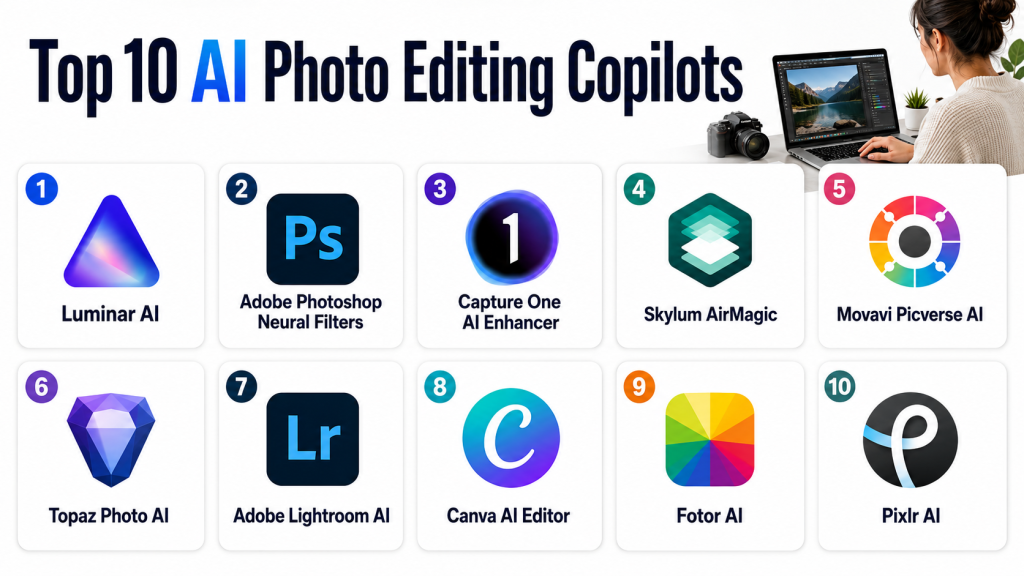
Top 10 AI Photo Editing Copilots
1- Luminar AI
One-line verdict: AI copilot for professional photographers seeking automated enhancements and creative suggestions.
Short description:
Luminar AI automates portrait and landscape editing, offers creative suggestions, and supports batch processing for professional workflows.
Standout Capabilities
- Sky replacement and enhancement
- Portrait skin retouching
- Color and tone optimization
- AI composition suggestions
- Batch editing
AI-Specific Depth
- Model support: Proprietary
- RAG / knowledge integration: N/A
- Evaluation: Automated quality metrics
- Guardrails: Maintains natural tones
- Observability: Processing dashboards
Pros
- Fast batch processing
- High-quality AI enhancements
- User-friendly interface
Cons
- Proprietary AI limits customization
- Manual fine-tuning may be needed
- Cloud features optional
Security & Compliance
Not publicly stated
Deployment & Platforms
- Windows, macOS
- Cloud/local
Integrations & Ecosystem
- Photoshop and Lightroom plugin
- Export to JPEG, TIFF, PNG
- API for batch automation
Pricing Model
Subscription
Best-Fit Scenarios
- Professional photography
- E-commerce product images
- Social media content
2- Adobe Photoshop Neural Filters
One-line verdict: AI-powered photo retouching and style adjustments integrated directly into Photoshop.
Short description:
Photoshop Neural Filters allow AI-assisted retouching, background removal, and creative style applications for designers and photographers.
Standout Capabilities
- Portrait enhancement and skin smoothing
- Background replacement
- Artistic style transfer
- Expression adjustments
- Color grading suggestions
AI-Specific Depth
- Model support: Proprietary
- RAG / knowledge integration: N/A
- Evaluation: AI realism checks
- Guardrails: Prevents over-enhancement
- Observability: Usage metrics
Pros
- Fully integrated with Photoshop
- Advanced portrait editing
- Real-time previews
Cons
- Requires Photoshop subscription
- GPU-intensive for high-resolution edits
- Some manual adjustments may still be needed
Security & Compliance
Not publicly stated
Deployment & Platforms
- Windows, macOS
- Cloud/local
Integrations & Ecosystem
- Adobe Creative Cloud
- PSD exports
- Plugin and API support
Pricing Model
Subscription
Best-Fit Scenarios
- Professional photography
- Social media campaigns
- Graphic design workflows
3- Capture One AI Enhancer
One-line verdict: AI-powered color and detail enhancement for studio and commercial photography.
Short description:
Capture One AI Enhancer automatically adjusts exposure, color, and image details, accelerating high-volume photo workflows.
Standout Capabilities
- Accurate color and tone adjustments
- Detail enhancement and sharpening
- Skin and object detection
- Batch processing
- Lens correction
AI-Specific Depth
- Model support: Proprietary
- RAG / knowledge integration: N/A
- Evaluation: Automated quality checks
- Guardrails: Preserves natural textures
- Observability: Processing logs
Pros
- Excellent for batch edits
- Accurate color grading
- High-resolution support
Cons
- Expensive for small teams
- Proprietary AI
- Manual fine-tuning sometimes required
Security & Compliance
Not publicly stated
Deployment & Platforms
- Windows, macOS
Integrations & Ecosystem
- Lightroom and Photoshop plugin
- Export to multiple formats
- Studio workflow integration
Pricing Model
Subscription
Best-Fit Scenarios
- Commercial photography
- Studio portrait editing
- Product photography
4- Skylum AirMagic
One-line verdict: AI copilot specialized for drone and aerial photography enhancement.
Short description:
AirMagic automatically enhances drone images by removing haze, optimizing colors, and correcting lens distortions.
Standout Capabilities
- Haze and artifact removal
- Automatic color correction
- Lens distortion adjustment
- Batch processing
- Composition suggestions
AI-Specific Depth
- Model support: Proprietary
- RAG / knowledge integration: N/A
- Evaluation: Auto-quality metrics
- Guardrails: Maintains natural sky tones
- Observability: Processing logs
Pros
- Fast drone photo enhancement
- Batch-ready
- Minimal manual intervention
Cons
- Limited to aerial photography
- Proprietary AI
- Less suitable for studio images
Security & Compliance
Not publicly stated
Deployment & Platforms
- Windows, macOS
Integrations & Ecosystem
- Export JPEG, TIFF, PNG
- Compatible with drone editing workflows
- Optional API
Pricing Model
Subscription
Best-Fit Scenarios
- Aerial photography
- Travel photography
- Social media content
5- Movavi Picverse AI
One-line verdict: AI copilot for semi-professional and consumer photo editing.
Short description:
Movavi Picverse AI automates object removal, background edits, and portrait enhancement with batch editing capabilities.
Standout Capabilities
- Background removal
- AI object detection
- Portrait skin enhancement
- Color and tone correction
- Batch processing
AI-Specific Depth
- Model support: Proprietary
- RAG / knowledge integration: N/A
- Evaluation: Auto-quality metrics
- Guardrails: Preserves natural look
- Observability: Usage dashboards
Pros
- Beginner-friendly
- Fast batch processing
- AI-assisted portrait edits
Cons
- Limited advanced features
- Not for high-end professional workflows
- Proprietary AI
Security & Compliance
Not publicly stated
Deployment & Platforms
- Windows, macOS
Integrations & Ecosystem
- Export JPEG, PNG
- Photoshop workflows compatible
- Optional API
Pricing Model
Subscription
Best-Fit Scenarios
- Social media content
- Beginner photographers
- E-commerce photography
6- Topaz Photo AI
One-line verdict: AI-powered artifact removal and detail enhancement for high-resolution or archival photos.
Short description:
Topaz Photo AI specializes in denoising, artifact removal, and sharpening for professional and legacy image enhancement.
Standout Capabilities
- Denoising and artifact removal
- Detail enhancement
- Color and tone optimization
- Batch editing
- High-resolution export
AI-Specific Depth
- Model support: Proprietary
- RAG / knowledge integration: N/A
- Evaluation: Auto-quality checks
- Guardrails: Maintains natural textures
- Observability: GPU logs
Pros
- High-resolution support
- Batch-ready
- Archival restoration
Cons
- Limited compositing tools
- Proprietary AI
- Cloud optional
Deployment & Platforms
- Windows, macOS
Integrations & Ecosystem
- Photoshop and Lightroom plugins
- Batch processing API
Pricing Model
Subscription
Best-Fit Scenarios
- Archival restoration
- Professional photography
- Social media content
7- Adobe Lightroom AI
One-line verdict: AI-assisted Lightroom workflow for batch editing and adjustments.
Short description:
Lightroom AI automatically corrects exposure, color, and contrast, helping photographers manage large photo libraries efficiently.
Standout Capabilities
- Batch color and tone correction
- Auto-exposure adjustment
- Noise reduction
- Preset suggestions
- Lens correction
AI-Specific Depth
- Model support: Proprietary
- RAG / knowledge integration: N/A
- Evaluation: Automated quality metrics
- Guardrails: Maintains natural look
- Observability: Workflow dashboards
Pros
- Efficient batch workflow
- Integrates with Adobe ecosystem
- Fast edits
Cons
- Requires subscription
- Limited creative AI suggestions
- GPU-heavy
Deployment & Platforms
- Windows, macOS
- Cloud/local
Integrations & Ecosystem
- Lightroom presets
- Photoshop plugin support
Pricing Model
Subscription
Best-Fit Scenarios
- Studio photography
- Event photography
- Large photo libraries
8- Canva AI Editor
One-line verdict: AI-assisted editor for marketers and social media teams.
Short description:
Canva AI Editor automates background removal, layout adjustments, and style suggestions for quick content creation.
Standout Capabilities
- AI background removal
- Layout and composition suggestions
- Color correction
- Batch export
- Style and filter suggestions
AI-Specific Depth
- Model support: Proprietary
- RAG / knowledge integration: N/A
- Evaluation: Auto-quality checks
- Guardrails: Maintains visual coherence
- Observability: Usage tracking
Pros
- Easy to use
- Fast edits for social media
- Creative style suggestions
Cons
- Limited professional editing
- Cloud-only
- Proprietary AI
Deployment & Platforms
- Web, Windows, macOS
Pricing Model
Subscription
Best-Fit Scenarios
- Marketing teams
- Social media content
- Beginner designers
9- Fotor AI
One-line verdict: Quick online AI editing for small teams and social media content.
Short description:
Fotor AI automates background removal, portrait enhancement, and style adjustments for online content creators.
Standout Capabilities
- Background removal
- Portrait enhancement
- Batch editing
- Color and tone adjustment
- AI filters and effects
AI-Specific Depth
- Model support: Proprietary
- RAG / knowledge integration: N/A
- Evaluation: Auto-quality checks
- Guardrails: Prevents over-editing
- Observability: Processing logs
Pros
- Fast online edits
- Batch-friendly
- Beginner-friendly
Cons
- Limited advanced features
- Proprietary AI
- Cloud-only
Deployment & Platforms
- Web, Windows, macOS
Pricing Model
Subscription
Best-Fit Scenarios
- Social media content
- Quick edits
- Marketing campaigns
10- Pixlr AI
One-line verdict: AI copilot for fast online photo editing and creative enhancements.
Short description:
Pixlr AI automates touch-ups, background edits, and style suggestions for quick workflows and online creators.
Standout Capabilities
- Background removal
- Automatic filters and styles
- Object detection and retouching
- Batch editing
- Creative AI suggestions
AI-Specific Depth
- Model support: Proprietary
- RAG / knowledge integration: N/A
- Evaluation: Auto-quality metrics
- Guardrails: Preserves natural look
- Observability: Usage dashboards
Pros
- Quick and intuitive
- Cloud-based
- Batch support
Cons
- Limited professional features
- Online-only
- Proprietary AI
Deployment & Platforms
- Web, Windows, macOS
Pricing Model
Subscription
Best-Fit Scenarios
- Social media content
- Marketing campaigns
- Quick photo edits
Comparison Table
| Tool | Best For | Deployment | Model Flexibility | Strength | Watch-Out | Public Rating |
|---|---|---|---|---|---|---|
| Luminar AI | Pro photographers | Win/Mac | Proprietary | Portrait & landscape AI | Proprietary limitations | N/A |
| Photoshop Neural Filters | Designers/photographers | Win/Mac | Proprietary | Integrated Photoshop AI | GPU-intensive | N/A |
| Capture One AI Enhancer | Commercial studios | Win/Mac | Proprietary | Batch processing | Expensive | N/A |
| Skylum AirMagic | Drone photographers | Win/Mac | Proprietary | Aerial photo enhancement | Limited scope | N/A |
| Movavi Picverse AI | Semi-pro users | Win/Mac | Proprietary | Portrait & object editing | Limited pro features | N/A |
| Topaz Photo AI | High-res & legacy | Win/Mac | Proprietary | Denoise & artifact removal | Limited compositing | N/A |
| Lightroom AI | Studio workflows | Win/Mac | Proprietary | Batch color & tone corrections | GPU-intensive | N/A |
| Canva AI Editor | Marketing/social media | Web/Win/Mac | Proprietary | Layout & style suggestions | Cloud-only | N/A |
| Fotor AI | Online quick edits | Web/Win/Mac | Proprietary | Fast batch edits | Limited pro features | N/A |
| Pixlr AI | Online content creation | Web/Win/Mac | Proprietary | Fast editing & AI suggestions | Online-only | N/A |
Scoring & Evaluation
Weighted scoring:
| Tool | Core | Reliability | Guardrails | Integrations | Ease | Perf/Cost | Security/Admin | Support | Weighted Total |
|---|---|---|---|---|---|---|---|---|---|
| Luminar AI | 9 | 8 | 8 | 8 | 8 | 7 | 7 | 7 | 7.9 |
| Photoshop Neural Filters | 9 | 8 | 8 | 9 | 7 | 7 | 7 | 7 | 8.0 |
| Capture One AI Enhancer | 8 | 8 | 8 | 8 | 7 | 7 | 7 | 7 | 7.6 |
| Skylum AirMagic | 8 | 7 | 7 | 7 | 8 | 7 | 7 | 7 | 7.3 |
| Movavi Picverse AI | 7 | 7 | 7 | 7 | 8 | 7 | 6 | 7 | 7.0 |
| Topaz Photo AI | 8 | 8 | 7 | 7 | 7 | 7 | 6 | 7 | 7.2 |
| Lightroom AI | 8 | 8 | 7 | 8 | 7 | 7 | 6 | 7 | 7.3 |
| Canva AI Editor | 7 | 7 | 7 | 7 | 8 | 7 | 6 | 7 | 7.0 |
| Fotor AI | 7 | 7 | 7 | 7 | 8 | 7 | 6 | 7 | 7.0 |
| Pixlr AI | 7 | 7 | 7 | 7 | 8 | 7 | 6 | 7 | 7.0 |
Top 3 Enterprise: Luminar AI, Photoshop Neural Filters, Capture One AI Enhancer
Top 3 SMB: Movavi Picverse AI, Canva AI Editor, Pixlr AI
Top 3 for Creators/Developers: Topaz Photo AI, Lightroom AI, Skylum AirMagic
Which Tool Is Right for You?
- Solo / Freelancer: Movavi Picverse AI, Fotor AI, Pixlr AI
- Small Studios / Teams: Canva AI Editor, Skylum AirMagic, Movavi Picverse AI
- Mid-Market Studios: Capture One AI Enhancer, Lightroom AI, Luminar AI
- Enterprise / Large Studios: Photoshop Neural Filters, Luminar AI, Capture One AI Enhancer
- Budget vs Premium: Budget — Movavi, Pixlr, Fotor; Premium — Luminar AI, Photoshop, Capture One
- Regulated Industries (IP-sensitive): Luminar AI, Photoshop Neural Filters, Capture One AI Enhancer
Implementation Playbook (30 / 60 / 90 Days)
30 Days: Pilot 2–3 tools, evaluate quality, measure batch efficiency, collect feedback.
60 Days: Integrate tools into workflows, set batch and guardrail configurations, train team.
90 Days: Scale to full production, monitor GPU usage, version-control AI presets, ensure privacy/compliance.
Common Mistakes
- Relying solely on AI without human oversight
- Ignoring batch consistency checks
- Not integrating into existing pipelines
- Over-editing images, causing unnatural results
- Neglecting GPU and compute monitoring
- Failing to maintain versioned AI presets
- Overlooking privacy or licensing considerations
- Using tools without multi-format export
- Choosing AI tools without customization options
- Skipping guardrails, leading to over-smoothing
FAQs
1— Can AI remove backgrounds automatically?
Yes, most AI copilot tools like Canva AI, Movavi Picverse AI, and Luminar AI can detect and remove backgrounds instantly. This saves time for e-commerce, product shots, and creative composites.
2— Are AI-edited outputs suitable for professional use?
Enterprise tools provide high-resolution, print-quality results, while consumer-focused tools are better for social media or online content. The AI ensures consistency across batches.
3— Can AI preserve natural skin tones and textures?
Yes, guardrails in tools like Luminar AI and Photoshop Neural Filters prevent over-smoothing or unnatural skin enhancements, maintaining realism in portraits.
4— Do these tools support batch editing for large image libraries?
Absolutely. Batch processing is standard in all top 10 AI photo copilots, allowing consistent edits across hundreds or thousands of images with minimal manual effort.
5— Can AI suggest creative styles, filters, or composition changes?
Yes. Many tools offer AI-generated style suggestions, filters, and composition recommendations, helping creatives accelerate workflow and maintain consistent aesthetics.
6— Are these tools cloud-based or local?
Most support multiple deployment options: cloud, desktop, or hybrid. Some tools like Canva AI are primarily cloud-based, while Luminar AI and Photoshop Neural Filters work locally.
7— Is GPU acceleration required for best performance?
GPU acceleration is recommended for high-resolution images, batch editing, and real-time AI suggestions. Enterprise users benefit most from GPU-optimized tools like Topaz Photo AI.
8— Can AI handle large photo libraries efficiently?
Yes, enterprise and mid-market tools like Capture One AI Enhancer and Lightroom AI are optimized for batch workflows and large-scale photo libraries.
9— Are manual adjustments possible after AI edits?
Yes, all top AI copilot tools allow users to override automated edits, fine-tune adjustments, or apply custom filters for precise control.
10— Do these tools integrate with Photoshop or Lightroom?
Yes. Most top tools provide plugins, direct integration, or API support to ensure seamless workflows with Photoshop, Lightroom, and other editing pipelines.
11— Are these tools suitable for e-commerce product photography?
Yes. AI automation for background removal, color correction, and batch processing significantly speeds up editing for catalogs, marketplaces, and product showcases.
12— Can AI restore or enhance old and degraded images?
Yes. Tools like Topaz Photo AI specialize in artifact removal, denoising, and detail enhancement, making them ideal for archival restoration or historical photography projects.FAQs
Conclusion
AI Photo Editing Copilots in 2026 streamline workflows for photographers, studios, and content creators by automating retouching, batch editing, background removal, and creative enhancements. Choosing the right tool depends on project scale, workflow integration, and budget.

Find Trusted Cardiac Hospitals
Compare heart hospitals by city and services — all in one place.
Explore Hospitals
After reading the article, one important area that feels underexplored is dataset bias, reproducibility, and brand consistency at production scale. Most comparisons focus on editing quality and features, but in real-world workflows (especially e-commerce, media agencies, or marketplaces), the challenge is keeping AI edits visually consistent across thousands of images over time. A tool may produce excellent single-image outputs but still fail in production because model updates subtly change color grading, skin tones, or product textures between batches. Teams should think about versioning AI presets/models, establishing visual regression testing for image outputs, and building approval workflows before rolling out AI updates into production pipelines. Otherwise, “AI-assisted consistency” can quietly become a brand governance problem rather than a productivity win.