Find the Best Cosmetic Hospitals

Explore trusted cosmetic hospitals and make a confident choice for your transformation.

“Invest in yourself — your confidence is always worth it.”

Explore Cosmetic Hospitals

Start your journey today — compare options in one place.

How to install and Configure XAMPP on Ubuntu?

Steps to install XAMPP on Ubuntu Server:

1. Login to Ubuntu machine using any ssh client (like putty) or it’s great if you have a direct access to the Ubuntu machine
2. Run the below given command:
wget https://www.apachefriends.org/xampp-files/7.4.1/xampp-linux-x64-7.4.1-1-installer.run
3. Run: sudo -s
4. Run: chmod 755 xampp-linux-x64-7.4.1-1-installer.run (This will give the executable permission to the installer file that you downloaded in step 2)
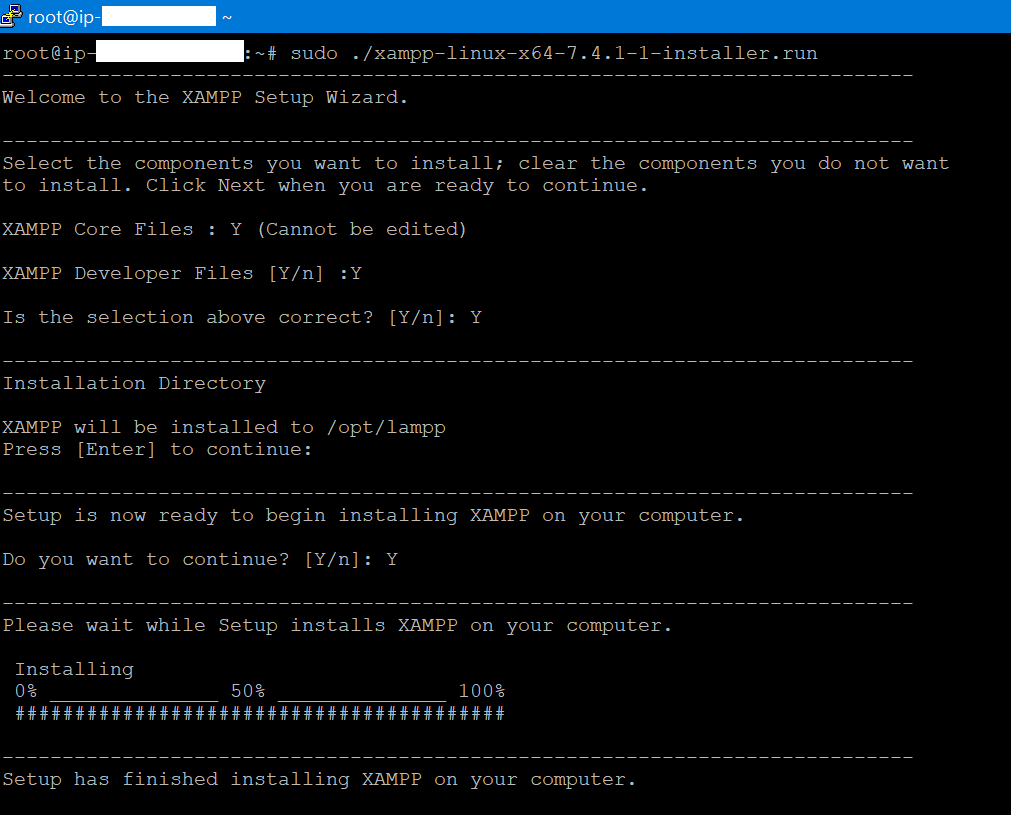
5. Run: sudo ./xampp-linux-x64-7.4.1-1-installer.run (This will start the installation)

Screen captured at the time of installation:
6. Run/ Start XAMPP server
sudo /opt/lampp/lampp start
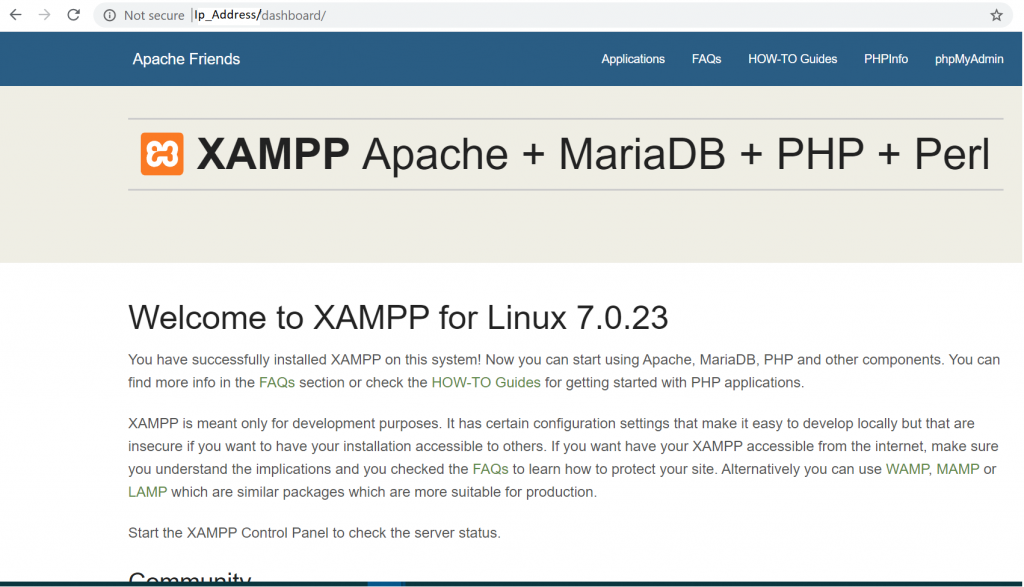
7. Now you can access the server from the browser of any machine if the IP of the Ubuntu machine is static

Screen captured while accessing the XAMPP dashboard using it’s IP addess
8. Let’s check the phpmyadmin console:
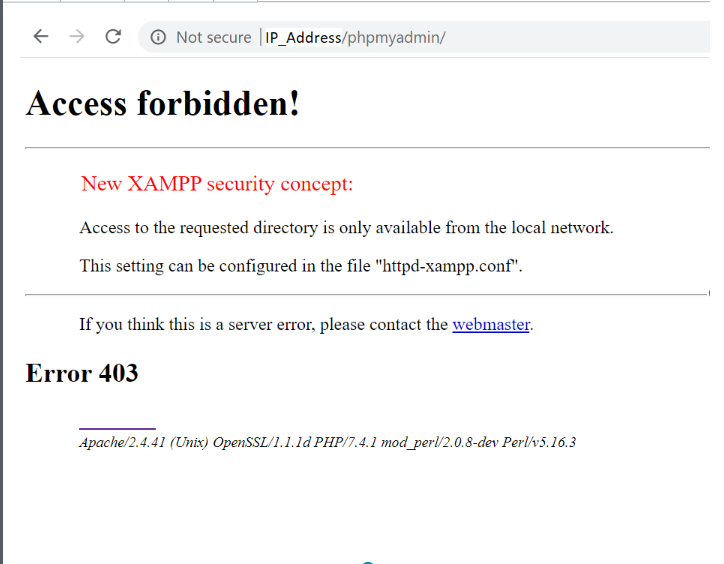
9. Let’s solve the phpmyadmin access forbidden problem now
Run vi /opt/lampp/etc/extra/httpd-xampp.conf
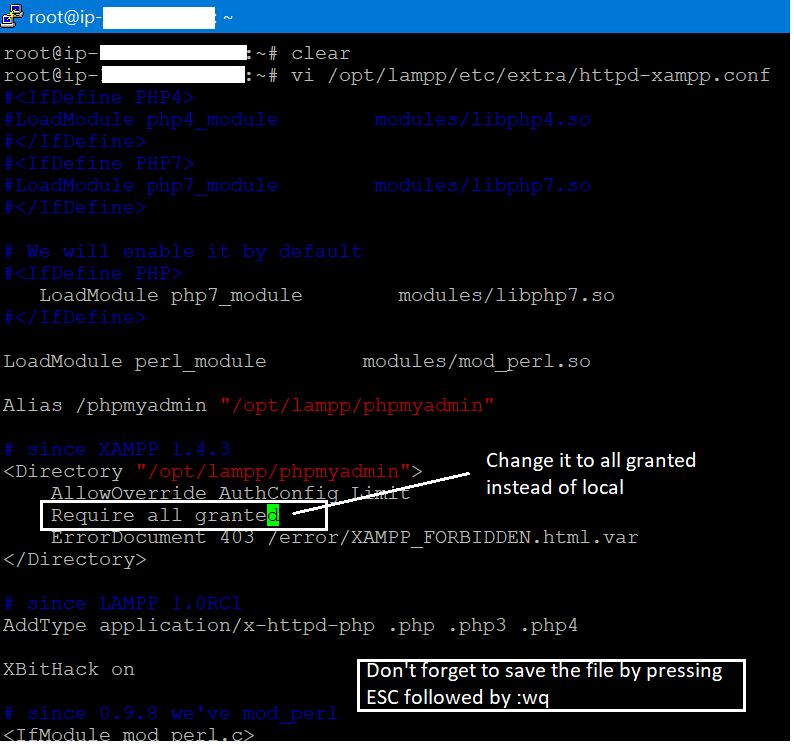
10. Restart XAMPP: sudo /opt/lampp/lampp restart
11. Now reload the phpmyadmin screen in the browser
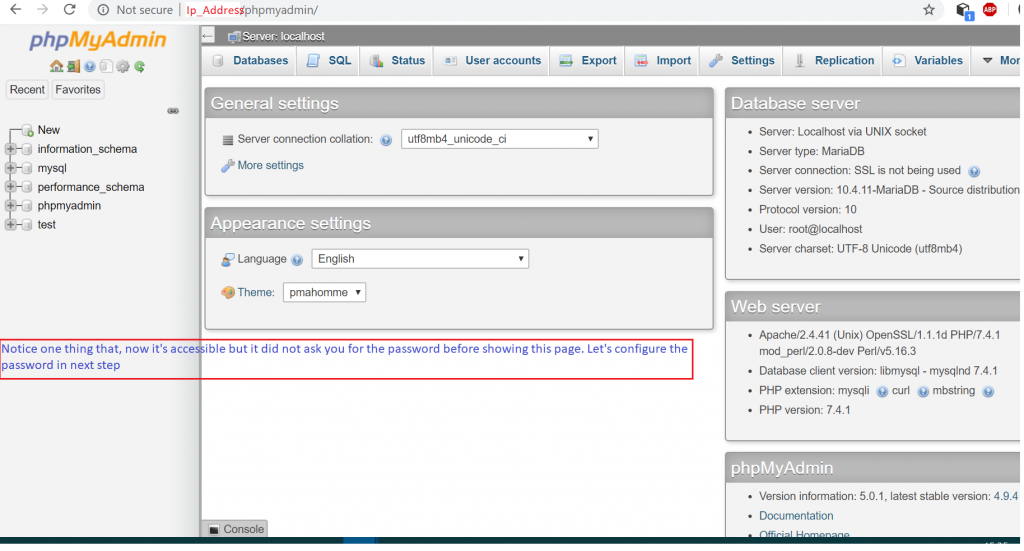
12. Run: sudo /opt/lampp/xampp security
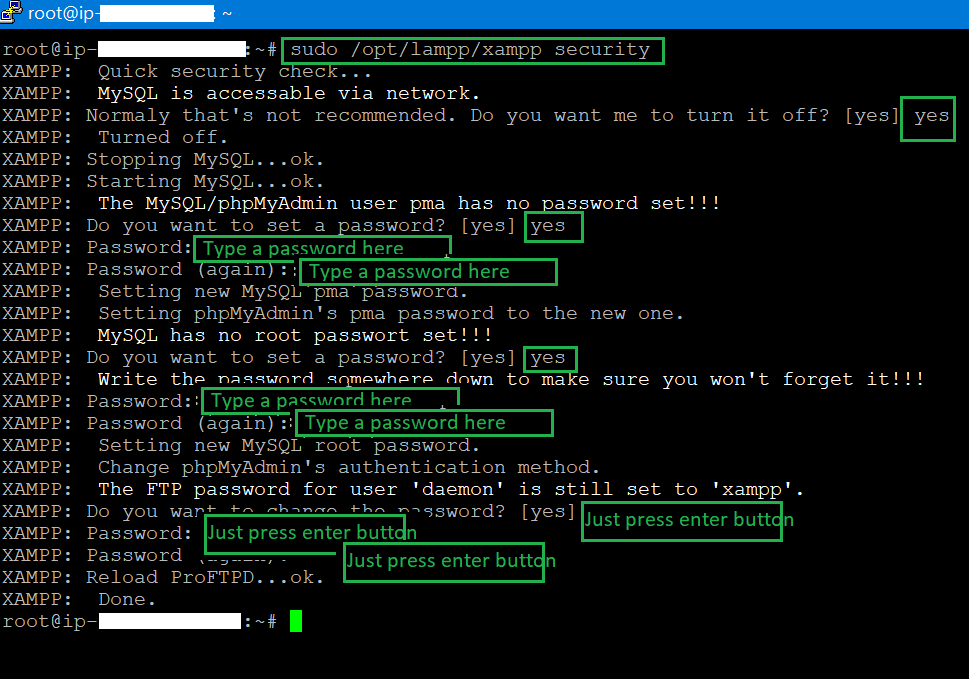
13. Restart XAMPP: sudo /opt/lampp/lampp restart
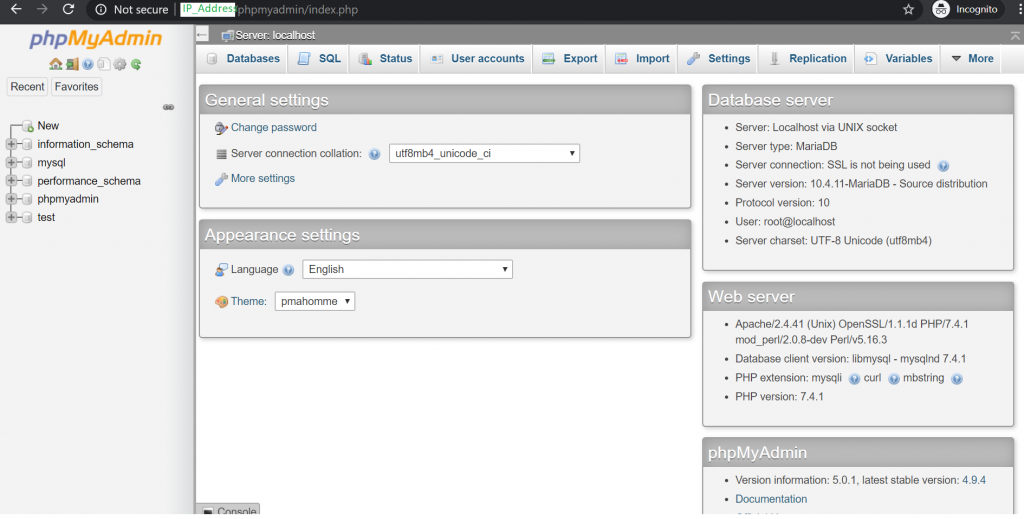
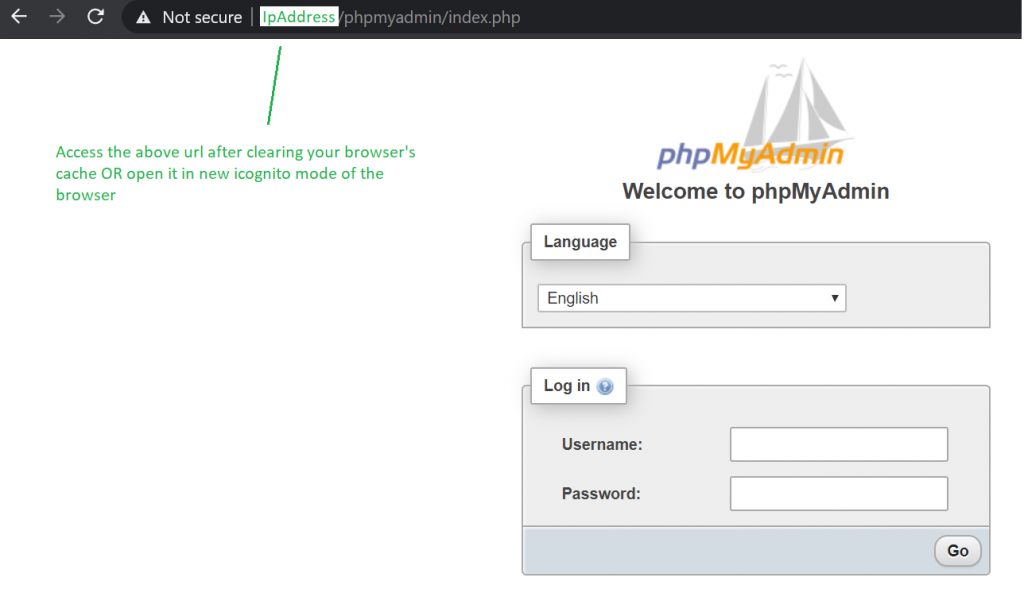
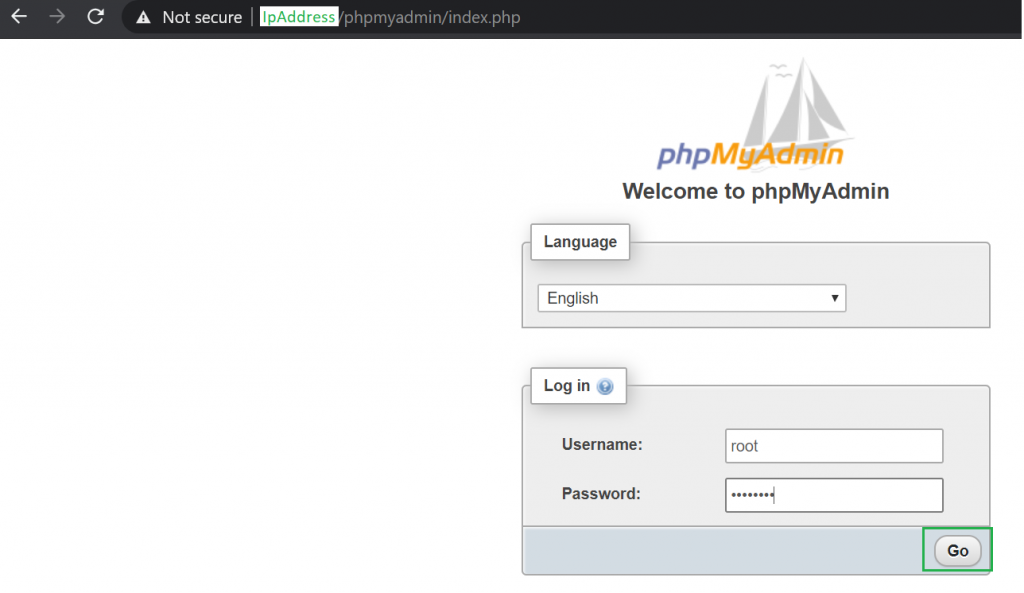
14. Let’s access phpmyadmin again and see if it is asking for the password:
Thanks for reading, I hope you enjoyed this article.


Find Trusted Cardiac Hospitals

Compare heart hospitals by city and services — all in one place.

Explore Hospitals
I'm Rajesh Kumar, a DevOps, SRE, DevSecOps, Cloud, and Platform Engineering expert passionate about sharing practical knowledge, real-world experiences, and industry best practices. I have worked at Cotocus and regularly write about technology, travel, investing, health, product reviews, and digital marketing through my various platforms. I publish technical articles at DevOps School, travel stories at Holiday Landmark, stock market insights at Stocks Mantra, health and fitness guidance at My Medic Plus, product reviews at TrueReviewNow, and SEO and digital marketing strategies at Wizbrand.

Related Posts

Should A Student Use ChatGPT To Learn DevOps Instead Of Courses?

As a student looking to learn DevOps, you might be wondering if ChatGPT is a good alternative to traditional courses. While there are some benefits to using…

Read More

Top 10 Digital Signature Software Tools in 2026: Features, Pros, Cons & Comparison

Introduction In 2026, digital transformation has reshaped the way businesses manage documents, sign agreements, and engage with clients. Digital signatures have become an essential component of this…

Read More

Top 10 Graphics Design Tools in 2026: Features, Pros, Cons & Comparison

Introduction In 2026, graphics design tools are more essential than ever for businesses, content creators, designers, and marketers across industries. From creating brand identities and advertising materials…

Read More

Top 10 Presentation Software Tools in 2026: Features, Pros, Cons & Comparison

Introduction In 2026, creating engaging and impactful presentations is more than just slides with bullet points—it’s about telling a story, conveying ideas visually, and keeping your audience…

Read More

How to Optimize Your headless CMS for Multilingual Websites

A multilingual site enables a company to internationalize itself to different audiences for better engagement and ultimately, international brand awareness. However, without the proper considerations with the…

Read More

Top 10 AI SEO Tools in 2026: Features, Pros, Cons & Comparison

Introduction In 2026, AI SEO tools have become indispensable for digital marketers, businesses, and content creators aiming to dominate search engine rankings. These tools leverage artificial intelligence…

Read More