
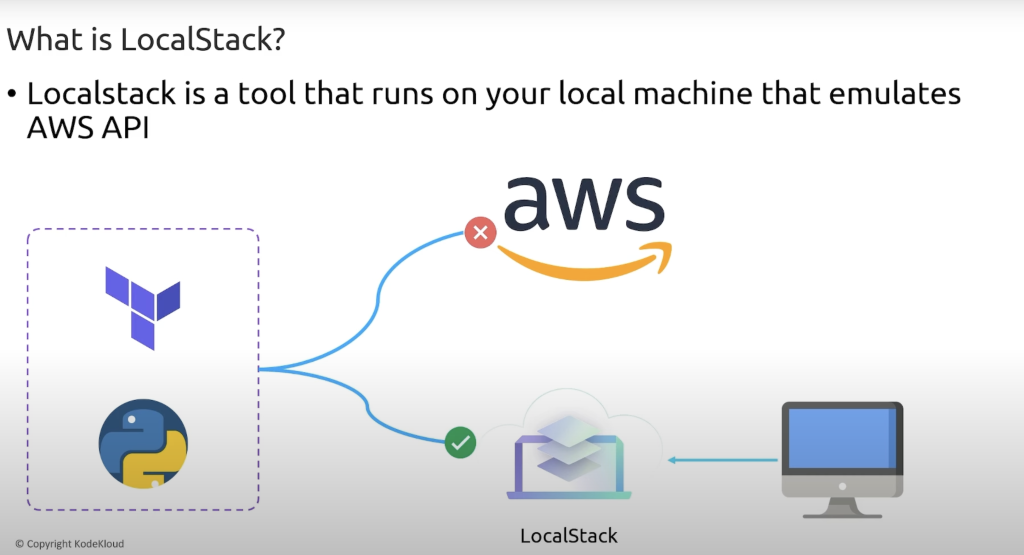
LocalStack is an incredibly powerful tool for developers working with AWS services. It provides a fully functional local AWS cloud environment, allowing developers to test and develop cloud applications without incurring AWS costs or needing an internet connection.
In this tutorial, we will cover:
- What is LocalStack?
- Top Use Cases of LocalStack
- How to Install LocalStack?
- Getting Started with LocalStack – Basic Tutorial
- Working with LocalStack – Common AWS Services
- Advanced LocalStack Features
- Using LocalStack in CI/CD Pipelines
- Limitations of LocalStack
- Best Practices for LocalStack Usage
1. What is LocalStack?
LocalStack is an open-source tool that simulates AWS cloud services locally. It allows developers to develop and test AWS applications without needing access to AWS itself.
Instead of making API calls to AWS, your application interacts with LocalStack’s local endpoints, ensuring that your development process remains cost-effective and fast.
Key Features of LocalStack
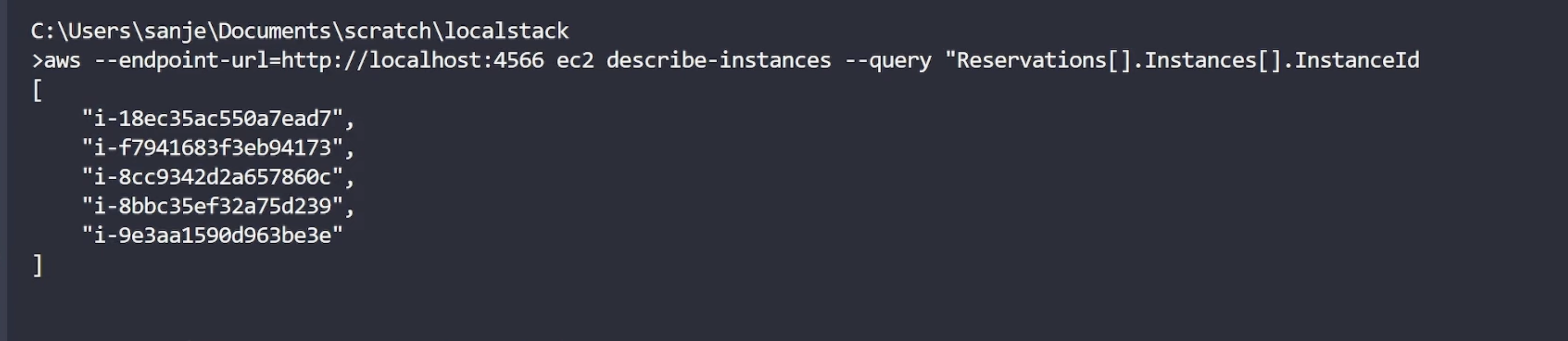
✔ Provides local AWS APIs: Simulates over 80+ AWS services, including S3, Lambda, DynamoDB, SQS, SNS, EC2, IAM, etc.
✔ Fast Testing: Avoids long AWS API response times.
✔ Works Offline: No need for an AWS account or internet connection.
✔ Supports CI/CD Pipelines: Works in Docker, GitHub Actions, and GitLab CI/CD.
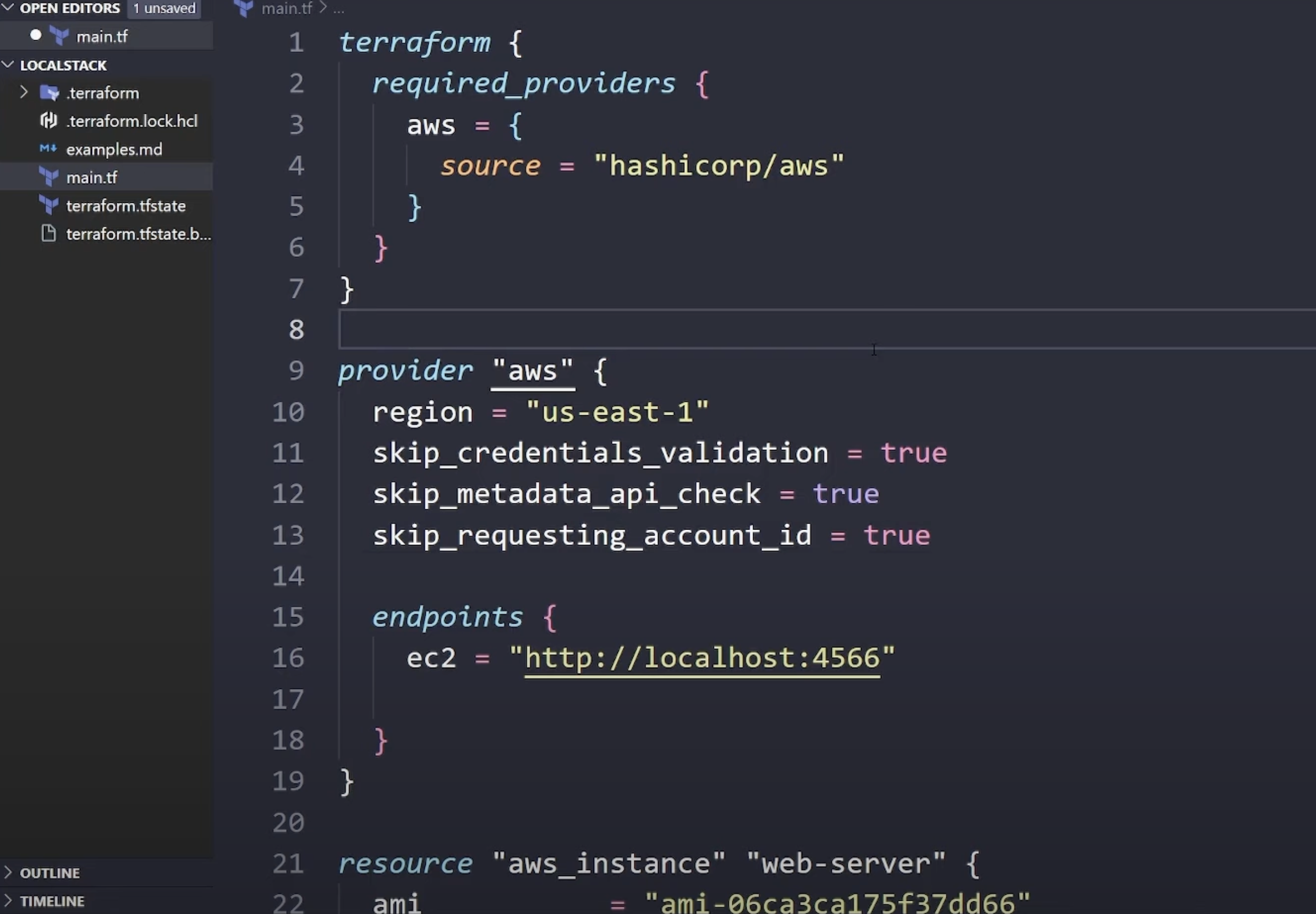
✔ Easy to Integrate: Works with AWS SDK, Terraform, Serverless Framework, and CloudFormation.
2. Top Use Cases of LocalStack
LocalStack is widely used in cloud application development. Below are its top use cases:
1️⃣ Local Development of AWS Applications
- Test AWS services locally before deploying to AWS.
- Avoid AWS billing charges during development.
2️⃣ CI/CD Testing & Automation
- Run automated tests for AWS applications in GitHub Actions, GitLab CI/CD, Jenkins, or CircleCI.
- Simulate AWS environments for integration testing.
3️⃣ Serverless Development
- Develop and test AWS Lambda functions before deploying.
- Use Serverless Framework to test API Gateway & Lambda locally.
4️⃣ Infrastructure as Code (IaC) Testing
- Validate Terraform or CloudFormation templates before applying them to AWS.
5️⃣ Security & Compliance Testing
- Test IAM roles, access policies, and permission configurations without AWS credentials.
6️⃣ API Development and Microservices Testing
- Test applications using S3, SNS, SQS, DynamoDB, etc. before deploying.
- Create local mock AWS APIs for development.

3. How to Install LocalStack?
LocalStack requires Python and Docker.
🔹 Prerequisites
Ensure you have:
- Python 3.7+
- Docker installed and running
- pip (Python package manager)
🔹 Installation Steps
You can install LocalStack using pip or Docker.
Option 1: Install LocalStack via pip
pip install localstack
After installation, start LocalStack with:
localstack start
Option 2: Install LocalStack via Docker
If you prefer running LocalStack as a Docker container, use:
docker run --rm -it -p 4566:4566 localstack/localstack
👉 LocalStack runs on port 4566 by default.
4. Getting Started with LocalStack – Basic Tutorial
Now that we have installed LocalStack, let’s interact with it.
🔹 Step 1: Start LocalStack
Run:
localstack start
It will start LocalStack and provide you with local endpoints for AWS services.
🔹 Step 2: Configure AWS CLI for LocalStack
Since LocalStack mimics AWS, we configure AWS CLI to interact with it.
Run:
aws configure
Set the following values:
AWS Access Key ID [None]: test
AWS Secret Access Key [None]: test
Default region name [None]: us-east-1
Default output format [None]: json
Code language: CSS (css)
💡 LocalStack does not require real AWS credentials. You can use dummy values like "test".
🔹 Step 3: Create an S3 Bucket in LocalStack
LocalStack simulates AWS S3. Let’s create an S3 bucket.
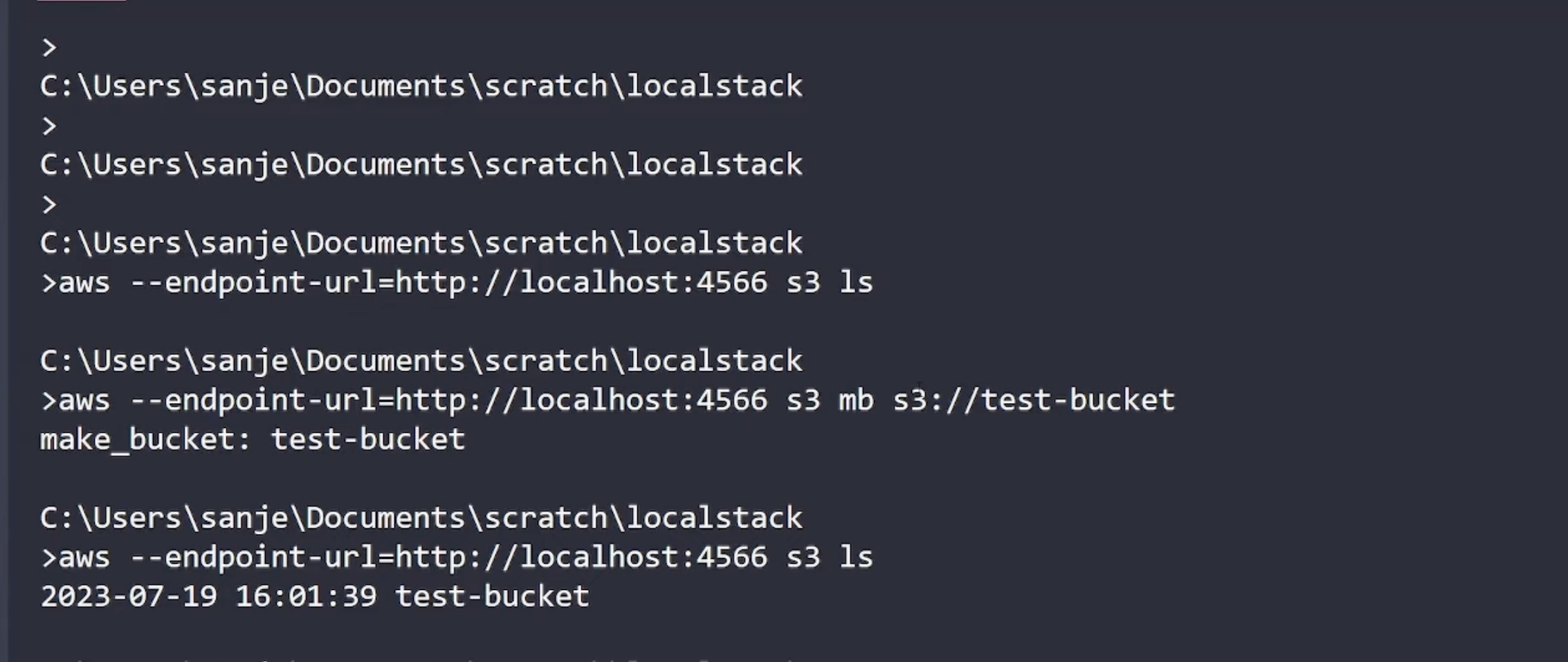
aws --endpoint-url=http://localhost:4566 s3 mb s3://my-local-bucket
Code language: JavaScript (javascript)
Verify:
aws --endpoint-url=http://localhost:4566 s3 ls
Code language: JavaScript (javascript)
✅ Output:
2024-03-05 12:30:00 my-local-bucket
Code language: CSS (css)
🔹 Step 4: Upload a File to LocalStack S3
echo "Hello LocalStack!" > test.txt
aws --endpoint-url=http://localhost:4566 s3 cp test.txt s3://my-local-bucket/
Code language: PHP (php)
Verify:
aws --endpoint-url=http://localhost:4566 s3 ls s3://my-local-bucket
Code language: JavaScript (javascript)
✅ Output:
2024-03-05 12:31:00  18 test.txt
Code language: CSS (css)
🔹 Step 5: Create a DynamoDB Table in LocalStack
aws --endpoint-url=http://localhost:4566 dynamodb create-table
    --table-name Users
    --attribute-definitions AttributeName=UserID,AttributeType=S
    --key-schema AttributeName=UserID,KeyType=HASH
    --provisioned-throughput ReadCapacityUnits=1,WriteCapacityUnits=1
Code language: JavaScript (javascript)
Verify:
aws --endpoint-url=http://localhost:4566 dynamodb list-tables
Code language: JavaScript (javascript)
✅ Output:
{
    "TableNames": [
        "Users"
    ]
}
Code language: JSON / JSON with Comments (json)
5. Working with LocalStack – Common AWS Services
LocalStack supports over 80 AWS services. Here are some frequently used ones:
| AWS Service | Command Example |
|---|---|
| S3 (Object Storage) | aws --endpoint-url=http://localhost:4566 s3 ls |
| DynamoDB (NoSQL DB) | aws --endpoint-url=http://localhost:4566 dynamodb list-tables |
| Lambda (Serverless Functions) | aws --endpoint-url=http://localhost:4566 lambda create-function |
| SQS (Message Queue) | aws --endpoint-url=http://localhost:4566 sqs create-queue --queue-name myQueue |
| SNS (Pub/Sub Messaging) | aws --endpoint-url=http://localhost:4566 sns create-topic --name myTopic |
6. Advanced LocalStack Features
LocalStack supports advanced AWS features, including:
- IAM Role Emulation: Test IAM roles and policies locally.
- Multi-Account and Multi-Region: Simulate different AWS accounts and regions.
- Event-driven Architecture: Trigger Lambda functions from S3/SQS/SNS.
7. Using LocalStack in CI/CD Pipelines
You can integrate LocalStack with CI/CD tools like GitHub Actions, GitLab CI/CD, and Jenkins.
🔹 Example: Running LocalStack in GitHub Actions
jobs:
  test:
    runs-on: ubuntu-latest
    services:
      localstack:
        image: localstack/localstack
        ports:
          - 4566:4566
    steps:
      - name: Check LocalStack S3
        run: aws --endpoint-url=http://localhost:4566 s3 ls
Code language: JavaScript (javascript)
8. Limitations of LocalStack
🚫 Not all AWS services are fully implemented in LocalStack.
🚫 Some AWS-specific behaviors may differ.
🚫 Performance issues for large-scale applications.
9. Best Practices for LocalStack Usage
✅ Use docker-compose for LocalStack in CI/CD.
✅ Mock AWS credentials to prevent accidental AWS calls.
✅ Use LocalStack Pro for enhanced AWS support.
✅ Test IAM policies to ensure secure deployments.
Conclusion
LocalStack is a powerful AWS emulator that enables developers to build, test, and deploy AWS applications locally without incurring cloud costs.
Would you like help in integrating LocalStack with Terraform, Serverless Framework, or Kubernetes? 🚀

I’m Rajesh Kumar, a DevOps, SRE, DevSecOps, Cloud, and Platform Engineering expert passionate about sharing practical knowledge, real-world experiences, and industry best practices. I have worked at Cotocus and regularly write about technology, travel, investing, health, product reviews, and digital marketing through my various platforms.
I publish technical articles at DevOps School, travel stories at Holiday Landmark, stock market insights at Stocks Mantra, health and fitness guidance at My Medic Plus, product reviews at TrueReviewNow, and SEO and digital marketing strategies at Wizbrand.
Find Trusted Cardiac Hospitals
Compare heart hospitals by city and services — all in one place.
Explore Hospitals