
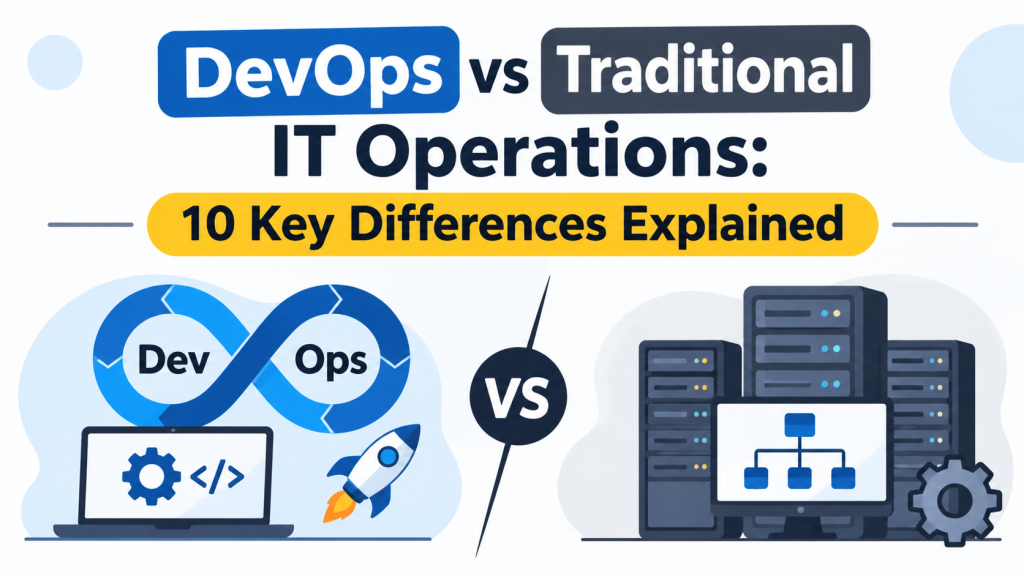
Introduction
Information technology has changed how businesses develop, deliver, and manage software. Earlier, most organizations followed traditional IT operations. Development teams created applications, testing teams checked their quality, and operations teams managed servers and deployments. Each department had separate responsibilities. This structure provided control but often created delays, communication gaps, and operational challenges.
Today, businesses need faster software releases, reliable applications, better security, and flexible infrastructure. Customers also expect regular updates and uninterrupted digital services. Traditional IT operations can struggle to meet these expectations when teams depend heavily on manual processes and separate workflows.
DevOps offers a modern approach to these challenges. It brings development and operations teams closer through collaboration, automation, continuous testing, and shared responsibility. Instead of treating software development and infrastructure management as separate activities, DevOps connects them throughout the software lifecycle.
Understanding DevOps vs. Traditional IT Operations helps organizations choose the right operating model. It also helps IT professionals understand how technical roles, tools, and responsibilities are changing.
This guide explains both approaches, their major differences, benefits, limitations, tools, practical examples, and future opportunities.
What Is DevOps?
DevOps combines development and operations practices. It is a cultural and technical approach that improves collaboration between software developers, operations engineers, testers, and security professionals.
The main goal of DevOps is to deliver reliable software faster. Teams achieve this through automation, continuous feedback, infrastructure management, and shared ownership.
DevOps does not simply mean using automation tools. It also requires a change in how people communicate, plan work, solve problems, and manage responsibilities.
Key Principles of DevOps
1. Collaboration and Shared Responsibility
Development and operations teams work toward common business goals. Developers understand how applications behave in production. Operations engineers participate earlier in the development process. Both teams share responsibility for application performance and reliability.
2. Automation
DevOps teams automate repetitive activities such as building applications, running tests, provisioning infrastructure, and deploying software. Automation reduces manual errors and makes workflows more consistent.
3. Continuous Integration
Continuous Integration (CI) allows developers to regularly merge code changes into a shared repository. Automated builds and tests help identify problems early.
4. Continuous Delivery and Deployment
Continuous Delivery keeps tested software ready for release. Continuous Deployment takes automation further by releasing qualifying changes into production without a manual release step.
5. Continuous Monitoring
Teams monitor application performance, infrastructure health, logs, and user experience. This information helps engineers identify problems and improve system reliability.
6. Continuous Improvement
DevOps encourages teams to learn from feedback, incidents, and performance measurements. They regularly improve their processes instead of waiting for major project reviews.
What Are Traditional IT Operations?
Traditional IT Operations refers to the conventional method of managing an organization’s technology infrastructure and services. It focuses on maintaining servers, networks, databases, operating systems, storage, applications, backups, and security systems.
In this model, development and operations usually work as separate departments. Developers build and test applications before handing them over to operations teams. Operations engineers then prepare production environments and manage deployments.
Traditional IT operations often use formal approval processes, scheduled maintenance windows, and documented change procedures. These practices can provide strong control and accountability, especially in organizations with strict compliance requirements.
Key Characteristics of Traditional IT Operations
1. Separate Departments
Development, testing, security, and operations teams usually have different responsibilities. Work moves between departments through formal handovers.
2. Manual Infrastructure Management
Engineers may manually configure servers, install software, update systems, and manage network settings.
3. Scheduled Releases
Organizations often release software through planned deployment windows. Large updates may require extensive preparation and approval.
4. Ticket-Based Workflows
Teams use service management systems to request infrastructure changes, report incidents, and track operational tasks.
5. Stability-Focused Management
Traditional operations generally prioritize system availability, controlled changes, and infrastructure stability. This approach can reduce uncontrolled changes but may also slow down delivery.
Traditional IT operations are not necessarily outdated or ineffective. Many organizations still need structured service management, formal governance, and controlled infrastructure processes.
Why Compare DevOps and Traditional IT Operations?
Both approaches aim to keep business applications and IT services working properly. However, they use different methods to achieve this goal.
Traditional IT operations generally organize work around specialized departments and controlled handovers. DevOps organizes work around collaboration, automation, and the complete application lifecycle.
For example, a company may need to release a new feature for its customer portal. In a traditional environment, developers complete the feature and send it to testing. After testing, the operations team prepares the production environment and schedules deployment.
In a DevOps environment, developers, testers, and operations engineers collaborate throughout the process. Automated pipelines build the application, run tests, check quality, and prepare deployment.
This comparison helps organizations understand where delays occur and how automation can improve software delivery without sacrificing reliability.
DevOps vs Traditional IT Operations: Key Differences
The following table explains the major differences between these two approaches.
| Comparison Area | DevOps | Traditional IT Operations |
|---|---|---|
| Team Structure | Collaborative and cross-functional | Separate departments |
| Main Focus | Speed, quality, and reliability | Stability and maintenance |
| Communication | Continuous team communication | Formal handovers and tickets |
| Deployment | Automated and frequent | Scheduled and often manual |
| Testing | Continuous automated testing | Often separate testing phases |
| Infrastructure | Infrastructure as Code | Manual or partially automated |
| Monitoring | Continuous observability | Traditional monitoring and alerts |
| Change Management | Small, frequent, controlled changes | Formal approval-driven changes |
| Security | Integrated throughout delivery | Often handled through separate checkpoints |
| Feedback | Continuous feedback | Often received after releases |
| Scaling | Automated and dynamic | Often manual capacity planning |
| Incident Management | Shared ownership and learning | Often handled by dedicated support teams |
The table highlights general patterns. Actual practices vary according to an organization’s size, industry, technology, and compliance requirements.
1. Team Structure and Collaboration
Team structure is one of the most important differences between DevOps and traditional IT operations.
DevOps Approach
DevOps encourages developers, testers, operations engineers, and security professionals to collaborate. Teams share information and participate in different stages of the software lifecycle.
For example, operations engineers can review infrastructure requirements before development finishes. Developers can understand production monitoring and performance requirements before releasing code.
This reduces unnecessary handovers and improves problem-solving.
Traditional IT Operations Approach
Traditional organizations usually assign separate responsibilities to each department. Developers focus on application development, testers validate software, and operations teams manage production systems.
Each department may follow its own schedule and communication process. When a problem occurs, teams sometimes spend additional time identifying responsibility.
Practical Difference
Suppose an application fails after a software update.
In a traditional environment, the development team may investigate the code while operations checks the server. Communication may happen through tickets and formal escalation.
In DevOps, both teams can investigate the issue together using deployment history, logs, metrics, and pipeline information.
2. Software Development and Deployment Process
Software delivery is another major difference between the two models.
DevOps Deployment Process
DevOps uses automated pipelines to move code through different stages. These pipelines can include building, testing, security scanning, packaging, and deployment.
A typical workflow looks like this:
- Developers write application code.
- They commit changes to a Git repository.
- A CI pipeline starts automatically.
- Automated tests check the code.
- Security and quality checks run.
- The application is packaged.
- The deployment pipeline releases the application.
- Monitoring tools track application performance.
This process allows teams to release smaller changes more frequently.
Traditional Deployment Process
Traditional deployment often follows a sequential workflow.
- Developers complete application changes.
- The testing team performs validation.
- The operations team receives deployment instructions.
- Infrastructure requirements are reviewed.
- Change approvals are collected.
- Engineers deploy the application during a scheduled window.
- Operations monitors the system after deployment.
This process can work well for carefully controlled environments. However, manual coordination may increase release time.
3. Automation and Manual Workflows
Automation plays a central role in DevOps.
Automation in DevOps
DevOps teams automate repeatable tasks across the software lifecycle. Common examples include:
- Application builds.
- Automated software testing.
- Server provisioning.
- Configuration management.
- Container image creation.
- Application deployment.
- Infrastructure scaling.
- Backup verification.
- Monitoring and alert notifications.
Tools such as Jenkins, GitHub Actions, GitLab CI/CD, Terraform, and Ansible support these activities.
Manual Work in Traditional IT Operations
Traditional operations may depend on engineers to perform many tasks manually. These can include server configuration, software installation, patch management, deployment preparation, and infrastructure updates.
Some organizations use scripts and automation platforms. However, automation may be limited to specific operational activities.
Why Automation Matters
Manual work can introduce inconsistent configurations and human errors. Automated processes make tasks repeatable and easier to review.
Automation also allows engineers to spend more time improving systems instead of performing repetitive maintenance.
4. Infrastructure Management
Infrastructure management covers the resources required to run applications. These resources include servers, networks, databases, storage, operating systems, and cloud services.
DevOps Infrastructure Management
DevOps commonly uses Infrastructure as Code (IaC). IaC allows engineers to define infrastructure through configuration files.
Instead of manually creating every server, engineers can use tools such as Terraform to describe the required resources. Ansible can help configure systems and manage software settings.
This approach supports consistent environments across development, testing, and production.
Traditional Infrastructure Management
Traditional IT operations often use manual configuration and centralized infrastructure management systems.
Engineers may configure servers individually or follow documented procedures. This can provide control but may become difficult when infrastructure grows.
Example
Imagine a company needs 20 additional application servers.
With manual infrastructure management, engineers may need to configure each server separately.
With IaC, the team can update the infrastructure configuration and apply the required changes through a controlled process.
5. Monitoring and Incident Management
Monitoring helps organizations understand whether applications and infrastructure are working correctly.
DevOps Monitoring
DevOps teams use monitoring and observability to identify problems early. They examine metrics, logs, traces, application performance, and user experience.
Popular tools include:
- Prometheus for metrics collection.
- Grafana for dashboards and visualization.
- ELK Stack for log management and analysis.
- OpenTelemetry for collecting telemetry data.
- Datadog for infrastructure and application monitoring.
Teams can also use automated alerts to notify engineers when performance or reliability indicators cross defined limits.
Traditional Monitoring
Traditional IT operations often focus on infrastructure availability, server health, storage capacity, and network performance.
Engineers may receive alerts after a system reaches a critical condition. They then investigate and resolve the issue through established support procedures.
Incident Response Comparison
DevOps encourages shared incident ownership and blameless post-incident reviews. Teams investigate why a problem occurred and improve the system to prevent similar failures.
Traditional operations may use formal escalation processes and dedicated support teams. These processes remain valuable, particularly for complex enterprise environments.
6. Security Management
Security is essential in both DevOps and traditional IT operations. The difference is mainly how and when security activities happen.
DevOps Security
DevOps teams often integrate security practices into development and delivery pipelines. This approach is commonly called DevSecOps.
Security activities may include:
- Source code security scanning.
- Dependency vulnerability checks.
- Container image scanning.
- Infrastructure configuration checks.
- Secret detection.
- Access control reviews.
- Compliance validation.
Automated checks help identify security issues before applications reach production.
Traditional IT Security
Traditional environments may use separate security reviews and approval checkpoints. Security teams assess applications and infrastructure before or after deployment, depending on organizational policies.
This approach can provide strong governance. However, late security reviews may require additional development work when problems are discovered.
7. Scalability and Cloud Management
Modern applications often experience changing workloads. Organizations need infrastructure that can respond to increases or decreases in demand.
DevOps and Cloud Scalability
DevOps practices work well with cloud platforms and container technologies. Teams can automate infrastructure provisioning, application deployment, and workload scaling.
Common technologies include:
- Amazon Web Services (AWS).
- Microsoft Azure.
- Google Cloud Platform.
- Docker.
- Kubernetes.
- Terraform.
- Helm.
These technologies help teams manage complex environments through automation and repeatable configurations.
Traditional IT Scalability
Traditional operations may rely on physical servers, virtual machines, and manual capacity planning. Engineers estimate resource requirements and add infrastructure when needed.
This approach can be suitable for predictable workloads. However, rapid scaling may require more manual effort.
8. Change Management
Change management ensures that modifications to applications and infrastructure do not create unnecessary risks.
DevOps Change Management
DevOps encourages smaller and more frequent changes. Teams use automated testing, version control, deployment strategies, and monitoring to manage risk.
Techniques such as blue-green deployments, canary releases, and automated rollbacks can reduce the impact of unsuccessful releases.
Traditional Change Management
Traditional IT operations often use formal change requests, approval boards, maintenance windows, and documented implementation plans.
These controls can be important in banking, healthcare, government, and other regulated industries.
Which Approach Is Better?
Neither approach should ignore change control. DevOps makes change management more automated and continuous, while traditional operations often rely on formal approval procedures.
The right process depends on risk, business requirements, and regulatory obligations.
9. Cost and Resource Management
Both models aim to control operational costs, but their methods can differ.
DevOps can reduce repetitive manual work through automation. Infrastructure as Code and cloud automation can also help teams manage resources more consistently.
Traditional IT operations may require more manual effort for infrastructure maintenance, provisioning, and deployment coordination.
However, DevOps also requires investment in training, automation platforms, cloud services, monitoring, and security tools. Poorly managed automation or cloud resources can increase costs.
Organizations should measure the total cost of ownership instead of assuming that one model is always cheaper.
10. Skills and Career Opportunities
The transition from traditional operations to DevOps has changed the skills expected from IT professionals.
Traditional IT Operations Skills
Traditional operations professionals commonly work with:
- Linux and Windows administration.
- Networking fundamentals.
- Server management.
- Database administration.
- Backup and recovery.
- Virtualization.
- Infrastructure monitoring.
- IT service management.
These skills remain important in modern infrastructure environments.
DevOps Skills
DevOps professionals generally need a broader combination of development, automation, infrastructure, and operational knowledge.
Important skills include:
- Linux administration.
- Git and version control.
- Bash or Python scripting.
- CI/CD pipeline development.
- Docker and Kubernetes.
- Cloud platforms.
- Terraform and Ansible.
- Monitoring and observability.
- Security automation.
- Troubleshooting and collaboration.
Popular Career Roles
Professionals can explore several career paths, including:
- DevOps Engineer.
- Cloud Engineer.
- Site Reliability Engineer.
- Platform Engineer.
- Infrastructure Automation Engineer.
- Release Engineer.
- DevSecOps Engineer.
- Cloud Operations Engineer.
Traditional system administration experience can provide a strong foundation for moving into these roles.
Popular Tools Used in DevOps and Traditional IT Operations
Tools support different activities in both operating models. The following table presents commonly used examples.
| Technology | Main Purpose | Common Usage |
|---|---|---|
| Git | Version control | DevOps and software teams |
| Jenkins | CI/CD automation | DevOps |
| GitHub Actions | Workflow automation | DevOps |
| GitLab CI/CD | Build and deployment pipelines | DevOps |
| Docker | Containerization | DevOps and IT operations |
| Kubernetes | Container orchestration | Modern infrastructure |
| Terraform | Infrastructure as Code | DevOps and cloud operations |
| Ansible | Configuration management | Both approaches |
| Prometheus | Metrics monitoring | DevOps and operations |
| Grafana | Monitoring dashboards | Both approaches |
| Nagios | Infrastructure monitoring | Traditional and modern operations |
| ServiceNow | IT service management | Enterprise IT operations |
Tool selection should depend on the organization’s architecture, team skills, security needs, and operational requirements.
Benefits of DevOps Over Traditional IT Operations
DevOps offers several advantages when organizations need frequent software delivery and automated infrastructure management.
1. Faster Software Delivery
Automated pipelines reduce manual steps and help teams release software more frequently. Smaller releases also make changes easier to test and troubleshoot.
2. Better Team Collaboration
Development, testing, security, and operations teams share information and responsibilities. This reduces communication gaps and improves coordination.
3. Improved Software Quality
Continuous testing helps detect defects earlier. Automated checks provide consistent validation before deployment.
4. Reduced Manual Errors
Automation makes repeated tasks more consistent. Version-controlled configurations also help teams track infrastructure changes.
5. Better System Reliability
Monitoring, observability, automated recovery, and incident reviews help organizations improve application availability.
6. Improved Customer Experience
Frequent improvements and faster issue resolution can help businesses respond to customer needs more effectively.
7. Better Infrastructure Visibility
Infrastructure configurations, deployment records, and monitoring data provide better visibility into system behavior.
Challenges of DevOps Adoption
DevOps offers many advantages, but adopting it requires planning and organizational commitment.
1. Cultural Resistance
Employees may be comfortable with existing responsibilities and workflows. Changing team structures can create uncertainty.
Organizations should explain the purpose of DevOps and encourage collaboration through practical improvements.
2. Skill Gaps
DevOps requires knowledge of automation, cloud platforms, scripting, containers, and monitoring.
Training programs and hands-on projects can help employees develop these skills.
3. Tool Complexity
Organizations may introduce too many tools without a clear strategy. This can create integration problems and unnecessary maintenance.
Teams should select tools based on actual business requirements.
4. Security and Compliance Risks
Automation can introduce risks when access controls, secrets, and infrastructure permissions are poorly managed.
Security policies should be included in automated workflows.
5. Initial Investment
DevOps adoption may require investment in infrastructure, software platforms, training, and process improvements.
Organizations should begin with measurable goals and expand gradually.
Can Traditional IT Operations and DevOps Work Together?
Yes. DevOps does not eliminate the need for IT operations. Instead, it changes how operational responsibilities are organized and performed.
Organizations still need professionals who understand servers, networking, databases, security, backups, disaster recovery, and system reliability.
Traditional operations practices can provide governance and control. DevOps practices can improve collaboration, automation, and software delivery.
A balanced operating model may include:
- Developers who understand application behavior in production.
- Platform teams that provide reusable infrastructure and deployment tools.
- Site Reliability Engineers who improve service reliability.
- Security teams that establish automated security controls.
- Operations professionals who manage infrastructure, incidents, and service continuity.
This combination allows organizations to modernize their workflows without losing essential operational expertise.
How to Move from Traditional IT Operations to DevOps
Organizations do not need to replace every existing process at once. A gradual transition can reduce disruption and help teams learn from practical experience.
Step 1: Review Existing IT Processes
Identify manual activities, deployment delays, repeated incidents, and communication problems.
Document the current software delivery process and find the biggest bottlenecks.
Step 2: Build Collaboration Between Teams
Encourage developers, testers, security professionals, and operations engineers to participate in planning and problem-solving.
Set shared goals for software quality and service reliability.
Step 3: Introduce Version Control
Use Git to manage application code, configuration files, and automation scripts.
Version control provides a clear history of changes and supports team collaboration.
Step 4: Start with CI/CD Automation
Create a simple pipeline that builds and tests an application whenever developers submit code changes.
Gradually add deployment automation and approval controls.
Step 5: Adopt Infrastructure as Code
Use Terraform or similar tools to define infrastructure in version-controlled files.
Start with a small environment before applying IaC to critical production systems.
Step 6: Improve Monitoring and Observability
Collect application logs, infrastructure metrics, and distributed traces where appropriate.
Create dashboards and alerts that help teams identify meaningful problems.
Step 7: Integrate Security
Add security scanning, dependency checks, access controls, and secret management to development and deployment workflows.
Step 8: Measure and Improve
Track deployment frequency, lead time for changes, change failure rate, and mean time to restore service.
Use these measurements to identify improvement opportunities.
Real-World Example: Moving from Manual Releases to DevOps
Consider an online retail company that manages an e-commerce application.
Initially, the company follows traditional IT operations. Developers prepare application updates and send them to the testing team. After testing, the operations team schedules production deployment.
The process requires manual server configuration, deployment instructions, and several approval steps. A small application update may take several days to reach customers.
The company decides to introduce DevOps practices.
First, it stores application code in Git. Next, it creates a CI/CD pipeline using Jenkins. Automated tests run whenever developers submit changes. Docker packages the application into consistent containers.
The company then uses Kubernetes to manage application containers and Terraform to define cloud infrastructure. Prometheus and Grafana provide monitoring and operational visibility.
After adopting these practices, the company can release smaller updates through a more consistent process. Teams can identify problems earlier and use deployment history to investigate incidents.
The transformation does not remove the need for operations engineers. Instead, their work evolves toward automation, reliability, infrastructure engineering, and platform support.
The example demonstrates how DevOps can improve an existing operating model through gradual changes.
How to Measure DevOps Performance
Organizations should measure results instead of judging DevOps adoption only by the number of tools installed.
Four useful delivery and reliability metrics are:
1. Deployment Frequency
This measures how often an organization successfully releases changes into production. Higher frequency can indicate an efficient delivery process when quality remains strong.
2. Lead Time for Changes
This measures the time between a code change being committed and that change reaching production.
3. Change Failure Rate
This measures the percentage of deployments that cause failures requiring remediation, rollback, or other corrective action.
4. Mean Time to Restore (MTTR)
This measures how quickly teams restore service after an incident.
These metrics help organizations understand both delivery speed and operational stability. They should be evaluated together rather than used as isolated performance targets.
Future of IT Operations: DevOps, SRE, Platform Engineering, and AIOps
IT operations will continue to evolve as organizations adopt cloud-native systems, distributed applications, and intelligent automation.
1. Site Reliability Engineering
Site Reliability Engineering (SRE) applies software engineering principles to operational reliability. SRE teams use service-level indicators, service-level objectives, automation, and incident management practices to improve system performance.
2. Platform Engineering
Platform Engineering focuses on building internal platforms that help development teams work more efficiently.
These platforms may provide deployment templates, infrastructure services, security controls, and self-service tools.
3. AIOps
AIOps uses artificial intelligence and machine learning techniques to analyze operational data. It can help teams identify unusual patterns, correlate alerts, and investigate possible incidents.
4. GitOps
GitOps uses Git repositories as a source of truth for infrastructure and application configuration. Automated controllers help synchronize actual environments with the desired configuration.
5. DevSecOps
DevSecOps continues to integrate security into development and operations. Automated security checks and policy controls help teams manage risk throughout software delivery.
These approaches do not replace DevOps completely. They extend its principles to address modern infrastructure and reliability challenges.
Best Practices for Choosing the Right Operating Model
Organizations should select practices according to their business requirements, technical environment, and risk profile.
Consider these recommendations:
- Identify the main delays in your current delivery process.
- Keep infrastructure and application documentation updated.
- Automate repetitive tasks where automation provides clear value.
- Maintain strong access controls and security policies.
- Use version control for application and infrastructure changes.
- Monitor application performance and service reliability.
- Encourage shared responsibility across technical teams.
- Keep formal change controls where regulations or business risks require them.
- Train employees before introducing complex tools.
- Review performance metrics regularly.
The best approach is not to adopt every DevOps tool immediately. It is to build a reliable process that supports business goals.
Frequently Asked Questions (FAQs)
1. What is the main difference between DevOps and traditional IT operations?
The main difference is how teams manage software delivery and infrastructure. Traditional IT operations often use separate departments, manual workflows, and scheduled deployments. DevOps encourages collaboration, automation, continuous testing, and shared responsibility. Both approaches aim to maintain reliable IT services, but DevOps connects activities across the complete software lifecycle.
2. Is DevOps better than traditional IT operations?
DevOps can be more suitable for organizations that need frequent releases, automated workflows, and continuous improvement. Traditional IT operations can remain useful when systems require strict change controls, predictable maintenance, or specialized infrastructure management. Many organizations combine both approaches to balance delivery speed with reliability and governance.
3. Does DevOps replace IT operations teams?
No. DevOps does not remove the need for operational expertise. Organizations still need professionals who manage infrastructure, security, networking, backups, monitoring, and incident response. DevOps changes how these responsibilities are performed by encouraging automation, collaboration, and shared ownership across teams.
4. What are the most important DevOps tools?
Popular DevOps tools include Git for version control, Jenkins and GitHub Actions for CI/CD, Docker for containerization, Kubernetes for container orchestration, Terraform for infrastructure provisioning, and Ansible for configuration management. Prometheus and Grafana support monitoring. The right tools depend on the organization’s technical requirements and existing environment.
5. Can a traditional system administrator become a DevOps engineer?
Yes. System administrators already understand operating systems, servers, networking, troubleshooting, and infrastructure management. They can build on this knowledge by learning scripting, Git, CI/CD, cloud platforms, containers, Infrastructure as Code, and monitoring. Practical projects can help them demonstrate these skills.
6. How does automation improve IT operations?
Automation reduces repetitive manual work and makes operational tasks more consistent. Teams can automate server provisioning, software testing, application deployment, configuration management, and monitoring. This can reduce human errors, improve efficiency, and help engineers focus on more complex technical problems.
7. What is the role of CI/CD in DevOps?
CI/CD automates important parts of software delivery. Continuous Integration helps developers merge and test code changes regularly. Continuous Delivery keeps verified software ready for release, while Continuous Deployment can automatically release qualifying changes into production. These practices help teams deliver software more consistently.
8. What is the difference between DevOps and ITIL?
DevOps focuses on collaboration, automation, and continuous software delivery. ITIL provides guidance for managing IT services through structured practices such as incident management, change enablement, and service management. They are not necessarily competing approaches. Organizations can use ITIL service management practices alongside DevOps automation and delivery workflows.
9. Which skills are required to learn DevOps?
Beginners should start with Linux, networking, Git, and basic scripting. They can then learn CI/CD pipelines, Docker, Kubernetes, cloud platforms, Terraform, Ansible, and monitoring tools. Problem-solving, communication, security awareness, and practical experience are also important for DevOps roles.
10. How can an organization start moving from traditional IT operations to DevOps?
An organization can begin by identifying manual tasks and delivery bottlenecks. It should improve communication between development and operations teams, introduce version control, and automate a simple build-and-test workflow. After that, teams can gradually adopt CI/CD, Infrastructure as Code, monitoring, and automated security checks. Measuring results helps guide further improvements.
Conclusion
DevOps and traditional IT operations share an important objective: keeping technology services reliable and useful for businesses. However, they differ in their approach to collaboration, automation, infrastructure management, software delivery, and continuous improvement.
Traditional IT operations provide structured processes for managing infrastructure, maintaining stability, and controlling changes. DevOps builds on these operational foundations by connecting development and operations through shared responsibility and automation.
Organizations do not need to abandon every traditional practice to adopt DevOps. They can retain valuable governance and service management processes while improving delivery through CI/CD, Infrastructure as Code, monitoring, and collaborative workflows.
For IT professionals, learning DevOps is a valuable way to expand existing infrastructure and system administration skills. A strong foundation in Linux, networking, scripting, Git, cloud platforms, containers, and automation can support career growth.
Professionals who want structured learning can explore practical DevOps courses, hands-on labs, and training resources through DevOpsSchool. The most effective learning approach combines technical knowledge with real-world projects and continuous practice.

Find Trusted Cardiac Hospitals
Compare heart hospitals by city and services — all in one place.
Explore Hospitals