Seven options for replacing customer-facing dashboards, with a migration checklist that goes beyond rebuilding the charts.
Embeddable is our best overall Explo alternative for SaaS teams using the migration to build a more custom customer analytics experience. Its developer-defined components, dashboard code workflow, and versioned publishing suit teams that want lasting control over the interface.
Omni belongs in the same initial evaluation. It acquired Explo and is offering an assisted transition, which makes it a practical starting point for customers who want vendor-supported continuity. The right choice depends on whether your priority is redesigning the product experience or preserving familiar reporting with the least disruption you can demonstrate.
Either way, the migration is larger than the visible dashboard. Saved views, report schedules, dataset definitions, and customer permissions can matter just as much as the charts. Discovering those dependencies after selecting a replacement makes the project harder to estimate.
What Explo customers should confirm first
Omni’s Explo transition FAQ describes a supported migration, with timing planned around customer needs and contracts. Its acquisition announcement set out a twelve-month transition period. The twelve-month window is anchored to that announcement; it does not restart when a customer begins evaluating alternatives.
Ask your account team for the dates and commercial terms that apply to your organization, including feature coverage and support during migration. The FAQ says current pricing remains through the existing contract and that an Omni agreement will be discussed before migration. Do not infer your exact cutover date from a competitor’s article.
How we chose the alternatives
We selected platforms with documented application embedding and a customer access model. We compared interface flexibility, report ownership, self-service options, migration responsibilities, and the commitments needed to operate the replacement. Custom components and a maintainable development workflow carry the most weight for our overall redesign recommendation.
Embeddable leads for that use case; Omni follows because of its direct role in the Explo transition. The other options are alphabetical. These are documentation-based editorial judgments, without hands-on migration or performance testing. This guide was prepared as part of an Embeddable-focused content project.
The shortlist at a glance
| Platform | Strongest fit | Main migration consideration |
| Embeddable | Best overall for a custom SaaS analytics rebuild | Assign engineering ownership of components and models |
| Omni | Vendor-supported transition from Explo | Confirm account-specific scope, dates, and terms |
| GoodData | Reusable analytics across customer workspaces | Map shared and customer-specific content |
| Luzmo | Visual dashboard delivery with custom options | Decide whether customers need an embedded editor |
| Metabase | Familiar dashboards and query exploration | Authenticated modular embedding requires Pro or Enterprise |
| Reveal | A client and server SDK inside your architecture | Own server integration and dashboard storage decisions |
| Sisense | Composable analytics in a frontend application | Select the embedding method before estimating effort |
1. Embeddable: best overall for a custom SaaS analytics rebuild
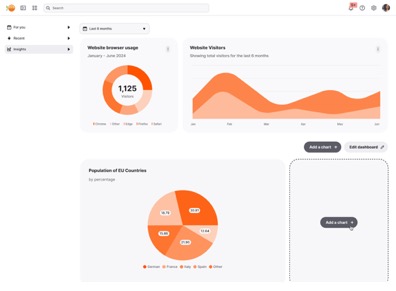
Custom Canvas inside a host application. Source: Embeddable.
If customers have outgrown the current reporting interface, copying it exactly may miss the opportunity. Embeddable lets developers build custom React components with their own inputs and interactions, then use them across dashboards.
The dashboards-as-code workflow stores dashboard definitions in YAML and provides local preview. It is useful when a change to a customer filter needs review alongside the dashboard using it. Coded dashboards require current SDKs and the referenced models and components.
Delivery uses a web component and security token. The publishing process separates saved versions from the version promoted to an environment, giving the team a defined release step.
This combination explains the overall recommendation for a custom rebuild. It also creates an obligation: someone must maintain the component library, analytics models, and application integration. Do not assume Explo report definitions or customers’ saved views transfer automatically. Include their reconstruction in the scope. A team mainly seeking ready-made reporting with little development ownership should give the other workflows equal attention.
2. Omni: best for evaluating the supported transition
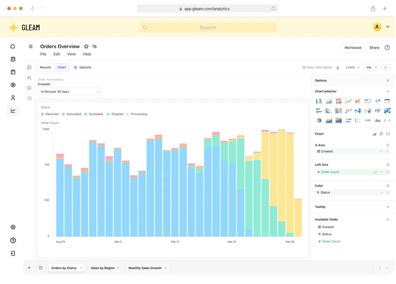
Embedded workbook with chart controls. Source: Omni.
Omni should receive a serious evaluation because it is managing the Explo transition. Omni says migration resources will include guides, individual support, and migration tools. The useful question is which of your existing reports and settings those resources can transfer.
The target platform supports embedded dashboards and exploratory workbooks through signed URLs carrying user identity and attributes. That makes both the reporting interface and its permission model part of the migration discussion.
Bring a list of dependencies to the account team: saved views, exports, schedules, custom interactions, and editing rights. Mark each as preserved, rebuilt, replaced by a different workflow, or unresolved. Vendor assistance is valuable, but it does not establish that every feature behaves identically. Require an agreed acceptance checklist before selecting a cutover date.
3. GoodData: best for a shared customer reporting model
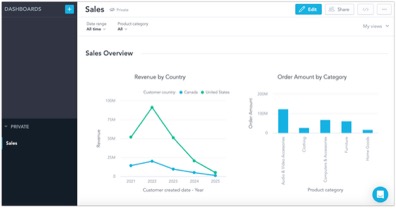
Sales dashboard with shared filters. Source: GoodData documentation.
GoodData addresses a common migration problem: too many customer-specific copies of the same dashboard. Its workspace hierarchy lets child workspaces inherit shared analytics entities while adding their own content. Its React SDK provides application embedding.
Use the migration to decide which differences actually belong to individual customers. A different dataset, an extra metric, and a different dashboard layout are separate kinds of variation; treating them as one copied report can create unnecessary maintenance.
The hierarchy also imposes boundaries: inherited entities are read-only in the child workspace. Test how a customer-specific addition behaves when the shared parent changes. This is a useful fit for teams willing to design the workspace structure deliberately, rather than recreate an unplanned collection of report copies.
4. Luzmo: best for dashboard delivery with room for custom development
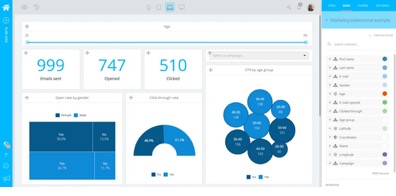
Marigold dashboard editor. Source: Luzmo.
Luzmo offers embedded dashboards, an embedded dashboard editor, and Flex widgets for code-built visualizations. That gives a migrating team several ways to divide work between product engineers and dashboard authors.
Start with the customer’s actual editing needs. Changing a date range, saving a personal view, rearranging a dashboard, and creating a new chart are different requirements. Demonstrate each required action in the proposed Luzmo setup rather than treating “self-service” as a single feature.
Server-generated authorization tokens govern access to the relevant resources. Test that access with the editor as well as the finished dashboard. The trade-off is choosing and maintaining the right combination of components; a dashboard embed and a custom Flex experience should not receive the same implementation estimate.
5. Metabase: best for dashboards with accessible query exploration
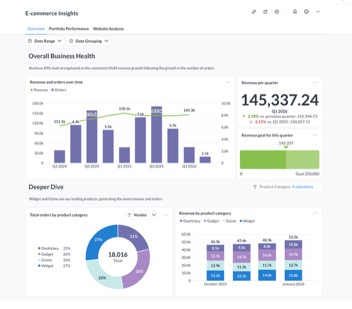
Interactive e-commerce dashboard. Source: Metabase documentation.
Metabase’s modular embedding can bring components such as dashboards and its query builder into an application. There is also a modular SDK for React, making it a credible candidate when customers need to explore data beyond a fixed report.
The commercial distinction matters: authenticated modular embedding requires Pro or Enterprise. Guest embedding is a different mode and should not be used as the price or permissions baseline for an authenticated customer experience.
The query builder matters when a customer wants to move from a total to a follow-up question, such as which product category explains the change. That is a broader workflow than viewing a fixed dashboard. Its usefulness depends on exposing the right fields and exploration rights, so permissions and saved customer state belong in the migration scope.
6. Reveal: best for teams owning the application infrastructure
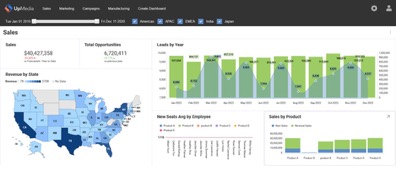
UpMedia sales dashboard example. Source: Reveal.
Reveal’s architecture combines a client SDK with a server SDK integrated into your application. Its server options include .NET, Java, and Node.js, while the client supports dashboard viewing, editing, and creation.
That makes it relevant when the team wants analytics to run within an architecture it operates. The architecture documentation also explains that dashboard definitions are supplied by the server, where saving and loading can be handled or customized.
This is a different ownership model from adopting a hosted dashboard workspace. Decide where definitions live, how credentials are resolved, and who operates the server integration. Test saving a customer-created dashboard and reopening it with the correct identity. The SDK can supply the analytics experience, but those application responsibilities still need an owner.
7. Sisense: best for composing analytics into an existing frontend
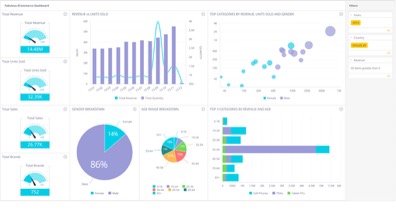
Compose SDK e-commerce dashboard. Source: Sisense documentation.
Sisense offers several embedding methods. Compose SDK supports React, Angular, and Vue, while other routes deliver dashboards through an iframe or the Embed SDK. The method you choose changes both the interface control and the implementation work.
For an Explo replacement, demonstrate the smallest unit customers need: a complete dashboard, a chart beside an application control, or a more custom analytical workflow. Ask the team to implement that unit using the proposed SDK and the intended data model.
The decision should include who maintains queries, components, and access configuration after launch. A working dashboard embed does not establish the effort required for a composed frontend. Sisense is a meaningful candidate when its modeling and SDK approach align with the team already responsible for the application.
Prove the replacement before moving customers
Run the existing report and a candidate implementation against equivalent data and the same customer roles. Reconcile totals, date boundaries, filters, and exports. Record any intentional differences so a later support issue does not become an argument about which result was expected.
For a weekly usage report, matching the active-user total is only one acceptance check. A useful handover record also captures what surrounds it:
| Migration asset | What the replacement must establish |
| Dataset and metric definitions | Equivalent joins, date boundaries, null handling, and totals |
| Saved views and filters | Which state transfers, which must be recreated, and by whom |
| Scheduled outputs | Required format, delivery time, recipients, and retry behavior |
| Customer permissions | The correct rows and allowed actions for each role |
| Application links and embeds | Stable navigation, identity handoff, and a usable fallback |
Ask each finalist to classify these items as supported transfer, rebuild, changed workflow, or unresolved. Neither an acquisition nor a similar-looking dashboard answers that question. Demonstrate the critical items against your own reports before agreeing a cutover date.
Roll out to a limited group while both services remain available under your agreement. Name an owner for reported differences and define the fallback before cutover. Restoring an old screen may also require restoring saved state, schedules, and permissions.
Choose Embeddable when the value of a custom, maintainable interface justifies the rebuild. Choose the alternative whose workflow and migration evidence better fit your constraints when it does not. The best outcome is a replacement your team can explain, operate, and improve after the transition is over.

I’m Rajesh Kumar, a DevOps, SRE, DevSecOps, Cloud, and Platform Engineering expert passionate about sharing practical knowledge, real-world experiences, and industry best practices. I have worked at Cotocus and regularly write about technology, travel, investing, health, product reviews, and digital marketing through my various platforms.
I publish technical articles at DevOps School, travel stories at Holiday Landmark, stock market insights at Stocks Mantra, health and fitness guidance at My Medic Plus, product reviews at TrueReviewNow, and SEO and digital marketing strategies at Wizbrand.
Find Trusted Cardiac Hospitals
Compare heart hospitals by city and services — all in one place.
Explore Hospitals