
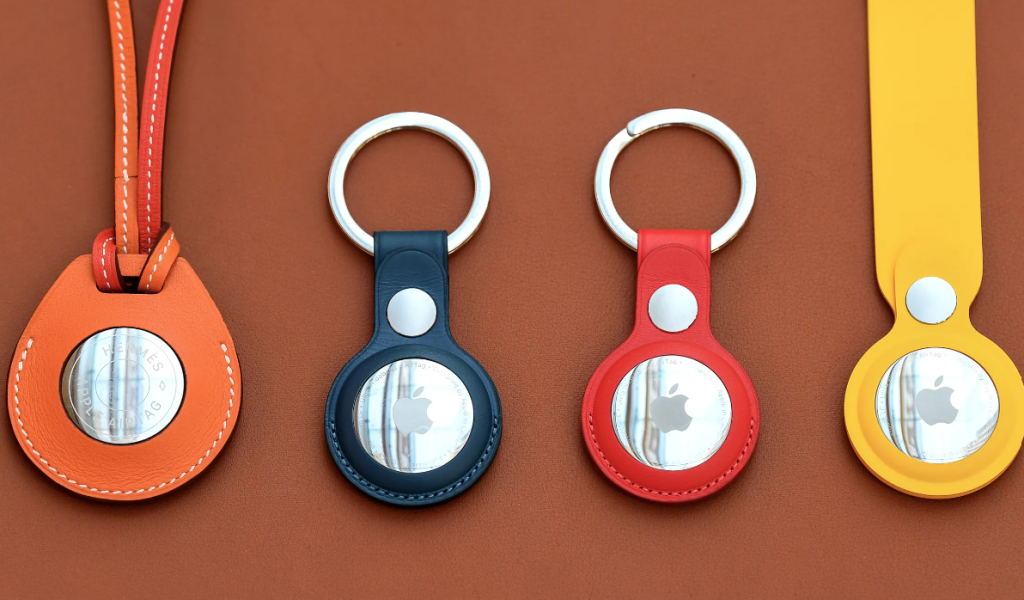
AirTag is a small, coin-shaped device designed to help users track and locate their belongings using Apple’s Find My network. Here’s an overview of how AirTags work:
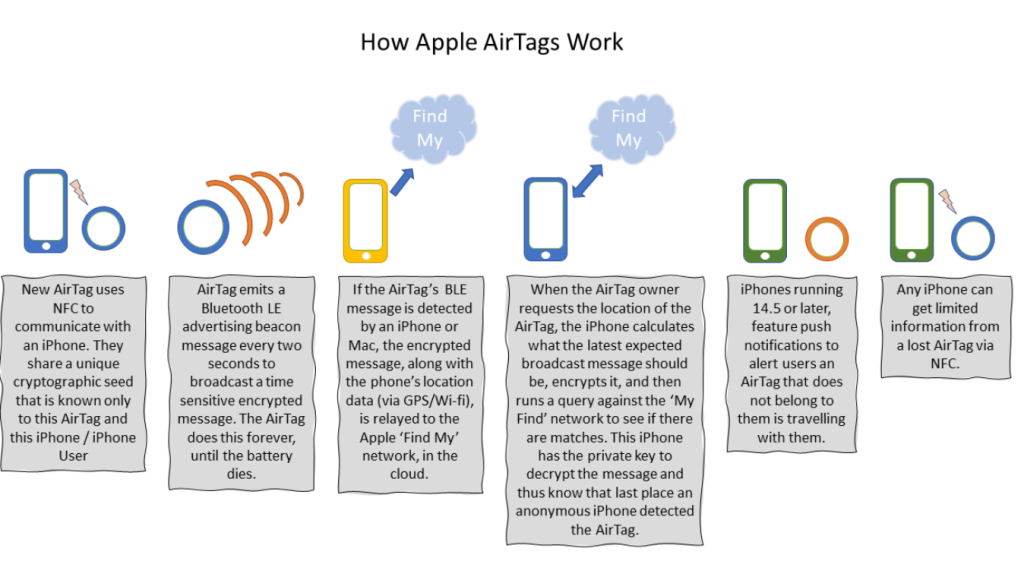
How AirTags Work
1. Bluetooth Technology
AirTags use Bluetooth Low Energy (BLE) to communicate with nearby Apple devices, such as iPhones, iPads, and Macs. When an AirTag is within Bluetooth range of an Apple device, it can send a secure Bluetooth signal that can be detected by devices in the Find My network.
2. Find My Network
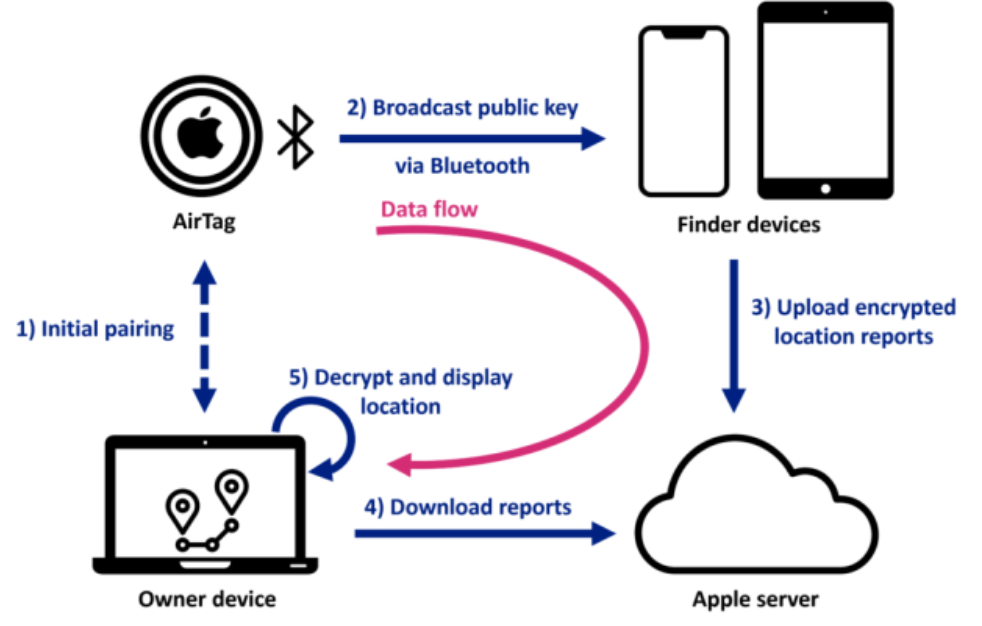
The Find My network is a crowdsourced network of hundreds of millions of Apple devices that can help locate your AirTag when it’s out of your device’s Bluetooth range. Here’s how it works:
- Crowdsourced Location: If your AirTag is out of range of your device, it can still be detected by other nearby Apple devices. These devices anonymously relay the location of your AirTag to iCloud, allowing you to see its location on a map in the Find My app.
- Privacy and Security: The location data and history are encrypted and anonymous. Apple ensures that neither it nor any other device can know the identity or location of any participating device in the network.
3. Precision Finding
When an AirTag is within range of your iPhone, you can use the Precision Finding feature to locate it with greater accuracy. This feature uses a combination of:
- Ultra-Wideband Technology: Available in iPhone models with a U1 chip, this technology enables precise spatial awareness, allowing your iPhone to guide you to the AirTag with directions and distance.
- Visual and Haptic Feedback: The Precision Finding interface provides visual cues, sounds, and haptic feedback to help you locate your AirTag.
4. Lost Mode
If you lose an item with an attached AirTag, you can place it in Lost Mode using the Find My app:
- Notification: If any Apple device detects the AirTag, you will receive a notification of its location.
- Contact Information: You can enter a message and your contact information, which will be displayed to anyone who finds the AirTag.
5. Sound Alerts
AirTags can emit a sound to help you locate them when they are nearby. This is particularly useful for finding an AirTag that’s hidden under or inside an object.
Setup and Usage
- Setup: Setting up an AirTag is simple. You just bring it near your iPhone, and a prompt will appear to guide you through the setup process.
- Attachment: AirTags can be attached to items using key rings, loops, or other accessories designed for AirTags.
Battery and Durability
- Battery Life: AirTags use a standard CR2032 coin cell battery, which typically lasts about a year and is easily replaceable.
- Water and Dust Resistance: AirTags are designed to be water and dust resistant, with an IP67 rating.

I’m Rajesh Kumar, a DevOps, SRE, DevSecOps, Cloud, and Platform Engineering expert passionate about sharing practical knowledge, real-world experiences, and industry best practices. I have worked at Cotocus and regularly write about technology, travel, investing, health, product reviews, and digital marketing through my various platforms.
I publish technical articles at DevOps School, travel stories at Holiday Landmark, stock market insights at Stocks Mantra, health and fitness guidance at My Medic Plus, product reviews at TrueReviewNow, and SEO and digital marketing strategies at Wizbrand.
Find Trusted Cardiac Hospitals
Compare heart hospitals by city and services — all in one place.
Explore Hospitals





