
Microsoft Power Platform provides a complete environment to automate business processes, draw value from data, and build custom solutions for your business needs.
It is the big umbrella covering several low-code and AI-driven solutions such as Power BI, Power Apps, Power Automate, Power Pages, and Copilot Studio, each designed to solve specific business problems.
Since many businesses run on Microsoft ecosystems, these products are often readily available. This article is designed to help you understand the each of the Power Platform products is used for and how you can use them in your business.
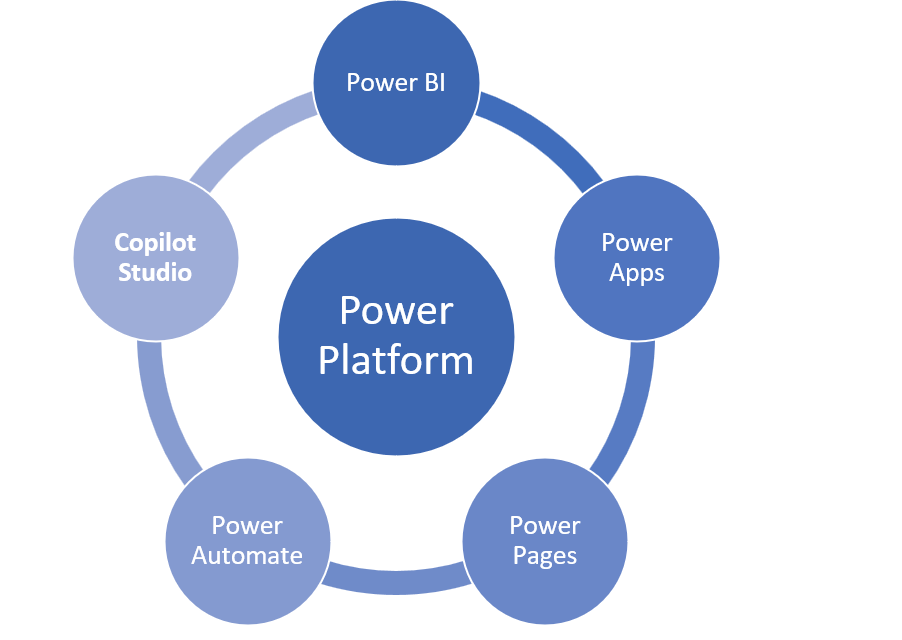
Power Platform helps businesses streamline operations, make better decisions, and drive innovation with no code required.
Small, medium, and large businesses alike benefit from Power Platform because it provides the highest-quality solution at a manageable cost.
Microsoft Power BI
Do you run management reports in your company?
If the answer is yes, pay attention to this particular Power Platform solution, called Power BI.
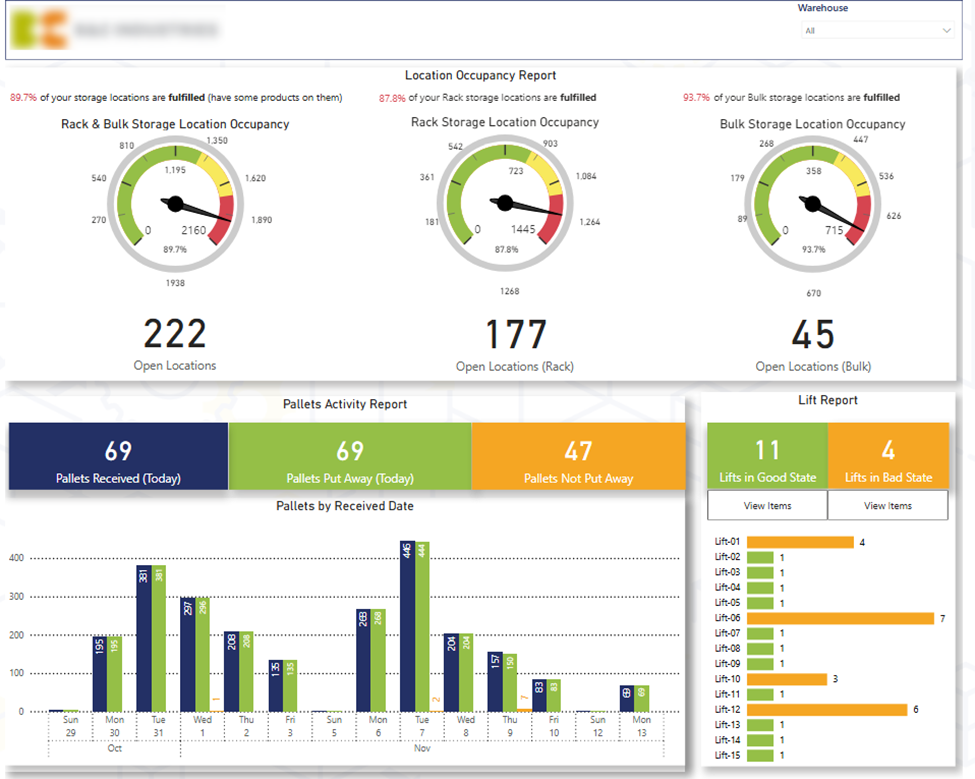
Example of a Power BI management report
Power BI is a business analytics tool that allows you to automate management reporting and improve the quality of data visualization which uncovers more insights.
These insights can then be used to make better data-driven business decisions that improve your operations, maximize profit, and give you an edge over your competitors.
Most businesses don’t get the highest returns from their data because they don’t use Power BI anywhere near its full potential—They don’t have the time, in-house skills, or Power BI experience to turn their Power BI into the ‘insight machine’ they need. If you are one of these businesses, we recommend speaking to a professional Power BI consultants.
Microsoft Power Apps
Application development is no longer reserved for the programming gurus thanks to Power Apps.Microsoft Power Apps provides a drag-drop-click interface (similar to familiar Microsoft tools like PowerPoint) that allows you to build custom apps for your specific needs without coding.
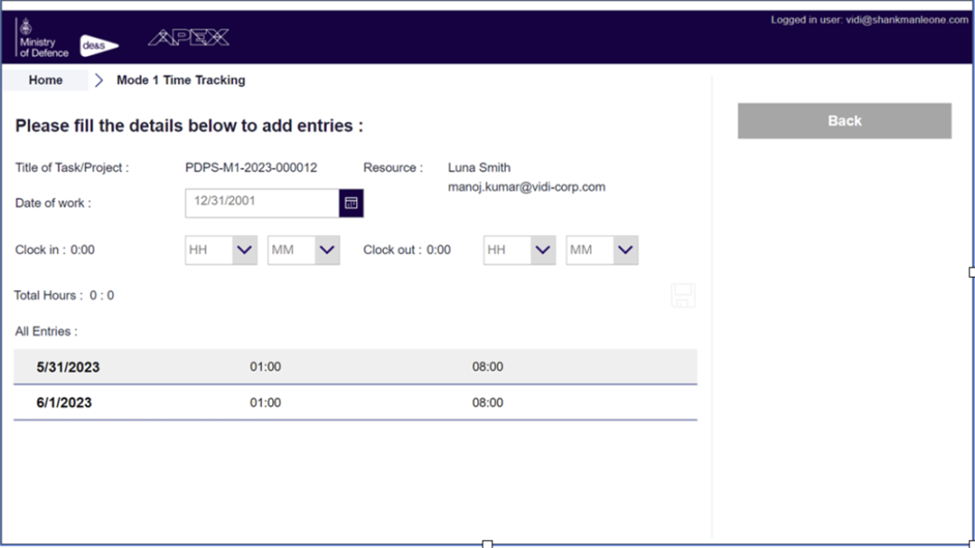
Time tracking Power App example
It is important to note that Power Apps can only be used to develop internal applications because everyone using Power Apps needs a Microsoft license. If you want to develop customer-facing applications, Power Apps is not a good fit.
Power Apps are a good fit for designing applications that allow employees to submit overtime requests or enter data on inventory management. These are all examples of workflows where only internal stakeholders with Microsoft licenses are involved.
With Power Apps, you can create internal web applications faster, standardize your processes and automate workflows.
Even though you can create Power Apps without coding, you still need to know your way around the interface. If you want to develop Power Apps faster, consider working with a Power Apps consultancy.
Microsoft Power Automate
When you hear the term ‘Power Automate’, what comes to mind?
Yes, you got it—Automation! Which involves creating systems to replace repeatable processes and reduce manual intervention.
This can range from small tasks like scraping data from an received email to larger ones like automating word document production.
All can be handled by Microsoft Power Automate.
Just like its cousins, Power Automate is a no-code tool. It is packed with over 300 connectors that allow you to automate time-consuming repetitive tasks across various services and apps which in turn gives you more time to focus on more high-value activities.
Power Automate makes automation easy but as your automation needs advance, so will the chances of errors, security breaches, and unoptimized workflows.
If you want to learn more about Power Automate, consider speaking to Power Automate consultants!
Microsoft Power Pages
Power Pages provides a no-code interface for creating and designing websites and web apps that can be accessed by anyone on the internet if made public. You can think of Power Pages as Power Apps that can be shared to people outside of your organization.
The accessibility for non-programmers is not the only benefit of Power Pages— websites created with Power Pages are secure, responsive, and fast. One word for it: ‘Professional-grade’.
We would not recommend using Power Pages for building your marketing websites since there are very little for Power Pages. Power Pages are best used for functional websites where your customers can log in and access sensitive information or perform certain tasks.
Power Pages also integrate very well with other Microsoft technologies. As a result Power Pages are often used for sharing Power BI reports with external users.
If you want to learn more about Power Pages, you may want to discuss your use case with a Power Pages consultancy!
About the author
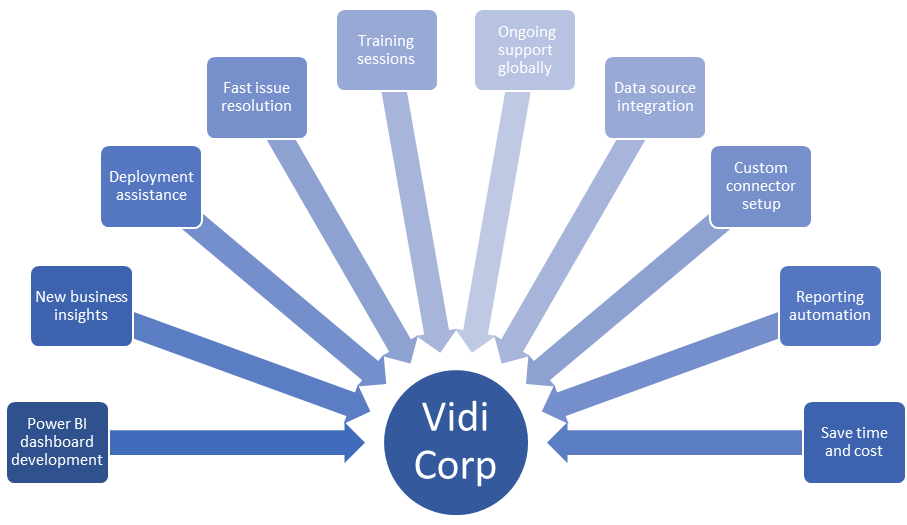
This article is written by Vidi Corp, a UK company offering Power platform consulting services worldwide. Vidi Corp has helped helped over 600 businesses and enterprises around the globe realize the maximum benefits from their data through Power BI— American Express, Ministry of Defense, Schlumberger, and your business can be next.
Conclusion
In summary, Microsoft Power Platform, which includes Power BI, Power Apps, Power Automate, and Power Pages, is a must-have for any business, big or small, looking to streamline processes, make better decisions, and innovate without needing deep technical skills.
Don’t miss out on anything your business can gain from Power Platform – contact Vidi Corp today.

I’m Rajesh Kumar, a DevOps, SRE, DevSecOps, Cloud, and Platform Engineering expert passionate about sharing practical knowledge, real-world experiences, and industry best practices. I have worked at Cotocus and regularly write about technology, travel, investing, health, product reviews, and digital marketing through my various platforms.
I publish technical articles at DevOps School, travel stories at Holiday Landmark, stock market insights at Stocks Mantra, health and fitness guidance at My Medic Plus, product reviews at TrueReviewNow, and SEO and digital marketing strategies at Wizbrand.
Find Trusted Cardiac Hospitals
Compare heart hospitals by city and services — all in one place.
Explore Hospitals