
Find the Best Cosmetic Hospitals

Explore trusted cosmetic hospitals and make a confident choice for your transformation.

“Invest in yourself — your confidence is always worth it.”

Explore Cosmetic Hospitals

Start your journey today — compare options in one place.

Jenkins Tutorials: How to install & Uninstall Jenkins in MacOS

Jenkins can be installed using the Homebrew package manager. Homebrew formula: jenkins-lts This is a package supported by a third party which may be not as frequently updated as packages supported by the Jenkins project directly.Sample commands:

  • Install the latest LTS version: brew install jenkins-lts
  • Start the Jenkins service: brew services start jenkins-lts
  • Restart the Jenkins service: brew services restart jenkins-lts
  • Update the Jenkins version: brew upgrade jenkins-lts

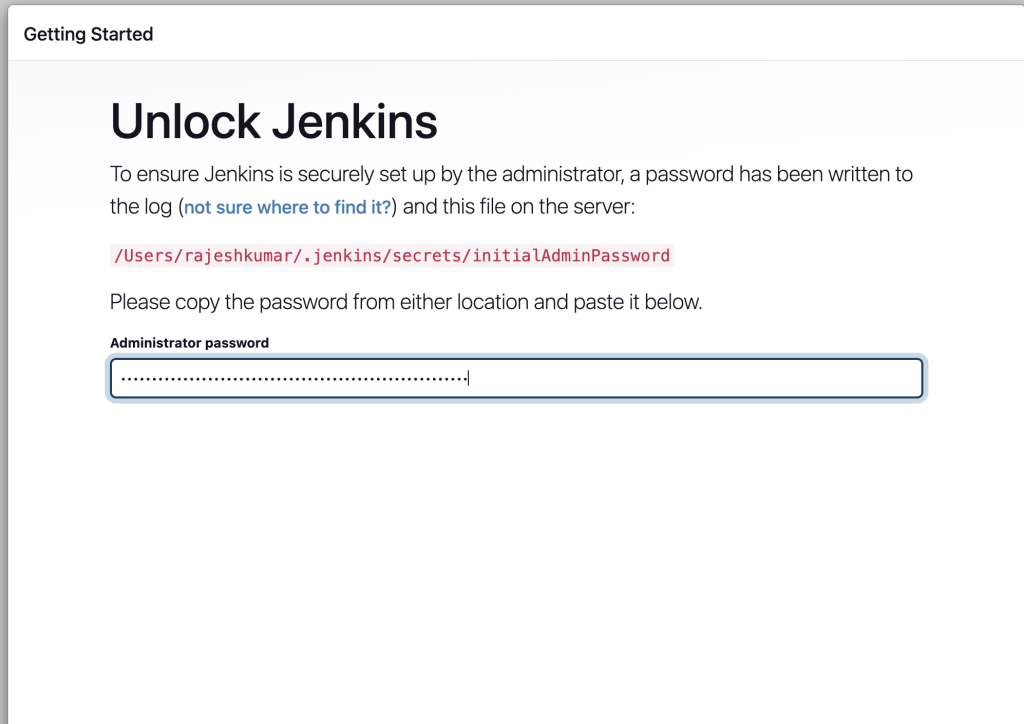
After starting the Jenkins service, browse to http://localhost:8080 and follow the instructions to complete the installation. Also see the external materials for installation guidelines. For example, this blogpost describes the installation process.
How to Uninstall / Remove Jenkins from MacOS?


# 1. Stop the Jenkins Service
brew services stop jenkins-lts

# 2. Uninstall Jenkins via Homebrew
brew uninstall jenkins-lts

# 3. Remove Jenkins Home Directory
rm -rf /Users/<your-username>/.jenkins

# 4. Remove Jenkins Log Files (adjust path for Apple Silicon Macs)
rm -rf /usr/local/var/log/jenkins
# For Apple Silicon Macs (if applicable)
rm -rf /opt/homebrew/var/log/jenkins

# 5. Remove Launch Daemon (if applicable)
sudo rm /Library/LaunchDaemons/homebrew.mxcl.jenkins-lts.plist

# 6. Clear Homebrew Cache (Optional)
brew cleanup

# 7. Restart your Mac (Optional)
sudo shutdown -r now
Code language: PHP (php)

Find Trusted Cardiac Hospitals

Compare heart hospitals by city and services — all in one place.

Explore Hospitals

I'm Rajesh Kumar, a DevOps, SRE, DevSecOps, Cloud, and Platform Engineering expert passionate about sharing practical knowledge, real-world experiences, and industry best practices. I have worked at Cotocus and regularly write about technology, travel, investing, health, product reviews, and digital marketing through my various platforms. I publish technical articles at DevOps School, travel stories at Holiday Landmark, stock market insights at Stocks Mantra, health and fitness guidance at My Medic Plus, product reviews at TrueReviewNow, and SEO and digital marketing strategies at Wizbrand.

Related Posts

Team Foundation Server 2015 Installation Guide (SQL Express + Update 3)

Install Team Foundation Server 2015 using the original Microsoft download paths, with clear guidance for online, offline, and ISO-based setup. This revised guide also includes an installation workflow, command example, and practical pitfalls to avoid.

Read More

How to Access a Running Docker Container Shell: docker exec vs docker attach

Need a shell inside a running container that is already in detached mode? This updated guide shows the correct workflow, compares docker exec and docker attach, and explains when SSH does and does not make sense.

Read More

Host Your Own NuGet Feed: Local Source vs NuGet.Server vs NuGetGallery

Learn how to host a private NuGet feed using three practical approaches: a local folder source, NuGet.Server, and NuGetGallery. This revised guide includes setup steps, command examples, and a workflow diagram to help you choose the right model.

Read More

Publish NuGet Packages to NuGet.org: CLI Steps, Workflow, and CI Example

Learn how to publish a NuGet package to NuGet.org using either nuget.exe or the dotnet CLI. This revised guide includes a workflow diagram, command comparison, and a CI-friendly example.

Read More

How to Create NuGet Packages with nuget.exe (Assembly, .nuspec, and .csproj Methods)

Learn three practical ways to build NuGet packages using nuget.exe: from an existing assembly, from a convention-based folder layout, or directly from a Visual Studio project. This guide includes commands, folder conventions, token behavior, and common pitfalls.

Read More

Virtualization in DevOps: Using Vagrant, Docker, and Cloud Platforms Together

This guide explains how VM-based workflows, containers, and cloud platforms complement each other in DevOps. It includes a practical workflow, trade-off table, and command examples for day-to-day use.

Read More
Subscribe
Notify of
guest
0 Comments
Newest
Oldest Most Voted
0
Would love your thoughts, please comment.x
()
x




