
JFrog Artifactory offers several deployment models catering to different organizational requirements for flexibility, scalability, security, and compliance. Here’s a comprehensive listing and explanation:
| Deployment Model | Description | Typical Use Cases/Notes |
|---|---|---|
| Self-hosted (On-Premises) | Deploy Artifactory on your own infrastructure (bare metal, VM, on-prem datacenter, or private cloud). | Organizations needing maximum control over data, network, and compliance. |
| Self-hosted in Cloud | Run Artifactory on IaaS (e.g., AWS EC2, Azure VM, GCP Compute Engine), fully managed by user. | For full control with cloud flexibility; integrates with enterprise cloud tools. |
| JFrog SaaS (Cloud Hosted) | Fully managed by JFrog. Available as SaaS on AWS, Azure, GCP. | Minimal management overhead, rapid onboarding; scales elastically. |
| Hybrid | Combines self-hosted and SaaS for distributed or multi-site needs, often connecting global workflows. | Enterprise replication, DR, or specific compliance/disaster requirements. |
| Edge/On-Prem Hybrid (Edge nodes) | Artifactory Edge servers act as remote caches/distribution nodes, deployed near remote teams/locations. | For geographically distributed teams needing fast, local artifact access. |
Further Context and Features
- Self-hosted deployments can be single-node (standalone) or clustered (HA) for redundancy and performance.
- SaaS models abstract all infrastructure and upgrades, allowing teams to focus exclusively on their artifacts and pipelines.
- Hybrid and Edge configurations allow organizations to optimize for both global software distribution and strict on-prem governance.
- Users can easily promote between models (e.g., migrate self-hosted to SaaS, add Edge nodes as needs grow).
This comprehensive matrix enables organizations of any size or compliance posture to select and operate Artifactory in the optimal configuration for their needs, with options for scaling, security, and redundancy built in1.
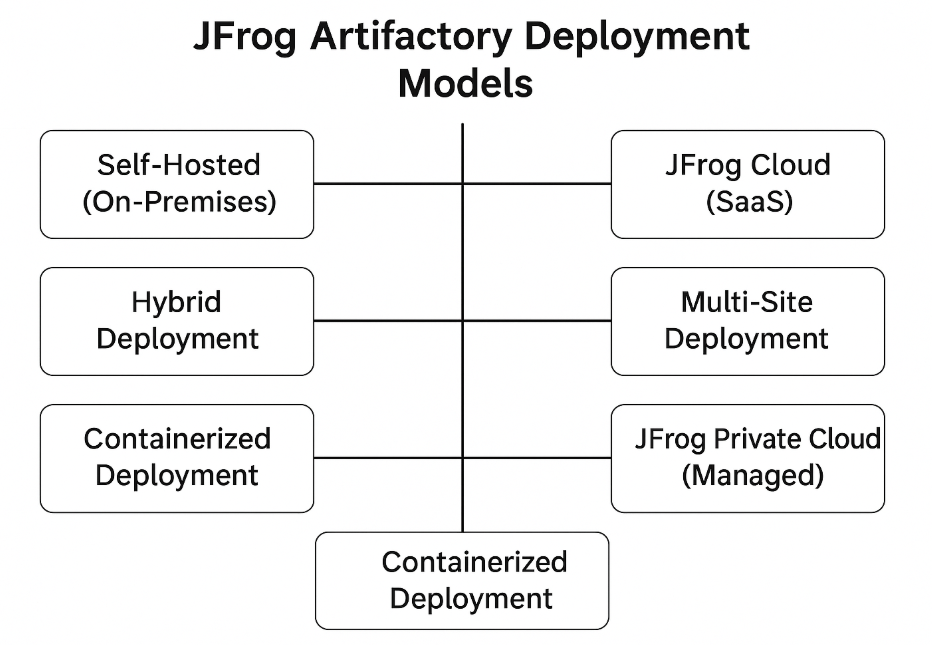
JFrog Artifactory supports multiple deployment models to fit different infrastructure and operational needs. Below is the complete list of deployment models:
✅ 1. Self-Hosted (On-Premises)
- Installed and managed on your own infrastructure (physical or virtual servers).
- You control:
- Hardware, OS, scaling, backups, and upgrades.
- Best For:
Enterprises with strict on-prem security and compliance requirements.
✅ 2. JFrog Cloud (SaaS)
- Fully managed Software-as-a-Service version hosted by JFrog.
- Available on multiple cloud providers:
- AWS
- Azure
- GCP
- Includes:
- Automated scaling, backups, updates, and maintenance.
- Best For:
Teams wanting zero-maintenance and instant setup.
✅ 3. Hybrid Deployment
- Combination of self-hosted + cloud services.
- Common approach:
- Keep sensitive artifacts on-prem.
- Use cloud-based distribution and remote repositories.
- Best For:
Organizations migrating to the cloud or requiring a mix of both.
✅ 4. Multi-Site Deployment
- Uses Artifactory Enterprise X / Enterprise+ with:
- Federated repositories
- Multi-site replication
- Edge nodes for distributed teams.
- Best For:
Global enterprises needing low-latency artifact access across locations.
✅ 5. Containerized Deployment
- Deploy Artifactory as Docker containers or via Helm Charts on Kubernetes/OpenShift.
- Supports both self-hosted and cloud-native setups.
- Best For:
Cloud-native teams and CI/CD pipelines with Kubernetes.
✅ 6. JFrog Private Cloud (Managed)
- JFrog deploys and manages a dedicated instance in your cloud VPC.
- Combines SaaS benefits with private networking and compliance.
- Best For:
Enterprises needing full isolation with JFrog-managed operations.
📌 Summary:
- Self-Hosted: Full control, on-prem infrastructure.
- JFrog Cloud (SaaS): Fully managed service.
- Hybrid: Combination of on-prem and cloud.
- Multi-Site: Global, HA with federated repositories.
- Containerized: Docker/Kubernetes deployment.
- Private Cloud: Dedicated JFrog-managed VPC instance.

I’m Rajesh Kumar, a DevOps, SRE, DevSecOps, Cloud, and Platform Engineering expert passionate about sharing practical knowledge, real-world experiences, and industry best practices. I have worked at Cotocus and regularly write about technology, travel, investing, health, product reviews, and digital marketing through my various platforms.
I publish technical articles at DevOps School, travel stories at Holiday Landmark, stock market insights at Stocks Mantra, health and fitness guidance at My Medic Plus, product reviews at TrueReviewNow, and SEO and digital marketing strategies at Wizbrand.
Find Trusted Cardiac Hospitals
Compare heart hospitals by city and services — all in one place.
Explore Hospitals
Thanks for this helpful breakdown of the deployment models for JFrog Artifactory! 📦 I appreciate how each model is explained clearly — it really makes it easier to understand which option fits different needs. Very informative — thanks for sharing!