
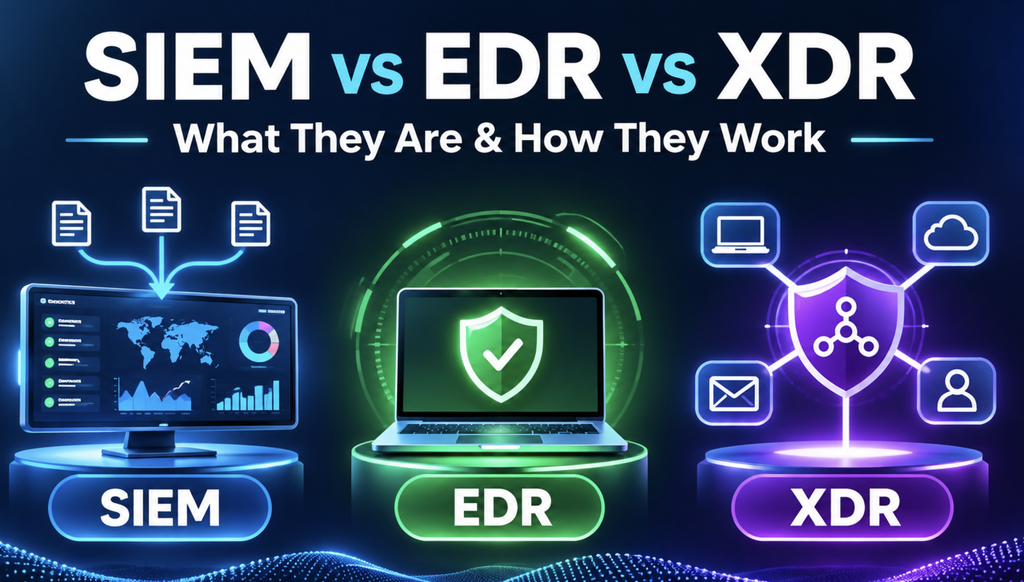
SIEM vs EDR vs XDR: What They Are, How They Work, and When to Use Each
SIEM, EDR, and XDR are three important cybersecurity technologies, but they do not do exactly the same job. SIEM helps security teams understand what is happening across an organization’s systems. EDR looks closely at laptops and servers. XDR connects security signals from different places to help detect and respond to a wider attack.
If these terms sound confusing, don’t worry. In this beginner-friendly tutorial, we’ll explain each one in plain English, walk through a realistic cyberattack, compare their strengths and limitations, and discuss when a company might use them together.
Who is this guide for? Cybersecurity students, system administrators, DevOps and cloud engineers, SOC analysts, IT professionals, and anyone learning security operations.
1. Why do companies need SIEM, EDR, and XDR?
Imagine a company with 500 employees. It uses employee laptops, Windows and Linux servers, cloud applications, email, a VPN, databases, and firewalls.
One morning, an employee receives a phishing email. They open an attachment that starts a suspicious program on their laptop. The attacker then tries to use stolen credentials, access business applications, and download sensitive documents.
Several things may happen almost at the same time:
- The email security system marks the message as suspicious.
- The employee’s laptop starts an unusual process.
- The identity system records an unexpected sign-in.
- A cloud application records a large file download.
- The firewall or proxy records connections to an unfamiliar destination.
Each system has only part of the story. The security team’s job is to discover what happened, decide whether there is a real attack, and stop it before it spreads.
That is the problem SIEM, EDR, and XDR help solve. They offer different kinds of visibility, investigation, and response.
2. What is SIEM? (Security Information and Event Management)
SIEM stands for Security Information and Event Management. It is a platform that brings security logs and events from many systems into one place so security teams can search them, spot suspicious patterns, investigate incidents, and produce reports.
Think of SIEM as a central security control room. Instead of checking 100 separate systems to find out what happened, analysts can investigate important information from one platform.
For example, a SIEM may receive:
- Login events from an identity provider or VPN.
- Administrative activity from a cloud account.
- Network connections blocked by a firewall.
- Audit events from a database or business application.
- Security detections from an endpoint protection tool.
How does SIEM work?
A typical SIEM workflow has six steps:
- Collect: Receive logs and events from connected systems.
- Parse and normalize: Extract useful fields such as time, username, IP address, hostname, action, and result.
- Analyze and correlate: Search for suspicious patterns using rules, analytics, and sometimes threat intelligence or behavioral analysis.
- Alert: Notify analysts when configured detection conditions are met.
- Investigate: Let analysts search related events and build a timeline.
- Respond: Support response through built-in actions, integrations, or security orchestration tools, depending on the product.
Simple flow: Log sources → SIEM → Detection rule → Security alert → Analyst investigation → Response.
SIEM example: Failed logins followed by a successful login
Suppose the company VPN records these events:
10:00  LOGIN FAILED   User: alex
10:01  LOGIN FAILED   User: alex
10:02  LOGIN FAILED   User: alex
10:03  LOGIN FAILED   User: alex
10:04  LOGIN SUCCESS  User: alex
Code language: CSS (css)
A SIEM rule could flag multiple failed sign-ins followed by a successful sign-in. That might indicate someone guessing a password and eventually getting in.
But it could also mean Alex forgot their password. An alert is a reason to investigate, not proof of an attack. A security analyst should check the source IP, device, time, authentication method, and recent account activity before deciding what happened.
Common SIEM use cases
- Finding repeated login failures or unusual administrator sign-ins.
- Monitoring sensitive changes in AWS, Azure, or Google Cloud.
- Investigating security incidents across multiple servers and applications.
- Looking for suspicious network activity.
- Supporting security auditing and evidence retention.
- Searching historical logs during a threat-hunting investigation.
SIEM strengths and limitations
SIEM’s biggest strength is broad visibility and historical investigation. It can help analysts connect evidence from many systems, and it is useful when an organization needs centralized searches and security reporting.
Its limitations include the cost of ingesting and storing data, the effort required to connect different log sources, alert noise, and the ongoing work needed to write and tune detections. A SIEM is not automatically a tool that can block every attack.
3. What is EDR? (Endpoint Detection and Response)
EDR stands for Endpoint Detection and Response. It watches supported endpoints—such as employee laptops, desktop computers, and servers—for suspicious activity and helps security teams investigate and contain threats on those devices.
An endpoint is a device connected to an organization’s environment. Most EDR products use an endpoint sensor or agent. The exact device and operating-system coverage depends on the vendor.
Think of EDR as a security guard working inside each protected computer. It can see more detail about what programs are doing than a central collection of login logs alone can provide.
An EDR product may observe things such as:
- Which process started another process.
- Unexpected changes to files or system settings.
- Suspicious use of scripting or administrative tools.
- Unusual network connections initiated by a device.
- Behaviors associated with ransomware or credential theft.
How does EDR work?
- Monitor the device: A sensor collects relevant endpoint security telemetry.
- Detect suspicious behavior: The product uses detections, behavior analysis, and other techniques to identify possible threats.
- Create an alert: Security teams are notified about potentially malicious activity.
- Investigate the endpoint: Analysts review process relationships, files, connections, users, and incident timelines.
- Contain or remediate: Supported actions may include stopping a process, quarantining a file, scanning the device, or isolating the endpoint.
Simple flow: Endpoint activity → EDR sensor → Threat detection → Investigation → Device-level response.
EDR example: A suspicious process on an employee laptop
An employee opens a Word document received by email. Soon afterward, the EDR platform observes a process relationship like this:
OUTLOOK.EXE
    └── WINWORD.EXE
            └── powershell.exe
Code language: CSS (css)
That process chain may deserve investigation. An EDR system can examine the surrounding behavior, command arguments, network activity, and other evidence to decide whether it resembles an attack.
Important: PowerShell is a legitimate tool. Its presence alone does not prove malicious activity. The context matters.
If the evidence points to a serious threat, EDR may help the team stop the suspicious process, quarantine a malicious file, or isolate the affected laptop. The exact options depend on the vendor, product configuration, and license.
What does endpoint isolation mean?
Imagine one laptop is infected with ransomware. If it continues communicating with other machines, the attacker may try to spread.
Endpoint isolation restricts the device’s network communication to help contain the incident. Some products allow limited communication with their management service so the security team can continue investigating.
A simple analogy is closing the door to an affected room so the problem does not reach other rooms.
Is EDR the same as antivirus?
Not exactly. Traditional antivirus mainly focuses on detecting and preventing malicious software. EDR emphasizes broader endpoint behavior, investigation, and response.
Modern antivirus products also use behavioral detection, and many EDR platforms include antivirus features. In real products, the capabilities often overlap.
EDR strengths and limitations
EDR’s biggest strength is deep visibility and rapid response on protected devices. It is especially valuable for investigating malware, ransomware, suspicious processes, and attacker activity on an endpoint.
Its limitation is scope: EDR may not see the full story in email, SaaS applications, cloud control planes, or identity systems without additional integrations. Devices that are not onboarded may also create security blind spots.
4. What is XDR? (Extended Detection and Response)
XDR stands for Extended Detection and Response. It brings together signals from multiple connected security domains—often endpoints, identity, email, cloud services, and networks—so analysts can identify related attacks and coordinate a response.
Think of XDR as a security investigation team that connects the dots. A single suspicious email may not tell you much, and a single unusual login may be ambiguous. But seeing that the same user received the email, launched suspicious software, and then accessed sensitive cloud data can reveal a more serious incident.
How does XDR work?
- Connect security tools and data sources: Depending on the platform, these can include EDR, email, identity, cloud, and network protections.
- Collect relevant signals: Bring together detections, alerts, and supporting telemetry.
- Correlate activity: Look for relationships among the same user, device, file, account, or attack sequence.
- Create a unified investigation: Group related evidence into an incident that analysts can understand more easily.
- Coordinate response: Use supported integrations to contain affected devices, revoke sessions, block malicious artifacts, or take other approved actions.
Simple flow: Endpoint + Email + Identity + Cloud signals → XDR correlation → Unified incident → Coordinated response.
XDR example: One attack, several security signals
Imagine the following sequence:
- At 9:00 AM, email protection detects a suspicious attachment.
- At 9:02 AM, EDR reports unusual execution on the recipient’s laptop.
- At 9:05 AM, the identity system detects a sign-in from an unfamiliar device.
- At 9:07 AM, a cloud application reports unexpected access to sensitive files.
An XDR platform with the necessary integrations may connect those events into one incident. The security team can investigate the full sequence instead of working through four disconnected alerts.
Depending on its integrations and policies, XDR could also help quarantine the email, isolate the laptop, and revoke a suspicious session.
XDR strengths and limitations
XDR’s biggest strength is cross-domain detection and coordinated investigation. It can reduce the effort of connecting alerts from different security products.
But XDR is not magic. It cannot see data it has not been given access to. Some platforms work best with one vendor’s products, while others support broader third-party integrations. Response functions also vary substantially.
5. SIEM vs EDR vs XDR: Key differences
| Question | SIEM | EDR | XDR |
|---|---|---|---|
| What is its main job? | Analyze security events across the organization | Detect and respond to threats on endpoints | Connect security signals across different domains |
| What does it mainly examine? | Logs, events, alerts, and telemetry | Processes, files, device activity, and endpoint connections | Alerts and telemetry from integrated security systems |
| Where is it strongest? | Broad visibility, search, investigation, retention | Deep endpoint investigation and containment | Cross-domain correlation and coordinated response |
| Can it detect threats? | Yes | Yes | Yes |
| Can it take response actions? | Often through built-in capabilities and integrations | Yes, on supported endpoints | Through connected and supported security controls |
| Is it designed for compliance and historical logs? | Commonly a major use case | Usually a supporting role | Depends on the product and retention features |
| Does it replace the other two? | No | No | Not automatically |
The short version: SIEM helps you see the wider security evidence. EDR helps you investigate and contain threats on devices. XDR helps you connect related activity across security domains.
These are broad categories, not rigid boundaries. Modern products combine features, so always evaluate what a specific platform actually provides.
6. An easy analogy: Protecting a shopping mall
Imagine a shopping mall with 100 stores.
SIEM is the central control room. It receives reports from cameras, access-card readers, alarms, and gates. Staff can review past events and look for suspicious patterns across the whole building.
EDR is the guard inside an individual store. That guard watches what happens locally and can intervene when something dangerous occurs.
XDR is the team connecting reports across the mall. It may link a suspicious entry, unusual behavior inside a store, and an attempted exit through a restricted door into one investigation.
The analogy is deliberately simple. Real SIEM tools can correlate events and trigger responses too, and real XDR tools can provide significant investigation capabilities.
7. Real-world scenario: A phishing attack from start to finish
Let’s follow one hypothetical attack and identify what each technology contributes.
10:00 AM — A phishing email arrives
The employee receives a malicious message that looks like a normal invoice. Email security may detect suspicious links or attachments. If configured, this alert may also appear in SIEM and XDR.
10:02 AM — A suspicious file runs
The employee opens the attachment. The laptop starts an unusual process. EDR observes the device activity and may flag it, stop it, or collect evidence.
10:04 AM — The attacker tries to misuse credentials
An identity platform records an unusual login. SIEM may detect the suspicious authentication pattern. An integrated XDR platform may link this sign-in to the same affected user and device.
10:06 AM — Sensitive data is accessed
A cloud application records unexpected downloads. SIEM can help analysts search the cloud logs. XDR may add the cloud event to the same incident if the source is connected.
10:08 AM — The security team responds
The team checks the evidence and decides on containment. EDR might isolate the laptop. An integrated XDR workflow might help revoke a compromised session. SIEM may retain the related records for investigation and reporting.
What did each tool do? EDR focused on the laptop; SIEM helped provide evidence from multiple systems; XDR helped connect signals and coordinate the wider investigation. A capable SIEM may also correlate the same attack, so these roles can overlap.
8. Can SIEM, EDR, and XDR work together?
Yes—and they often do. One possible arrangement looks like this:
Laptops and servers ──────► EDR
                               │
                               ├── Endpoint alerts ─────► SIEM
                               │
                               └── Security signals ────► XDR

Email and identity ──────────────── Logs/events ────────► SIEM
              └─────────────────── Integrated signals ─► XDR

Cloud and network systems ──────── Logs/events ────────► SIEM
              └─────────────────── Integrated signals ─► XDR

SIEM and XDR ───────────► Security team / SOC
                                  │
                                  ▼
                         Investigate and respond
This is an illustrative design, not a rule that every organization must follow. Some vendors combine SIEM and XDR in the same security operations experience. Others integrate separate products.
For example, Microsoft documents how Microsoft Sentinel (SIEM and SOAR capabilities) can be used alongside Microsoft Defender XDR. The goal is to bring together complementary information and response workflows rather than assume one tool replaces the other.
9. How do SIEM, EDR, and XDR relate to SOC, SOAR, NDR, and MDR?
You will hear several related security terms:
- SOC (Security Operations Center): The people, processes, and tools that monitor and respond to security threats.
- SOAR (Security Orchestration, Automation and Response): Technology that helps automate response workflows and actions across security tools.
- NDR (Network Detection and Response): Technology that focuses on suspicious activity observed in network traffic.
- MDR (Managed Detection and Response): A service where external security specialists help monitor, investigate, and respond to threats.
For example, a SOC analyst might receive an alert from SIEM, examine an endpoint in EDR, view related activity in XDR, and use an approved SOAR playbook to create a ticket or trigger containment.
10. Examples of SIEM, EDR, and XDR products
These are recognizable examples, not a ranking or a recommendation to buy them:
| Category | Example products |
|---|---|
| SIEM | Microsoft Sentinel, Splunk Enterprise Security, Elastic Security |
| EDR | Microsoft Defender for Endpoint, CrowdStrike Falcon, SentinelOne Singularity Endpoint |
| XDR | Microsoft Defender XDR, Palo Alto Networks Cortex XDR, Trend Micro Vision One |
A product may belong to more than one category, or a vendor may sell several integrated products. Check the current feature set, supported integrations, operating systems, licensing, and service model before selecting one.
11. Which one should a company choose?
Start with the security problem, not the product name.
If your main concern is protecting employee laptops and servers: Start with reliable endpoint protection and consider EDR capabilities. Make sure devices are actually onboarded, monitored, and supported.
If you need to investigate security events across cloud accounts, applications, identity systems, and networks: A SIEM or another suitable centralized security logging and detection capability may be important.
If your team already uses several integrated security tools and struggles to connect their alerts: XDR may help unify those signals and support coordinated response.
If you have a complex enterprise or compliance-driven environment: A combination of EDR, SIEM, and XDR capabilities may make sense, provided they integrate well and the team can operate them effectively.
If you do not have 24/7 security coverage: Consider whether a qualified managed detection and response service can help. Buying software does not create a staffed security operations team.
Before deciding, ask: Which assets matter most? What attacks do we need to detect? Which logs and signals do we have? How quickly must we respond? How much will data ingestion and retention cost? Who will investigate the alerts?
12. Best practices for getting useful results
- Inventory critical systems. Know the important endpoints, identities, applications, data, and cloud resources.
- Start with a few useful threat scenarios. For example, compromised accounts, ransomware behavior, or unexpected privileged changes.
- Collect the right logs. Prioritize security-relevant data instead of sending every possible event to the SIEM.
- Verify endpoint coverage. An EDR tool cannot protect an endpoint that has not been onboarded correctly.
- Test your detections. Make sure real events reach the right tool and generate the alerts you expect.
- Reduce false positives. Tune rules so the team can focus on meaningful signals.
- Define response ownership. Decide who can isolate a device, revoke a session, or approve a disruptive action.
- Automate with safeguards. A mistaken automatic response can interrupt legitimate business operations.
- Protect your security records. Restrict access, secure retention, and handle sensitive information appropriately.
- Review and improve regularly. Security tools require maintenance, tuning, people, and practice.
These practices align with public guidance from the Australian Cyber Security Centre and NIST on logging, SIEM/SOAR implementation, and incident response.
13. Common mistakes and misunderstandings
“SIEM is just a place to store logs.”
No. Centralized log collection is a foundation, but SIEM also supports detection, correlation, investigation, searching, and security reporting.
“EDR and antivirus are identical.”
No. Their capabilities overlap, but EDR places greater emphasis on rich endpoint telemetry, investigation, and response.
“XDR can automatically see everything in the company.”
No. XDR needs supported integrations, relevant signals, correct configuration, and suitable permissions.
“Buying XDR means we can delete the SIEM.”
Not automatically. Whether XDR can replace certain SIEM functions depends on the actual product and your investigation, retention, reporting, and compliance requirements.
“More security alerts mean better security.”
Not necessarily. Thousands of low-quality alerts can overwhelm a team. Useful detection, good context, and reliable response matter more than alert volume.
14. Frequently asked questions (FAQ)
What is the main difference between SIEM and EDR?
SIEM gathers and analyzes security events across many connected systems. EDR focuses on detailed activity and threat response on protected devices, such as laptops and servers.
What is the main difference between EDR and XDR?
EDR primarily protects endpoints. XDR connects signals from endpoints and other integrated security domains, such as identity, email, cloud, and network security.
Can XDR replace SIEM?
Sometimes an XDR or unified security platform can cover parts of what a company once used a SIEM for. However, many organizations still need the broad logging, historical investigation, custom analytics, or reporting capabilities of a SIEM. Evaluate the exact requirements and product capabilities.
Does SIEM stop an attack automatically?
Some SIEM platforms can start automated response actions through built-in features and integrations. But detection does not guarantee prevention or containment, and important actions should follow an approved response process.
Is EDR useful for cloud servers?
Yes, EDR can protect supported cloud-hosted operating systems when the product is correctly deployed and configured. It does not automatically replace cloud security tools that monitor cloud identities, permissions, APIs, and managed services.
Do small companies need all three?
Not necessarily. A smaller organization may get more value from strong endpoint protection, identity security, good backups, basic security monitoring, and a clear incident response process before adopting multiple advanced platforms.
15. Final takeaway
If you remember only three things, remember these:
SIEM = Security visibility and investigation across systems.
EDR = Deep endpoint detection, investigation, and response.
XDR = Connecting security signals across multiple domains for a more complete incident picture.
SIEM, EDR, and XDR are not simply three names for the same product. Nor are they always direct competitors. They solve related problems at different levels, and modern security products often combine their capabilities.
The best cybersecurity setup is the one that helps your team detect real threats, understand what happened, act safely, and recover quickly—not necessarily the one with the most products.
References and further reading
- Australian Cyber Security Centre — Implementing SIEM and SOAR Platforms: Practitioner Guidance
- Microsoft Learn — Incident Response with XDR and Integrated SIEM
- Microsoft Learn — Overview of Endpoint Detection and Response
- NIST SP 800-61 Revision 3 — Incident Response Recommendations
All incident examples and logs in this tutorial are fictional and intended for education.

I’m Rajesh Kumar, a DevOps, SRE, DevSecOps, Cloud, and Platform Engineering expert passionate about sharing practical knowledge, real-world experiences, and industry best practices. I have worked at Cotocus and regularly write about technology, travel, investing, health, product reviews, and digital marketing through my various platforms.
I publish technical articles at DevOps School, travel stories at Holiday Landmark, stock market insights at Stocks Mantra, health and fitness guidance at My Medic Plus, product reviews at TrueReviewNow, and SEO and digital marketing strategies at Wizbrand.
Find Trusted Cardiac Hospitals
Compare heart hospitals by city and services — all in one place.
Explore Hospitals