Objects are used to store keyed collections of various data and more complex entities. In JavaScript, objects penetrate almost every aspect of the language. So we must understand them first before going in-depth anywhere else.
An object can be created with figure brackets {…} with an optional list of properties. A property is a “key: value” pair, where key is a string (also called a “property name”), and value can be anything.
We can imagine an object as a cabinet with signed files. Every piece of data is stored in its file by the key. It’s easy to find a file by its name or add/remove a file.
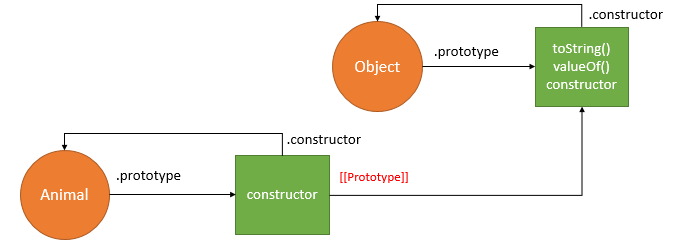
Let’s understand it more simple:–
In JavaScript, almost “everything” is an object.
- Booleans can be objects (if defined with the
newkeyword) - Numbers can be objects (if defined with the
newkeyword) - Strings can be objects (if defined with the
newkeyword) - Dates are always objects
- Maths are always objects
- Regular expressions are always objects
- Arrays are always objects
- Functions are always objects
- Objects are always objects
All JavaScript values, except primitives, are objects.
let user = new Object(); // "object constructor" syntax
let user = {};  // "object literal" syntaxCode language: JavaScript (javascript)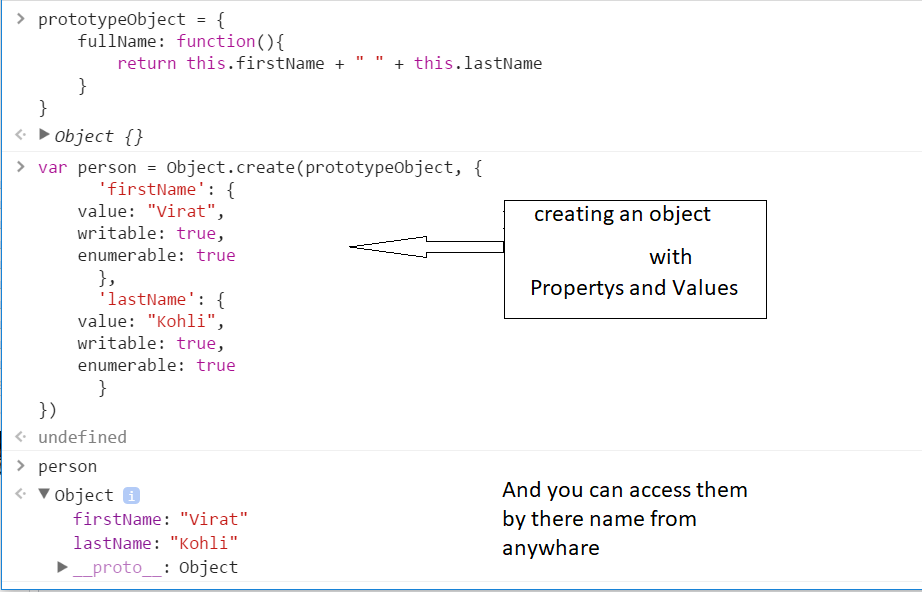
Creating objects in JavaScript (3 Different Ways)
Using functions as class:
One of the easiest way to instantiate an object in JavaScript. We define a classical JavaScript function and create an object of the function using new keyword. The properties and methods of function are created using the this keyword.
OUT PUT :– Vineet 20
Using object literals:
Literals are smaller and simpler ways to define objects. Below we instantiate an object exactly same as the previous one just with the object literal.
OUT PUT :– Vineet 20
Singleton using a function:
The third way presented is a combination of the other two that we already saw. We can use a function to define a singleton object.
OUT PUT:– Vineet 20
Access Object Properties in JavaScript(3 Different Ways)
Using Dot property accessor: object.property
A common way to access the property of an object is the dot property accessor syntax:
expression.identifierCode language: CSS (css)expression should evaluate to an object, and identifier is the name of the property you’d like to access.
For example, let’s access the property name of the object hero:
const hero = {
  name: 'Batman'
};

// Dot property accessor
hero.name; // => 'Batman'Code language: JavaScript (javascript)
hero.name is a dot property accessor that reads the property name of the object hero.
You can use the dot property accessor in a chain to access deeper properties: object.prop1.prop2.
Square brackets property access: object['property']
The square brackets property accessor has the following syntax:
expression[expression]Code language: CSS (css)The first expression should evaluate to an object and the second expression should evaluate to a string denoting the property name.
Here’s an example:
const property = 'name';
const hero = {
  name: 'Batman'
};

// Square brackets property accessor:
hero['name'];   // => 'Batman'hero[property]; // => 'Batman'Code language: JavaScript (javascript)
hero['name'] and hero[property] both read the property name by using the square brackets syntax.
Using Object destructing: const { property } = object
The basic object destructuring syntax is pretty simple:
const { identifier } = expression;Code language: JavaScript (javascript)identifier is the name of the property to access and expression should evaluate to an object. After the destructuring, the variable identifier contains the property value.
Here’s an example:
const hero = {
  name: 'Batman'
};

// Object destructuring:
const { name } = hero;
name; // => 'Batman'Code language: JavaScript (javascript)
const { name } = hero is an object destructuring. The destructuring defines a variable name with the value of property name.
When you get used to object destructuring, you will find that its syntax is a great way to extract the properties into variables.

Find Trusted Cardiac Hospitals
Compare heart hospitals by city and services — all in one place.
Explore Hospitals