
Option – 1 – REDHAT Websites
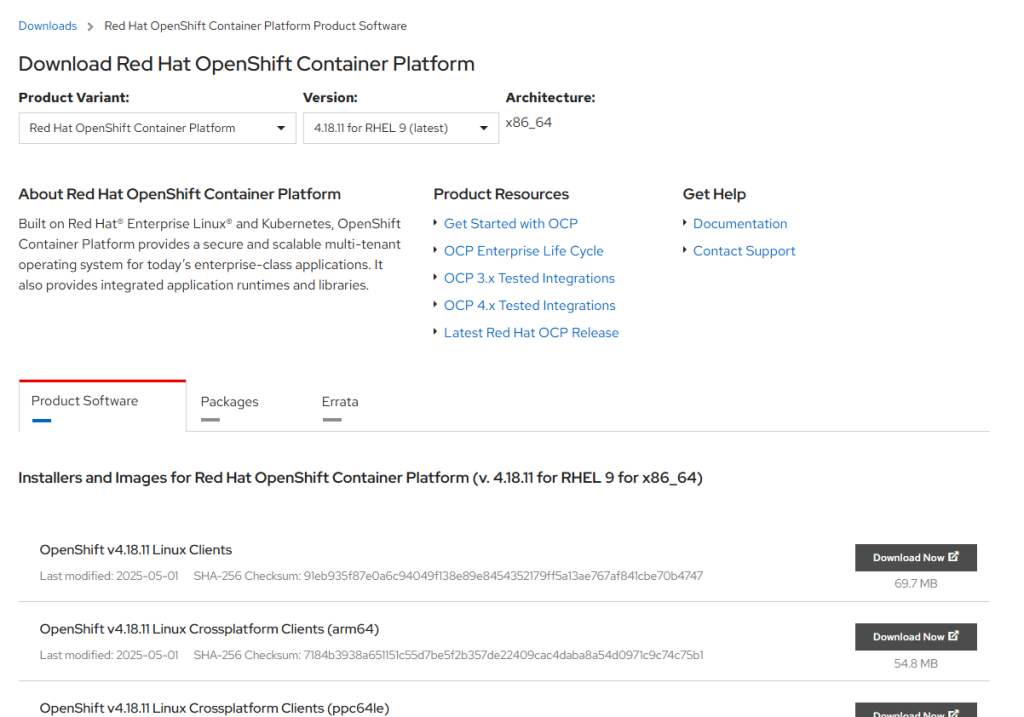
URL – https://access.redhat.com/downloads/content/290/ver=4.18/rhel—9/4.18.11/x86_64/product-software
Option – 2 – OKD Websites
The OKD (Origin Community Distribution of Kubernetes for OpenShift) is the open-source version of OpenShift, and its CLI (oc) is freely available.
🔗 URL:
➡️ https://github.com/openshift/okd/releases
✔️ How to Download:
- Go to the latest OKD release.
- Download the archive for your platform:
openshift-client-linux.tar.gzopenshift-client-mac.tar.gzopenshift-client-windows.zip
- Extract it, and you’ll get:
oc(OpenShift CLI)kubectl(Kubernetes CLI)
✅ No login or subscription required!
MacOS
This is actually a really quick process so this article is going to be short. This process will show you how to do the following:
- How to Install Brew for MacOS
- How to Install the OpenShift CLI using Brew
- How to Utilize the Login Command with Token to Access a Cluster
Step 1. Install Brew for MacOS
Run the following command to install brew in a terminal window:
# Install Homebrew (if not already installed)
/bin/bash -c "$(curl -fsSL https://raw.githubusercontent.com/Homebrew/install/HEAD/install.sh)"

# Add Homebrew to PATH (Apple Silicon Macs)
echo 'eval "$(/opt/homebrew/bin/brew shellenv)"' >> ~/.zprofile
eval "$(/opt/homebrew/bin/brew shellenv)"

# Install OpenShift CLI (oc)
brew install openshift-cli

# Verify installation
oc versionCode language: PHP (php)Note: After you run the command there are some additional commands that will be asked to run in order to run brew. If this is not run successfully a command not found will display when running the brew command.
Step 2. Install the OpenShift CLI using Brew
Run the following command in the terminal to install the OpenShift (aka OC) CLI utility:
$ brew install openshift-cli
Windows
https://access.redhat.com/downloads/content/290/ver=4.18/rhel—9/4.18.8/x86_64/product-software
or
$ scoop install oc
Linux
https://access.redhat.com/downloads/content/290/ver=4.18/rhel—9/4.18.8/x86_64/product-software
mkdir /ocp-tools
wget https://mirror.openshift.com/pub/openshift-v4/clients/ocp/stable-4.6/openshift-client-linux.tar.gz -P /ocp-tools
wget https://mirror.openshift.com/pub/openshift-v4/clients/ocp/stable-4.6/openshift-install-linux.tar.gz -P /ocp-tools
ls -la /ocp-tools
cd /ocp-tools
chmod 777 *
tar xvf openshift-install-linux.tar.gz openshift-install
tar xvf openshift-client-linux.tar.gz oc kubectl
cp oc kubectl /usr/local/bin

oc version
kubectl version
/ocp-tools/openshift-install versionCode language: JavaScript (javascript)
I’m Rajesh Kumar, a DevOps, SRE, DevSecOps, Cloud, and Platform Engineering expert passionate about sharing practical knowledge, real-world experiences, and industry best practices. I have worked at Cotocus and regularly write about technology, travel, investing, health, product reviews, and digital marketing through my various platforms.
I publish technical articles at DevOps School, travel stories at Holiday Landmark, stock market insights at Stocks Mantra, health and fitness guidance at My Medic Plus, product reviews at TrueReviewNow, and SEO and digital marketing strategies at Wizbrand.
Find Trusted Cardiac Hospitals
Compare heart hospitals by city and services — all in one place.
Explore Hospitals
The installation steps are explained clearly, but one aspect that could add value is discussing how teams manage
ocversions across multiple OpenShift clusters. In enterprise environments, mismatched client and cluster versions can lead to unexpected behavior, especially in automated scripts and CI/CD jobs. Including recommendations for version pinning, containerized CLI usage, and secure credential handling would make the guide more practical for engineers supporting multiple environments.