
Postman is a little program, or a Chrome extension to be precise, which allows you to access RESTful APIs in a very convenient way, with a graphical user interface and an easy way to send data and see response data.
How to download Postman?
1. First of all go to https://www.postman.com/downloads/
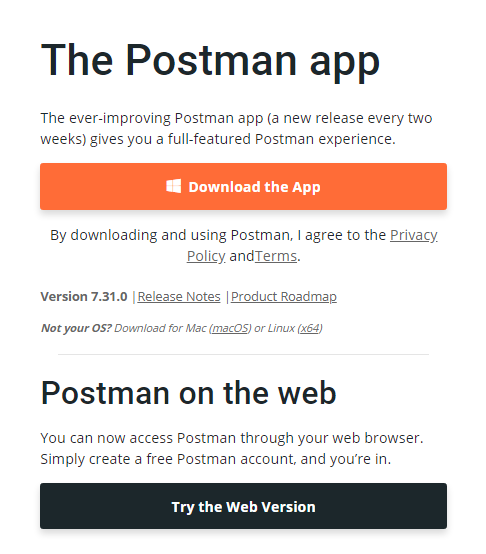
Now it will show you two Options to use Postman,
1. Download Postman App.
2. Use Postman on Web.
How to Set-up Postman?
Now If you have Downloaded or using web version the Further process will be same.
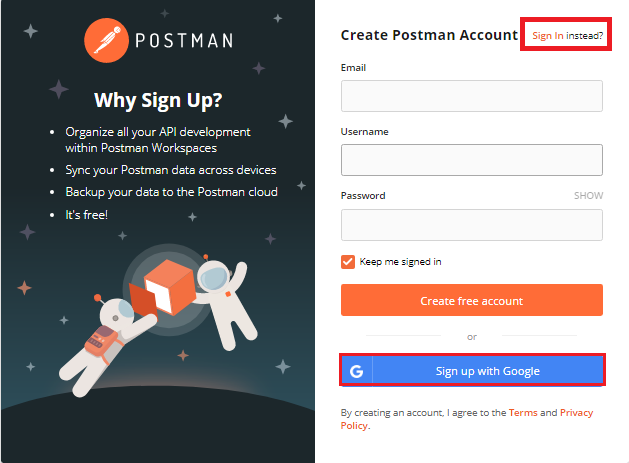
1. If you have no Account of postman then simply create an account else Login with your account.
After Login or Sign-up you will get the interface like below. where you perform further process.
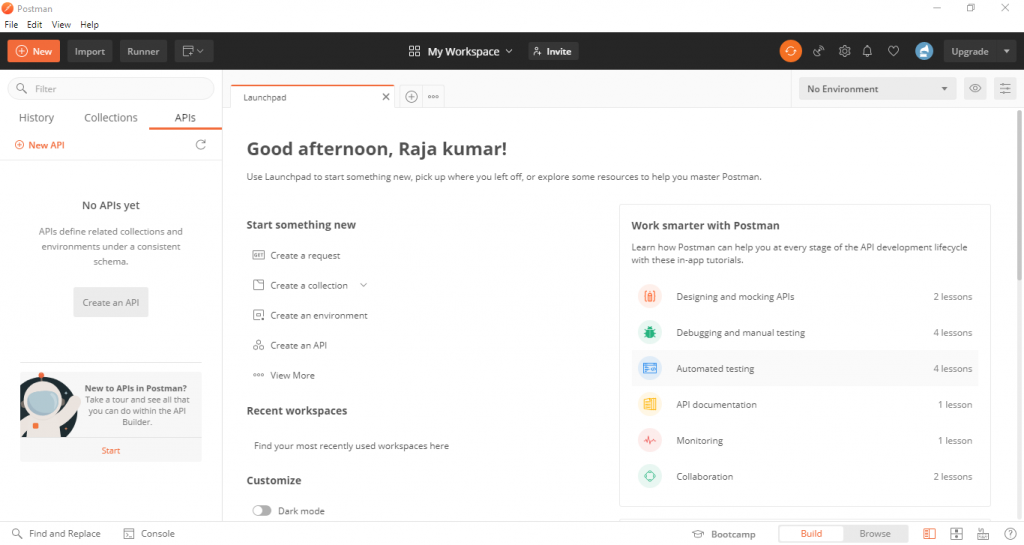
Our Postman Setup is Done.
We will learn how to use postman in next Blog. Click here to go

With MotoShare.in, you can book a bike instantly, enjoy doorstep delivery, and ride without worries. Perfect for travelers, professionals, and adventure enthusiasts looking for a seamless mobility solution.
Find Trusted Cardiac Hospitals
Compare heart hospitals by city and services — all in one place.
Explore Hospitals





