
Software Configuration Management (SCM) is the operational discipline that keeps software changes controlled, traceable, and reproducible. For DevOps teams, SCM reduces release risk by managing not only source code, but also environment definitions, deployment manifests, and versioned artifacts. This page explains the core concepts, a practical workflow, and concrete Git commands you can apply immediately.
Originally published on 2010-03-21; fully revised and updated.
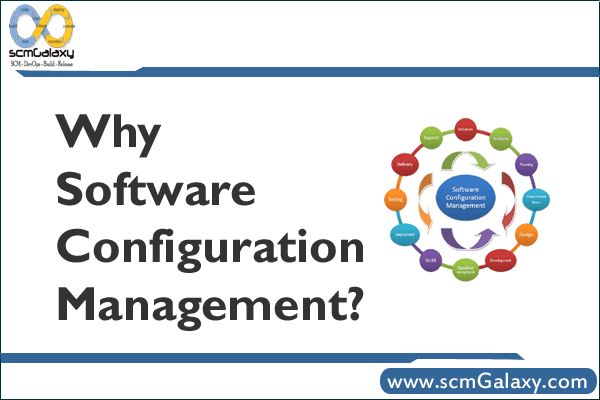
This topic was originally shared as a SlideShare presentation: Why Scm by Rajesh Kumar.
What software configuration management covers
SCM is broader than version control alone. Version control is a key part, but SCM also defines how teams identify configuration items, approve changes, create baselines, and maintain auditability through the lifecycle.
- Configuration identification: Define what must be controlled (source code, build files, IaC, runtime config, docs).
- Change control: Route changes through review and approval workflows.
- Status accounting: Track what changed, when, and by whom.
- Verification and audits: Confirm releases match approved baselines.
- Baseline management: Freeze known-good versions for repeatable deployments.
Why SCM matters for DevOps teams
In fast delivery environments, unmanaged changes create outages, rollback pain, and compliance gaps. SCM introduces structure without blocking engineering speed.
- Improves release reliability through controlled merges and tagged versions.
- Supports root-cause analysis with complete change history.
- Enables reproducible builds and environment consistency.
- Strengthens security and compliance through auditable approvals.
- Reduces configuration drift across development, staging, and production.
A practical SCM workflow
A modern SCM workflow connects issue tracking, branching, peer review, CI, and release baselines.
flowchart TD
    A[Change request] --> B[Issue tracked]
    B --> C[Feature branch created]
    C --> D[Code and config updates]
    D --> E[Pull request review]
    E --> F{Approved}
    F -- No --> D
    F -- Yes --> G[Merge to main]
    G --> H[Tag baseline]
    H --> I[CI build and tests]
    I --> J[Release artifact]
    J --> K[Deploy with audit trail]
SCM tool options compared
Different teams choose different SCM platforms based on workflow, scale, and asset type.
| Tool | Best for | Strengths | Trade-offs |
|---|---|---|---|
| Git | Branch-heavy collaboration and DevOps pipelines | Distributed workflow, strong ecosystem, common CI/CD integration | Can become complex without branch and review standards |
| Subversion (SVN) | Centralized workflows and simpler history model | Straightforward central repository model | Less flexible branching model than distributed approaches |
| Perforce Helix Core | Very large repos and binary-heavy projects | Handles large-scale asset management well | Operational and licensing model may be heavier for small teams |
Practical Git commands for baseline and traceability
The example below shows a minimal SCM-friendly flow: create a controlled baseline, then inspect exactly what changed between releases.
Create and tag a baseline
git init
git checkout -b main
git add .
git commit -m "Initial baseline"
git remote add origin git@github.com:example-org/payment-service.git
git push -u origin main
git tag -a v1.0.0 -m "Baseline release"
git push origin v1.0.0Code language: JavaScript (javascript)
Review what changed between releases
git checkout -b feature/log-rotation
git add app/config.yml
git commit -m "Tune log rotation policy"
git push -u origin feature/log-rotation
git log --oneline v1.0.0..v1.1.0
git diff --name-only v1.0.0..v1.1.0
git blame app/config.ymlCode language: JavaScript (javascript)
With pull requests and protected main branches, this gives you a practical audit trail from requirement to production release.
Best practices
- Treat code, infrastructure, and environment config as versioned assets.
- Use immutable release tags for every production deployment.
- Require peer review before merge for high-impact changes.
- Document rollback procedures per service and environment.
- Automate policy checks in CI so control is consistent and fast.

I’m Rajesh Kumar, a DevOps, SRE, DevSecOps, Cloud, and Platform Engineering expert passionate about sharing practical knowledge, real-world experiences, and industry best practices. I have worked at Cotocus and regularly write about technology, travel, investing, health, product reviews, and digital marketing through my various platforms.
I publish technical articles at DevOps School, travel stories at Holiday Landmark, stock market insights at Stocks Mantra, health and fitness guidance at My Medic Plus, product reviews at TrueReviewNow, and SEO and digital marketing strategies at Wizbrand.
Find Trusted Cardiac Hospitals
Compare heart hospitals by city and services — all in one place.
Explore Hospitals
Software configuration management helps teams control changes and keep project files consistent over time. It is useful to track who changed a file, why the change was made, and which version belongs to each release. Clear naming rules and regular backups can prevent confusion when several people work on the same project. Teams should also review changes before sharing them with others. These habits improve traceability and make it easier to recover from mistakes.
Software Configuration Management helps teams keep code and project settings consistent as changes happen. Tracking configuration files alongside source code makes it easier to reproduce builds and investigate issues. Clear commit messages and regular reviews also help teams understand the impact of each change. It is useful to define who can approve changes to important production settings. These practices reduce avoidable errors and make software releases easier to manage.