
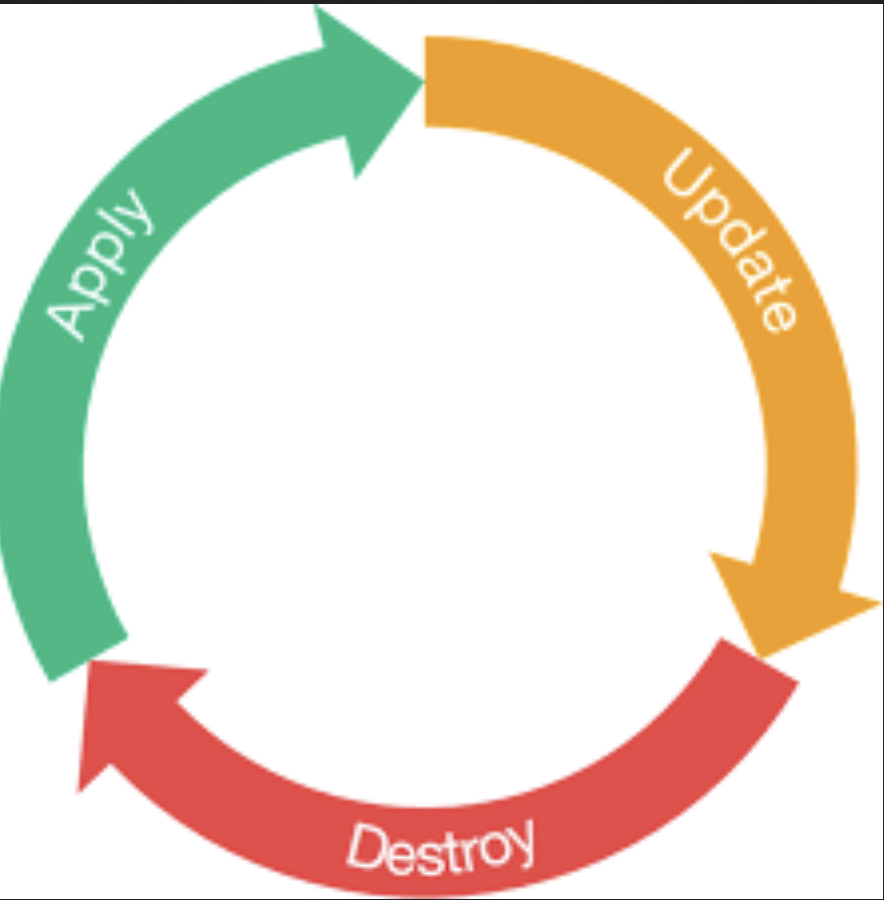
The lifecycle block in Terraform allows you to customize how resources are managed during their lifecycle—creation, updates, and deletion. By using the lifecycle arguments, you can control behaviors like when resources are created or destroyed, what changes Terraform should ignore, and validations to ensure desired states.
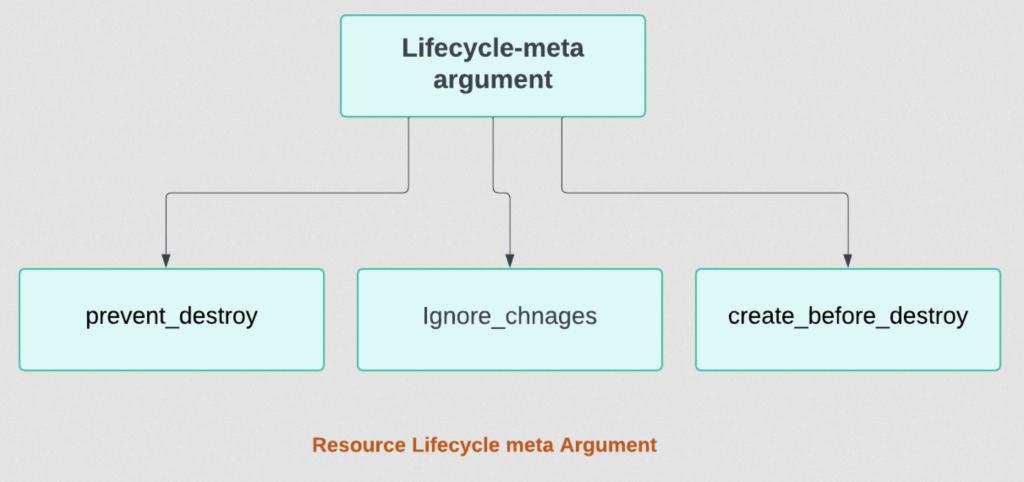
Overview
The lifecycle block is defined within a resource block and supports several arguments to modify Terraform’s default behavior.
Syntax
resource "resource_type" "resource_name" {
  # Resource configuration

  lifecycle {
    # Lifecycle arguments
  }
}
Code language: PHP (php)
Supported Arguments
The lifecycle block supports the following arguments:
create_before_destroyprevent_destroyignore_changesreplace_triggered_bypostcondition(Introduced in Terraform 1.4.0)]preondition(Introduced in Terraform 1.4.0)
Explanation of Arguments
| Argument | Type | Description | Example Use Case |
|---|---|---|---|
create_before_destroy | Boolean | Ensures that a new resource is created before the existing resource is destroyed, preventing downtime or disruptions. | Useful for servers or databases that must remain operational during updates. |
prevent_destroy | Boolean | Prevents accidental deletion of a resource. If a destroy operation is attempted, Terraform will halt and show an error. | Protect critical resources like production databases or S3 buckets from being destroyed accidentally. |
ignore_changes | List or Attribute | Prevents Terraform from modifying certain resource attributes even if they differ from the configuration. | Useful for attributes managed outside Terraform, such as tags modified manually. |
replace_triggered_by | List of references | Forces the resource to be replaced if specified attributes or dependencies change. | Trigger replacement when a dependent resource, variable, or file changes. |
postcondition | Block | Validates the resource’s state after creation, update, or destruction. If the condition fails, the operation is halted with an error message. | Ensure tags are added to a resource or validate that a resource’s attribute meets a specific format. |
precondition | Block | You can add precondition and postcondition blocks with a lifecycle block to specify assumptions and guarantees about how resources and data sources operate. |
Detailed Explanation and Examples
1. create_before_destroy
- Type: Boolean
- Default:
false - Description: Ensures Terraform creates a replacement resource before destroying the current one. This is especially useful for resources that cannot have downtime.
Example:
resource "aws_instance" "example" {
  ami           = "ami-12345678"
  instance_type = "t2.micro"

  lifecycle {
    create_before_destroy = true
  }
}
Code language: JavaScript (javascript)
Use Case:
- Updating a server instance without downtime.
- Replacing a database or critical network component while maintaining availability.
2. prevent_destroy
- Type: Boolean
- Default:
false - Description: Protects a resource from being destroyed. Terraform will raise an error if a destroy operation is attempted.
Example:
resource "aws_s3_bucket" "example" {
  bucket = "critical-bucket"

  lifecycle {
    prevent_destroy = true
  }
}
Code language: JavaScript (javascript)
Use Case:
- Protect production environments or resources with critical data (e.g., S3 buckets, databases).
- Safeguard resources that should not be removed under any circumstances.
3. ignore_changes
- Type: List of attribute names or a single attribute name
- Default: None
- Description: Tells Terraform to ignore changes to specific resource attributes that might occur outside Terraform’s configuration.
Example:
resource "aws_instance" "example" {
  ami           = "ami-12345678"
  instance_type = "t2.micro"
  tags = {
    Name = "example-instance"
  }

  lifecycle {
    ignore_changes = [
      tags
    ]
  }
}
Code language: JavaScript (javascript)
Use Case:
- When certain attributes are managed manually or by other systems (e.g., metadata tags, timestamps).
- Avoid unnecessary updates for attributes that Terraform doesn’t need to control.
4. replace_triggered_by
- Type: List of references (e.g., resource attributes, files, variables)
- Default: None
- Description: Forces resource replacement when the referenced attributes or dependencies change.
resource "aws_instance" "example" {
  ami           = "ami-12345678"
  instance_type = "t2.micro"

  lifecycle {
    replace_triggered_by = [
      aws_s3_bucket.example.id,
      var.version
    ]
  }
}
Code language: JavaScript (javascript)
Use Case:
- Ensure resources are replaced when a dependent resource, input variable, or configuration file changes.
5. postcondition (Introduced in Terraform 1.4.0)
- Type: Block
- Default: None
- Description: Validates the resource’s state after lifecycle operations (creation, update, or destruction). If the condition fails, Terraform halts with a custom error message.
Example:
resource "aws_s3_bucket" "example" {
  bucket = "example-bucket"

  lifecycle {
    postcondition {
      condition     = length(self.tags) > 0
      error_message = "The bucket must have at least one tag."
    }
  }
}
Code language: PHP (php)
6. precondition in Terraform
The precondition block, introduced in Terraform 1.4.0, allows you to define conditions that must be met before a resource is created or updated. If the condition fails, Terraform will halt the operation with a specified error message
Key Features of precondition
- Validation Before Resource Operations:
- Ensures that a resource’s configuration or external dependencies meet specific criteria before applying changes.
- Custom Error Messages:
- Allows you to provide clear explanations for why the condition failed.
- Condition Logic:
- Supports complex expressions to validate attributes or other properties of resources.
precondition in Terraform
The precondition block, introduced in Terraform 1.4.0, allows you to define conditions that must be met before a resource is created or updated. If the condition fails, Terraform will halt the operation with a specified error message.
Key Features of precondition
- Validation Before Resource Operations:
- Ensures that a resource’s configuration or external dependencies meet specific criteria before applying changes.
- Custom Error Messages:
- Allows you to provide clear explanations for why the condition failed.
- Condition Logic:
- Supports complex expressions to validate attributes or other properties of resources.
Syntax
The precondition block is defined inside the lifecycle block of a resource and consists of:
condition: A boolean expression that must evaluate totrue.error_message: A custom error message displayed when the condition evaluates tofalse.
lifecycle {
  precondition {
    condition     = <boolean_expression>
    error_message = "Custom error message if the condition fails."
  }
}
Code language: HTML, XML (xml)
variable "instance_type" {
default = "t3.micro"
}
resource "aws_instance" "example" {
ami = "ami-12345678"
instance_type = var.instance_type
lifecycle {
precondition {
condition = var.instance_type != "t2.micro"
error_message = "Instance type cannot be t2.micro."
}
}
}
Code language: JavaScript (javascript)Combining Multiple Lifecycle Arguments
You can combine multiple lifecycle arguments within a single resource to achieve complex behavior.
Example:
resource "aws_instance" "example" {
  ami           = "ami-12345678"
  instance_type = "t3.large"
  tags = {
    Name = "example-instance"
  }

  lifecycle {
    create_before_destroy = true
    prevent_destroy        = true
    ignore_changes         = ["tags"]
    replace_triggered_by   = [var.version]
    postcondition {
      condition     = self.instance_type != "t2.micro"
      error_message = "The instance type cannot be t2.micro."
    }
  }
}
Code language: PHP (php)
Comparison of Arguments
| Argument | Supported Action | Purpose | Dependencies |
|---|---|---|---|
create_before_destroy | Create/Destroy | Minimize downtime during resource replacement. | None |
prevent_destroy | Destroy | Protect critical resources from deletion. | None |
ignore_changes | Update | Avoid managing specific attributes outside Terraform. | List of attributes |
replace_triggered_by | Replace | Trigger replacement based on dependencies or variable changes. | List of dependencies |
postcondition | Validate | Validate resource state after creation, update, or destruction. | Boolean condition |
Best Practices
- Use
prevent_destroywith caution: Overuse may result in situations where resources cannot be easily modified or removed. - Avoid excessive
ignore_changes: Ignoring too many changes can lead to “drift” where the real resource state diverges from Terraform’s state. - Test
postconditionrules: Ensure that conditions are correctly evaluated to prevent deployment failures. - Combine arguments effectively: Tailor lifecycle arguments to suit resource requirements without over-complicating configurations.

I’m Rajesh Kumar, a DevOps, SRE, DevSecOps, Cloud, and Platform Engineering expert passionate about sharing practical knowledge, real-world experiences, and industry best practices. I have worked at Cotocus and regularly write about technology, travel, investing, health, product reviews, and digital marketing through my various platforms.
I publish technical articles at DevOps School, travel stories at Holiday Landmark, stock market insights at Stocks Mantra, health and fitness guidance at My Medic Plus, product reviews at TrueReviewNow, and SEO and digital marketing strategies at Wizbrand.
Find Trusted Cardiac Hospitals
Compare heart hospitals by city and services — all in one place.
Explore Hospitals





