
Originally published on 2009-01-13; fully revised and updated.
Software Configuration Management (SCM) is the discipline that keeps software changes traceable, controlled, and recoverable over time. This article explains the four foundational SCM requirements and how engineering teams can implement them with practical processes and tooling. For historical context, see the original post.
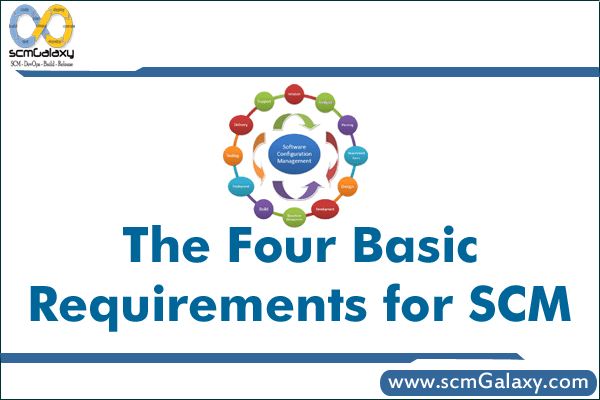
The four SCM requirements at a glance
The original SCM guidance is still valid: regardless of whether your process is mostly manual or highly automated, you need all four capabilities to manage releases safely.
| Requirement | Primary question it answers | Typical evidence | Risk if missing |
|---|---|---|---|
| Identification | What exactly is in this release? | Version labels, tags, baselines, bill of materials | Cannot determine impacted releases or components |
| Control | Was this change reviewed and approved? | Change requests, approvals, branch/merge history | Untracked or risky changes enter production |
| Auditing | Was the approved change implemented correctly? | Audit trail, test evidence, release verification | Mismatch between intent and delivered software |
| Status accounting | What changed, when, and why? | Reports, release notes, configuration records | Poor traceability and weak planning metrics |
1) Identification: define and label configuration items
Identification means every relevant software part can be uniquely recognized across versions. In practice, this includes source code, dependencies, build scripts, infrastructure definitions, and release artifacts. The goal is to reconstruct any shipped configuration item without guesswork.
A useful mental model is a software bill of materials for each release baseline: if a defect appears, the team can quickly identify all versions and products that contain the affected component.
2) Control: evaluate and authorize change
Control means proposed changes to configuration items are reviewed before being accepted into a baseline. This is where technical and business impact are considered: compatibility, risk, schedule, and downstream dependencies.
Without control, a fix for one customer or platform can unintentionally break another. With control, teams can decide deliberately and preserve release integrity.
3) Auditing: confirm implementation matches approval
Auditing verifies that approved changes were actually implemented and that resulting configurations conform to requirements. Audits rely on traceable records: what was requested, what was changed, and what was released.
When documentation and traceability are consistently maintained, audits become straightforward and reliable instead of ad hoc investigations.
4) Status accounting: maintain the project memory
Status accounting is the reporting function of SCM. It records the lifecycle of each approved change and each configuration item transition (for example, from one baseline version to the next).
These records support audits, incident response, and management decisions. They also provide historical data that helps teams estimate future work and improve delivery predictability.
How the four requirements work together in a change lifecycle
flowchart TD
    A[Change request opened] --> B[Identify affected configuration items]
    B --> C{Change approved}
    C -- no --> D[Rework or close request]
    C -- yes --> E[Implement and commit change]
    E --> F[Audit against approved scope]
    F --> G[Update status records and release notes]
    G --> H[Create or update release baseline]
Practical example using Git-based workflows
The commands below are illustrative examples of how modern teams often implement classic SCM requirements. The SCM principles are tool-agnostic; Git is one common implementation.
# Identification: create a release baseline and capture artifact list
git tag -a v2.3.1 -m "Release baseline v2.3.1"
git ls-tree -r --name-only v2.3.1 > release-v2.3.1-bom.txtCode language: CSS (css)
# Control: isolate and review a hotfix before merging
git switch -c hotfix/linux-audio-driver v2.3.1
git commit -am "Fix buffer handling in Linux audio driver"
git push origin hotfix/linux-audio-driverCode language: PHP (php)# Auditing and status accounting: verify delta and tag approved release
git log --oneline --decorate v2.3.1..hotfix/linux-audio-driver
git tag -a v2.3.2 -m "Approved hotfix release"
git show --name-status v2.3.2Code language: PHP (php)Best practices and common pitfalls
- Define configuration items explicitly; do not limit SCM to source code only.
- Treat release baselines as immutable references for traceability.
- Require documented approval paths for production-impacting changes.
- Audit both process compliance and technical correctness.
- Keep status accounting lightweight but complete: who, what, when, why, and where released.
- Avoid tool-first thinking; start with SCM policy, then implement with tools.

I’m Rajesh Kumar, a DevOps, SRE, DevSecOps, Cloud, and Platform Engineering expert passionate about sharing practical knowledge, real-world experiences, and industry best practices. I have worked at Cotocus and regularly write about technology, travel, investing, health, product reviews, and digital marketing through my various platforms.
I publish technical articles at DevOps School, travel stories at Holiday Landmark, stock market insights at Stocks Mantra, health and fitness guidance at My Medic Plus, product reviews at TrueReviewNow, and SEO and digital marketing strategies at Wizbrand.
Find Trusted Cardiac Hospitals
Compare heart hospitals by city and services — all in one place.
Explore Hospitals
This blog gives a clear and helpful explanation of the four basic requirements for a Software Configuration Management (SCM) system. I like how it breaks down each requirement in a simple way, making it easier to understand what makes SCM effective. It’s a useful read for anyone learning about configuration management and best practices.